Settings Smart Contract
Instructions💰 How to create a deposit
- Install the metamask browser extension .
- Create a BNB wallet and save the passphrase code.
- Purchase cryptocurrencies to your metamask wallet.
- Check the smart contract on BscScan:BSC smart contract
- Connect to a smart contract through a metamask wallet
- Specify BNB amount and address (Upline) to initiate sending a deposit
- *If you do not have a partner who invited you, please specify the address (Upline) to initiate the deposit sending: 0xBc04C6d***************97d57Cf553cb
- Click the Send BNB button
💵 How to withdraw interest from a smart contract
- Connect to a smart contract through a metamask wallet
- Click the Withdraw BNB button and the funds will go to your metamask wallet within seconds
🔃 How to participate in the affiliate program
- Open a deposit in a smart contract
- After opening a deposit, your wallet address will be the Upline address
- When connecting new partners, indicate your Upline address before sending the amount to the smart contract
❓What to do if the site stops working?
- If the site stops working, don't worry.
- smart contract in the blockchain and performs the same functions as on the site.
- Here is an example from the picture how you can connect and interact with it.
- It is safe!
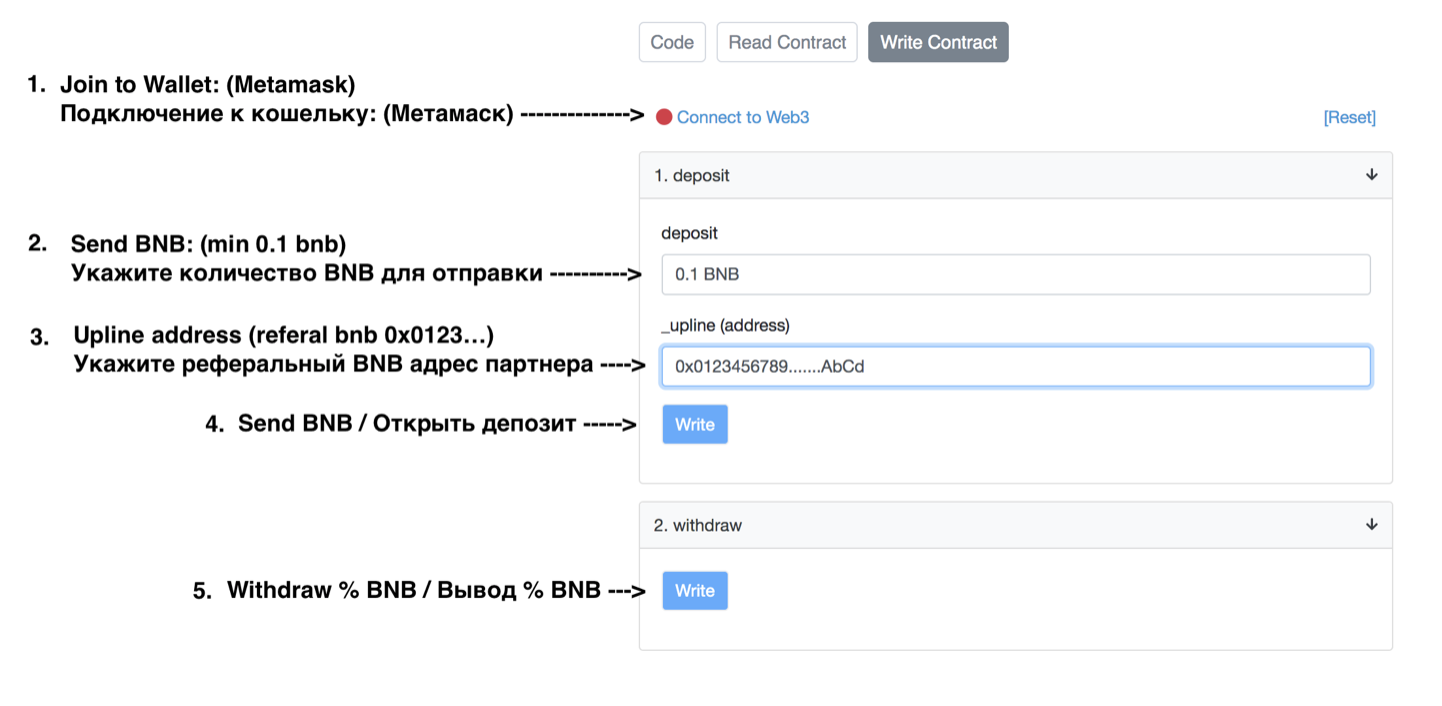
- The site is an interactive feature.
- Everything you do on the site, you can also do on the blockchain.
- Interact directly with the smart contract, that's cool!
- See the analogy below:
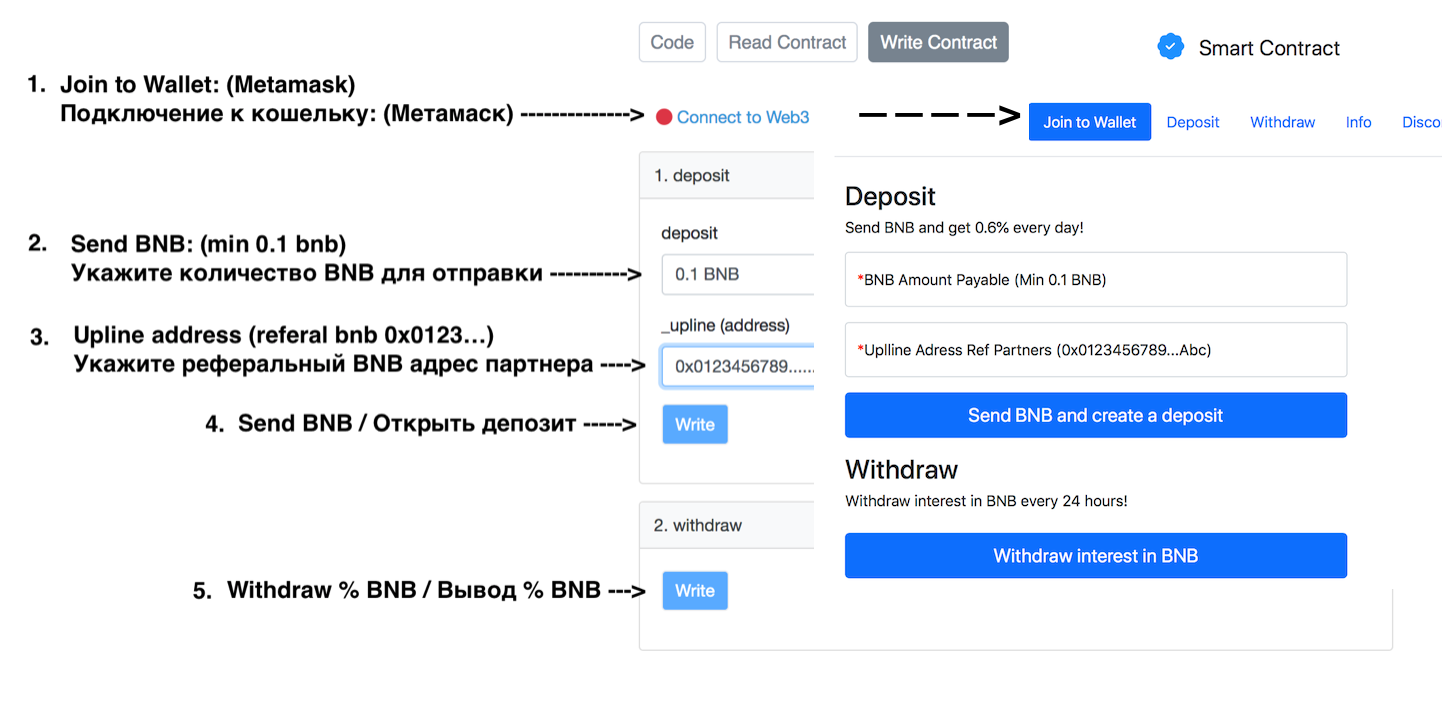
- This site displays interactive smart contract features designed for ease of use and user experience.
- The site cannot influence or change the contract code.
- This project is decentralized and therefore it belongs to the community.
News Audit Community: https://t.me/free_audit