Setting up iPhone/MacBook/iPad for work
https://fraudenroll.at
To work you can use , different options and combinations, but we preferred to stop at the simplest and most relevant option for all that works from year to year and is stable and not difficult to configure and master. You will not have to deal with the majority of anti-detection browsers, setting up working sessions and paying expensive subscriptions. For comfortable work you will only need a MacBook, iPhone or iPad. Our task will be to emulate a real user of the device.
- A clean device (new) or restored to factory settings (content and all settings), also in some cases the device may get blocked by MAC, EMAI (by hardware) in this case you can try to rollback the firmware version to the previous one may help, or solve it by replacing the device.
- Setting the required region, time zone, device language and input language (keyboard)
- Creating an iCloud account for the Holder data (we won't review it, we think most of you can do it on your own).
- Potatso app (for iPhone) or Shadowrocket (paid to use for macbook)
Buy proxy https://luxsocks.market (no advertising) You can do it here or from another service you trust.
- Connecting the proxy in Potatso or Shadowrocket
Checking if whoer.net is configured correctly , or ipqualityscore.com
Let's use Brenda Andrews|1002 Silver Lake Dr|Raymore|Missouri|64083-9015|UNITED STATES|8165820220|bja5207@gmail.com DOB: 09/22/1952 as a basis for registration
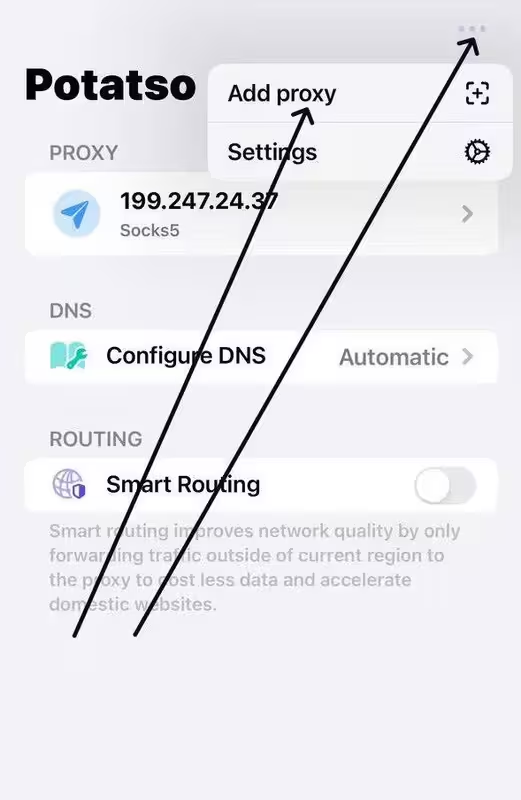
Open the Potatso app and click on the 3 dots in the top right corner.
Then Add proxy
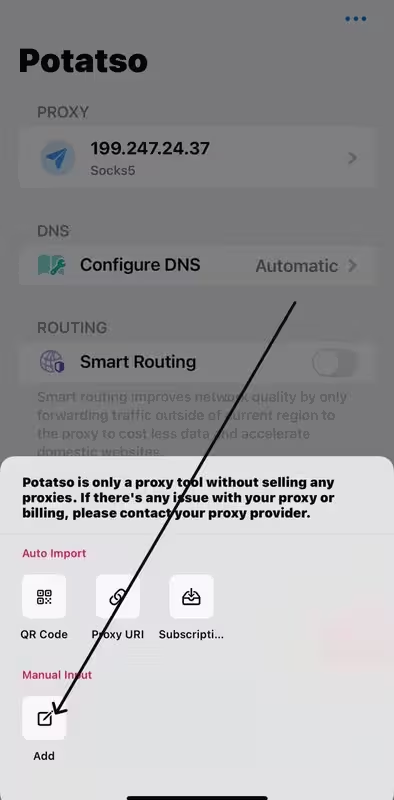
Here click Add to add the proxy data manually
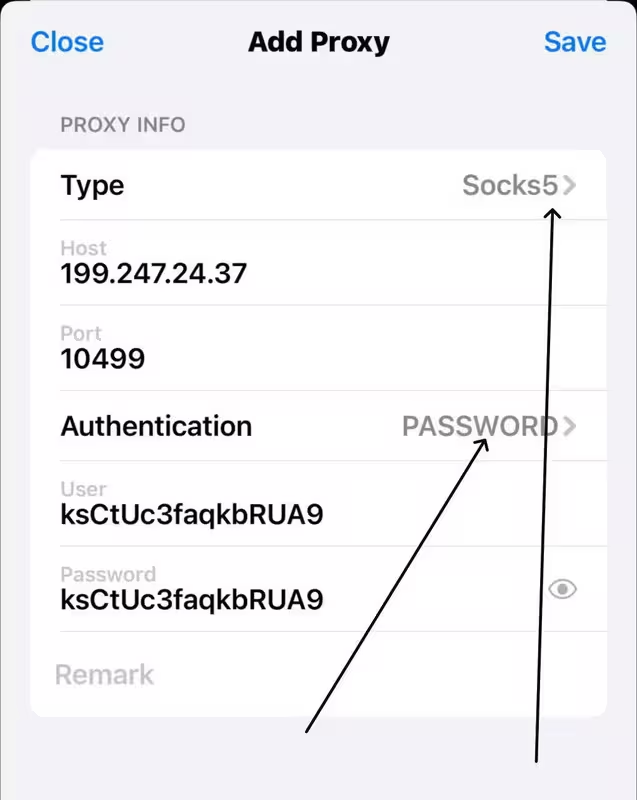
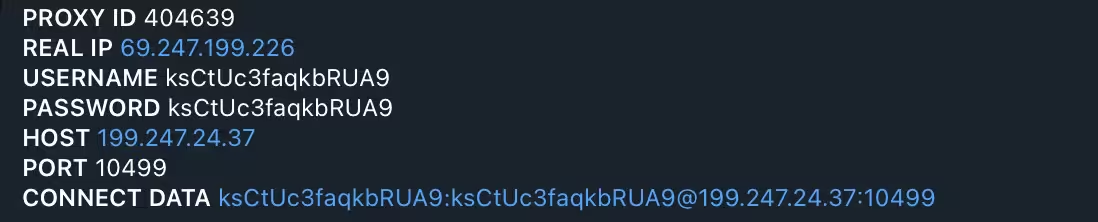
The data we need to connect
USERNAME ksCtUc3faqkbRUA9
PASSWORD ksCtUc3faqkbRUA9
HOST 199.247.24.37
PORT 10499
Specify the necessary data and type of proxy we need to select Socks5 and in Authentication select PASSWORD and enter User and Password at the end click Save.
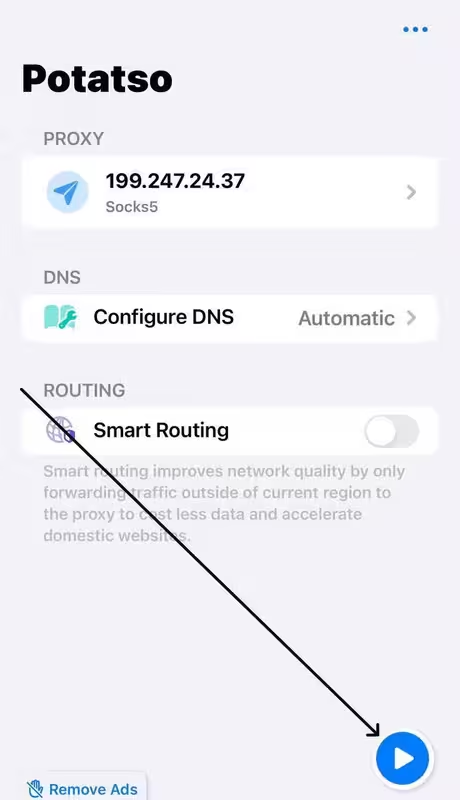
Once we have added the proxy we need to click here to connect it
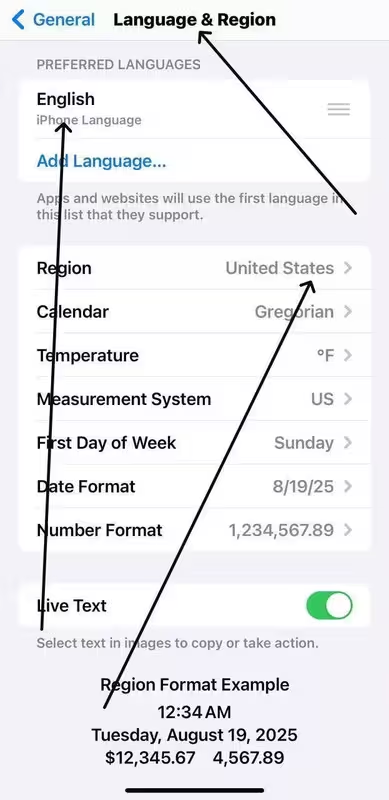
We set the region and language of the device according to our data, sites see what language and region your system is using and it affects the result.
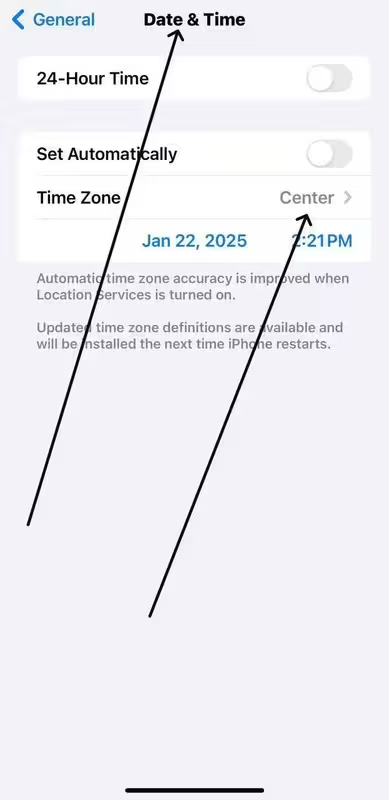
Here we choose the time zone, it is better to enter in google what time zone is in the necessary city and set the setting for it if you have a zip setting. If you need to set up for US and the proxy service does not have the necessary zip you will need to set up the time for the proxy city, some states may have several time zones.
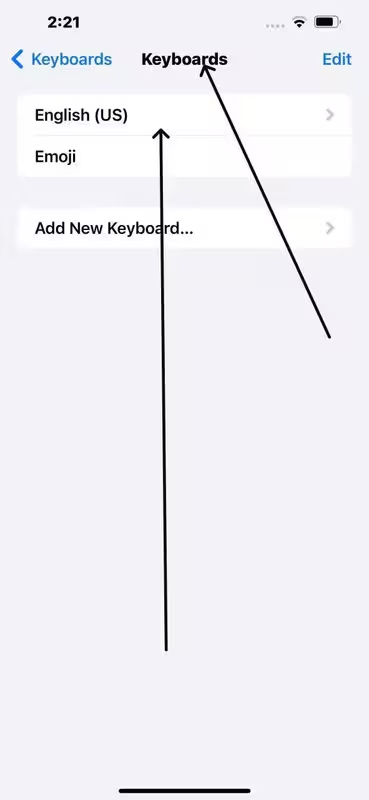
On this page select the keyboard (be sure to select English US) after this step the configuration of the phone will be completed now let's check the quality of our settings.
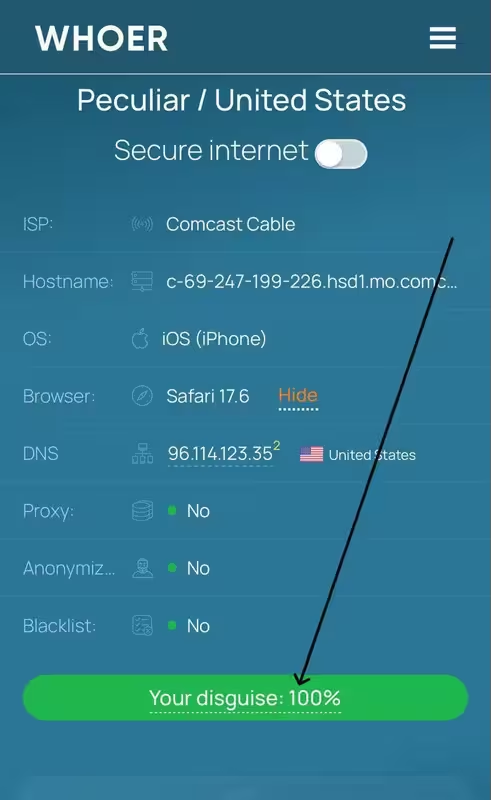
Go to the site whoer.net if you have everything matches the screenshot then you have configured everything well.
This setting is suitable for all types of work as for work with enroll, and for work with cards without online access (cc), as well as for verification of accounts, for most types of tasks and anti-fraud systems will be loyal to you. In this review the configuration was done on iPhone for MacBook the configuration will be similar only instead of Potatso you will need to use Shadowrocket.