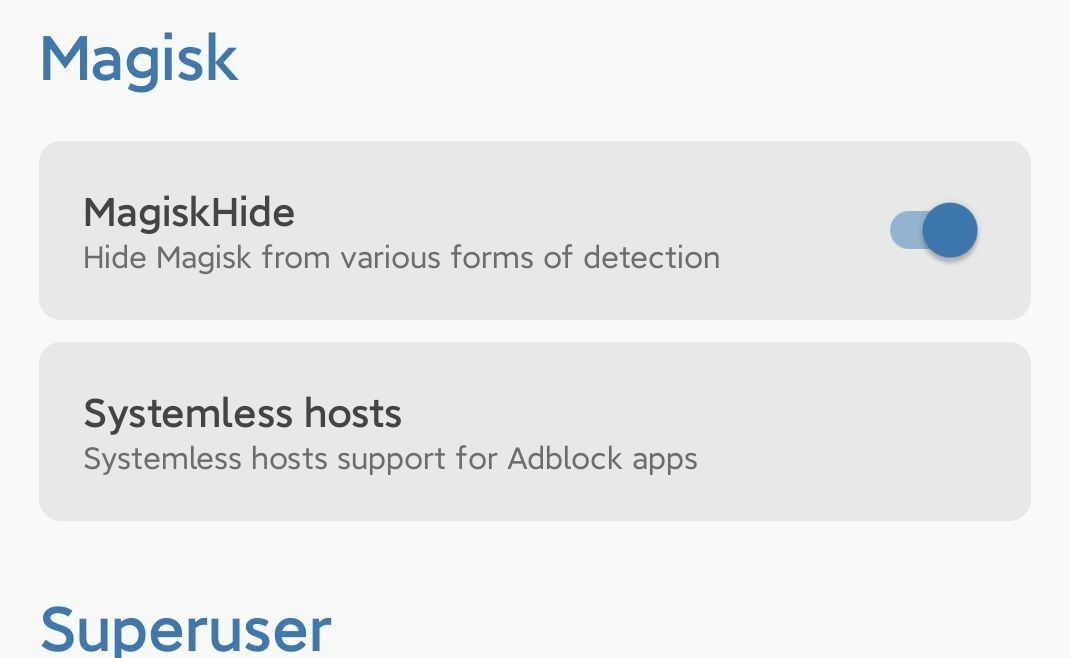
Open magisk app then go to setting >> turn on magisk hide
after turning magisk hide, go to superuser section (shield icon)
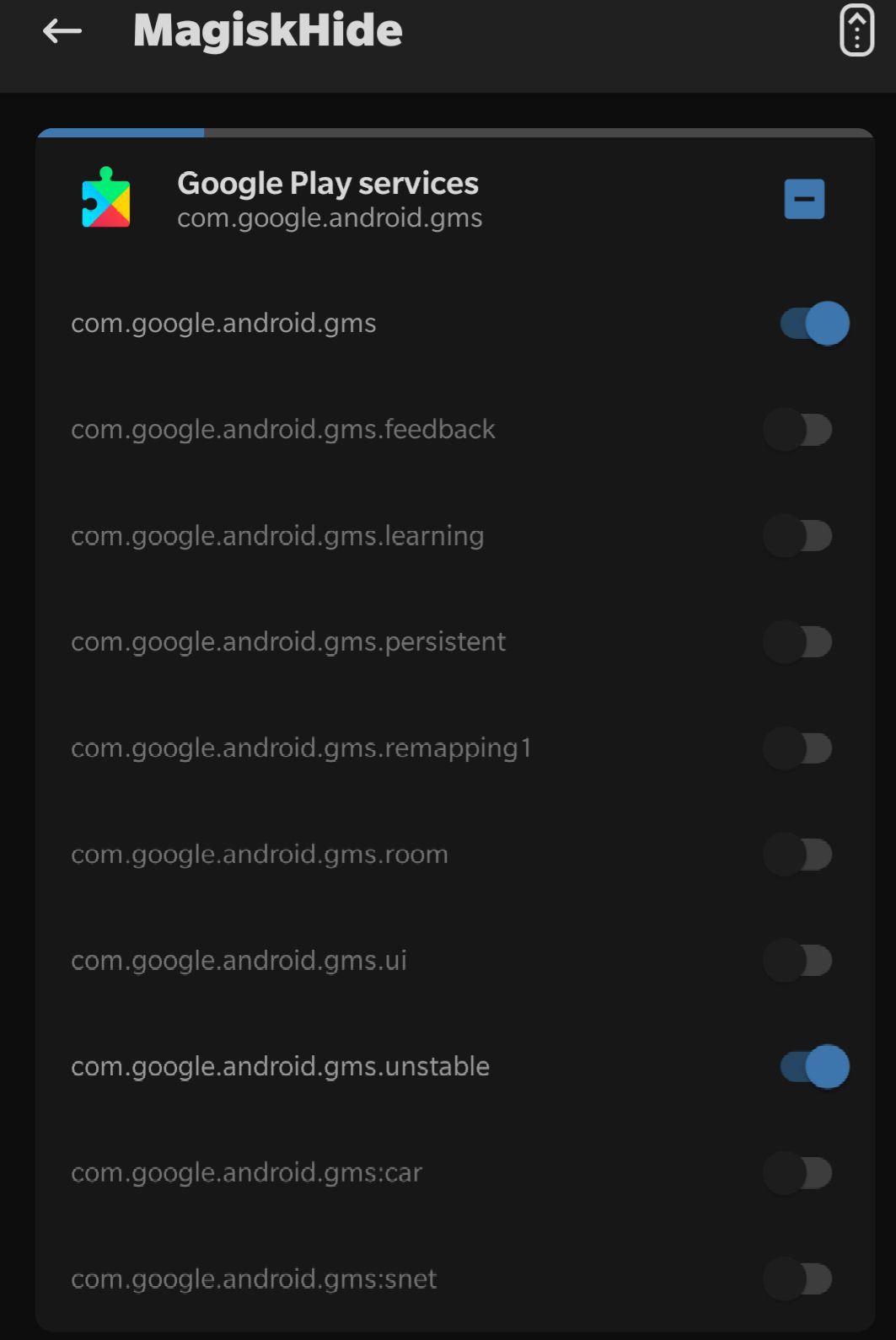
You will see " MagiskHide " , Tap arrow icon then you will see " Google Play Services " check it if it have check like on this photo
After that go to Terminal Emulator and type " su " then enter
Grant root
Type " props " then enter
Type " 1 " then enter
Type " F " then enter
Type " 7 " then enter
Type " 26 " then enter
Type " Y " then enter
Type " Y " then enter, if will reboot automatically
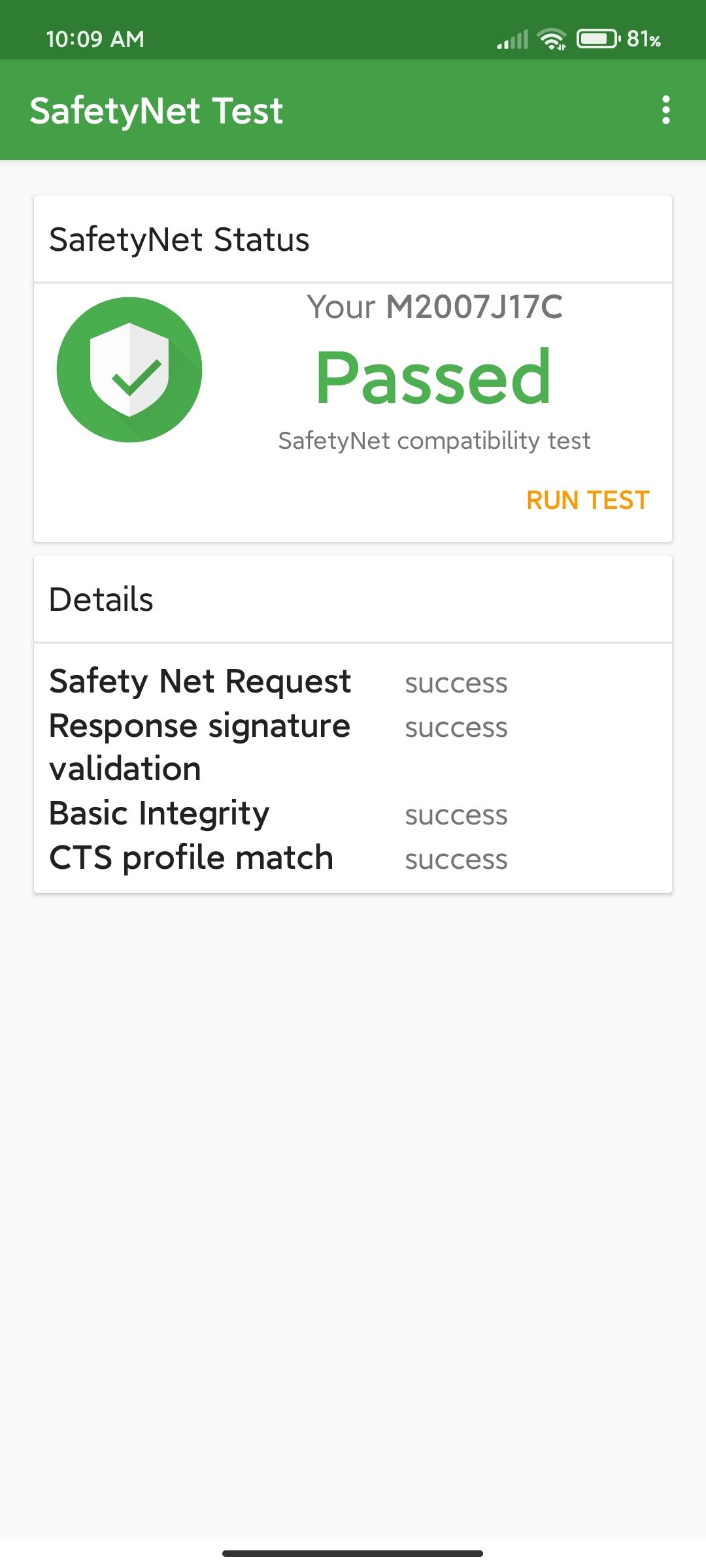
Now, check it on SafetyNet Test, you can download it on play store, run test and it will show like this or you can use magisk canary and check it there.
Clear data playstore and you are good to go
Check Netflix if it will show there, check also if the device is certified.