$SUMMER WIKI
🌞 Discover $SUMMER
❗️❗️❗️For participating in the Presale, use only Phantom or Solflare wallets, otherwise, the tokens will be lost!
Welcome to the $SUMMER presale guide! Here's a simple walkthrough to buy $SUMMER tokens before they hit the market, ensuring you're part of our community-driven initiative to revolutionize the crypto space with summer vibes. 🌞
Step One: Set Up Your Wallet
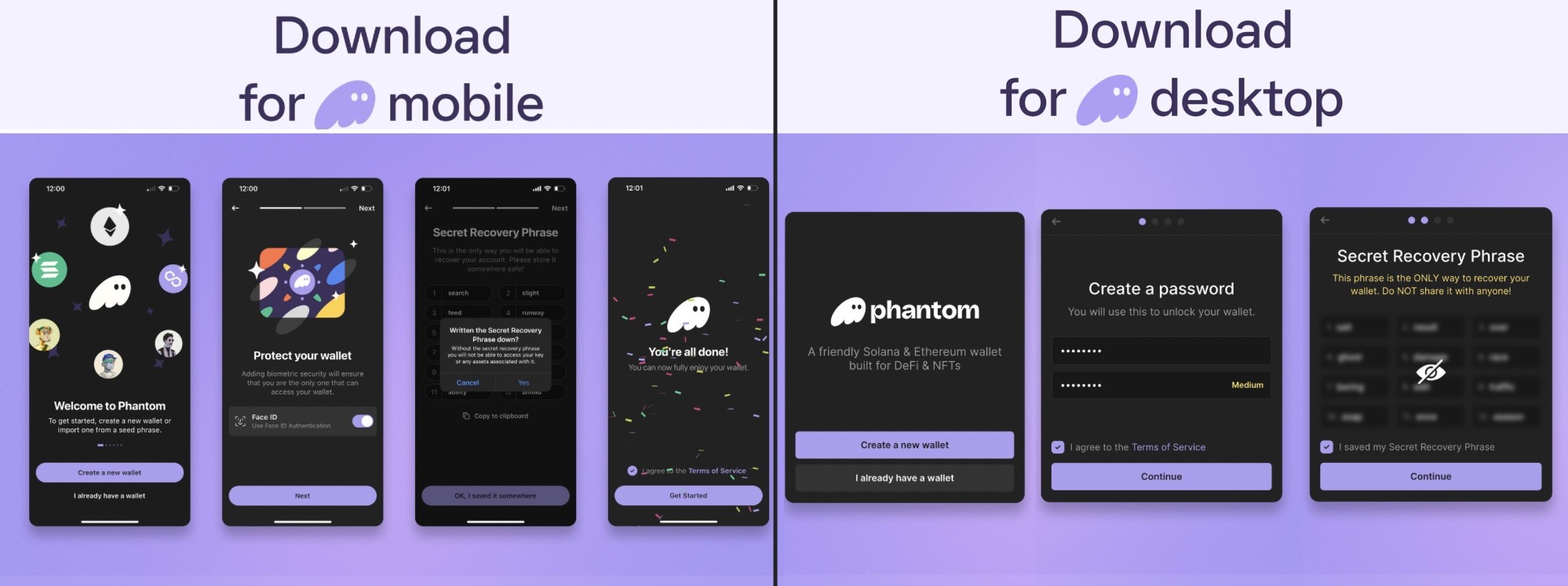
1. Choose Your Wallet: Visit the official website of a Solana-compatible wallet like Phantom Wallet.
- Browser Extension: Install Phantom Wallet on Chrome, Brave, or Edge.
- Mobile App: Download Phantom Wallet on iOS or Android.
2. Secure Your Wallet: After installation, secure your wallet with a unique seed phrase. Keep this phrase safe; it's crucial for accessing your funds.
Step Two: Buy Solana ($SOL) Token
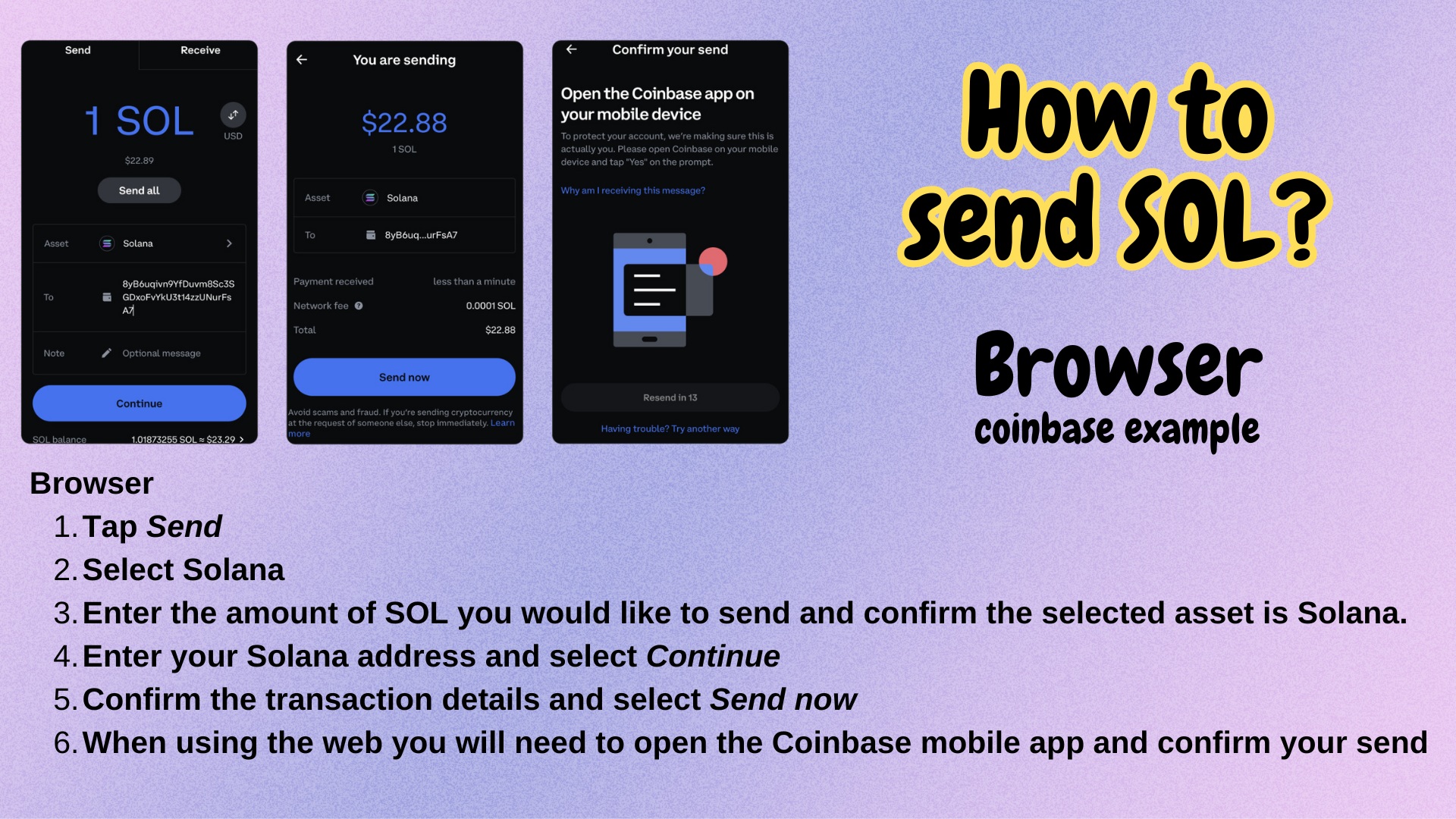
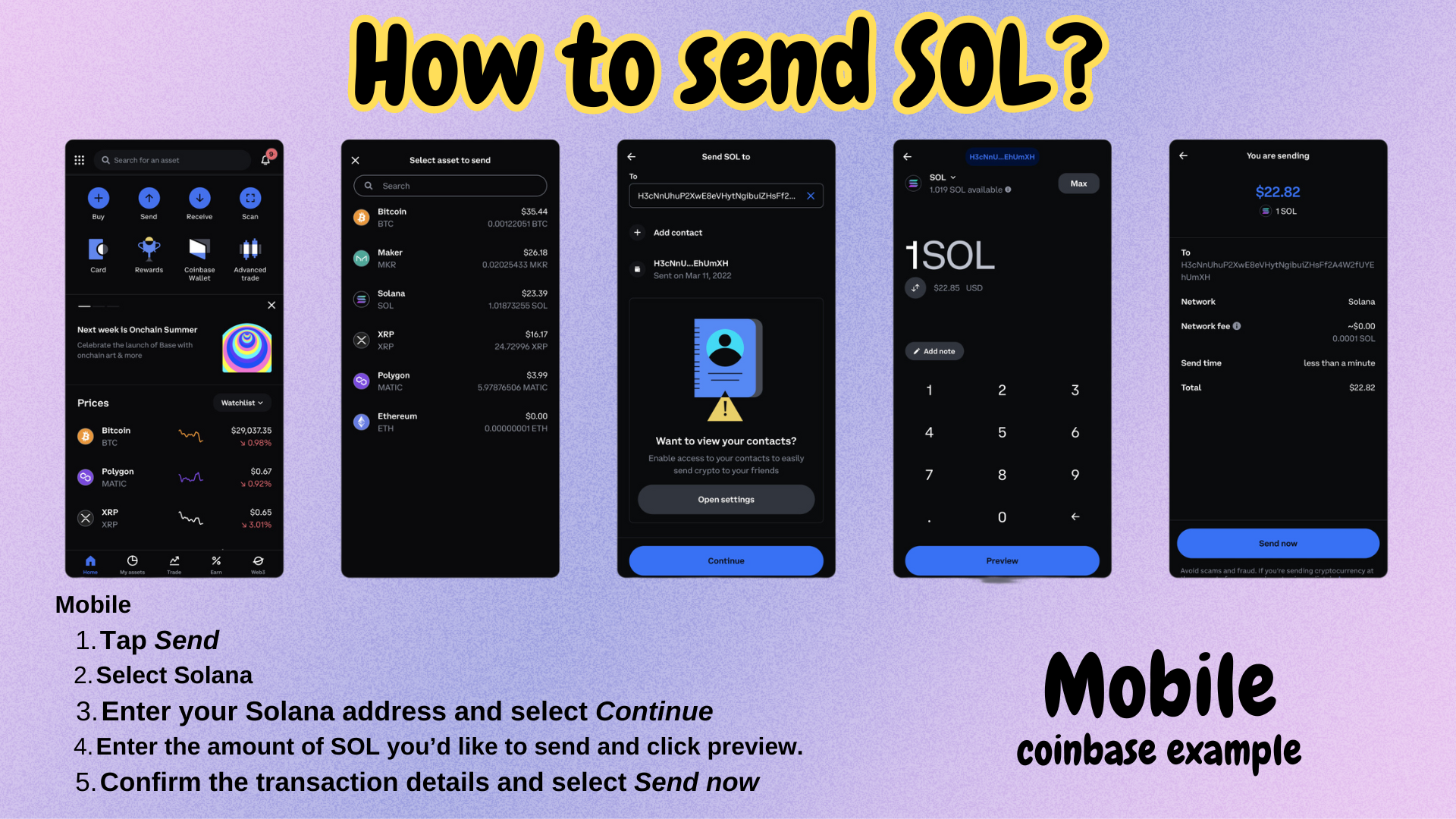
1. Purchase $SOL: Buy Solana tokens from reputable exchanges such as Bybit, Crypto.com, Coinbase, or Binance.
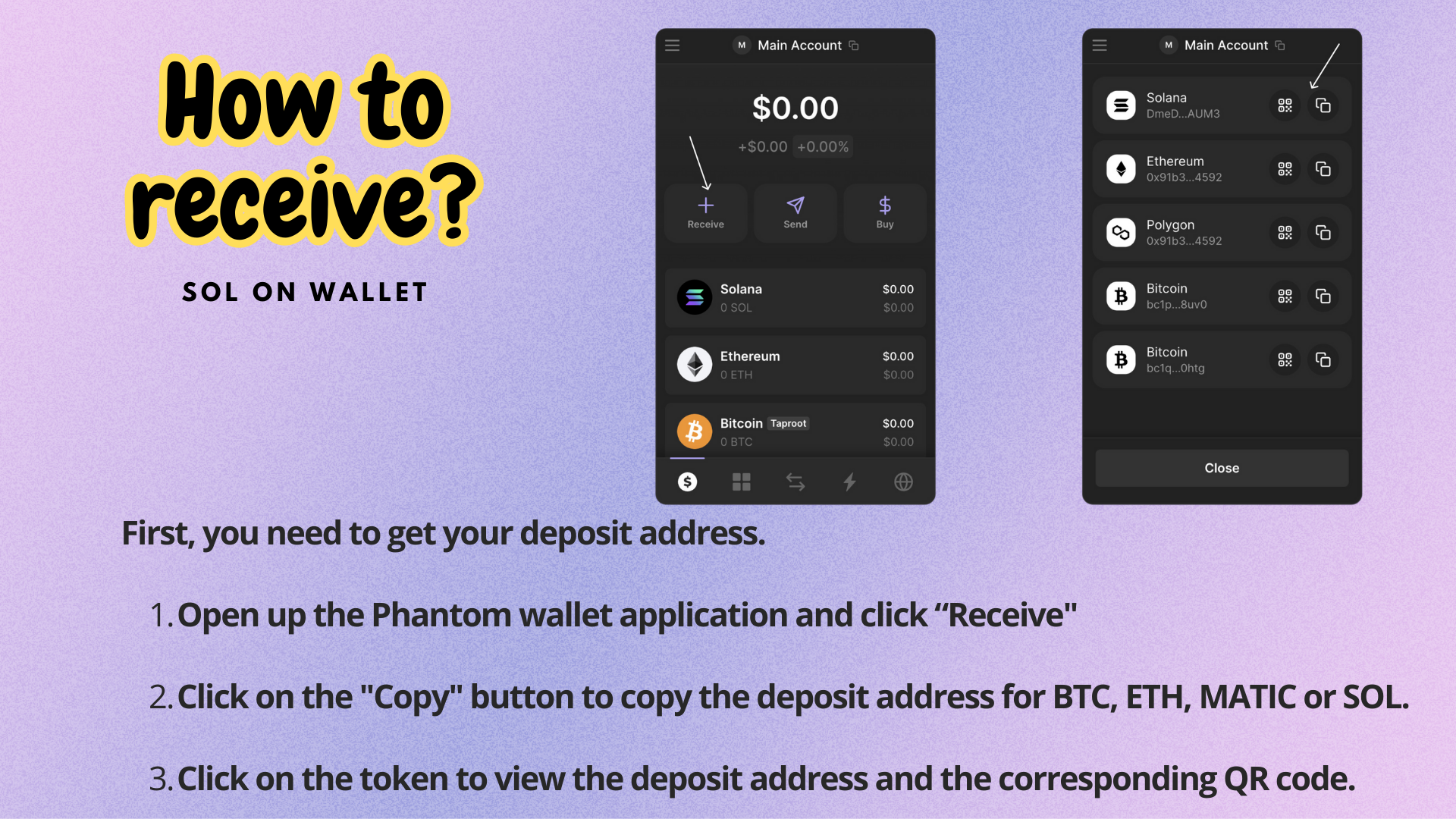
2. Transfer $SOL to Your Wallet: Send the purchased $SOL tokens to your Phantom Wallet using the receive function. Ensure you have enough $SOL to cover transaction fees.
Step Three: Participate in the $SUMMER Presale
1. Prepare for Presale: Stay tuned for the presale start date and time announced on our official channels.
2. Send $SOL Tokens: When the presale begins, transfer your $SOL tokens from your Phantom Wallet to the presale address provided on our website.
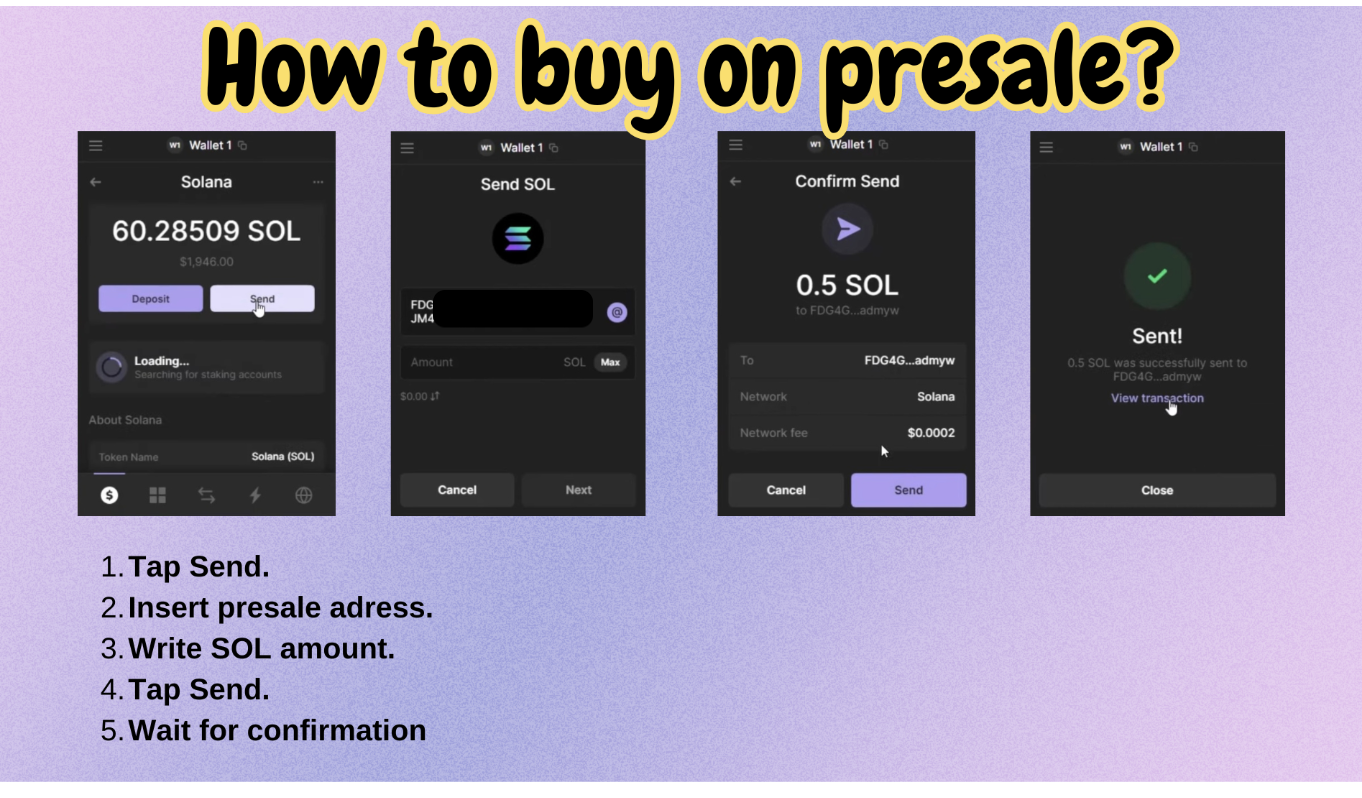
❗️Use only your Solana wallet, not an exchange ❗️
Bonus Tips:
- Stay Informed: Follow our official channels
-twitter
-telegram
for updates on additional earning mechanisms and exclusive rewards for $SUMMER holders.
- Join the Community: Engage with fellow participants and contribute to shaping the future of $SUMMER.
🌴 Get ready to embark on an exciting $SUMMER journey! Don't miss your chance to secure $SUMMER tokens early and enjoy the benefits of being an early supporter. Let's make this summer unforgettable in the world of crypto!
P.S. After the presale, we'll update you on outcomes and welcome community discussions if needed. Stay tuned for more updates!