Riders on the space — Juniors CTF "game modding" 500 write-up
q2was team— райдерс ов зе спейс официально только ты сделал, пиши райт ап
— ееееееей (я все равно дно)
The task was to replace sprites in the "game" with provided PNGs and use patched image bundle's SHA256 as a flag.
The game consists of a few files:
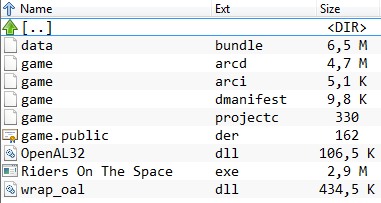
The gameplay is to guide the grayish circle into red squares, with each collision adding one point to the player's score. As task is to replace image data, there's no sense to reverse the executable (I cannot into reverse anyway).
Most of the files are binary, the only exception is game.projectc, which is a config file that looks like INI format.
Most of the images provided have power of two sizes, which is common in gamedev (some kind of optimization, but don't quote me on that).
When run, the game's executable spurts something about "Defold engine". That's free forever ultimate engine for 2D games — could it unpack and repack it's own bundles? Let's find out! Donwloading this heavily crippled Eclipse spinoff requires a google account, but whatever. Turns out it's able only pack the bundles, also google account is still required to launch the IDE, and there are no local-only projects, everything's stored in their cloud. To hell with that, we have to find another way.
I actually had time to solve this after a few hints were posted on ctf's telegram channel:
Variable-length integer?
85 80 04 65541
amount | offsets | data
Offsets are calculated relative to the beginning of the block with images (data).
07|00|85 80 04|8A 80 08|CF E0 0B|D4 E0 1B|99 C1 1F|DE A1 23|data
uint8_t|variable_length_int|variable_length_int|variable_length_int|variable_length_int|variable_length_int|variable_length_int|variable_length_int|data
The only file starting with these bytes is data.bundle, so let's dig into it, would we kindly?
On the first glance, the file has a lot of 0x00 bytes and a lot of 0xff. Second half of the file is exclusively 0xff.
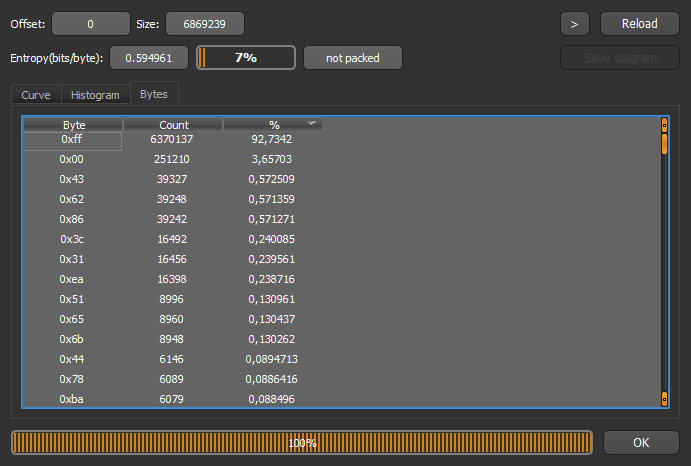
When data is neither full zeroes nor full ones, every fourth byte is still 0xff:
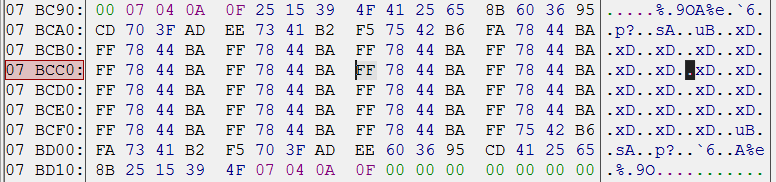
Oh boy, that's probably the alpha channel of the image! Let's take some screenshots and stick the color picker everywhere! After a few pictures I found out that there are no #7844BA pixels, but there are plenty #BA4478, so the color format used here is BGRA, not RGBA (that also means our eks dee color is actually a dee eks color).
Okay, we now know how image data is stored, but what about image sizes? Hints say the "data" begins right after the magic header, so let's take a look at the very beginning of the file:

What's with these numbers 80 00 80 00 04? 0x0080 is 128, and images have 4 bytes per pixel. 1.png is indeed 128×128. That's probably the size data we're looking for. Let's skip next 128×128×4 bytes and see if we can find similar data there. BINGO! There is exactly the same data, and 2.png is also 128×128.
Now we kinda understand how the images are stored. Lots of 0xff at the end is probably 2048×1024 white background texture. Let's write our own packer in Python. It's dumb enough: first it copies the magic offsets that correspond to I still have no idea what, then loads pictures in order, dumps their sizes as two-byte ints, prints 0x04 then puts every pixel in BGRA format. The first suspicious thing is that our generated bundle is bigger than the original. Turns out last picture, 7.png, the fancy space background, is stored without its alpha channel, as indicated by 0x03 after its dimensions. Fine, we'll toss in a workaround for this file. Our bundle's size is now byte-to-byte matches original's size. Let's test our hard work:
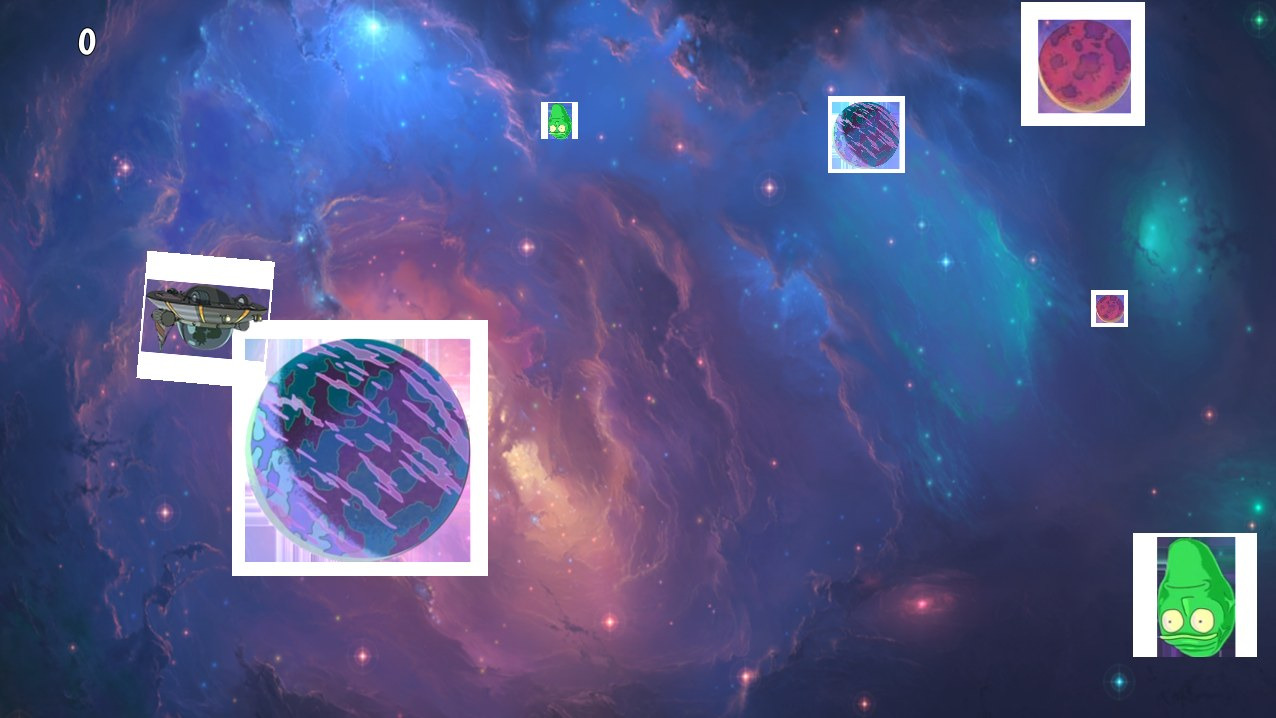
WHAT IS HAPPENING?
First off, images are oriented wrong, after a few tries I've determined the solution was to flip images vertically before pushing their data to bundle. Also something's wrong with alpha channel. In original bundle transparent color is #00000000, so I've "fixed" that with
if a == 0: r, g, b = 0, 0, 0
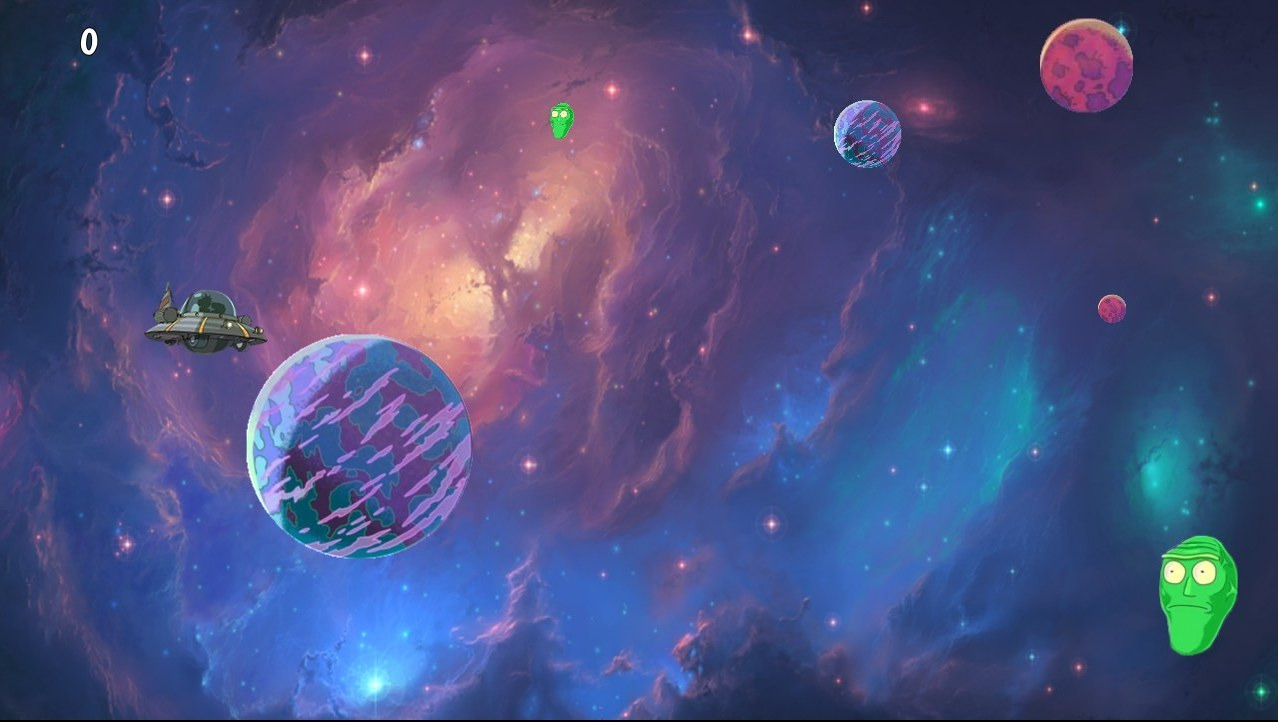
Things actually work now, so let's go grab that sweet 500 points.
Wait, what, "invalid flag", whyy~
I actually sent an email to orgs with this "problem", and they kinda responded on telegram with another hint:
Use premultiplied alpha, consider this when converting from png.
Quick googling tells us "premultiplied alpha" is storing (r, g, b, a) as (a×r, a×g, a×b, a) for whatever reason. Okay, let's replace our transparency "fix" with these:
r = (r * a) // 255 etc.
After that the SHA256 of our generated bundle was finally accepted as the flag, yay.
Flag is B3A5F83C7516CC558D4481E971F78102E2176788A11BD8C3E181753EA22EA120
Python code that packs images is available on pastebin.
Side note: the "game" is actually Defold's tutorial with different sprites, who would have guessed.
(That's actually my first write-up on my third CTF, also English's not my native language, so sorry if I made your eyes bleed.)
Cheers,
that one half of q2was that dislikes anime.