Revert to the Default Theme
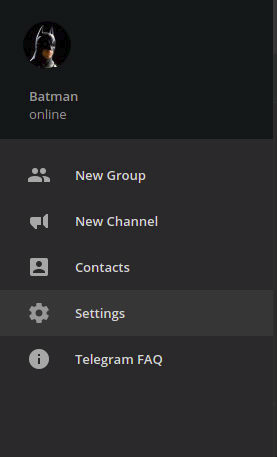
Telegram Support1: First, go to Settings by clicking three horizontal lines at the top left corner » Settings.
2: Scroll down until you see "Chat background" and click "Use default color theme"
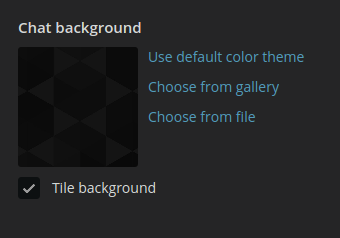
3: The default theme should now be restored!
See also:
To contact Telegram support, go to Settings, and scroll down until you see the 'Ask a Question' button at the bottom.
If you want to join us, check out the Telegram Support Initiative.