Reverse Image Search Guide #osint
Cyber Detective🇺🇦 • @cyb_detectivereverse image search guide #osint
- reverse images search engines and advanced search operators;
- photo processing tools for a more successful search;
- face photo search;
- automation.
(1/16) 🧵🧵🧵 [#1]

The tool I recommend you start your search with is Yandex Images.
Not only does it search very well for similar images, but it also recognizes the text on them and identifies the location if it is an image of a famous landmark.
(2/16)🧵 [#2]

Until recently, Yandex Images allowed you to enter search operators directly, but now this no longer works. But you can add them to the URL parameters.
For example, to search only on facebook, add &text=site%3Afacebook.com to the link
(as in the picture)
(3/16)🧵 [#3]

The second service to look in is Google Images. It also supports search operators, but they can be entered directly into the search box.
Recently "imagesize" operator worked (ex: imagesize:200x200 searched for profile avatars on forums), but today no longer works.
(4/16)🧵 [#4]

Also worth mentioning is the Google Lens app, which allows you to search for images using your smartphone camera.
It can translate text, identify plants and animals, and search for clothes in online stores.
lens.google/
(5/16)🧵 [#5]

reverse image search engines are many. there is a separate one for anime, a separate one for stock photos, a separate one for medical images, etc.
a large list is in my collection of #osint tools:
github.com/cipher387/osint_stuff_to…
(6/16)🧵 [#6]

search4faces.com
And this service comes in handy if you research people's photos.
It can find Vkontakte, Odnoklassniki, Clubhouse, and TikTok profiles based on the images of faces.
(7/16)🧵 [#7]

resizepixel.com/mirror-image/
If you search by facial photo, try to mirror the image and search again.
I already did a tweet in November with an example of how different results can be when you search for the same (but mirrored) photo.
(8/16) [#8]

app.remini.ai
If any part of the image is blurred or hidden, try restoring it using artificial intelligence.
In 2022, technologies have advanced to the point where even blurred faces can be reconstructed online and in seconds.
(9/16)🧵 [#9]

theinpaint.com
And this service is useful in the reverse situation - when you need to remove unnecessary objects from the photo (this can greatly change the search results!).
Run "Erase" several times to achieve the ideal effect.
(10/16)🧵 [#10]

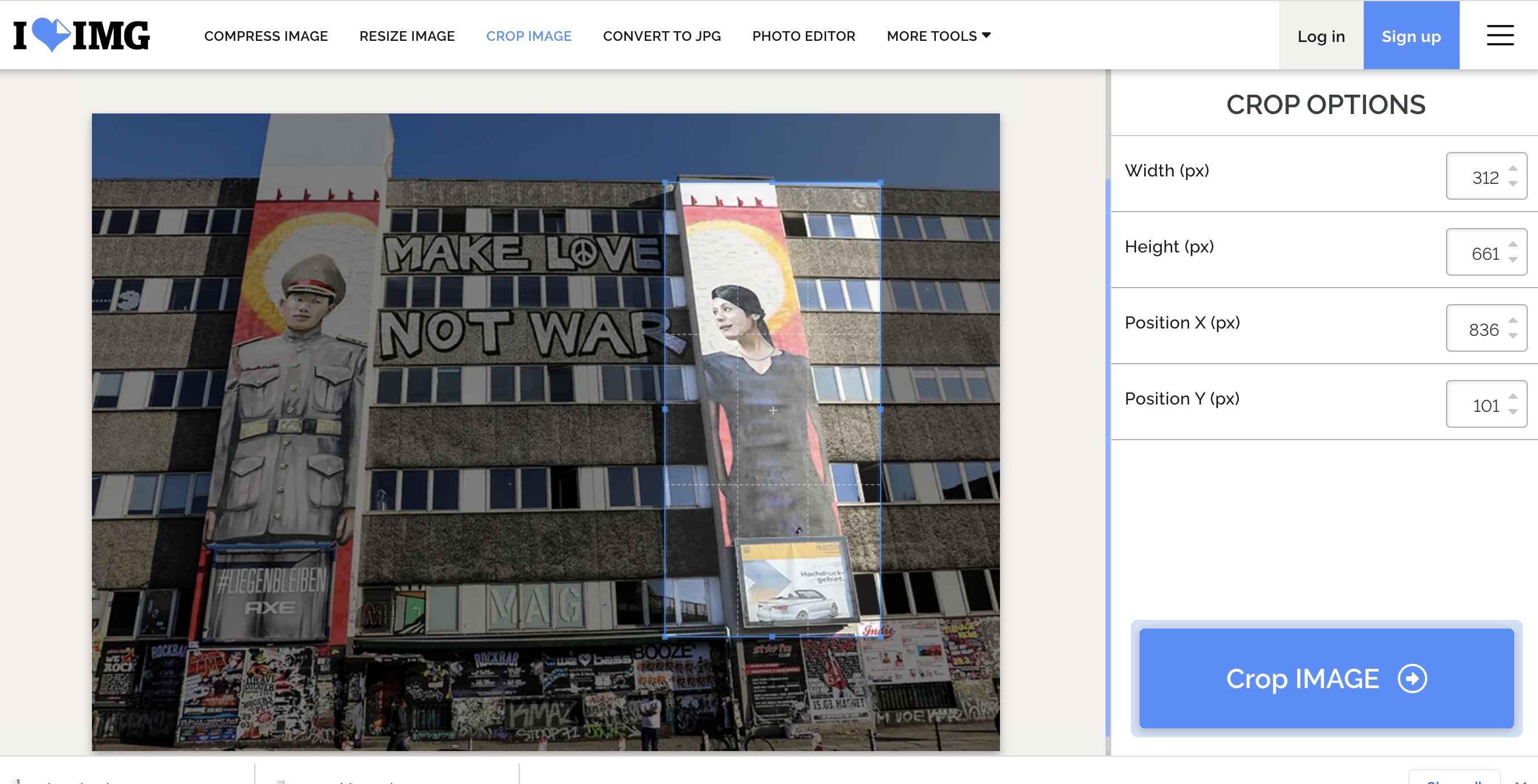
iloveimg.com/crop-image
If searching through the photo didn't give you enough information, try cutting it into pieces and looking for each object individually.
(11/16)🧵 [#11]
(12/16)🧵
Removing the background from the image will also help improve search results. This can be done instantly, online and sometimes for free. Here's a list of services:
twitter.com/cyb_detective/status/14… [#12]
Brightness, contrast, color balance and many other parameters can also affect search results. Feel free to experiment with image editing!
ww4.lunapic.com/editor/
(this graphic editor looks modest, but provides hundreds of useful features for free)
(13/16)🧵 [#13]

(14/16)🧵
If you need to do a Revese Image Search on several dozens or hundreds of images, it is better to automate this process using the command line:
twitter.com/cyb_detective/status/15… [#14]
if you need to search for similar images not on the internet but on local computer or network, you can create your own search index using the #python tool "image match":
github.com/ProvenanceLabs/image-mat…
(15/16)🧵 [#15]

(16/16)🧵
That's the end of my short guide to Reverse Image Search.
It's worth noting that there are tricks for different kinds of searches (house search, clothing search, logo search etc) So far I only have thread about face searches:
twitter.com/cyb_detective/status/14… [#16]