Revamping Ads & Boosting CTR in Contextual Advertising
@leadgid_network
Greetings, fellow publisher! Most of our partners handle contextual traffic: Google or Yandex. And it’s the best possible solution for lead generation in financial offers. Our today’s text is dedicated to a very important indicator, click-through rate (CTR). Seasoned advertisers don’t need any explanations for why this metric is important—especially in search.
Even if your ad is not in a top position but grabs attention better, you’ll win this race since you’ll gain the most clicks. But let’s start with the basics.
CTR in contextual advertising is the ratio of clicks on the add to the total number of users who view it. Advertisers and media buyers use this metric to evaluate performance of their contextual advertising campaigns and analyze user behavior.
With CTR we can clearly realize whether our website is better or worse than others and how much. As important as CTR is, it’s easy to calculate it: just divide the number of clicks by the number of impressions and multiply the result by 100.
Here are the factors that predefine CTR performance:
1) Title (whether it’s eye-catching and demand-relevant).
2) Description (same as the title but a little more specific and extended).
3) Your website’s URL.
Why do I need high CTR?
More clicks, more leads. Your SERP position hinges on how Google rates your ad. But if you cannot improve your ad quality for some reason, you can keep pace and even outperform search leaders—having enhanced CTR. Briefly, good CTR can secure the same benefits as the first position in search results and revamp the behavioral aspects of the website. And those behavioral factors have a direct impact on the website ranking; while CTR is just one of them, it’s a key component worth refining.
Structuring the ad
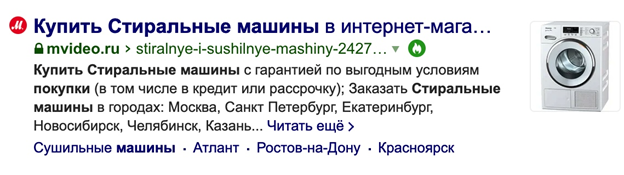
Ad structuring is a highly important phase of selling, which weights with CTR as well. You must agree that if you see an ad that features several sections of the website, quality product photos, reviews, contact info, and minimum price, such an ad is likely to be your favorite.
This stacks up well, proven by statistics: ads having a good structure and images usually enjoy a higher CTR. So make it a habit and try to follow this pattern.
Using quality links under the ad
Under-ad ads are created automatically, given your website is well-structured and you cared about SEO. It’s easy to set up those links: just go to your advertising account and enable all the options you want to see and disables those you don’t. Keep in mind that Google only allows generating such links for frequently-visited pages.
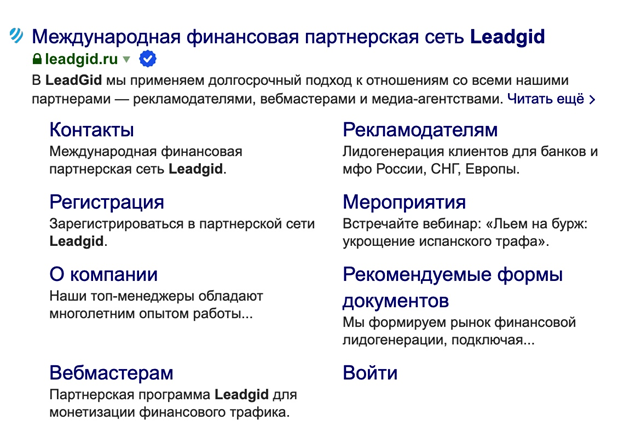
The website of a credit and loan organization could use links like these:
· No-ID loans
· Fast approval
· Bank “BANKNAME”
· Get a loan in 5 minutes
After a user clicks the link, they will be automatically redirected to the appropriate page. It looks great and can save the user’s time, elevating your CTR.
Deploying an online assistant or live chat
Everyone loves attention. And what can be better than attention? Only unobtrusive attention. If you have a barely navigable multipage resource, an online assistant could save you. Most people who take loans are unaware of the terms and don’t know how to choose an option they need. And if such a person sees a live chat window, it’s more than likely that they’ll click on it.
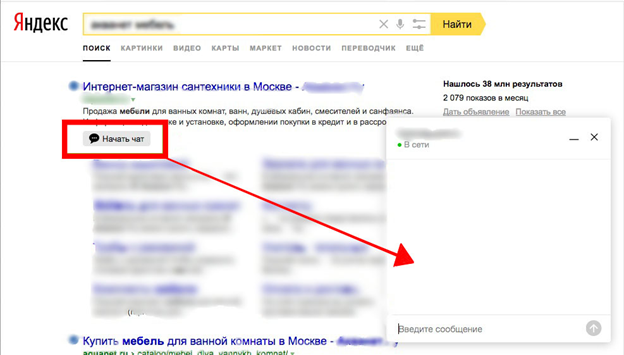
It’s way easier to ask something than to try looking for something by yourself. Helping users solve their problems quickly, your online chat widget will win more attention and capture enough place on the screen for the visitor to not see other search results. Nothing but benefits.
Favicon, special characters, and emojis
Since an ad’s attractiveness directly affects its CTR, it’s imperative that your creative looks good. Try sprinkling some appropriate emojis: finance offers can go with pics of money, a bank building, or a happy family. Unleash your creativity and associations.
And though Google doesn’t promote emoji-featuring results, it won’t hurt if you add some.
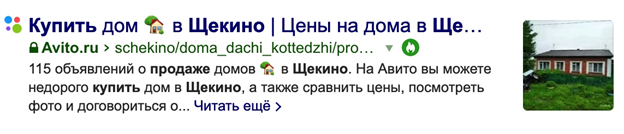
Feel free to deploy them in the title or description: it’s up to you. And now let’s move forward—to the favicon.
Favicon is an icon of your website or webpage displayed in the tab next to the name of the associated resource.
Here’s how it looks:
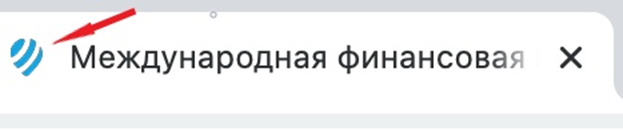
Such a small thing can have significant long-term benefits: people remember images. That said, a first-time customer can recommend your resource to their friends and colleagues, and when they can’t remember the name, they can visualize and describe your favicon so the referral easily finds your website.
Title and Description
Two anchor players. In 9 out of 10 cases, it’s title and description what the search engine analyzes and shows users. And as long as the user only sees part of the title, make sure the first words communicate the core message. Sometimes the ad is generated from different content than you specified. It shouldn’t be so. If you noticed that, re-index the page and set new tags.
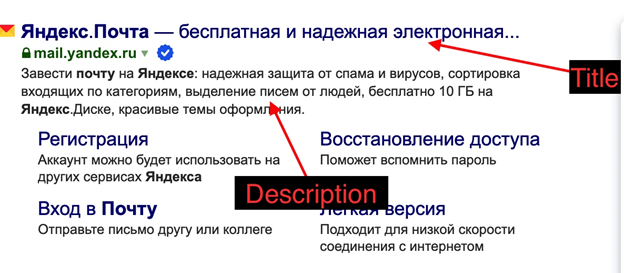
Try composing the text based on key messages. Treat this task seriously: either apply every possible effort or outsource it. But while it’s a big task to stuff everything you need to say into one sentence, what the user reads in the title will determine whether they click on it.
Analysis is key
Invoke analytics and monitoring when testing various ways to enhance your CTR. For that, register your metrics before you introduce something new and then compare them to after-values to realize whether it was worth it. Google Analytics offers a pretty wide choice of tools to monitor CTR.
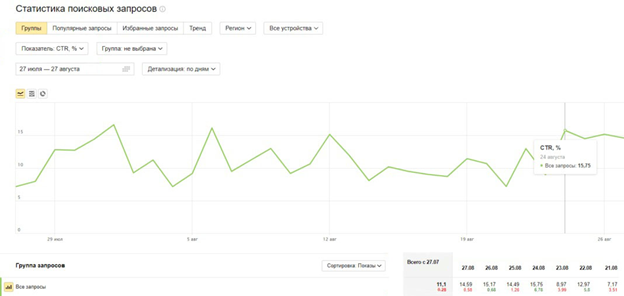
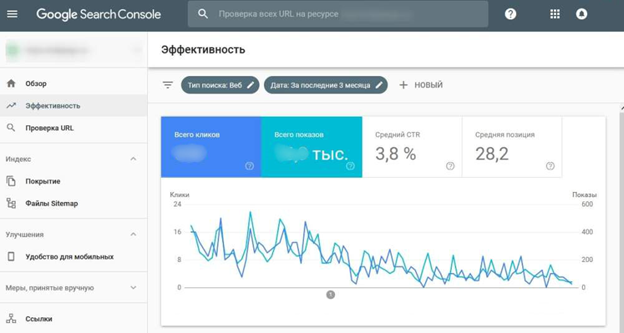
Keep an eye on the changes and how users see your website in search results. Only informed, statistics-inspired decisions can lead to efficient results.
Good luck! We in LeadGid got your back.