Remove the Get Add-ins button
YerongRemove the button from Home tab:
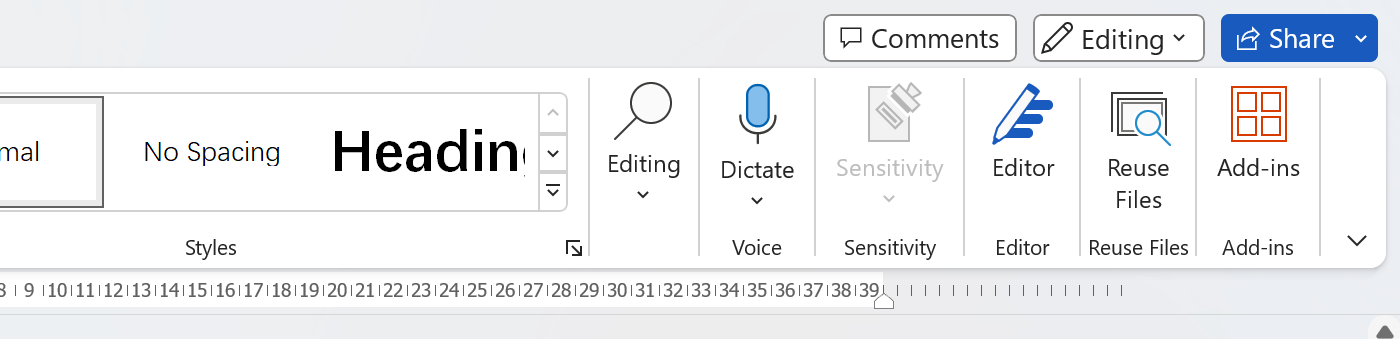
To remove the button from Home tab. We need to customize our Tab via settings.
Open Office application settings, navigate to Customize Ribbon. Choose commands from Main Tabs, Select Home and click Add >> button. Uncheck Home from the right panel. Finally click OK.
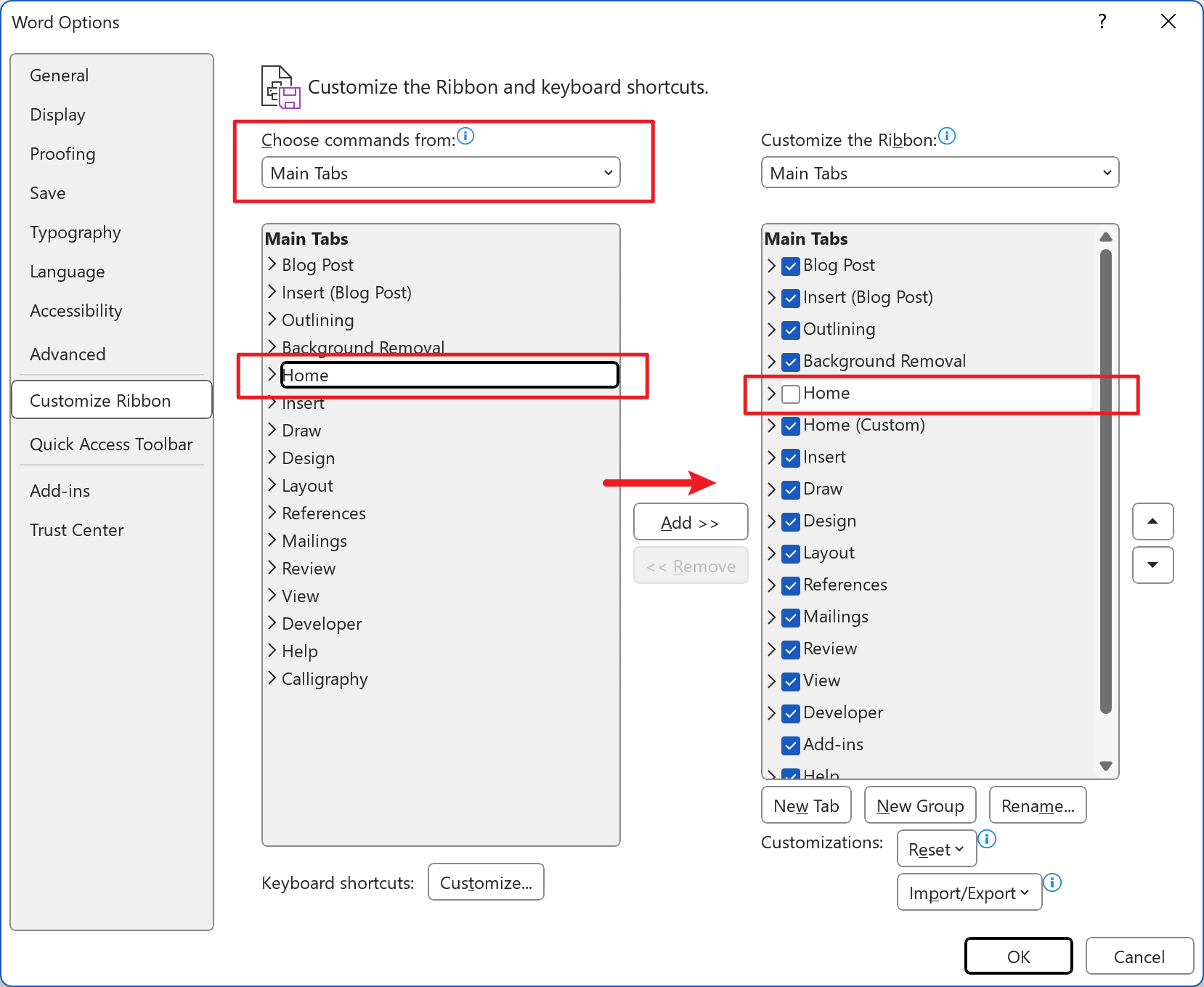
If you want to restore the layout, you can click the Reset button.
Remove the button from File Tab.
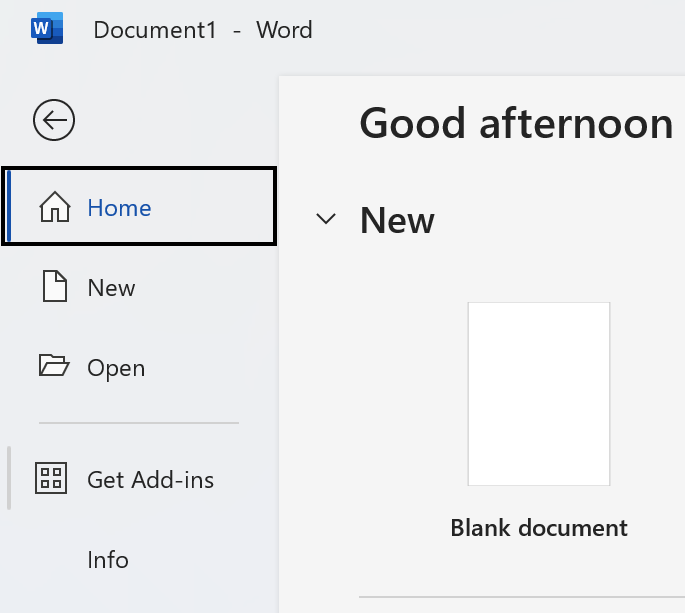
To remove the button from File tab, download and open Office Tool Plus.
Navigate to Deploy page, open Advanced settings, choose Application preferences.
Search Show "Get Add-ins" button under the File tab, switch the button from Unset to Off, then click Apply.
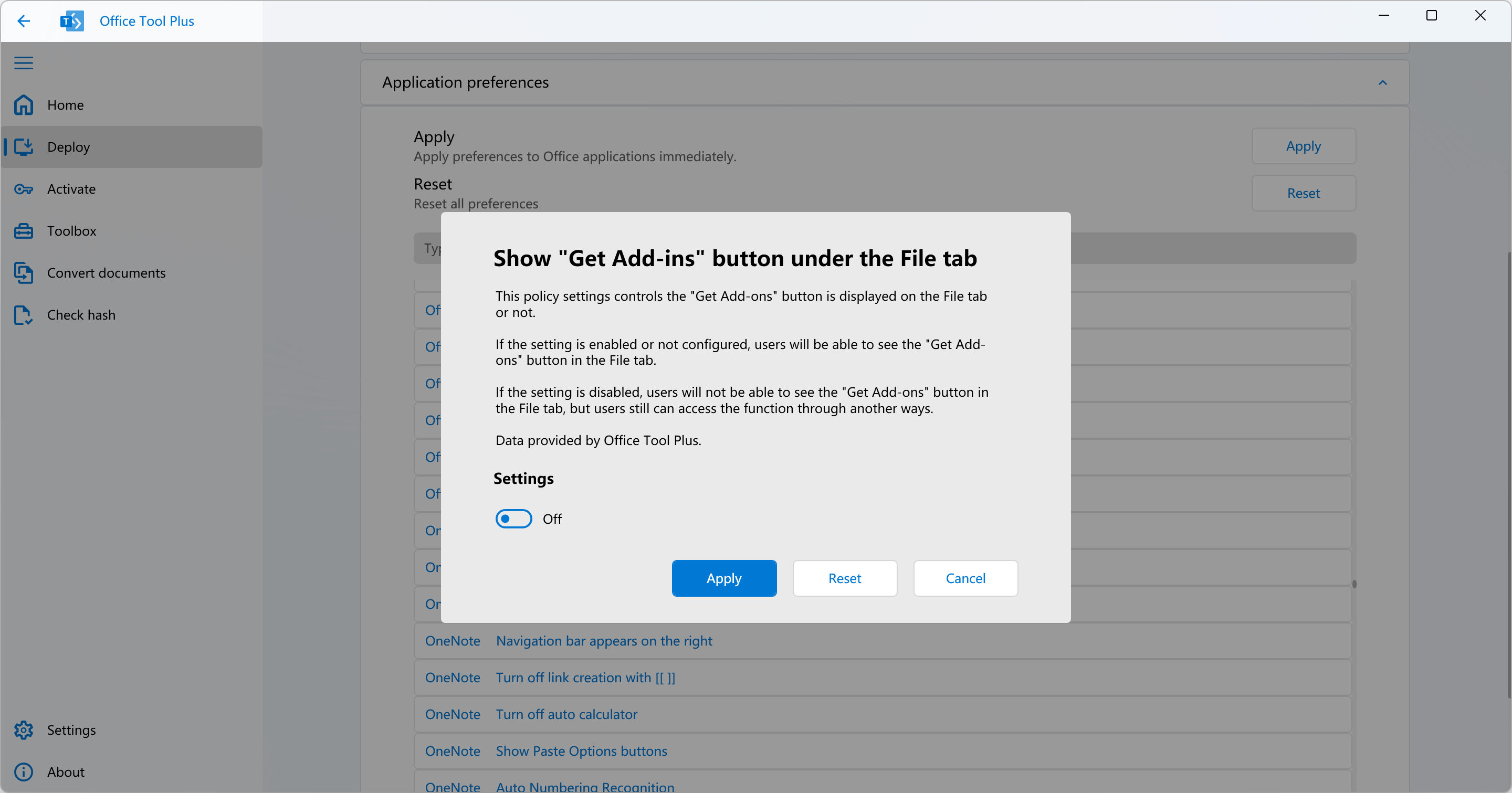
Finally click Apply on Application preferences panel, restart your Office applications, this should take effect now.
Also you can finish it via command prompt:
reg add HKEY_CURRENT_USER\Software\Microsoft\Office\16.0\Common\ExperimentEcs\all\Overrides /v Microsoft.Office.OEP.GetAddinsButtonOnBackStageBelowOpenDivider /t REG_SZ /d false /f