Read steps and refer screenshot to remove magisk module from recovery
J@i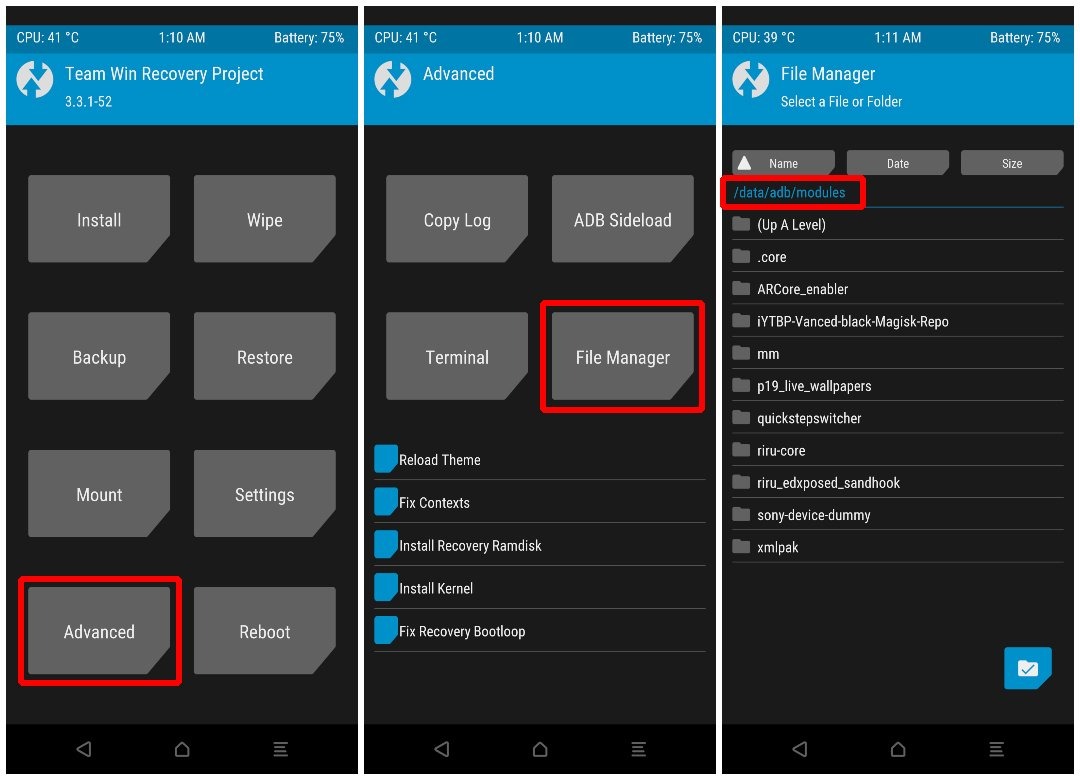
-Reboot to TWRP,
Since you probably can’t boot into your device, you will have to use the hardware button combinations to boot it to recovery mode.
-Different phones have different combinations. You can take a look at our guide for help with the button combinations for booting Android devices into the Fastboot and Recovery modes.
-Once in TWRP, select Advanced > File Manager.
Navigate to /data/adb/modules.
-You can see folders for all the modules you have installed.
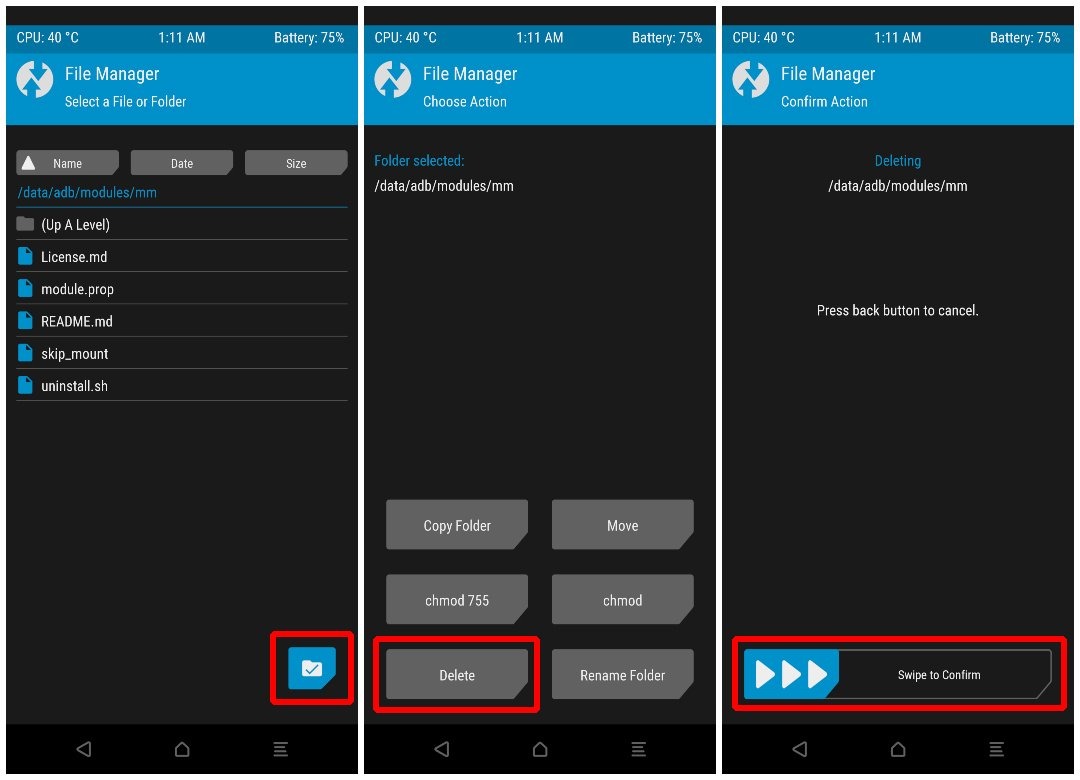
-Tap on the folder for the module that you last installed, which is probably the cause of the bootloop. (for DSB there might be folder named DSB)
-Once inside the folder, tap on the check button in the bottom-right corner.
-From the available options, select Delete.
On the next page, swipe at the bottom to confirm the delete.
- You have Uninstalled Magisk Module from TWRP recovery
-Go back to TWRP main page.
Select Reboot > System.
Done 😊
You can follow same steps for other recovery too.
Tg- @dualstatusbar @DualstatusbarDSB