Remove Website2Apk Dialog using apktools
HaxCracksSteup required:
Download ApkTool from here: https://bitbucket.org/iBotPeaches/apktool/downloads/apktool_2.4.1.jar
Download the Wrapper script from here: https://raw.githubusercontent.com/iBotPeaches/Apktool/master/scripts/windows/apktool.bat
Download sign.jar from here: https://github.com/appium/sign/releases/download/1.0/sign-1.0.jar
Download sign.bat from here: https://raw.githubusercontent.com/appium/sign/master/sign.bat
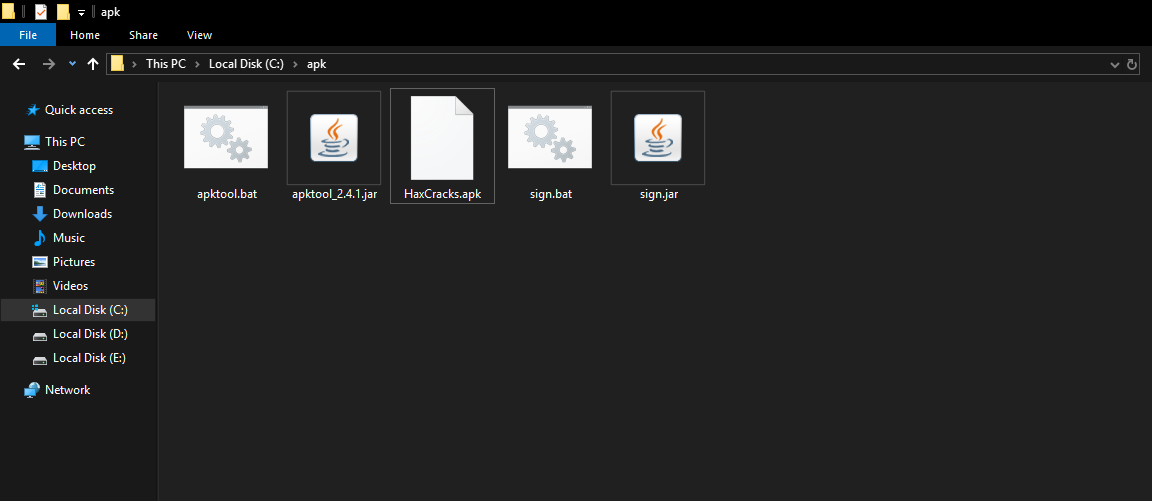
After downloading all of the above files, Place them inside a New folder called tools inside C drive. Rename: sign-1.0.jar to sign.jar. Also, Make Sure that there is NO .txt after .bat files, like sign.bat.txt)
Copy the generated apk from Website2Apk in the folder created. So finally you have something like this:
Steps:
Open command Prompt in that folder (Shift+Right click or enter Cmd in address bar of File Explorer)
Enter: apktool d apkname.apk (substitute apkname with your apkname, rename the apk file if there are any spaces in the name, Eg: Hax Cracks.apk -> HaxCracks.apk. Dont close the cmd after this.)
After decompile is finished navigate to open the folder and navigate to: smali\com\goyal\website2apk. (Eg: C:\tools\HaxCracks\smali\com\goyal\website2apk\)
Open MainActivity$5.smali with Notepad/Sublime Text 3 Etc.
Search for: if-nez v0, :cond_0. Remove everything before the next :cond_0.

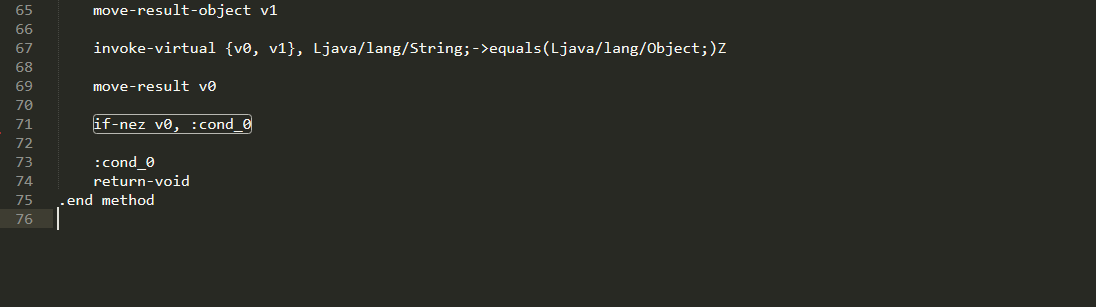
Save the file.
Enter this in CMD: apktool b apkname (Eg: apktool b HaxCracks. Dont Close the CMD)
A New apk will be generated inside the existing folder apkname called dist. (Eg. HaxCracks\dist)
Copy this file to main folder (tools) and replace it /rename with OG as per your wish.
Finally, Enter this in CMD: sign apkname.apk (or whatever you renamed it to)
A New apk called apkname.s.apk will be made.
Now You have successfully got rid of that Popup message.
Enjoy!