RC EN
Сhanges or refund requests can be submitted through a personal website account from the order page by clicking on the appropriate button:
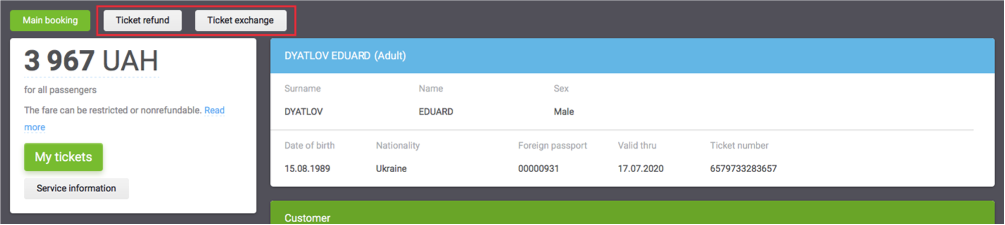
The main stages to send Refund request:
1. Select the type of refund (voluntary or involutary):
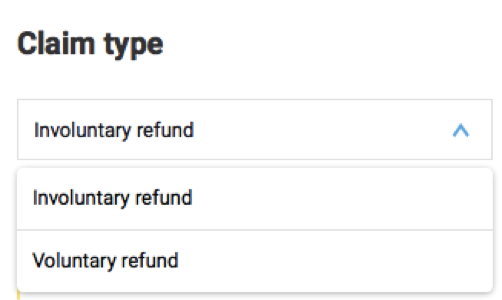
If you request involuntary refund, you will need to attach copies of corresponding documents. This could be a certificate of hospitalization, a document on the delay or cancellation of a flight, refusal of a visa or any other document which gives the right for involuntary refund.
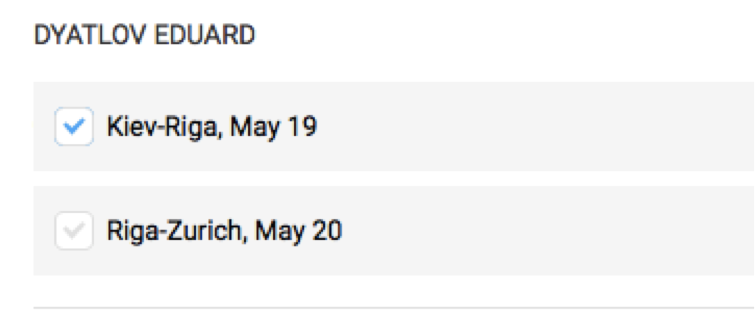
2. Select the part of route (whole or portions) that you want to refund:
3. Click on the "send claim» button:

The main stages to send a changes claim:
1. Fill in the field with the desired changes in the order
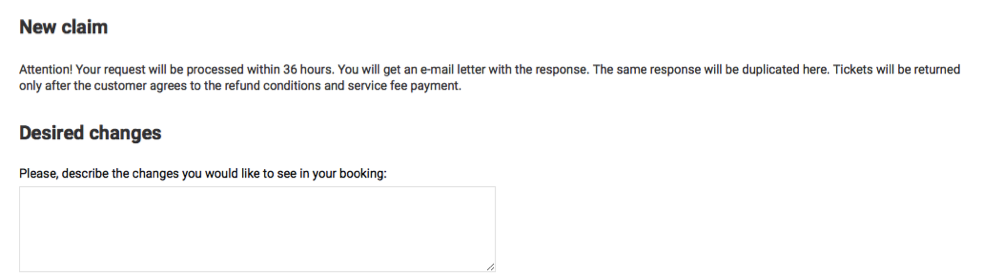
2. Click on the "send claim» button:

After submitting an exchange or refund claim, the system will create an application that you can track via personal account in the tab "exchanges and refunds»:
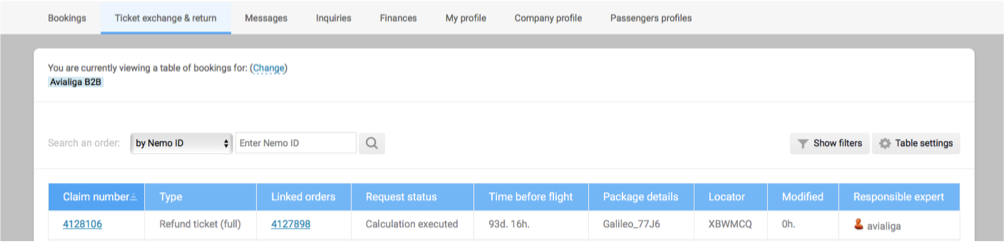
Additionally, you will receive an email notification about successfully created application, as well as its subsequent successful treatment.
To actually make the necessary changes or refund you will need to go to claim page and confirm the request:
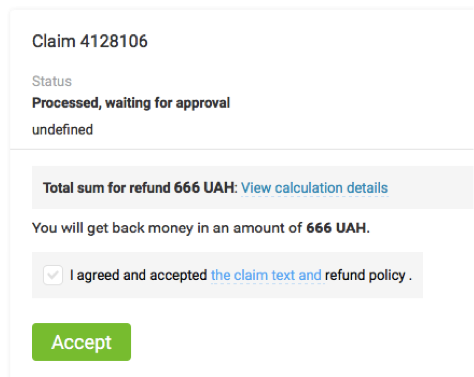
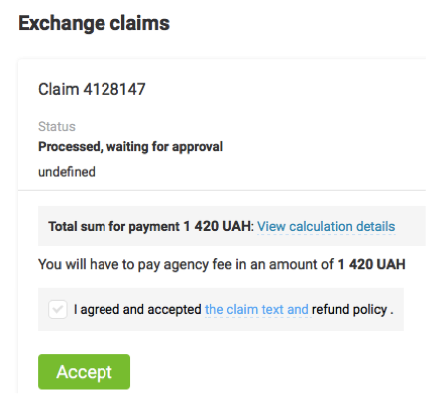
Before confirmation, you will be able to learn calculations in details:
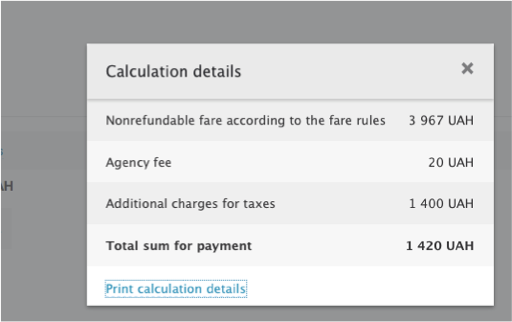
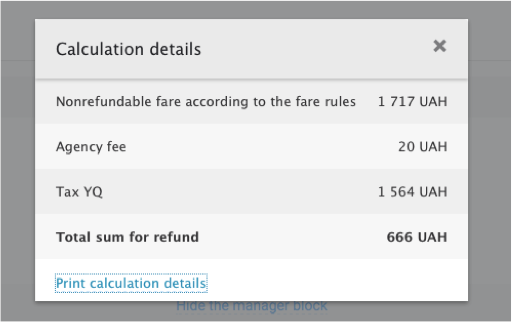
After confirmation, in case of return of the money will be returned to your deposit account, and in the case of exchange you will find a new order in your personal account.
It is important to know:
Any calculations until the actual exchange or refund procedures are informative and can be modified at any time due to lack of seats on flights, changes in tariff levels or airport charges and changes in exchange rates.
Applications for the exchange or refund are received and processed during working hours of the company "Agentskiy" according to the confirmation by mail from the Customer. After these hours only urgent requests are handled.