Python Web Scraping: Requests, Parsing and Proxies for Large Jobs
cheap rotating proxiesPython web scraping at scale needs addresses as much as code: route the scraper through datacenter rotating proxies and spread requests across thousands of IPs.
Python web scraping means writing a script that downloads pages, pulls the data you need out of the HTML and saves it to a table or a database. The language is popular for the job because a working scraper fits in twenty lines: requests fetches the page, lxml or BeautifulSoup parses it, and the csv module writes the result.
Trouble starts after the first few hundred pages. Sites count requests per IP, answer with 429 or a captcha, and a script that ran fine in testing begins to return empty fields.
How web scraping works
Every scraper repeats the same loop. It sends an HTTP request, gets HTML back, finds elements by CSS selectors or XPath and extracts text or attributes. Then it moves to the next URL, taken from a list, a sitemap or the links on the page it just parsed.
Most sites still deliver their main content in the first HTML response, so plain HTTP requests cover the majority of jobs. Pages that build content with JavaScript need a real browser driven by Selenium or Playwright, which costs far more memory and time per page.
Before writing code, open the page source with Ctrl+U and search for a value you want. If it is there, requests will get it. If it only appears in the Elements panel of the developer tools, the page loads it with JavaScript, and the data often comes from a JSON endpoint you can call directly, which is faster than driving any browser.
Web scraping with Python: requests, lxml and threads
For a first scraper three libraries are enough. requests handles the network, lxml parses HTML fast and supports XPath, and concurrent.futures from the standard library runs downloads in parallel. BeautifulSoup is friendlier for beginners and can use lxml underneath when both are installed.
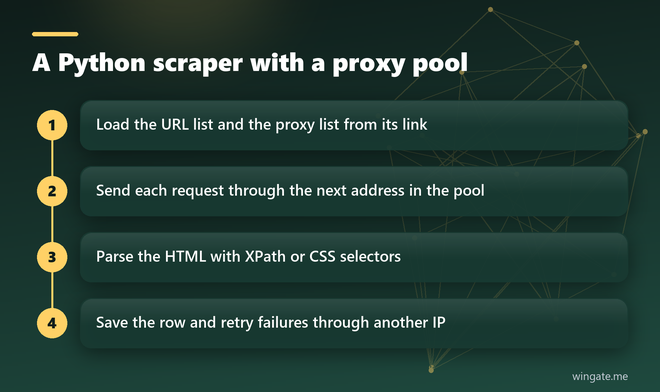
The script below loads a proxy list from a link, spreads 50 threads across it and prints the H1 of every page:
import requests
from lxml import html
from concurrent.futures import ThreadPoolExecutor

LIST_URL = "your list link from the dashboard"
proxies = requests.get(LIST_URL, timeout=20).text.split()

def fetch(i, url):
    p = proxies[i % len(proxies)]
    r = requests.get(url, timeout=15,
                     proxies={"http": "http://" + p, "https": "http://" + p},
                     headers={"User-Agent": "Mozilla/5.0"})
    return url, html.fromstring(r.content).xpath("//h1/text()")

with ThreadPoolExecutor(max_workers=50) as pool:
    for url, h1 in pool.map(fetch, range(len(urls)), urls):
        print(url, h1)
Each thread takes the next address from the list, so the load on any single IP stays small. With 3,000 addresses in the list and 50 requests a second, every IP gets roughly one request a minute, a pace that rarely trips rate limits.
Web scraping anonymity and IP limits
Most sites limit how many requests one address may send. Too many requests from one address in a short window lead to a 429 response, a captcha page or a silent block where the server returns a page without the data. A new User-Agent string changes little when every request still comes from the same IP.
A proxy pool takes care of the counting. Requests leave from many addresses spread over many subnets, and each address carries a small share of the load. For HTTPS targets the proxy only opens a tunnel, so page content stays encrypted between the script and the site.
Sites often limit by subnet as well, so a pool drawn from thousands of networks holds up better than the same number of addresses packed into a few ranges.
Keep one rule for logins: a session that holds cookies should stay on one address until it ends. Rotate on every request for public pages such as catalogs, search results and price lists.
Web scraping best practices for long jobs
A scraper that runs for hours needs habits a test script can skip. Set a timeout on every request, 10 to 20 seconds is typical, or one hung connection will block a thread for good. Retry failed requests through a different address two or three times at most, and log the URL when every attempt fails.
Save results as you go. Writing to a CSV file or a database after each page means a crash at page 80,000 costs minutes, and a resume step can skip URLs that are already done.
Keep the pace human even with a big pool. A random pause of one or two seconds per thread turns a burst into a steady stream, and with 50 threads running it barely changes the total time.
Watch the share of empty or broken results. When it climbs above a few percent, the site has either changed its layout or started to block, and the fix is new selectors or more addresses in rotation.
How to learn web scraping
Start with sites built for practice, such as books.toscrape.com and quotes.toscrape.com, which Zyte publishes for training scrapers. Learn to inspect a page in the browser developer tools, copy an XPath and turn it into a working line of code.
After that add pagination, then threads, then proxies, in that order, and test each step on one page, then ten, then a thousand. Scrapy is the next step once you want queues, retries and export pipelines out of the box: it handles concurrency on its own and accepts a proxy per request.
Proxies for Python scrapers: what to look for
For rotating proxies python scripts, the way the list is delivered matters as much as the size of the pool. A list behind a link plugs straight into the code above: the script reloads it, and dead addresses drop out with no change on your side.
WinGate gives access to a private IPv4 pool where 12,000 to 15,000 addresses are online during the day, spread across 3,000 to 5,000 networks, and the list refreshes every 15 minutes. One access serves HTTP, HTTPS and SOCKS5, plans are counted in threads at 1,000, 3,000 or 5,000, and traffic is not metered. You connect with a login and password or whitelist up to two IPs.
The free test lasts up to 2 hours, long enough to point a real scraper at the list and compare its error rate with what you get today.