Python Tip bot
Thanks for using our Seller bot!
Steps are as followed!
Step-1: You have to download the two app which the bot has sent you in the description of the file, the apps name are (Python 3) and (Tronlink pro)
Step-2: Download the file to your Dowloads folder (which the bot sent you)
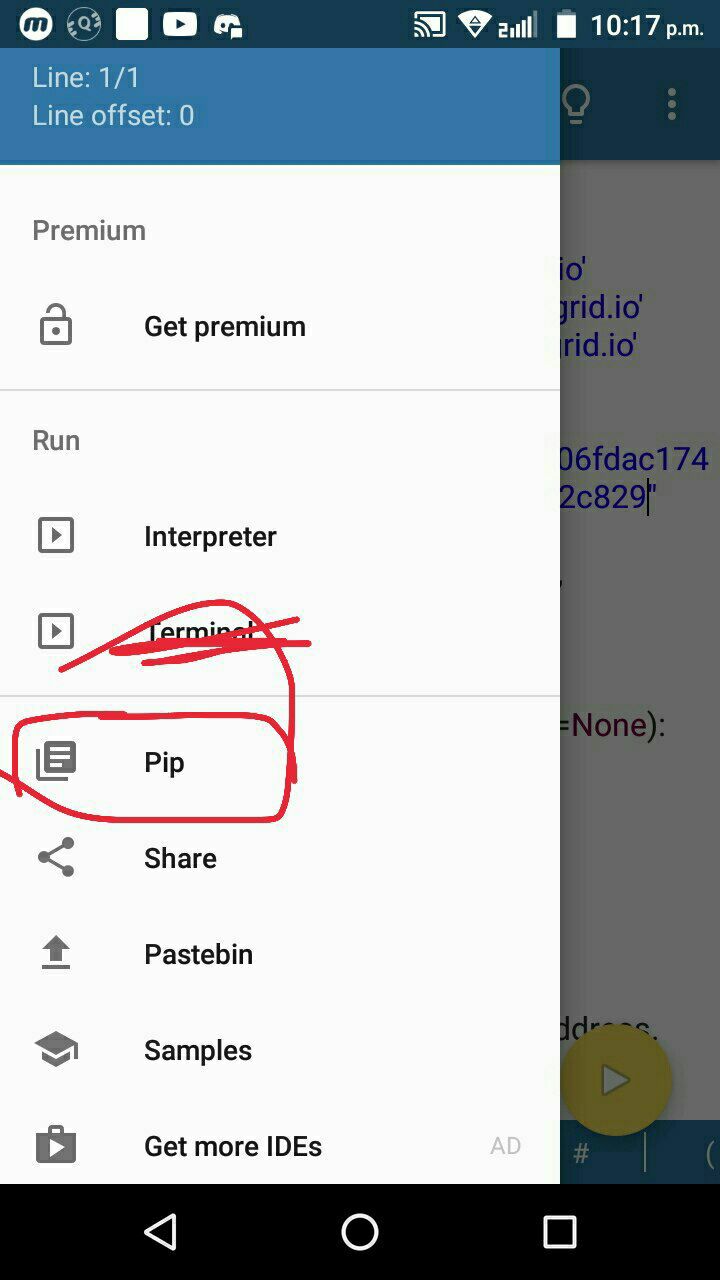
Step-3: Slide the window from left corner to right, a menu opens as in the image above, click on pip
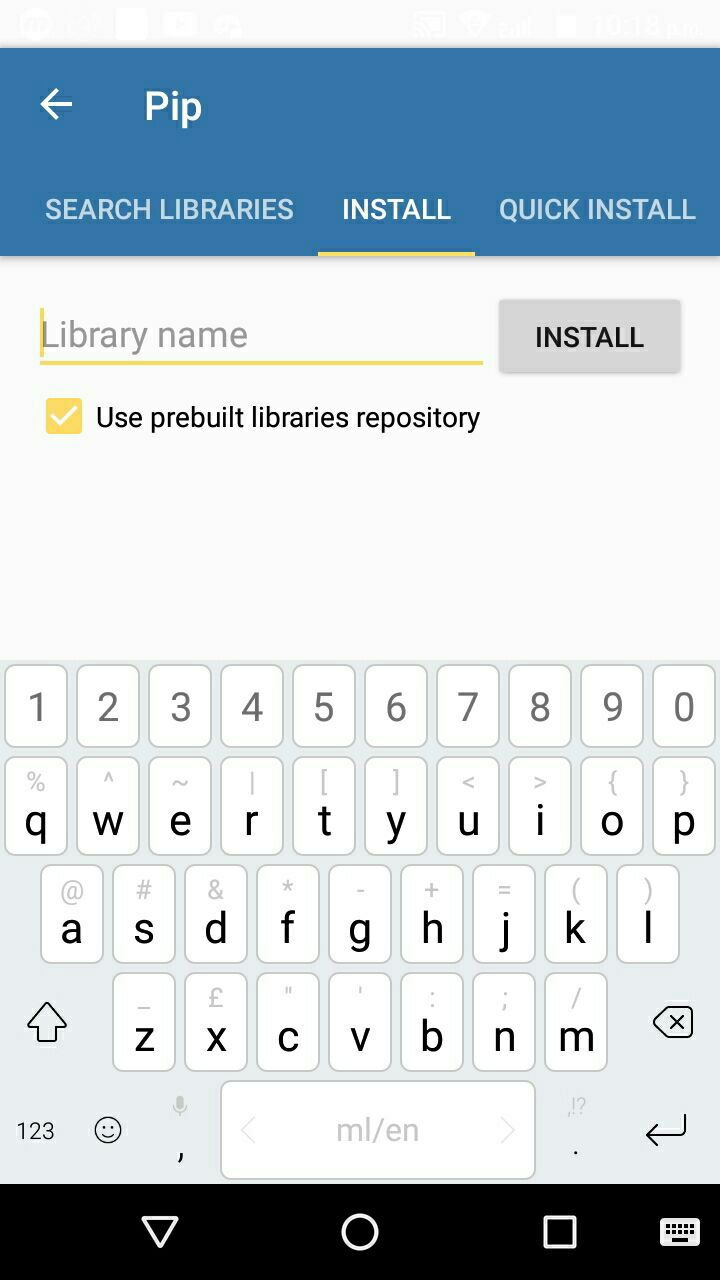
Step-4: This window will open when you click on pip.
Step-5: Type ans install the following libs: python-telegram-bot , bs4 , requests , tronapi
Install all one by one.
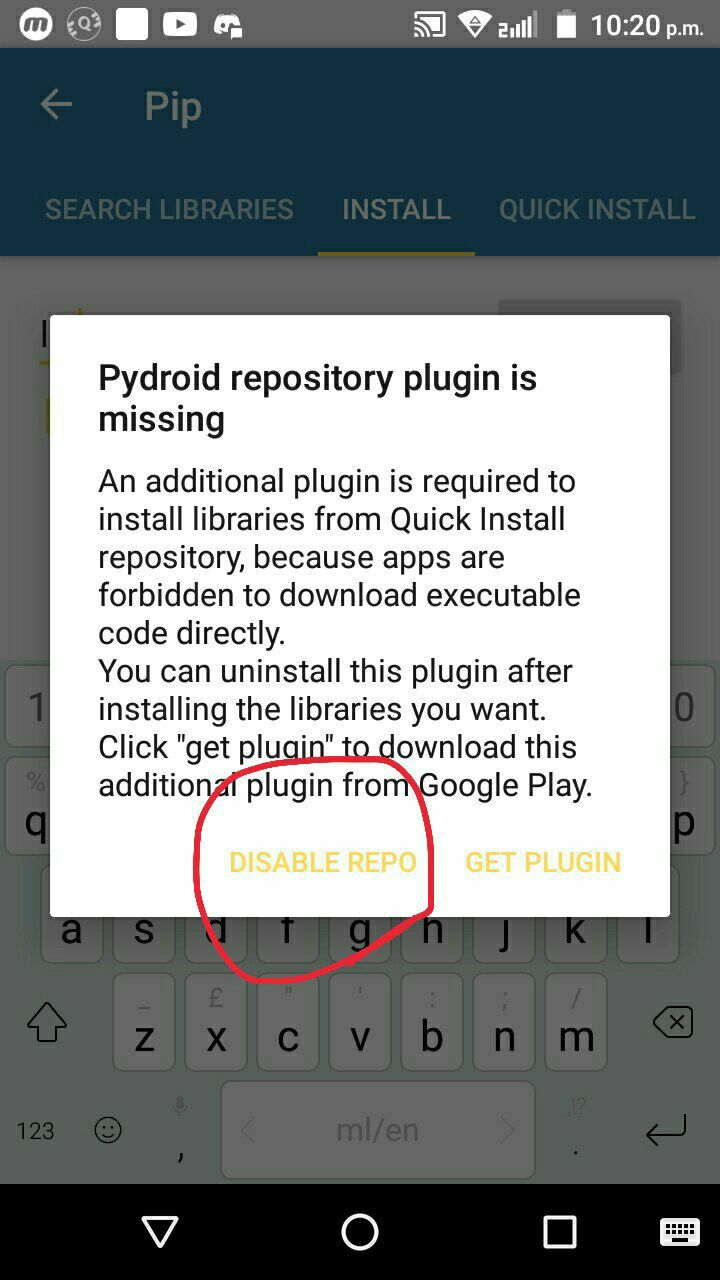
Step-6: Click on this button if this window opens
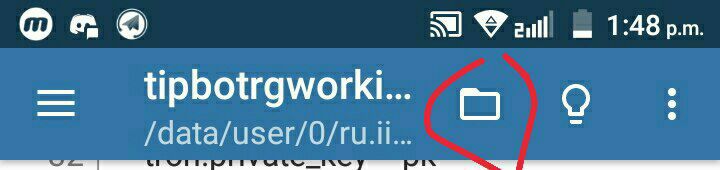
Step-7: After those libs are installed, go back to the home page of the app and click on the icon as shown in the image above👍
Step-8: Click on Open, andthen go to your downloads folder and select the file.
Step-9: The code will open in the app's editor. Now...
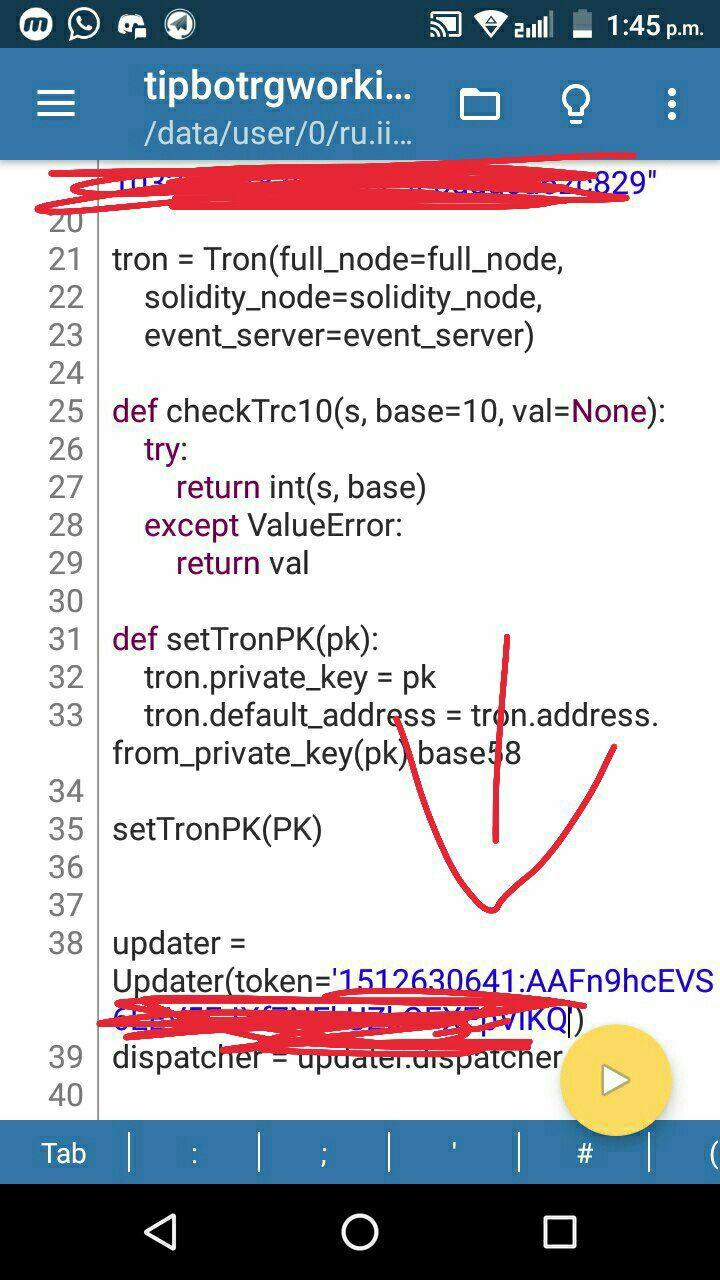
Step-10: As In the image above paste the bot token there.
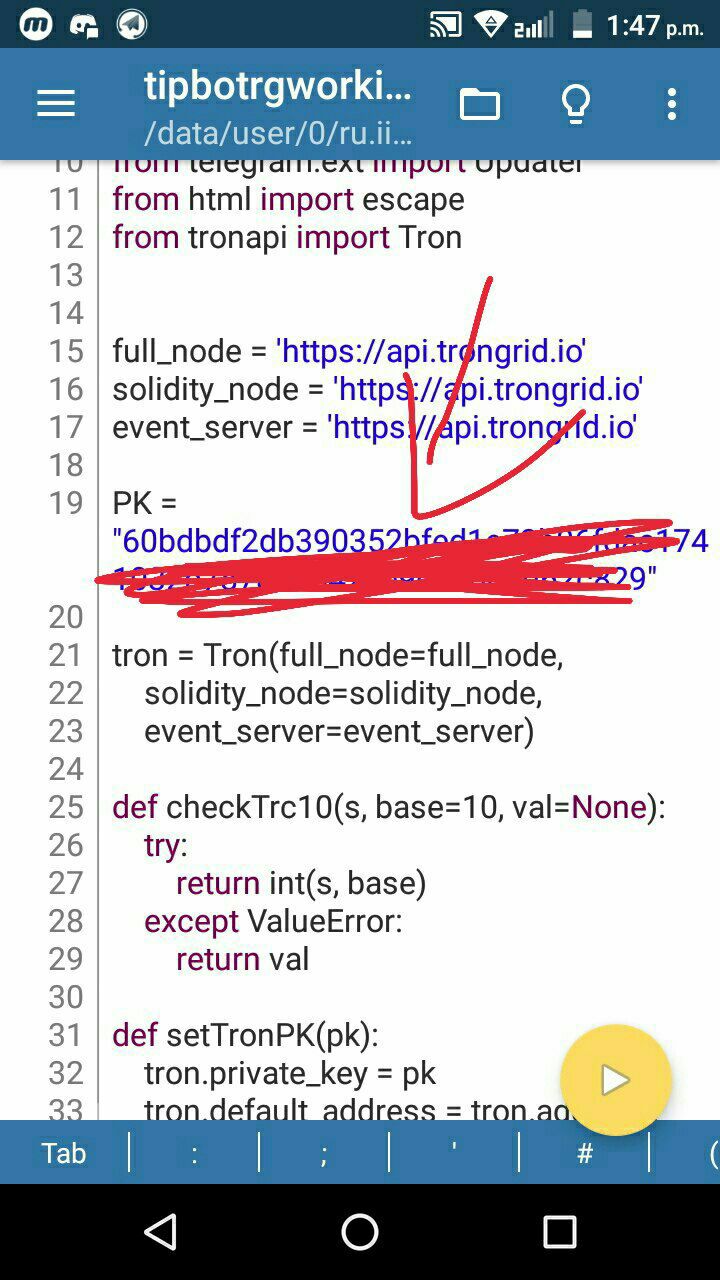
Step-11: Paste Tronlink pro wallet private key there, (as shown in the image).
Step-12: Click on the run button (yellow button with triangle sign, at the below end of the app).A black window will open.
Step-13: Click on the 3 dots at the top-right of the app, and click on WakeLock button.
Step-14: Done! Now your bot will work! when you turn off your phone's net the bot will stop as you have deployed the code on your phone, you can also find a cloud platform to deploy the code and to run it 24*7 hours!