Improve Internet Speed (by @AndroidHubOfficial)
Android HubNormal internet speed
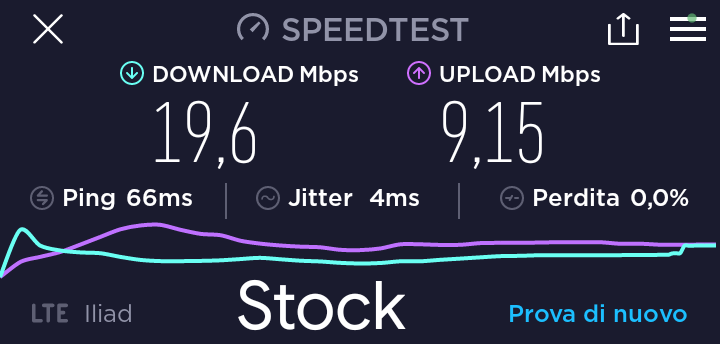
#ROOT METHODS
• Prerequisites: Magisk installed
INSTRUCTIONS
1 -- Download the zip
-- Flash in Magisk as module
-- Reboot
-- Done! Speedtest below
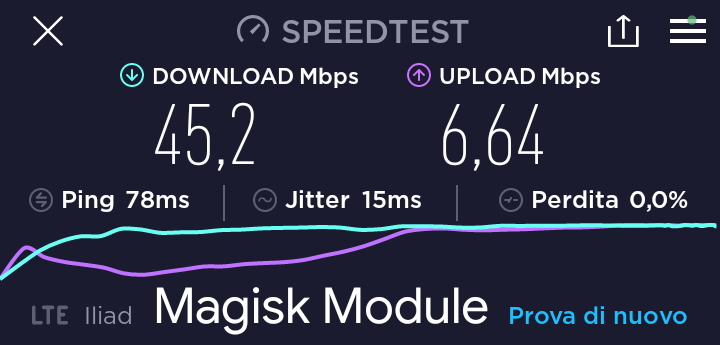
2 -- Download this app from Play Store
-- Open it and grant root access
-- Done!
P.S: You can change internet speed settings tapping on "3 Dots" and then on "Forcing control", but remember that the app is a bit unstable so the phone could force power off after changing a setting!
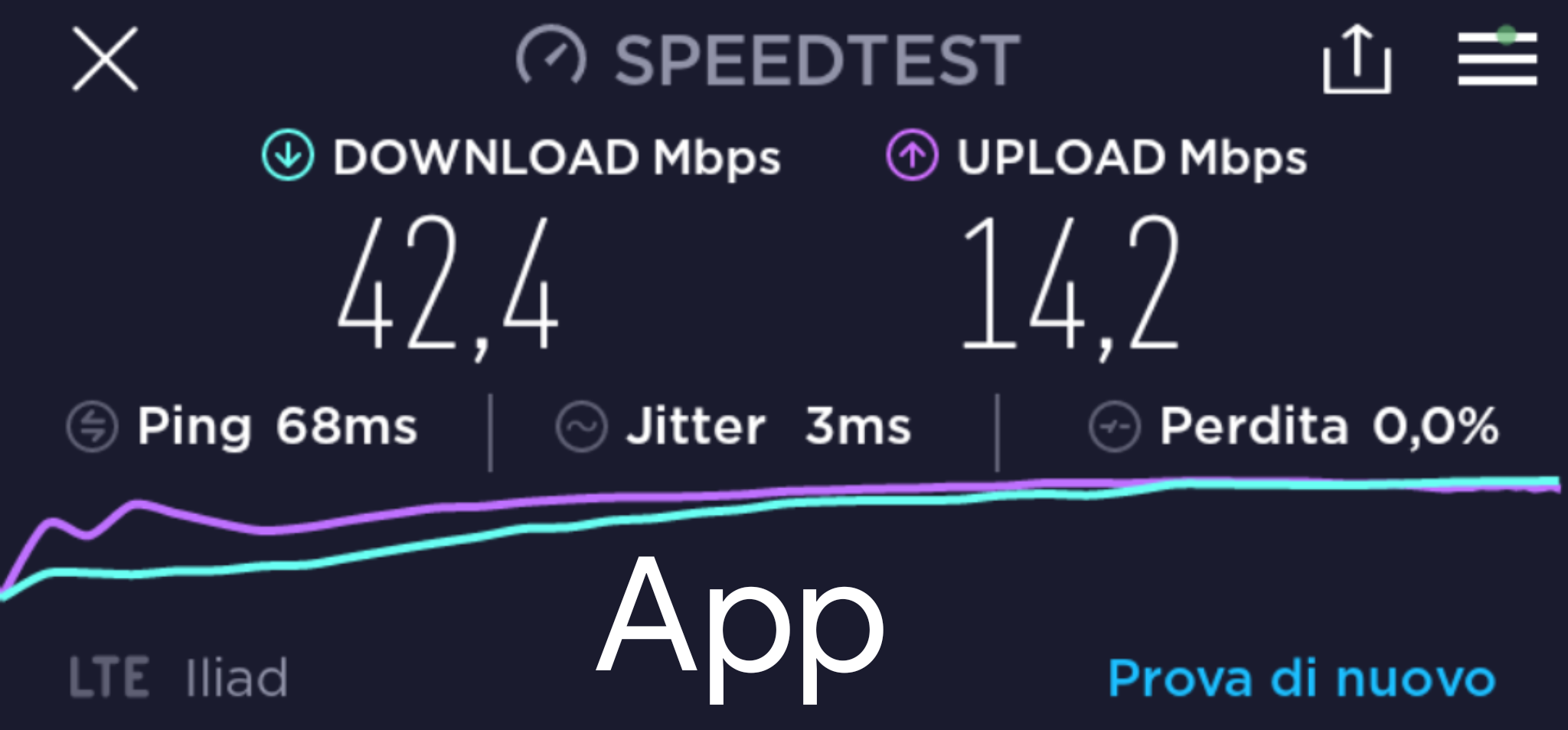
Slow Internet data connection with Bluetooth enabled? Here there is the fix!
-- Download MyAndroidTools apk and install it
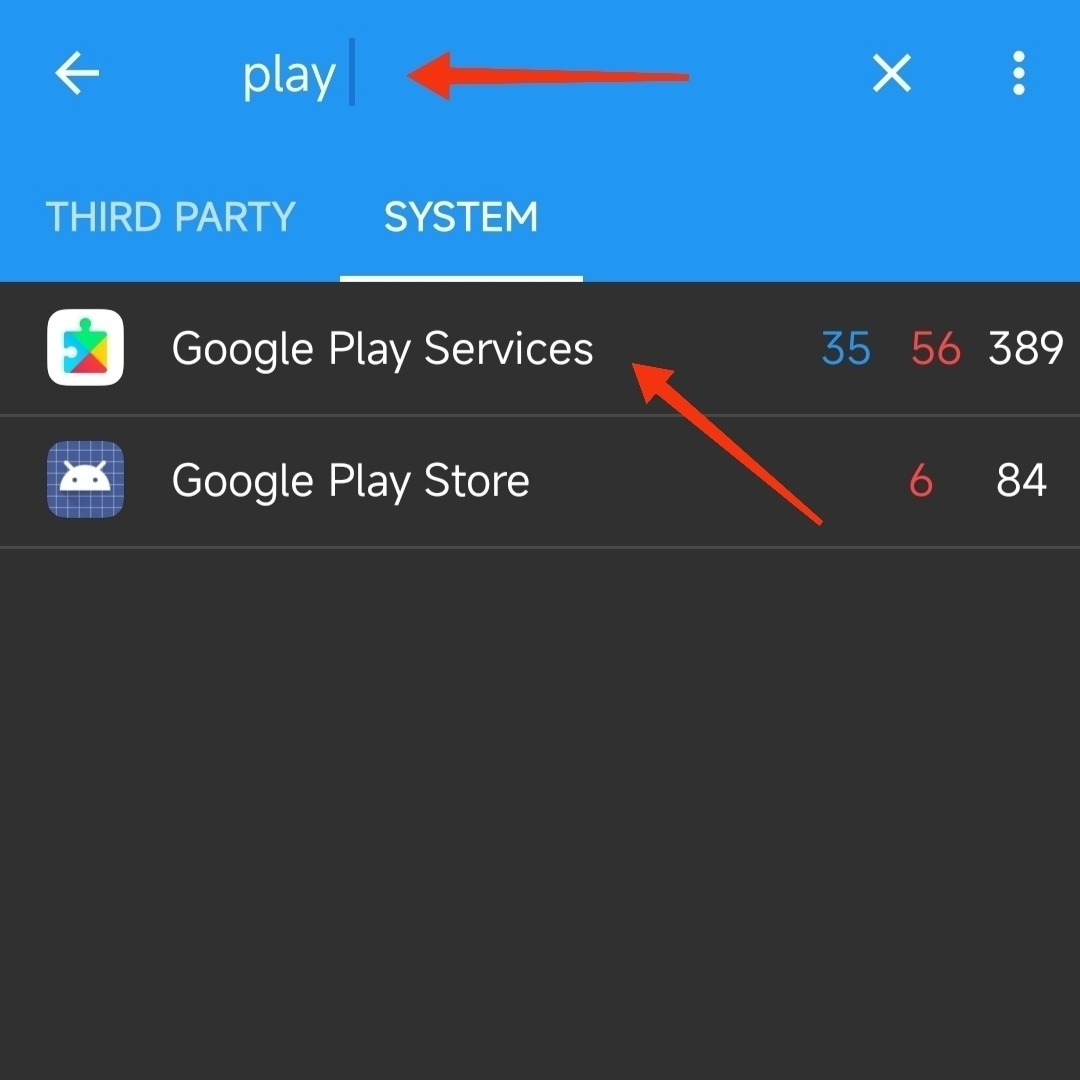
-- Open it, go in "Service" > "System" as showed below
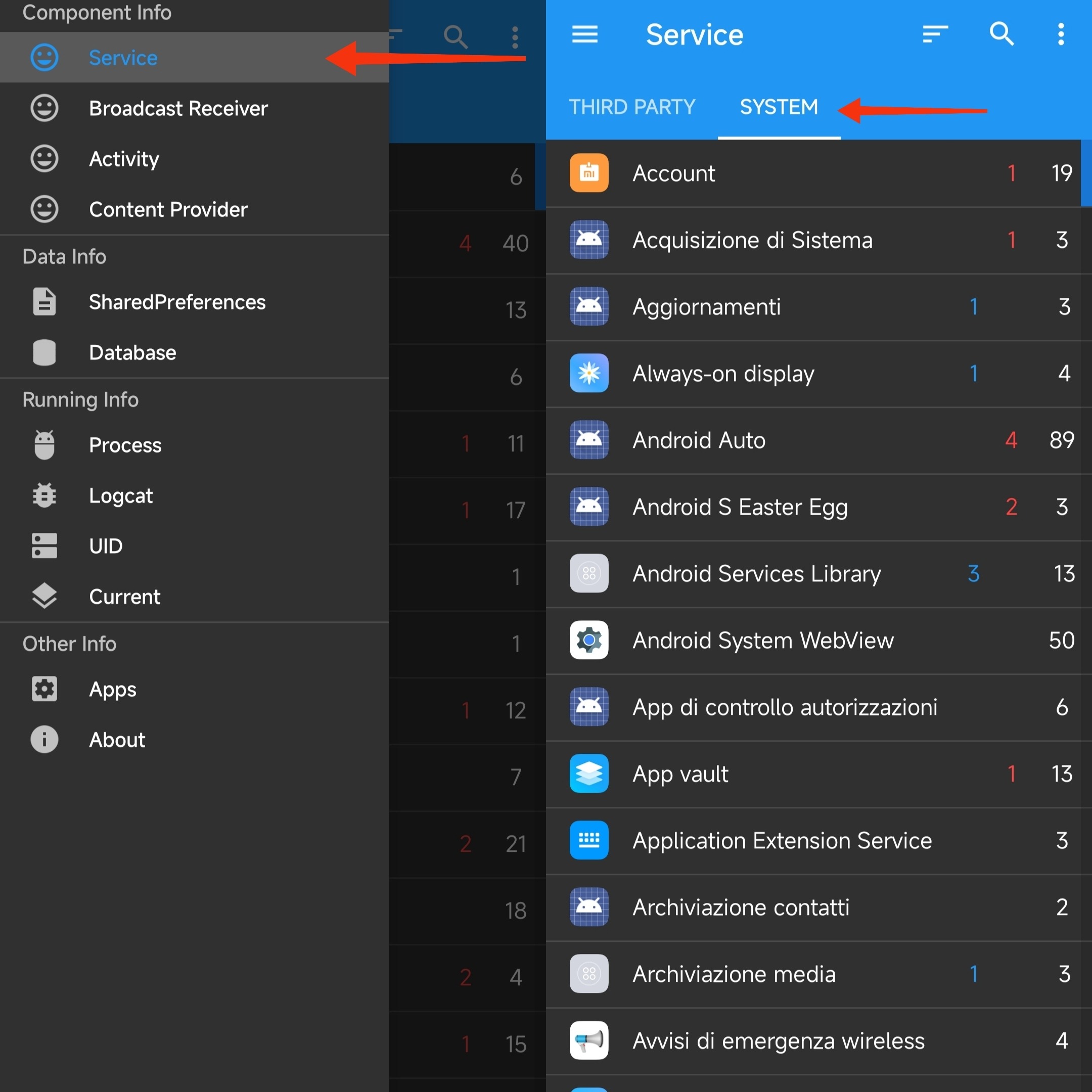
-- Now tap on the lens icon, type "Play" and select "Google Play Services"
-- Tap on the lens again, this time type "Nearby" and disable "NearbyMessageService" by clicking it
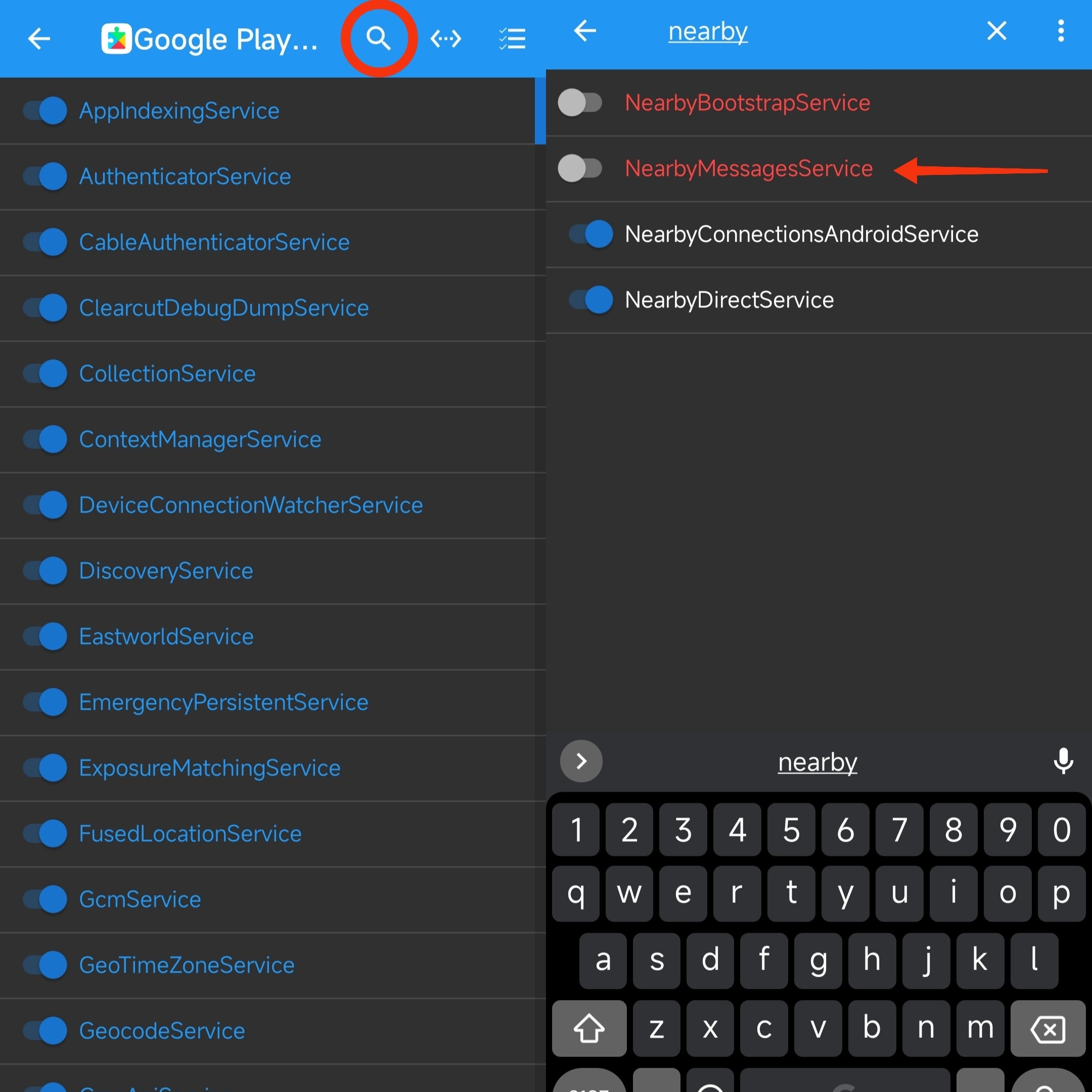
-- Now reboot the device and you'll fix the problem!
#NOROOT METHODS
• Prerequisites: the possibility of change DNS
INSTRUCTIONS
-- You need to enter Private DNS Host in Android Settings. Below are the details on where you can enter Hostnames.
~ AOSP Based Custom Roms
Go to Settings → Network & Internet → Private DNS, select the Private DNS provider hostname option
~ Samsung OneUI
Go to Settings → Connections → More connection settings → Private DNS, select the Private DNS provider hostname option
~ Oppo and Realme ColorOS and Realme UI
Go to Settings → Other Wireless Connections → Private DNS → Designated Private DNS
~ Xiaomi MIUI
Go to Settings → Connection & sharing → Private DNS → Private DNS Provider Hostname
-- Done these steps, copy paste DNS hosts below in base as your preferences
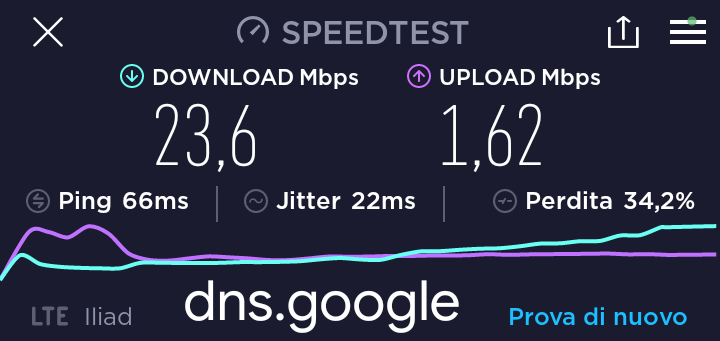
~ Google DNS Provider Hostname
dns.google
This will provide better internet speed, speedtest below
***********************************
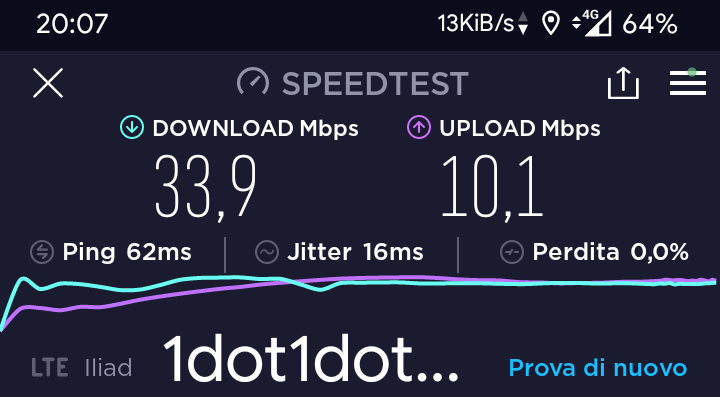
1.1.1.1 DNS Provider Hostname
one.one.one.one
Or
1dot1dot1dot1.cloudflare-dns.com
This will provide better internet speed, speedtest below
***********************************
Adguard DNS Provider Hostname
dns.adguard.com
This DNS will block ads permanently. However, it may reduce internet speed
***********************************
AhaDNS Provider Hostname
dot.in.ahadns.n
This DNS will block ads permanently
***********************************
-- Make sure you device's internet is turned on while setting up
⚠️ ATTENTION ⚠️
THESE METHODS MAY NOT WORK ON ALL SPECIFIC DEVICES AND ROMS, SO IF YOU TRY THEM LET US KNOW IN THE DOSCUSSION GROUP, WRITING WHICH DEVICE AND ROM AND REMEMBER THAT INTERNET SPEED DEPENDS ON MANY FACTORS!
#Utility
Join @AndroidHubOfficial