Project Zephyrus 12.0.4 Review - It's confusing now
Tech FibreBefore proceeding to review, here are the details about the build which I tested:
Project Zephyrus 12.0.4 (a.k.a. ProtonAOSP or Proton Knockoff)
• Android Version: 12
• Status: OFFICIAL
• Date: Feb 11, 2022
• By: AlwaysAngry (Raavi Manikanta)
Check this post for complete changelogs and download links.
So I was using this ROM as my primary driver on my Nord for the past 7 days now and here’s my complete review.
Features:
ProtonAOSP also packs in the latest perks from Android 12. Like Dynamic Systemwide Theming support, One-Handed Mode, Extra Dimming, Quick Tap, extreme battery saver, etc. But here are other features as well:
- Custom Monet settings with abilities to set custom accent colours and enable AMOLED Black Dark theme systemwide. (check Settings > Display > Monet Extras)
- Themed Icons are available for the majority of apps and they work fine on the default Pixel Launcher.
- 60-90Hz Switcher is available. You can also force 90Hz or just set it to dynamically adapt to apps.
- OnePlus Settings is available with options to enable High Brightness mode.
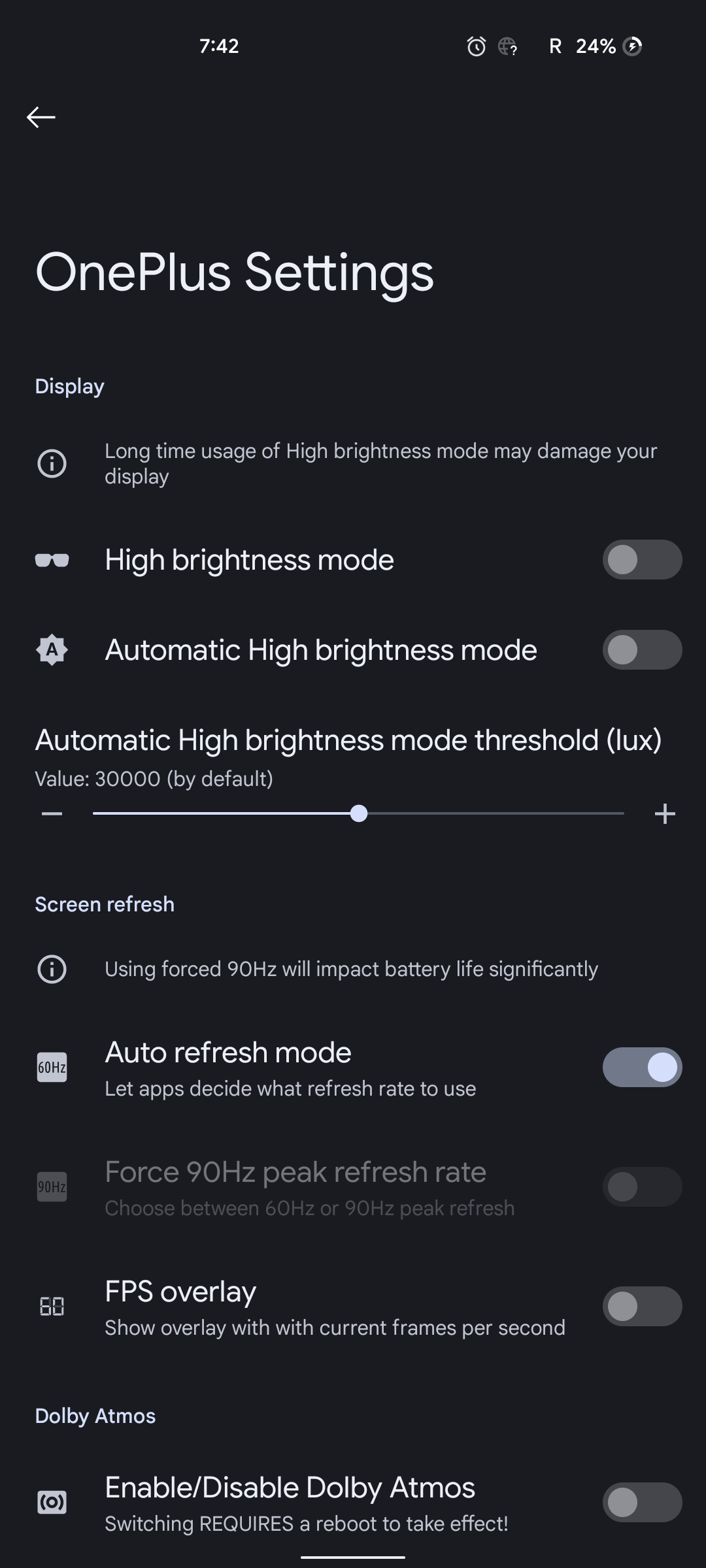
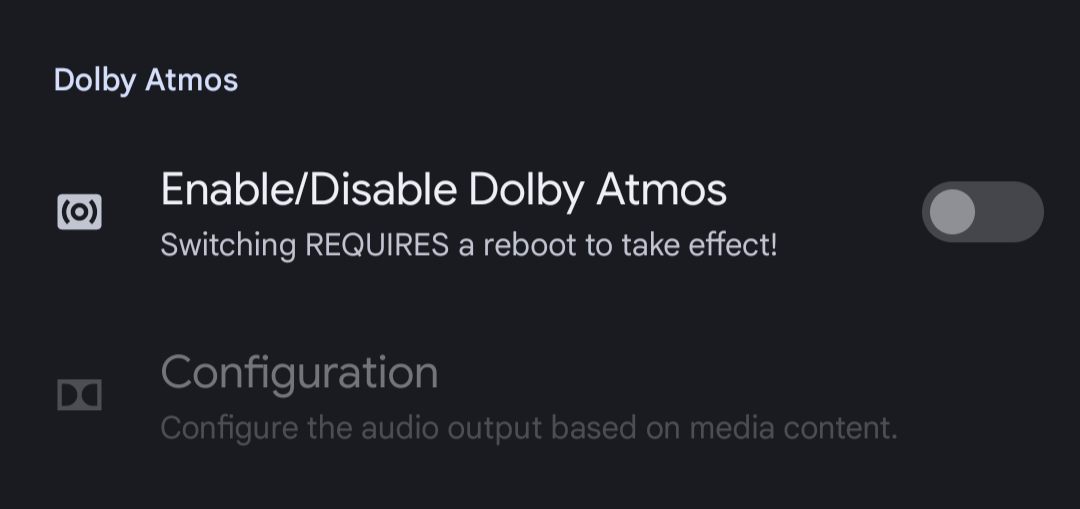
- Dolby Atmos is available and it works fine with my OnePlus Buds Z (over Bluetooth) and Rockerz 550 (on wired).
By default it’s disabled, but check OnePlus Settings to enable/configure it.
- FPS Meter is available.
- Per-app volume management is available.
- Unlimited Photos backup at Original Quality
- OnePlus Camera is also available on this ROM.
Thermals and Performance:
No issues at all, day to day usage was similar to Pixel Experience. No stutters, no overheating. I did face some minor lags while switching between apps and sometimes the screen used to stay frozen until and unless you open the app again from Launcher. Other than that, no major issues.
RAM Management is fine, no complaints at all.
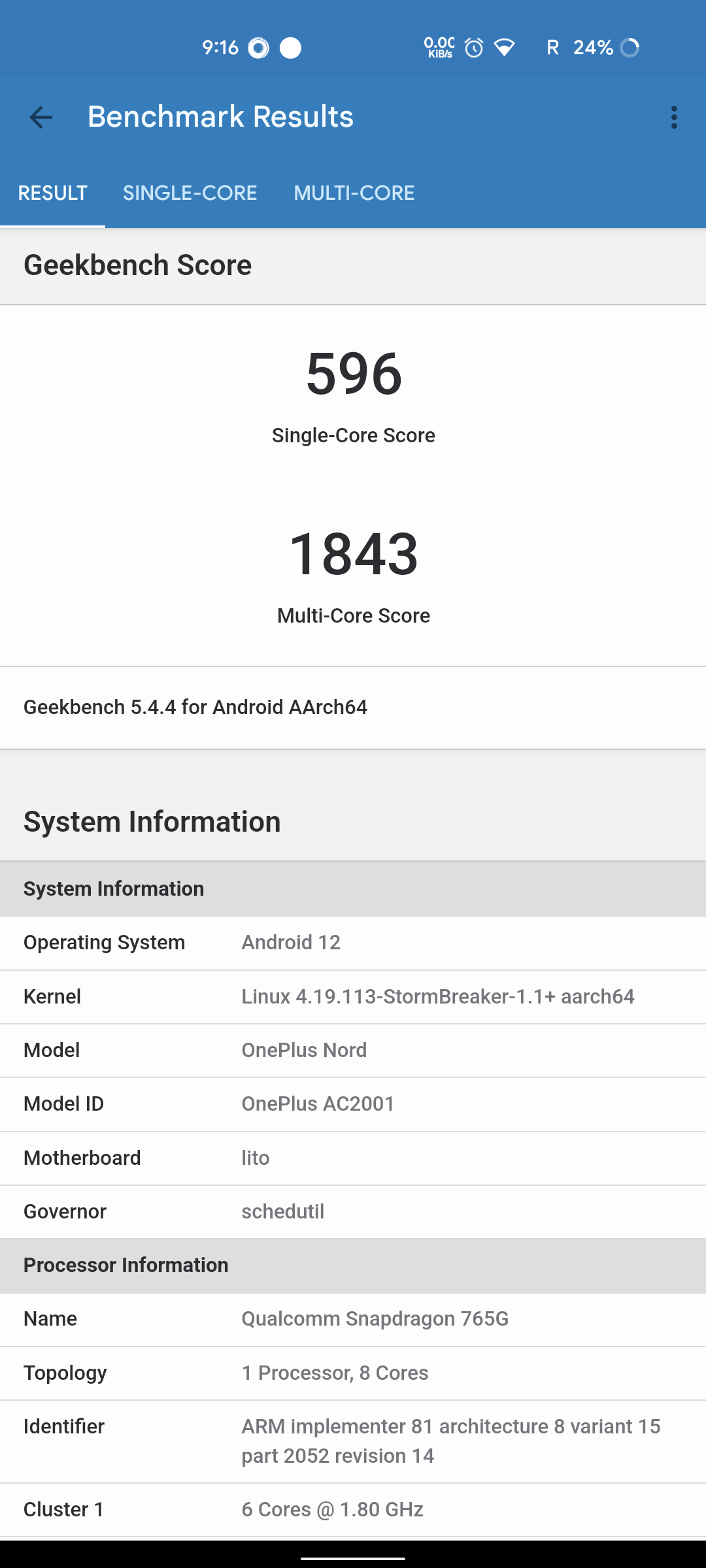
Talking about Geekbench Scores, the Single Core and Multi-core scores for this ROM were around 596 and 1843 respectively. Now, these scores are better than what OOS 11 and PE 12 offer, but do note that these numbers don't reflect real-world usage.
Gaming:
Unfortunately, I didn’t get enough time to test gaming performance on this ROM. But I asked Proton users in the @PeXNord group and here’s what they had to say about Gaming Performance.
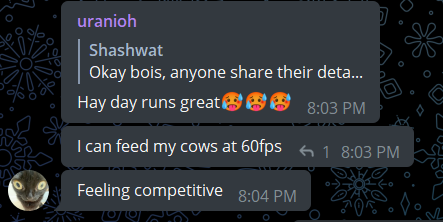
And yeah, you can go up to 90FPS in supported games like BGMI or CODM, etc.
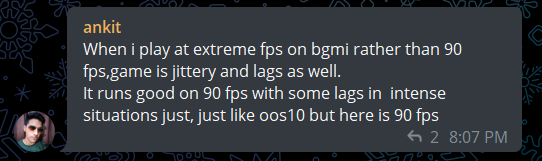
Overall from the user reviews, ProtonAOSP has good gaming performance with some hiccups on BGMI at 90FPS
Battery Backup:
It’s decent enough for casual usage. It lasted me for one full day with 6hrs of Screen-on time. This Usage consists of 1.5hrs of YouTube and Instagram, 1hr of WhatsApp, Telegram and 10-15mins of Snapchat.
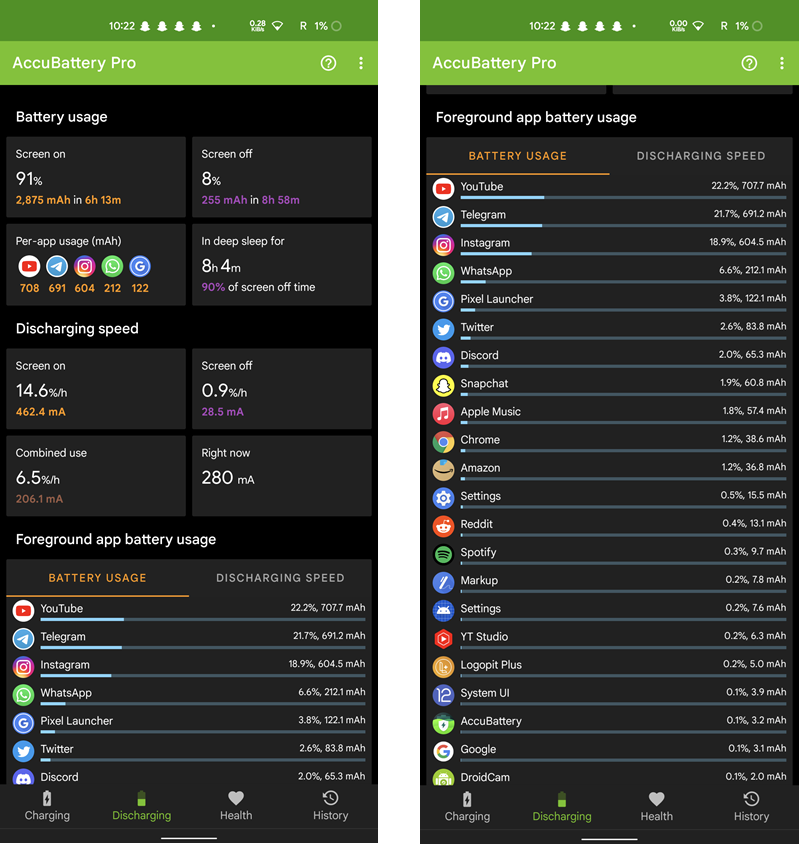
Overall, this ROM can provide decent battery backup for casual users. Will talk about Battery Backup in the 'What do I feel about Proton' section of the review.
Idle Drain:
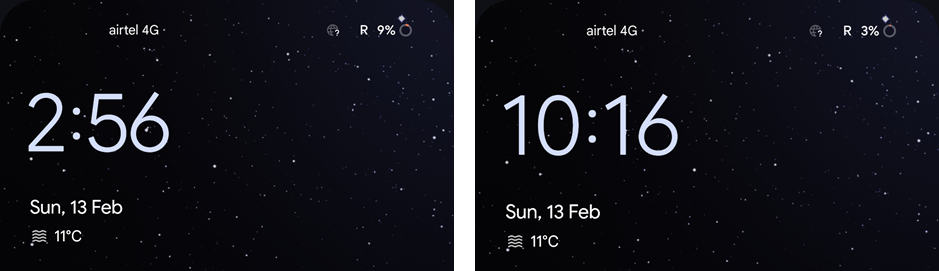
Yup, it exists. In 7hrs, around 6% of the battery drained with everything turned off. Do note that I always keep Location On, but that doesn’t make much of a difference as other ROMs can have idle drains as low as 3-4% for the same time.
Biometrics:
This ROM only supports Fingerprint unlocking and the performance of fingerprint unlocking is just bad. Don’t get me wrong, but I have clean flashed this ROM 3 times. And all the times I had fingerprint inconsistencies. I thought my pre-applied plastic screen protector was causing issues, so I peeled it off and registered my fingerprints again. Unfortunately, the story was still the same.
The issue doesn't exist for me on January build as I installed it after completing review just to check, so it seems like it's an issue in February Update.
Not even me, there were other users including one of my friends who complained about fingerprint inconsistencies in the Support group.
Issues I have noticed:
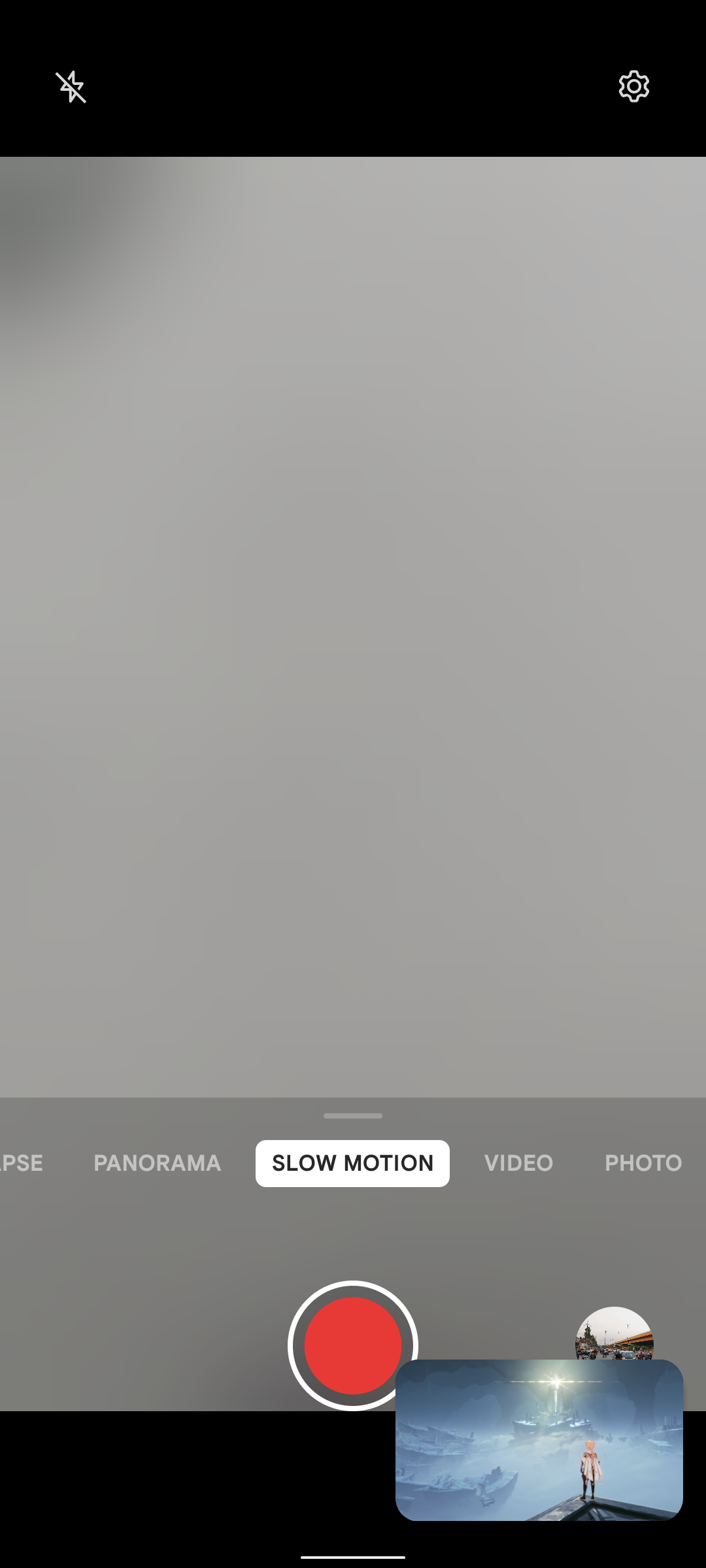
- Slow Motion on the OnePlus Camera doesn’t work. The screen stays frozen with a blurred viewfinder after you switch to Slow Motion as shown in the screenshot.
Nightscape doesn’t work and that’s a known bug. Use Google Camera mod’s Night Sight as it’s better than the OnePlus Camera.
- As I mentioned in the Biometrics section, the fingerprint scanner’s performance was bad. But some apps like PayTM use Fingerprint Unlocking in Paytm Security Shield to allow users to enter the app for payments. There’s no alternate option to log in with a password in apps that use fingerprints, just in case the fingerprint fails to unlock.
Better just don’t activate PayTM Security Shield or fingerprint unlock in the apps you need the most. - For me, Dolby was buggy on my phone’s speakers. The notification sounds often had distortions. And sometimes screenshot sounds, Telegram sent ‘pop’ sound and other minor sounds were duplicated randomly. I wasn’t able to replicate them again, but they were just random and I wasn’t able to record them to report.
- While using the phone in landscape, the Quick Settings panel only shows one row of Quick Toggles, which is just weird as while expanding Quick Settings with Media Player in landscape position the 3rd and 4th tiles overlap on the 1st and 2nd tile. Check the video linked below:
I reported this in-group as well and here’s what the lead developer of Proton says:
I don’t disagree with what he mentioned about DPI. But a toggle in Display Settings to enable 2nd row of QS tiles would have been a good addition to Proton.
So, What do I feel about Proton now?
I have used Proton since its initial build (released in December 2021) and to be very honest, I used to love it. It was a minimal custom ROM with very less customisation options. It felt unique to me as it stood out from other ROMs we had last month. Felt smooth in use, had almost no bugs (except Gcam bug for some users), was able to provide 7-7.5 hrs of Screen time on casual usage from 100% to 0% easily, etc. Not only me, but other users had Proton as their most preferred Android 12 Custom ROM till January 2022.
But now things have changed. After using Proton’s February build, I felt that its uniqueness has faded away and now it feels like ‘just every other custom ROM’. There are bugs in Proton now, battery backup isn't great, the ROM doesn’t feel smooth anymore with the same usage, etc. There are other complaints as well which I would have highlighted in the video review, and would have made my points a bit more clear.
Now, there’s another ROM called NamelessAOSP ROM, which is completely identical to Proton and is maintained by Raavi as well. The only difference between Nameless and Proton I have noticed is:
- NamelessAOSP has a proper Game Space, while Proton only relies on Android 12’s stock Gaming Dashboard.
- Proton has Dolby and OnePlus Settings and NamelessAOSP doesn’t have them as of now. But it will be coming to it anyways with the next update.
So far I have used both of the ROMs and after using them I only had one single question, why Nameless ROM exists for Nord when Proton is already there? I mean both of them have the same features (except Game Space), but was it necessary to maintain another ROM with the same amount of features and customisations?
I don't think so.
The Conclusion
If you are an existing ProtonAOSP user and are using the January build of Proton, better just don't update to the latest update as it does have some bugs. However, if Dolby is something you were waiting for a very long time and you don't want to mess into Magisk and Modules, you can give this ROM a try.
And right now I am using NamelessAOSP on Nord and I feel that the latest build of NamelessAOSP is somewhat better than Proton. So do check out NamelessAOSP if you are out there for a stable feature-packed ROM.
Connect with me:
YouTube: Subscribe us here
Telegram Discussion Group: @TFNord
Nord Updates Telegram Channel: @NordUpdates
Credits:
Thanks to KR and other users in @PexNord for sharing their experiences and helping me out with this review.