Process CSV data
YAJC become Java programmer
Hello! 👋
In this post we will combine our knowledge about user input handling (https://t.me/yajc_java/23) and Linux file redirections (https://t.me/yajc_java/24)
Task: imagine we have a CSV file (https://en.wikipedia.org/wiki/Comma-separated_values) and we need to take some interesting information out of it for the further processing. There are many ways to do it, for instance we can open this file in Excel and select the columns we need. But we are learning Java so let's complete the task using it 😉
You can find any CSV file you'd like. I found some samples on https://people.sc.fsu.edu/~jburkardt/data/csv/csv.html and I'm going to use Major League Baseball Players file.
File content:
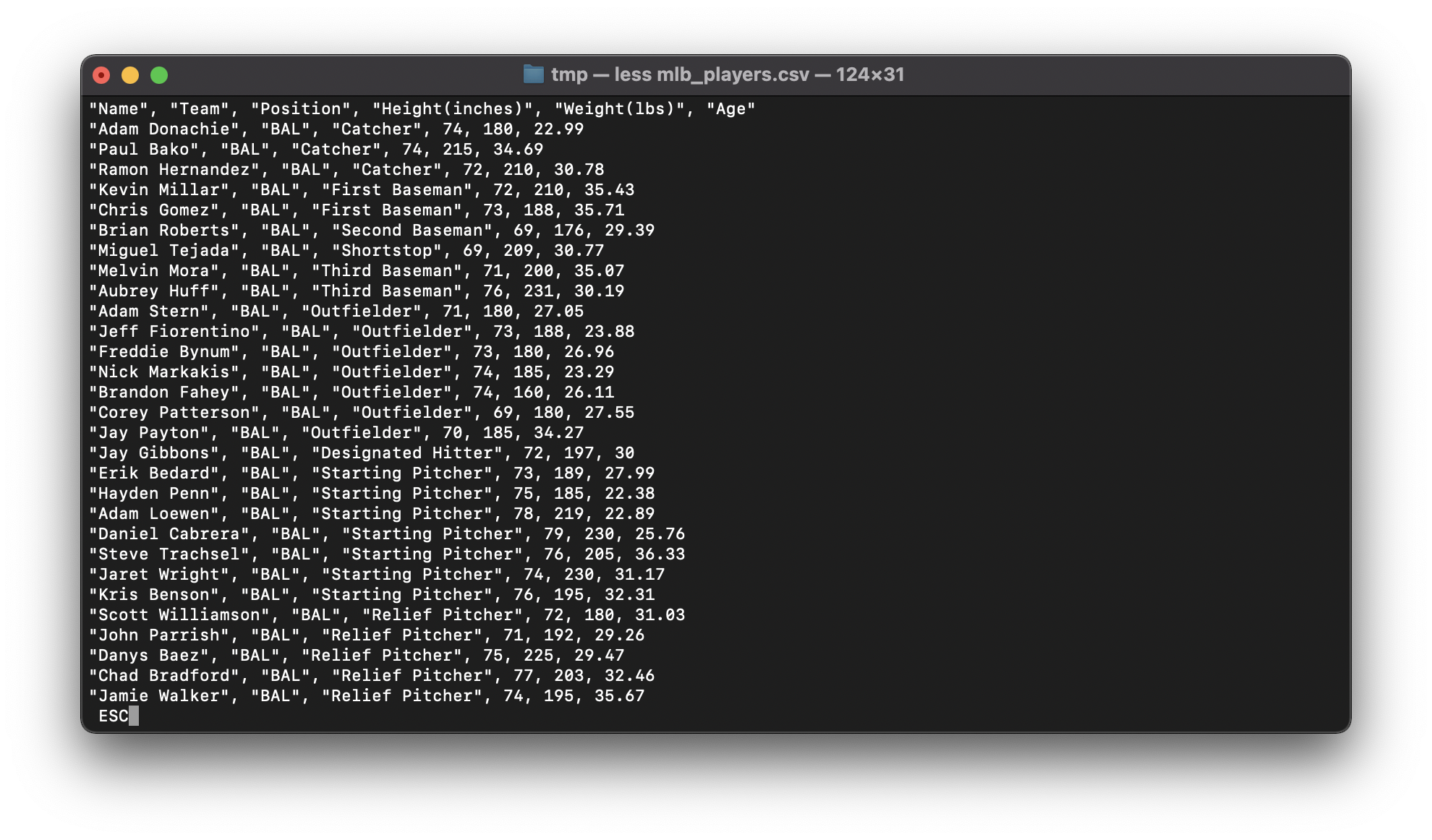
The 1st line in the file is named a header. It contains names of columns.
In this task we will be interested in names - the program will create an output file with players' names only.
The size of the program is quite small, let's have a look at it:
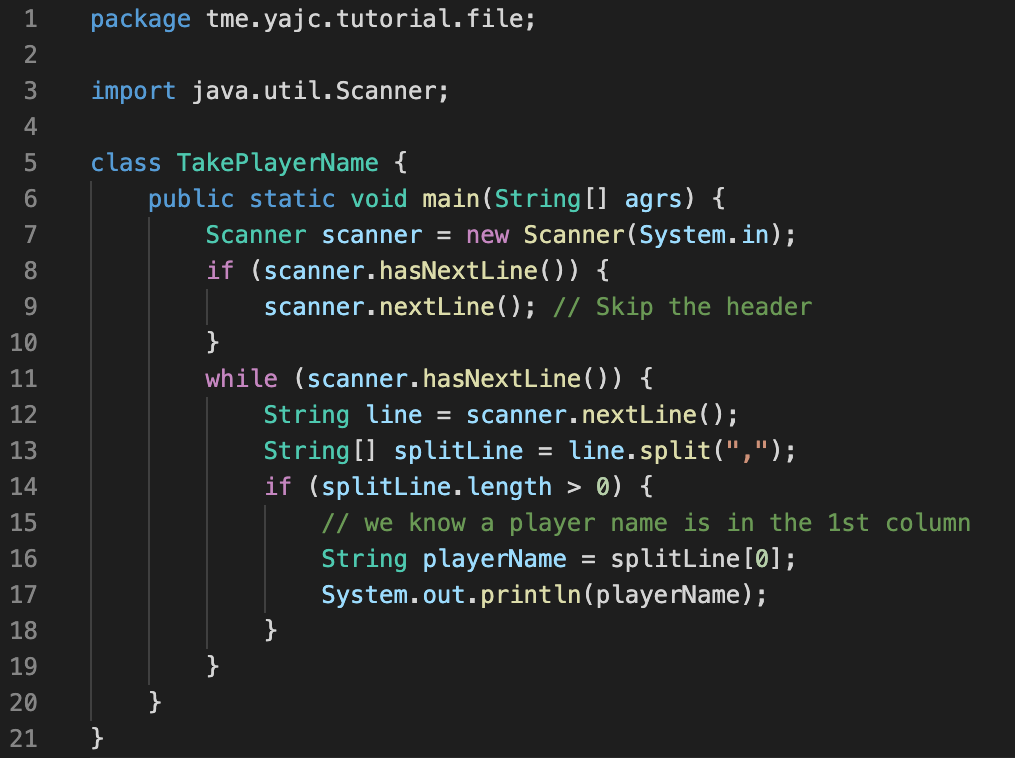
Code available on GitHub: https://gist.github.com/yajcjava/16b796f1c141531235859f567346b741
First of all we create a new Scanner which we use to read user input. Then we skip the first line which contains CSV header. After that we have the actual information. We split the line by , symbol and take the first element. split function cuts a string into pieces by the specified separator.
A good way to learn what a function does is reading its JavaDoc. Try to follow the description of split function, this is extremely helpful skill: https://docs.oracle.com/en/java/javase/11/docs/api/java.base/java/lang/String.html#split(java.lang.String)
Program execution
If you just compile and run the program you will need to enter the data manually (literally typing on keyboard). This will consume your input until you stop it (hint: use Ctrl+C). After you enter a line (a line is completed by pressing Enter button) the program will output it back to you. Let's see:
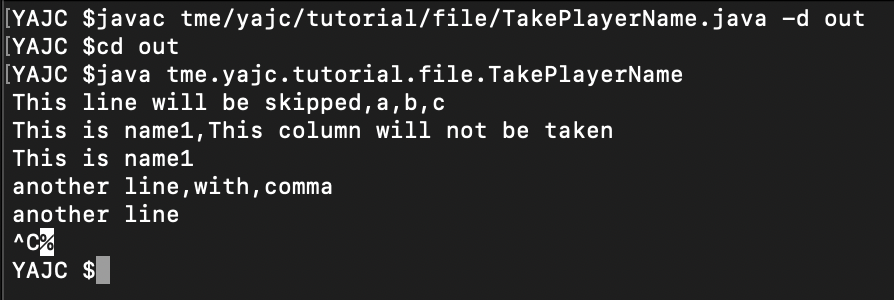
Instead of manual work we would like to pass a text file as an input:
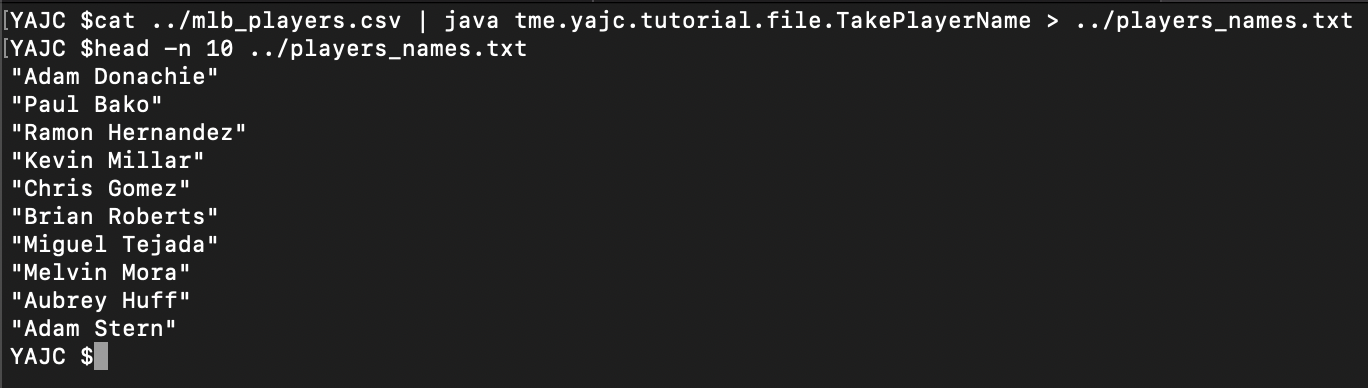
Herecat - prints file to the output and| - redirects it as input to the next command which is our Java program
>head - takes the first 10 lines from the file.
Conclusion
We could achieve the same result writing a more complicated Java program for example using File class. But this shows you the power of file redirection. You don't always need to create complex programs to solve some problems!
In one of the following posts we will have a look at some 3rd party library to work with CSV files.
Thank you! And see you soon 🤓