Pixl Addons - Android 13
@iamakimaNew Security & Privacy Tile and Unified Settings Page
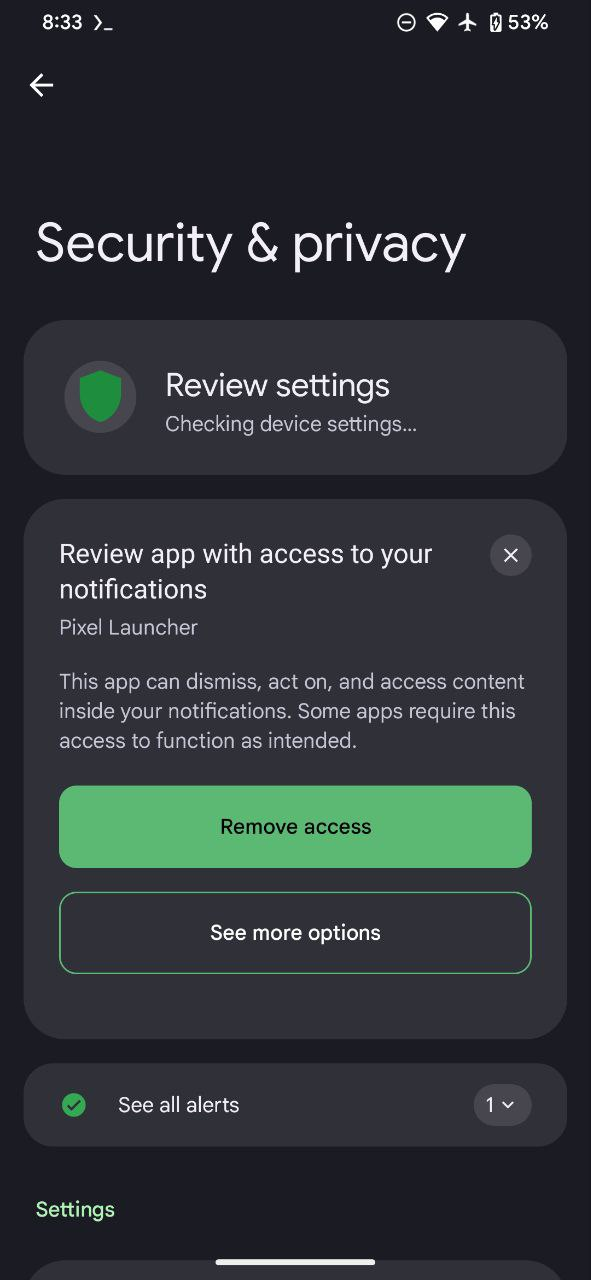
# Download any Android terminal app and hit those commands below:
Type: su
Then:
device_config put privacy safety_center_is_enabled true

Enable Entertainment Space
ESpace comes by default in Pixl QPR1 B1, follow this steps and it will works:
- Download Discover Killer apk / LSPosed
- Install Discover Killer and flash LSPosed in Magisk
- Update ESpace from Google Play or Download this ESpace APK and install as update
- Wen boots, a prompt will show on home to add LSPosed on your home screen, just click to add
- Open LSPosed shortcut and go to the second tab (Modules)
- Enable Discovery Killer, remember to mark System UI
- Reboot
Go to Discover Killer app, enable

Enable Work Space
Download this app from Google Play, just open it and sets

Clear Calling
Just hit those commands below
Type: su
Then:
settings put global settings_enable_clear_calling true
