PixelPlusUI OTA Flashing Guide Using OFOX Recovery
Saurav (ugly_kid_af)
Requirements for OTA Updates :
- Encryption compulsory for OTA. Decryption isn't recommended
- No Magisk Support (If you have installed magisk and after flashing via ota if somethings gets fucked up don't blame us)
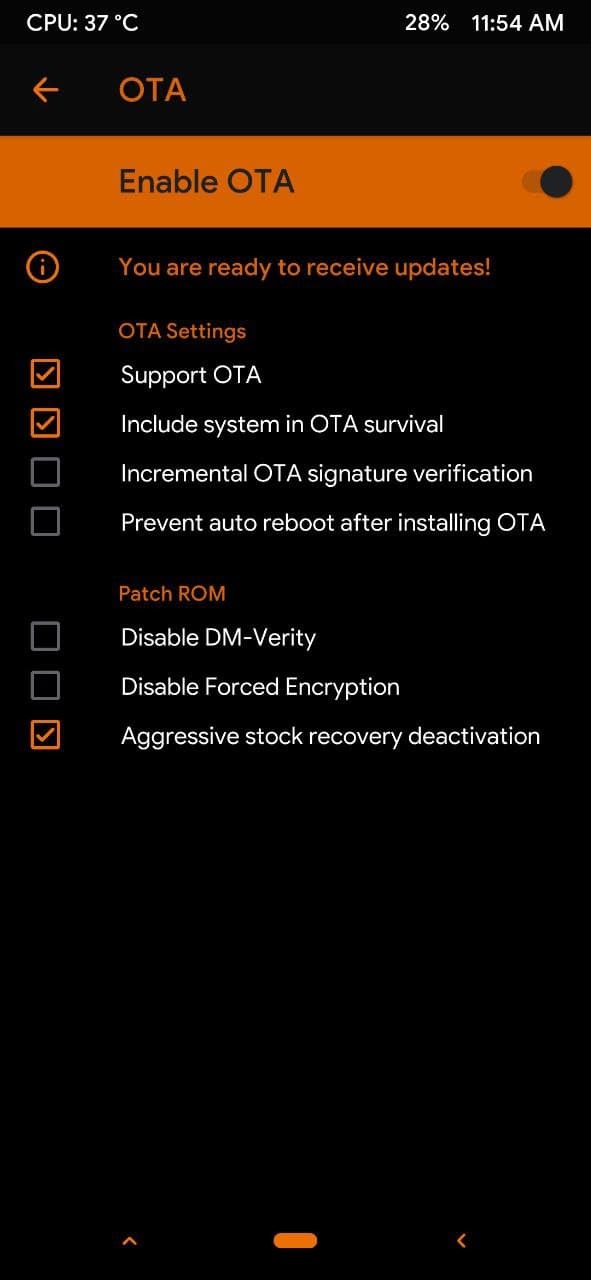
- User Must Have to Clean Flash Previous Build Before using OTA and has enabled Proper OTA SETTINGS in Ofox Recovery before flashing.
- Don't Change kernel or use any Unwanted MODs it may break OTA
- When u have enabled OTA options in recovery then it will create some files in internal storage/fox/OTA . Don't delete them
- You need to flash rom again if shows "Please Flash Full ROM" in OTA option
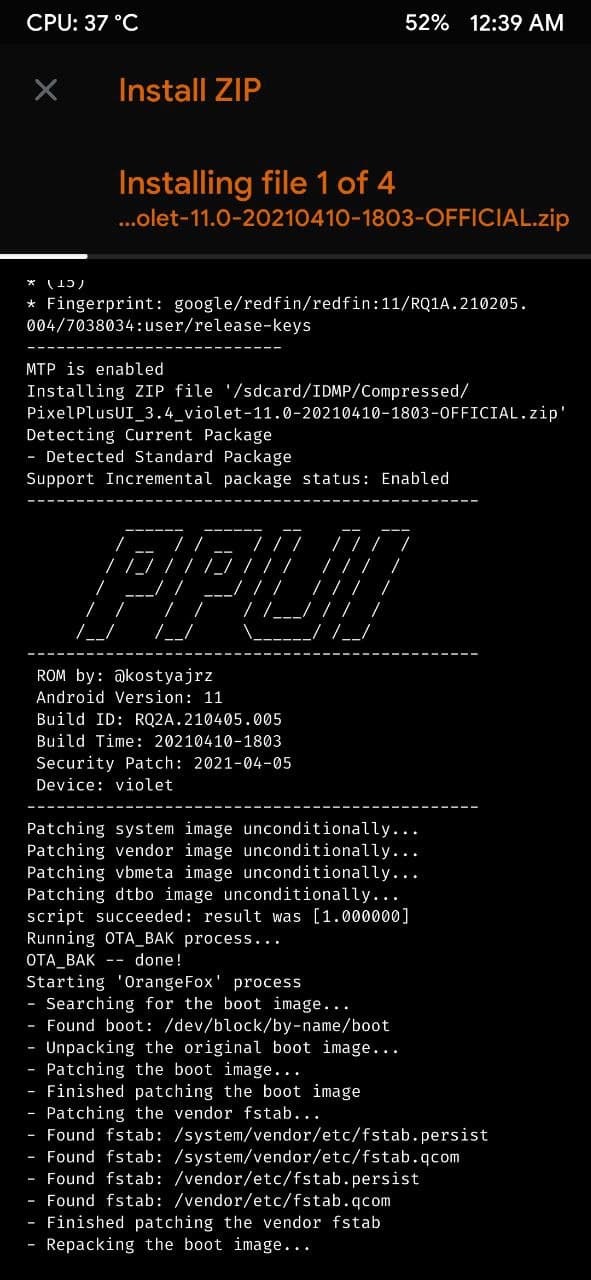
- OTA is useful only when you don't change ROM every day/week/month. So stop being retard.
OTA Steps for Encrypted Users:
- Enable proper options and Uncheck DISABLE FORCE ENCRYPTION (if you have already enabled it ) in OTA option in recovery
- Get OTA update when we push in OTA updater
- Download it from OTA updater app
- After download completes, Press Install
- And it will automatically update your build.
OTA Steps for Decrypted Users:
First Of All Decryption isn't supported but still if u want then u can use only that recovery (SHRP Recovery by @BRock_555) which supports FCRYPT v3 by (@tesla59) else Rest In Peace
- Enable proper options and Enable "DISABLE FORCE ENCRYPTION" option in OTA option in recovery
- Get OTA update when we push in OTA updater
- Download it from OTA updater app
- After download completes, Press Install
- And it will automatically update your build.
- As you know build is free but building ROM needs server its not like PORTs. And Maintaining source and device stuff needs server and its pretty expensive for a student. It will be really helpful and appreciated if you donate or contribute us. TIME = Money
PAYTM UPI ID : dwarmachine24@paytm
GPAY UPI ID: dwarmachine24@oksbi
PAYPAL: https://www.paypal.me/uglykid24