PitchBlack Recovery Project
AgathaTWRP Installation/Installation Stage
- Copy the twrp.img and boot.img files to MicroSD/Flashdisk
- Boot the cellphone into Fastboot Mode (the HP is off, press and hold the "Volume down and Power" buttons simultaneously until the cellphone boots into Fastboot Mode. Then connect the cellphone to the PC/Laptop
- Open Minimal ADB on PC/Laptop. Type the following command "fastboot devices". If the cmd dialog displays random letters/numbers, the cellphone is connected to Fastboot mode on the PC/Laptop.
- Continue by typing the following command in cmd "fastboot flash boot /press/then/drag/file/twrp.img to cmd box" if cmd already displays the TWRP location directory, Enter.
- If the process is done, continue with "fastboot reboot" enter. Then the cellphone will automatically reboot into TWRP, and disconnect the USB cable on the cellphone.
- At the initial TWRP screen, open the install menu and then position the storage where the twrp and boot files were stored. Install img, find the boot.img file select it and flash the target to boot, swipe.
- When finished, continue to flash the twrp.img file as above, but target the file to the recovery ramdisk.
- At this stage the TWRP installation is complete. to make sure please reboot recovery, if it returns to TWRP it means TWRP is already installed.
Stages of Flash ROM
| Flash ROM + DFE (First Time) from MIUI
- Reboot to PBRP
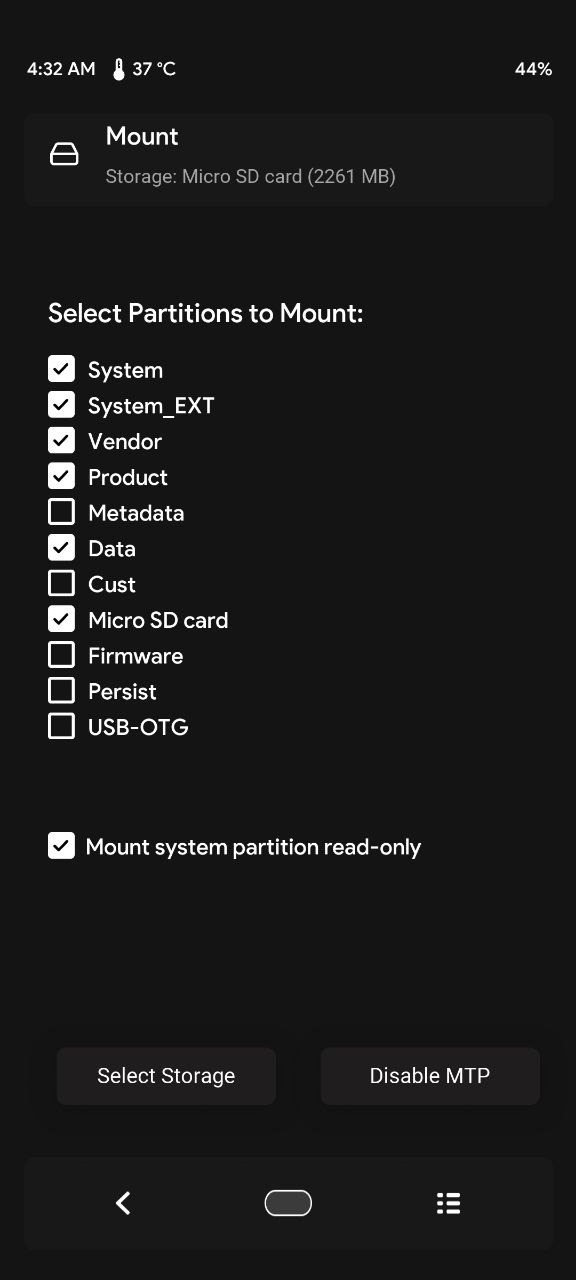
- Then go to mount and check like the picture
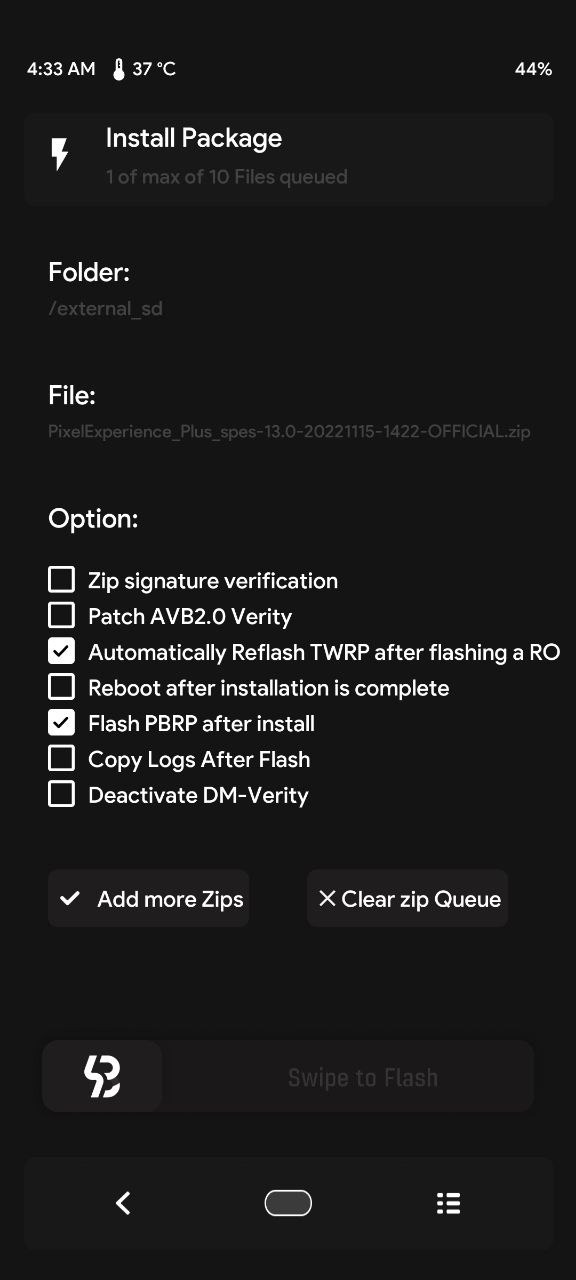
- Flash ROM and enable automatic reflash twrp and flash PBRP after Install and disable Patch AVB2.0 verity and Deactivate DM-VERITY
- Flash DFE
- Format Data
- Wipe 3 (Data, Metadata, Dalvik)
- Reboot System
| Flash ROM + DFE (Already DFE Before)
- Same as above but not in Format data
| Dirty Flash
- Same as above but not in Format data
- Wipe Dalvik & Metadata
Notes : For DM Verity, you can enable Patch AVB2.0 Verity or use DFE