Parse JSON & XML Data in Flutter
FlutterPulseThis article was translated specially for the channel FlutterPulseYou'll find lots of interesting things related to Flutter on this channel. Don't hesitate to subscribe!🚀
Learn one of the most crucial skills of Flutter development: parsing JSON & XML data into Dart Objects.
Welcome & Namaste🙏 fellow dev!
If you are reading my article for the first time, then make sure you follow me for similar future articles on Flutter. I keep publishing the tips and tricks about it.
ToC
- Why learn it?
- Basics (JSON & XML)
- Add Assets (
person.json&person.xml) - Read JSON & XML from asset files
- Parsing raw data into JSON & XML
- Create a Dart Model/Data Class
- Parse JSON & XML into Dart Objects
- Parse Dart Objects back into JSON & XML
- Further Reading📖🔎
Why learn it?
This is the part of Flutter basics that you need to have idea about when working with data.
If you just started your career with Flutter, it is a must for you to learn parsing of data, whether it is coming from a remote API or some other data source.
Most of the time during Flutter app development, we are going to work with data; therefore, having this skill is almost a must to have.
Basics First
Both JSON & XML are ways of transporting data from one machine to another. Both are very easy to understand and are open data formats for storing and exchanging data. They are easy to understand for both humans and machines.
In today's world, JSON is the widely used data format for storing & exchanging data between machines.
JSON
- stands for JavaScript Object Notation.
- As the name suggests, it is derived from JavaScript.
- It is language independent.
- The data is structured in a nested form.
- Data is formatted in simple data structures like ordered lists (arrays) or key-value pairs (objects).
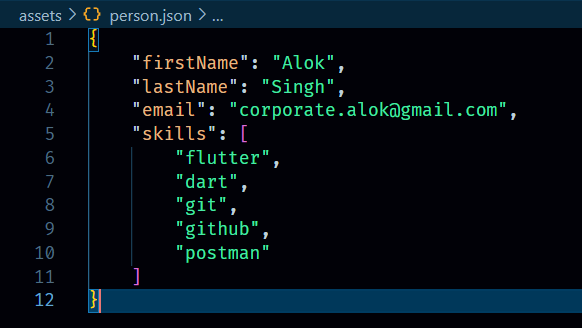
Syntax:
{
    "firstName": "Alok",
    "lastName": "Singh",
    "email": "corporate.alok@gmail.com",
    "skills": [
        "flutter",
        "dart",
        "git",
        "github",
        "postman"
    ]
}
XML
- stands for eXtensible Markup Language.
- uses user-defined tags to structure data in a tree structure.
- similar to HTML.
- comparatively consists of more boilerplate.
- It is the oldest data transfer and storage format among the two.
Syntax:
<!-- A Person XML Element denoting a single person entity -->
<Person>
  <FirstName>Alok</FirstName>
  <LastName>Singh</LastName>
  <Email>corporate.alok@gmail.com</Email>
  <Skills>
    <Skill>flutter</Skill>
    <Skill>dart</Skill>
    <Skill>git</Skill>
    <Skill>github</Skill>
    <Skill>postman</Skill>
  </Skills>
</Person>
Adding JSON & XML data into the project
1. Create JSON & XML asset files
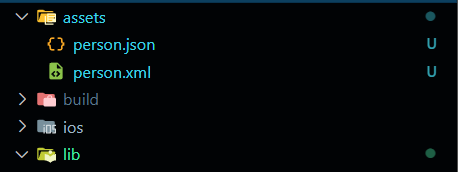
For quick reference, I am creating these two assets ( person.json and person.xml) in the Flutter project's assets directory (create the assets directory, if not already present).
person.json
person.xml
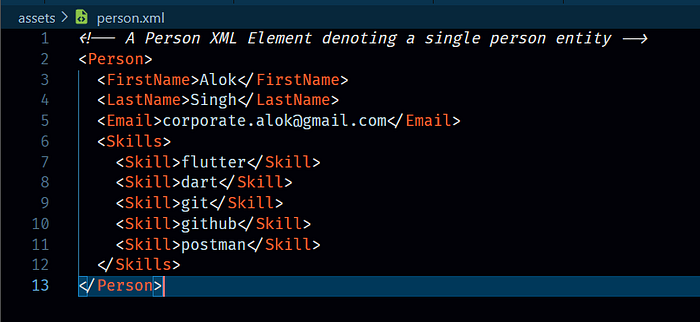
You can find the code for
person.jsonandperson.xmlin the above basics section.
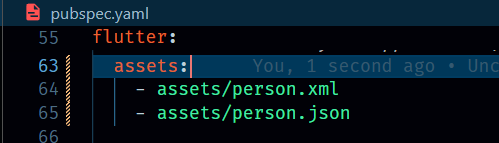
2. Mention assets in pubspec.yaml
Now make sure they are accessible from the other files in the Flutter project, and for that, we'll have to mention the path of these files in the assets section of the pubspec.yaml file.
Read the JSON & XML from asset files
The task of reading a file from the asset is asynchronous, as it takes some time, and the output will be available at some point in time; therefore, we will have to wait for the file-read task to complete, only then can we display it or use it for further processing.
As the asynchronous operations in Dart return a Future , here this loadString() operation too returns a Future<String>, which then can be used with FutureBuilder to listen to the operation and accordingly build/rebuild the UI.
Special thanks🙏 to Andy T for suggestions in optimising the code for loading the XML and JSON, in
initStateinstead of inbuildmethod and ensuring the type safety forloadXmlandloadJson.
class JsonXmlResponseScreen extends StatefulWidget {
  const JsonXmlResponseScreen({super.key});

  @override
  State<JsonXmlResponseScreen> createState() => _JsonXmlResponseScreenState();
}

class _JsonXmlResponseScreenState extends State<JsonXmlResponseScreen> {
  late final Future<String> _xmlFuture;
  late final Future<String> _jsonFuture;

  @override
  void initState() {
    super.initState();

    /// load XML and JSON futures
    _xmlFuture = loadXML();
    _jsonFuture = loadJSON();
  }

  /// Load XML String from Asset file
  Future<String> loadXML() async {
    return await DefaultAssetBundle.of(context)
        .loadString("assets/person.xml");
  }

  /// Load JSON String form Asset file
  Future<String> loadJSON() async {
    return await DefaultAssetBundle.of(context)
        .loadString("assets/person.json");
  }

  @override
  Widget build(BuildContext context) {
    // ... widget body
  }
}
In the above code snippet, we load the string from an asset file and then display it in the UI.
But it's just string; NOT JSON; NOT XML; JUST THE STRING
The following lines do the rest of the work.
Parsing raw data into JSON & XML
When the data is transported between two machines, it is simply the text or string in UTF-8 format. We need a decoder/encoder that can understand and convert the raw data into a valid response, which can be used for further processing.
1. Parse raw data into JSON
In the project, we have this person.json asset file containing the JSON data.
Dart provides a core library named dart:convert to work specifically with JSON to serialise/deserialise the data.
// import the dart conver library for json-related operations
import "dart:convert";

FutureBuilder(
  future: _xmlFuture,
  initialData: "...loading xml",
  builder: (context, data) {
    if (data.connectionState == ConnectionState.done) {
      final personString = data.data!;

      // convert string into JSON object
      final personJson = jsonDecode(personString);
      return Center(
        child: Text("Person JSON: $personJson"),
      );
    }
    return SizedBox.shrink();
  },
),
2. Parse raw data into XML
In the project, we have this person.xml asset file containing the XML data.
Unlike JSON, for XML serialisation/deserialization and related operations, we need to install an additional Dart library named xml .
// import the xml package for xml-related operations
import "package:xml/xml.dart";

FutureBuilder(
  future: _jsonFuture,
  initialData: "...loading xml",
  builder: (context, data) {
    if (data.connectionState == ConnectionState.done) {
      final personString = data.data!;

      // parse string into XML document
      final personJson = XmlDocument.parse(personString);
      return Center(
        child: Text("Person JSON: $personJson"),
      );
    }
    return SizedBox.shrink();
  },
),
Create a Dart Model/Data Class
To use the data in the Flutter application, the first requisite is to structure it in a certain way. And for that, in Dart, we create Model Classes (often called data classes; they are a blueprint or schema of the data in a predefined structure).
A Model class is a simple class with properties and constructor which defines the structure for a Data Object.
As per our requirement, we need to parse a Person's information, having firstName , lastName , email , and skills . According to the format of the data, we'll define these properties with their appropriate type.
Also, for object creation, we'll create a constructor accepting values for all the fields.
class Person {
  final String firstName;
  final String lastName;
  final String email;
  final List<String> skills;

  Person({
    this.firstName,
    this.lastName,
    this.email,
    this.skills,
  });
}
For smaller objects or simple data, usually manual work is good and is sufficient. But for complex data it may become a cumbersome task. And this is where tools like QuickType comes into play. The tool simplifies the Dart Object creation by providing various configuration options and generate the code in a few clicks.
Parsing JSON & XML into Dart Objects
Converting data from JSON or XML or any other similar formats to Dart Objects provides us flexibility to work with data in Dart, with each of which aligns the Dart programming language's OOPS paradigm approach.
Also, in the Flutter community, there is a widely used convention of using factory constructors for parsing data from some format (in our case, JSON and XML). It looks something like this: Person.fromJson , Person.fromXml.
Dart's factory constructors provide us more control over object creation. Moreover, It helps in encapsulating the parsing logic.
Parse JSON into Dart Object
Until now, we have already converted our data from a string to JSON; therefore, now we need to convert it into a Dart Object.
Here, for this purpose, we will create the fromJson factory constructor to parse JSON into the Person object.
Again, this can be a cumbersome task if the response is too complex or large, therefore consider using QuickType.
class Person {
  // ... existing code (properties, constructor)

  /// to convert JSON into Dart object
  factory Person.fromJson(Map<String, dynamic> json) => Person(
    firstName: json['firstName'],
    lastName: json['lastName'],
    email: json['email'],
    skills: List.castFrom(json['skills'])
  );

  /// to convert Dart object into JSON
  Map<String, dynamic> toJson() => {
    "firstName": firstName,
    "lastName": lastName,
    "email": email,
    "skills": skills.toString()
  }
}
Parse XML into Dart Objects
Parsing XML requires one additional requirement. For parsing XML in Dart, we need a Dart package named xml, which can be installed by simply executing the dart add xml or flutter pub add xml .
This library provides a DOM-based object model for accessing and manipulating XML documents.
After installing the package, import it into the file where your Dart Object resides, as we now require to parse and map each element into a Dart object.
Same as JSON Parsing, we are going to create a
fromXMLfactory constructor for parsing XML into Dart Object.
import 'package:xml/xml';

class Person {
  // ... existing code (properties, constructor)
  factory Person.fromXML(XmlDocument xml) {
    final person = xml.getElement('Person');
    return Person(
      firstName: person!.getElement('FirstName')!.innerText,
      lastName: person.getElement('LastName')?.innerText,
      email: person.getElement("Email")!.innerText,
      skills: person
              .getElement('Skills')
              ?.findAllElements("Skill")
              .map((skill) => skill.innerText)
              .toList() ??
          [],
     );
  }
}
Let's quickly understand the use of XML for our needs.
getElement: finds the first child element with the name given.findElements: lazily find the direct child elements with the given name.findAllElements: lazily find recursive child elements with the given name.innerText: returns the text within the XML element
and this is pretty much what we are gonna need for our requirement.
for additional info checkout xml dart package documentation.
Parse Dart Objects back into JSON & XML
Converting JSON & XML data into Dart objects is one part of the process. It is sufficient for parsing the incoming data. But what if we need to send this Dart Object's information somewhere else in JSON or XML format? That's when the famous toJson & toXml methods of the Data class come into play.
You are less likely to use this, but you should be aware of this too if you know the fromJson (that converts JSON into a Dart Object), because sometimes we need to convert the data the other way around too.
toJson & toXml are just the opposite of fromJson & fromXml.
Parse Dart Object into JSON
toJson method will return JSON string, for which in Dart we use Map<String, dynamic> , placing the existing values of the object in the JSON string.
Map<String, dynamic> toJson() => {
  "firstName": $firstName,
  "lastName": $lastName,
  "email": $email,
  "skills": $skills.join(", "),
}
Parse Dart Object into XML
toXml method will return the XmlDocument , by creating the necessary elements and nesting them in a specific way.
For this purpose, the xml library provides us with the XmlBuilder , that will help us create an XML document.
XmlDocument toXml(){
  // get an instance of XmlBuilder to start building an XML document
  final builder = XmlBuilder();

  // create Person XML element
  builder.element("Person", nest: (){
    builder.xml("<FirstName>$firstName</FirstName>");
    builder.xml("<LastName>$lastName</LastName>");
    builder.xml("<Email>$email</Email>");
    // Skills XML element with multiple Skill element
    builder.element("Skills", nest: (){
      skills.map((skill){
        builder.xml("<Skill>$skill</Skill>");
      });
    });
  });

  // build XML Document with the current xml data
  return builder.buildDocument();
}
For more information about the xml package and related operations, you can always head to https://pub.dev/packages/xml.
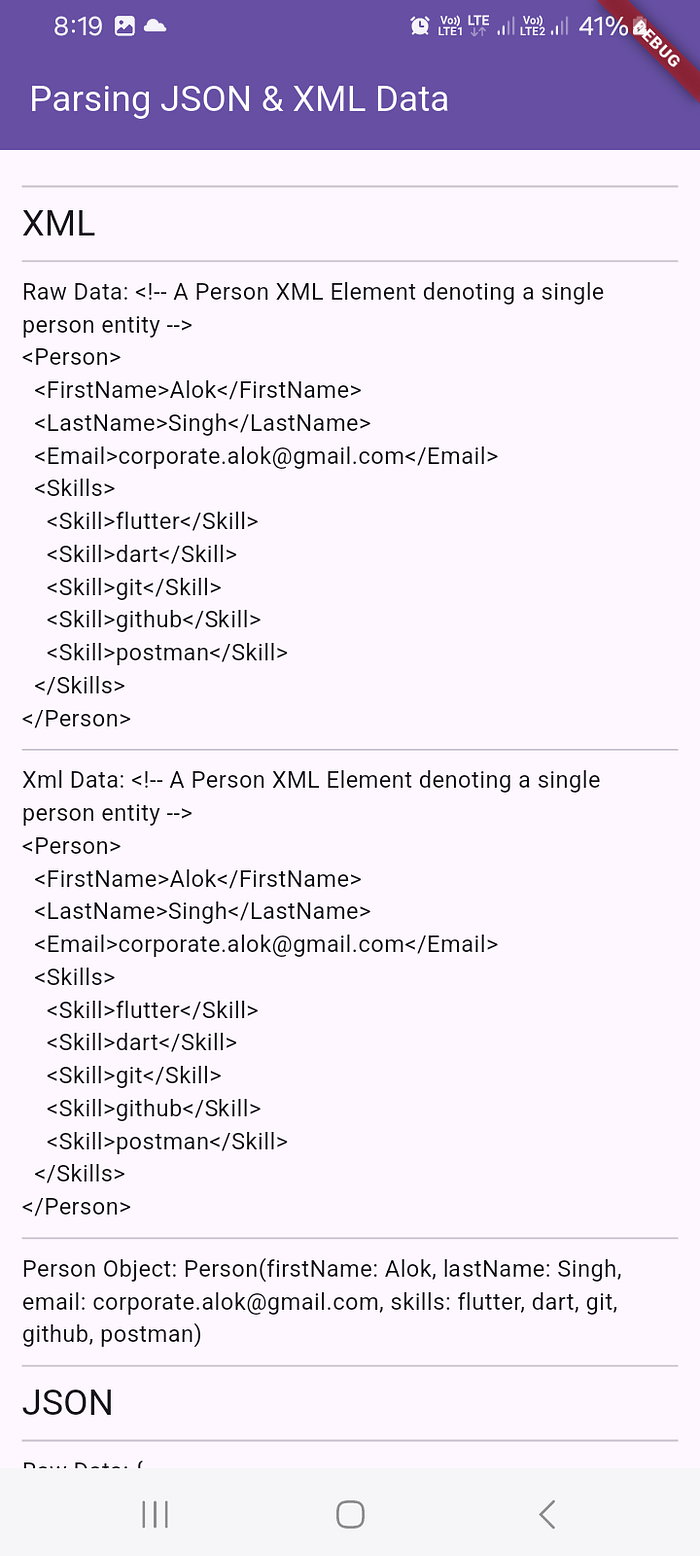
Output
XML
JSON

If you have read the article this far and it somehow seems helpful to you, then make sure you 👏clap for it. Doing so, you are motivating me to continue writing such articles.
See you in the next one! Till then, keep parsing the Data.
Aagya Chahenge 🙏
Further Reading📖🔎
- Github Repo
- XML | Dart Package
- QuickType: JSON to Dart Data Class Parsing tool
- Learn XML basics | W3Schools
- XML Introduction | MDN Web Docs
- JSON Official Docs
- JSON Introduction | MDN Web Docs