System Update via ADB Sideload on SHRP
BRockNote:- This is a general guide written in view of pixel experience rom...
Steps:
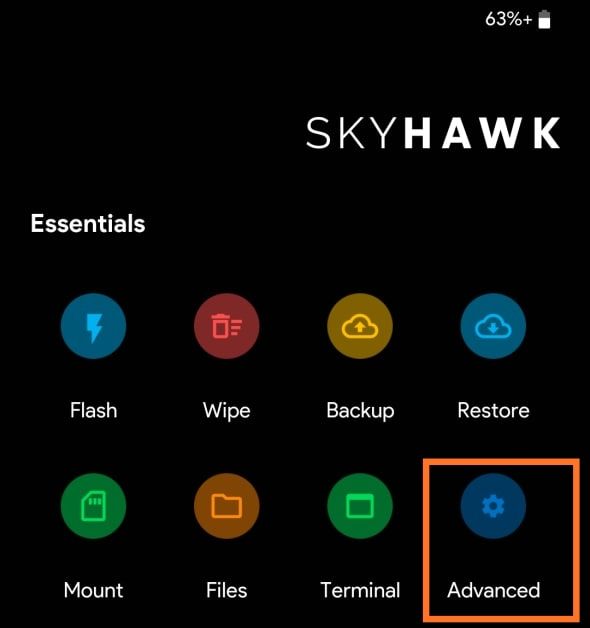
1) Go to Recovery & click on Advanced
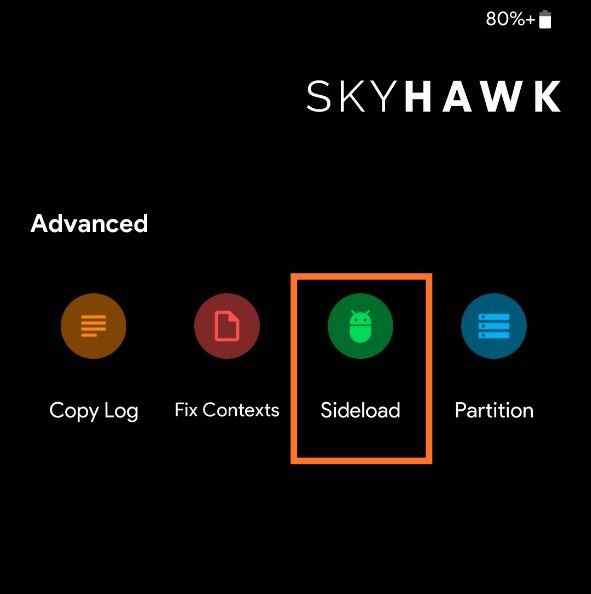
2) Click on sideload
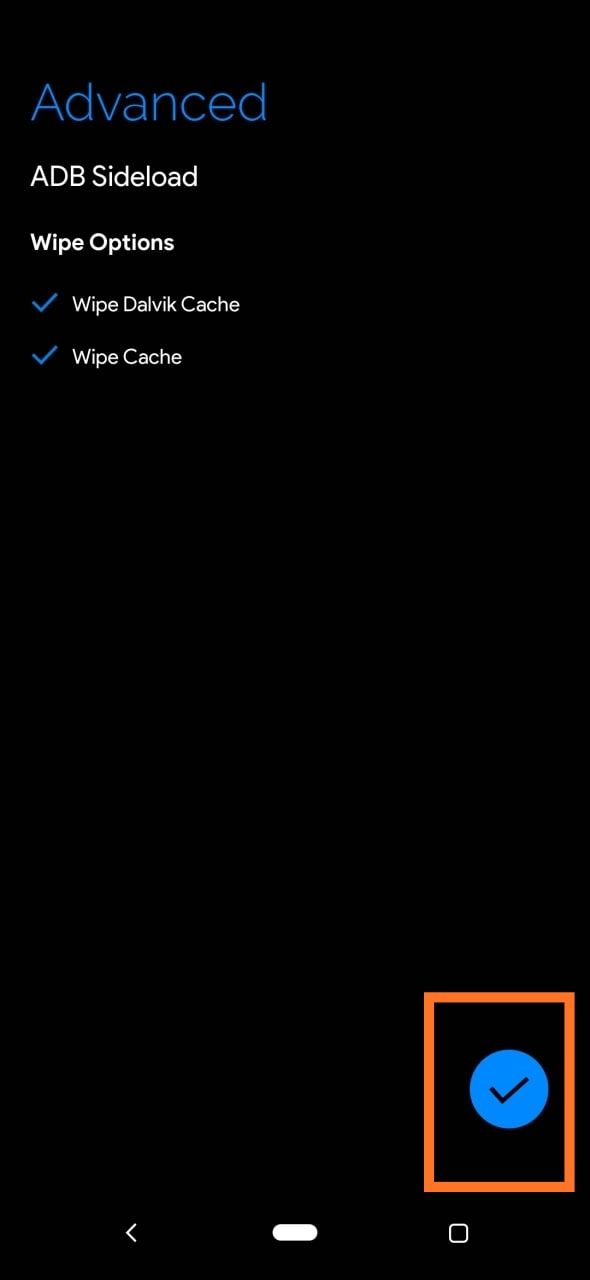
Then u'll see interface like this shown below
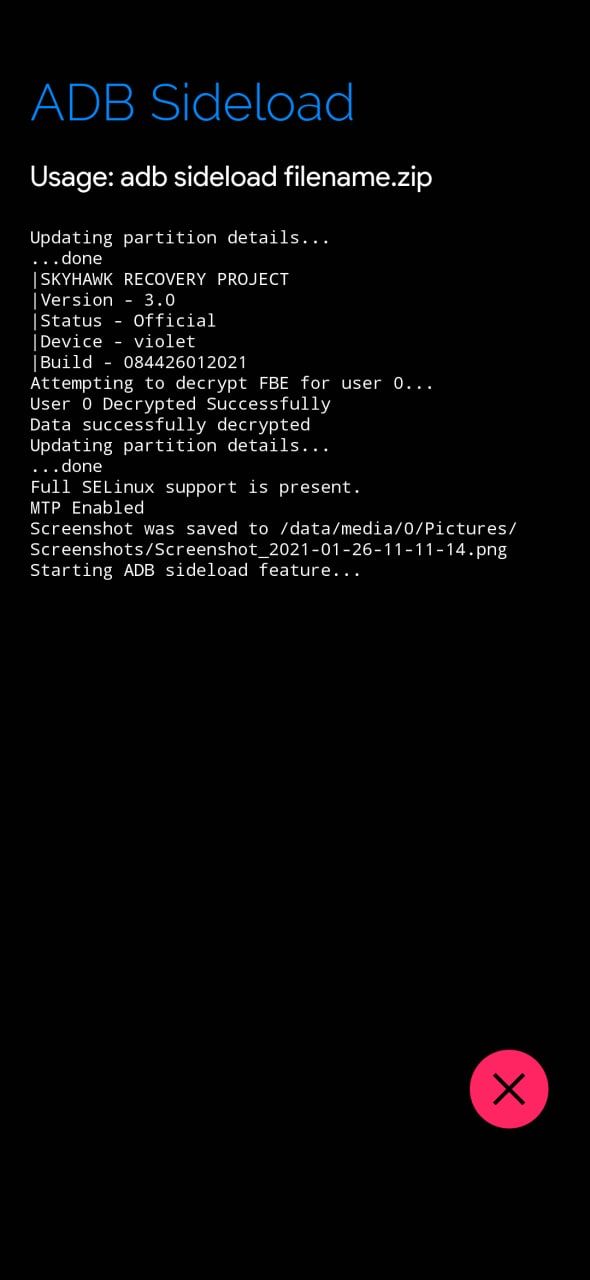
3) Download latest Rom zip & Connect ur device to pc
4) Open CMD window in platform tools folder
5) Type
adb devices
6) Make sure Your device is recognised...then type:
adb sideload <drag n drop rom zip here>
[ For example:- adb sideload rom.zip]
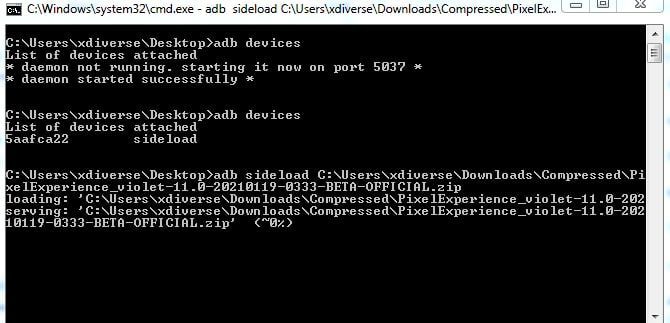
It ll take some time , go take a break
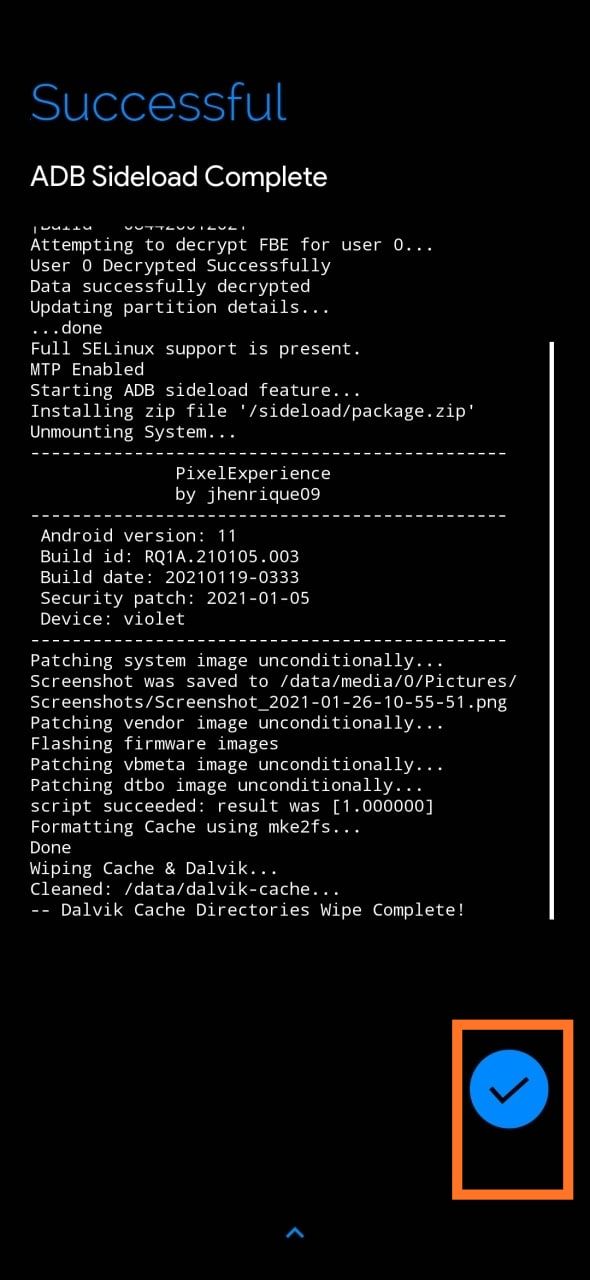
7) After 100% completion , Click on the tick mark in Recovery so u ll be back to home page
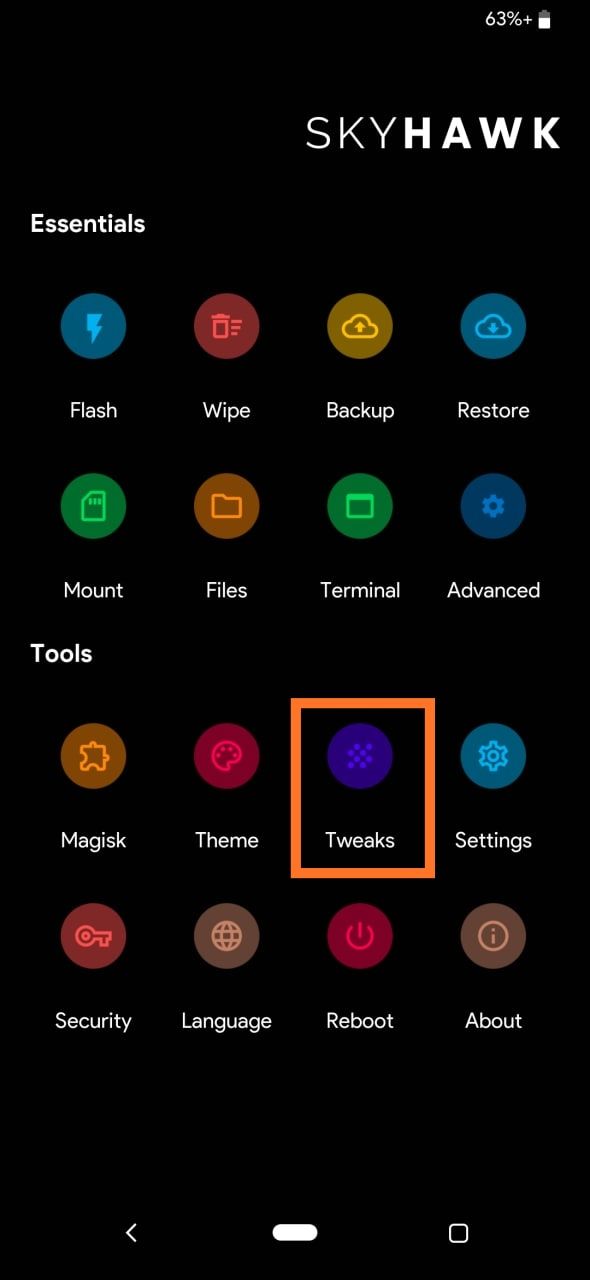
8) If Encrypted :-
Go to tweaks & apply stock Recovery deactivation
If Decrpyted :-
Go to tweaks & apply both stock Recovery deactivation + Disable force encryption-v3
9) Reboot to system
10) Enjoyyy
(Note:- No need of doing stock Recovery deactivation patch in tweaks for roms like arrow , resurrection remix etc ....Rest all process is same)