Optimus flashing instructions
vikas (optimus)for Superior | infinity rom (𝐍𝐨𝐧 𝐝𝐲𝐧𝐚𝐦𝐢𝐜 𝐟𝐥𝐚𝐬𝐡𝐢𝐧𝐠 𝐢𝐧𝐬𝐭𝐫𝐮𝐜𝐭𝐢𝐨𝐧𝐬 )
- You have to download given files.
ROM Files | Flashing fajita Files | Enchilada Files.
- Reboot into bootloader.
- Flash this boot image.
Fastboot flash boot boot.img.
- Reboot into recovery.
adb Sideload rom.zip.
- Once Flashed choose reboot to recovery.
- Select format data YES.
- Reboot to system
- Enjoy Optimus rom.
for RisingOS (Dynamic Partition Flashing instructions.)
Clean Flash Mandatory
Prerequisites
- Ensure you're running OOS 11.1.2.2 and current riceDroid firmware on your current slot.
Here 👇 oos files
Files
- Download the latest platform-tools.
- The filename will be in the following format:
platform-tools-latest-*.zip
- Download the needed files for you device from here:
- The following list has all the files you need to get:
📍 boot.img
📍 copy_partitions.zip
📍 super_empty.img
📍 vbmeta.img
📍 the latest OTA zip for you device (Ricedroid-{enchilada,fajita}-.zip)
- You may NOT substitute any of these files with files that you've downloaded elsewhere.
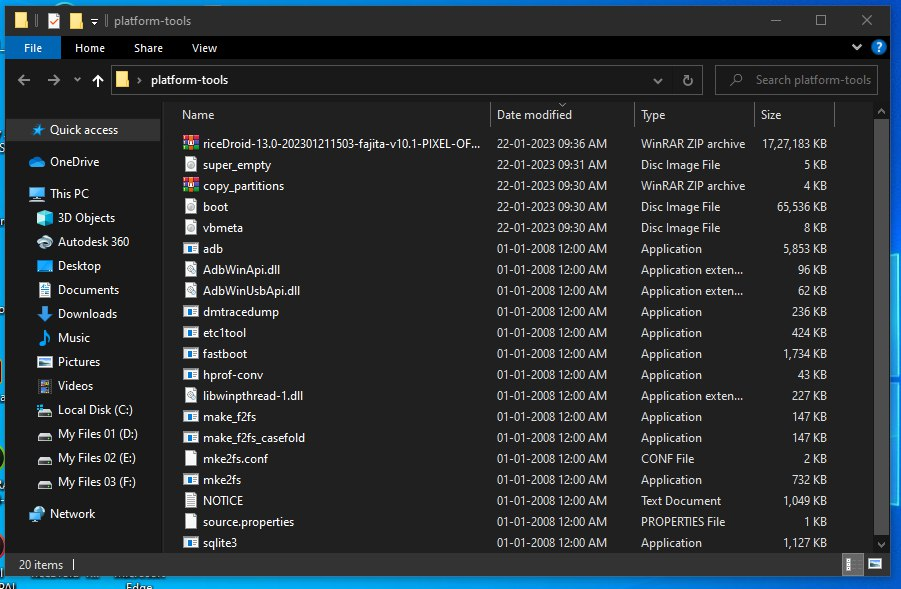
Installation/Migration steps
Notice that each command is prefixed with a ./. This is important. Please keep that prefix when you run each command.
○ Unzip the platform-tools-latest-*.zip file you got earlier to any folder that you want.
○ Move the following files into the same folder where you extracted platform-tools:
📍 boot.img
📍 copy_partitions.zip
📍 super_empty.img
📍 vbmeta.img
📍 the latest OTA zip for you device (Ricrdroid_{enchilada,fajita}-.zip)
○ Open your terminal and navigate to the extracted platform-tools folder. Use cd to navigate to the folder.
📍 If you are on Windows, use PowerShell. Do NOT use Command Prompt.
📍 If you are on macOS or Linux, then use your preferred terminal and shell.
○ Reboot your phone to the bootloader.
📍 Do this by unplugging your phone, powering it off, then holding Vol Up + Vol Down + Power until you see a screen with giant text at the top of the screen.
○ Run the following to flash the new retrofit dynamic partitions boot/recovery image and the empty vbmeta:
./fastboot flash vbmeta_a vbmeta.img

./fastboot flash vbmeta_b vbmeta.img

./fastboot flash boot_a boot.img

./fastboot flash boot_b boot.img
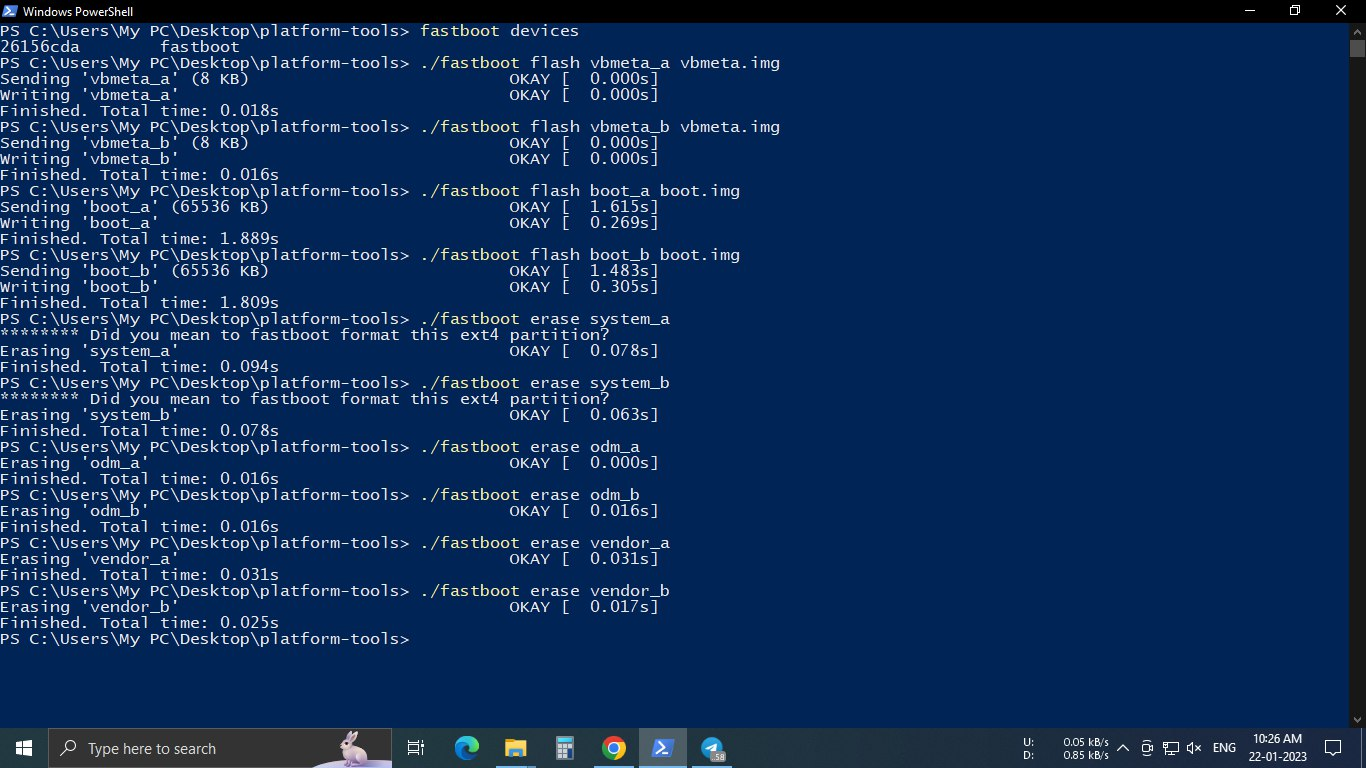
○ Erase the old android partitions with the following:
./fastboot erase system_a

./fastboot erase system_b

./fastboot erase odm_a

./fastboot erase odm_b

./fastboot erase vendor_a

./fastboot erase vendor_b
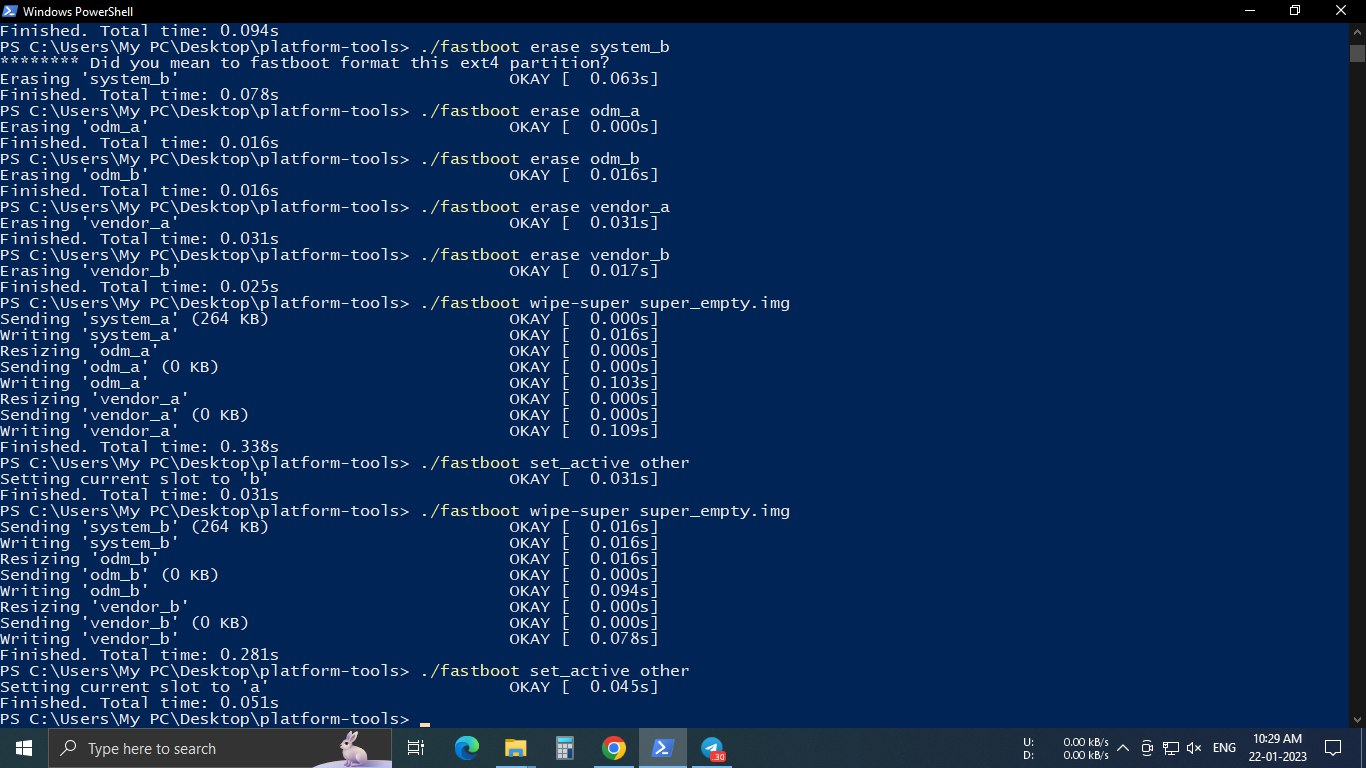
○ Boot to recovery
○ In recovery, choose Advanced -> Enter fastboot to enter fastbootd
○ Initialize the retrofit super partitions for each slot:
./fastboot wipe-super super_empty.img

./fastboot set_active other

./fastboot wipe-super super_empty.img

./fastboot set_active other
📍 If fastboot returns some error message about not recognizing wipe-super or prints a long help message instead , then that means you are running a very old version of fastboot. Please go back and download the latest version of platform-tools, as mentioned in the Required Files section.
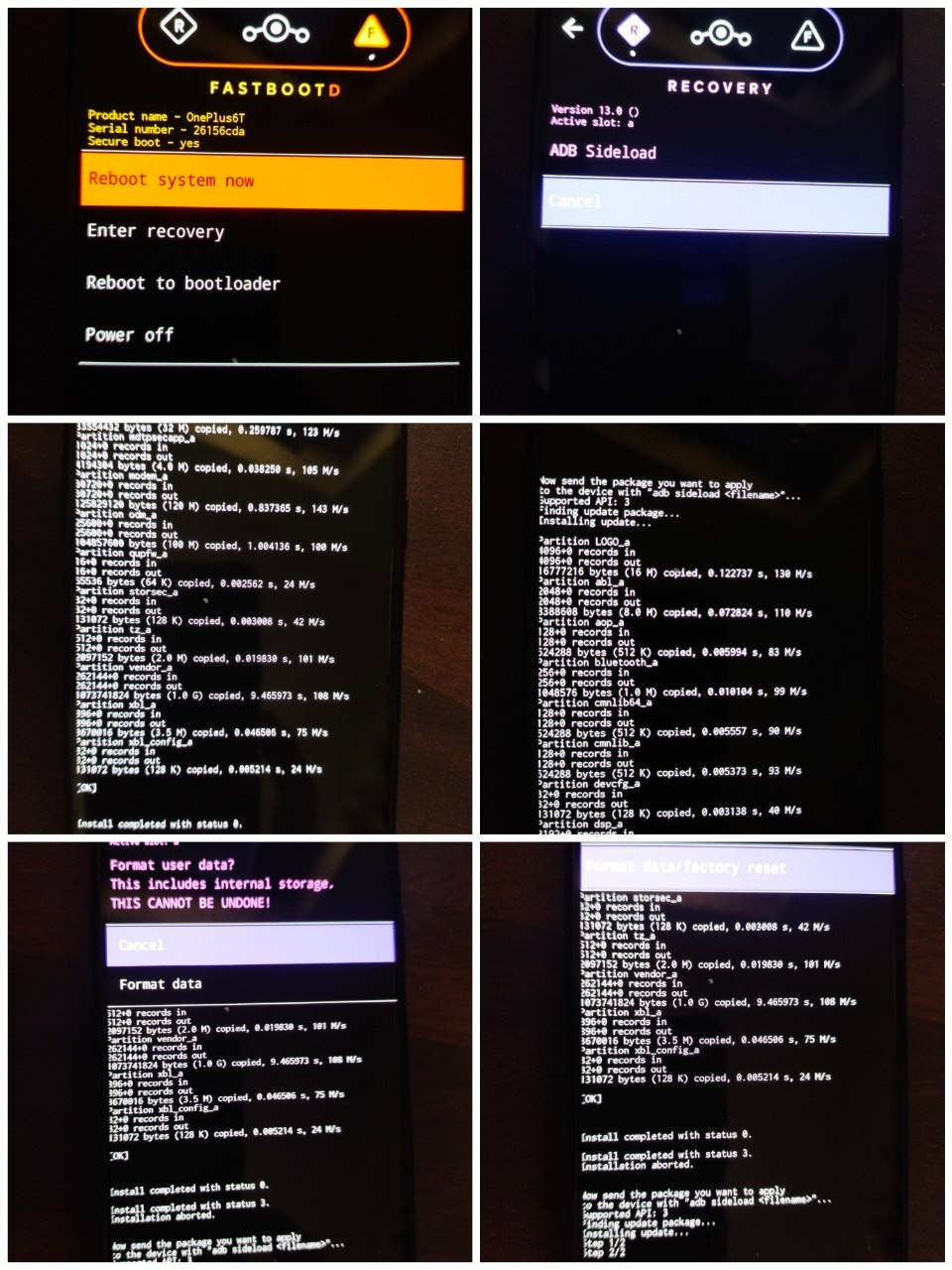
○ Choose Enter recovery to return to recovery
○ While in recovery, navigate to Apply update -> Apply from ADB
○ Run the following to sideload copy_partitions.zip to copy your firmware partitions to the other slot:
./adb sideload copy_partitions.zip
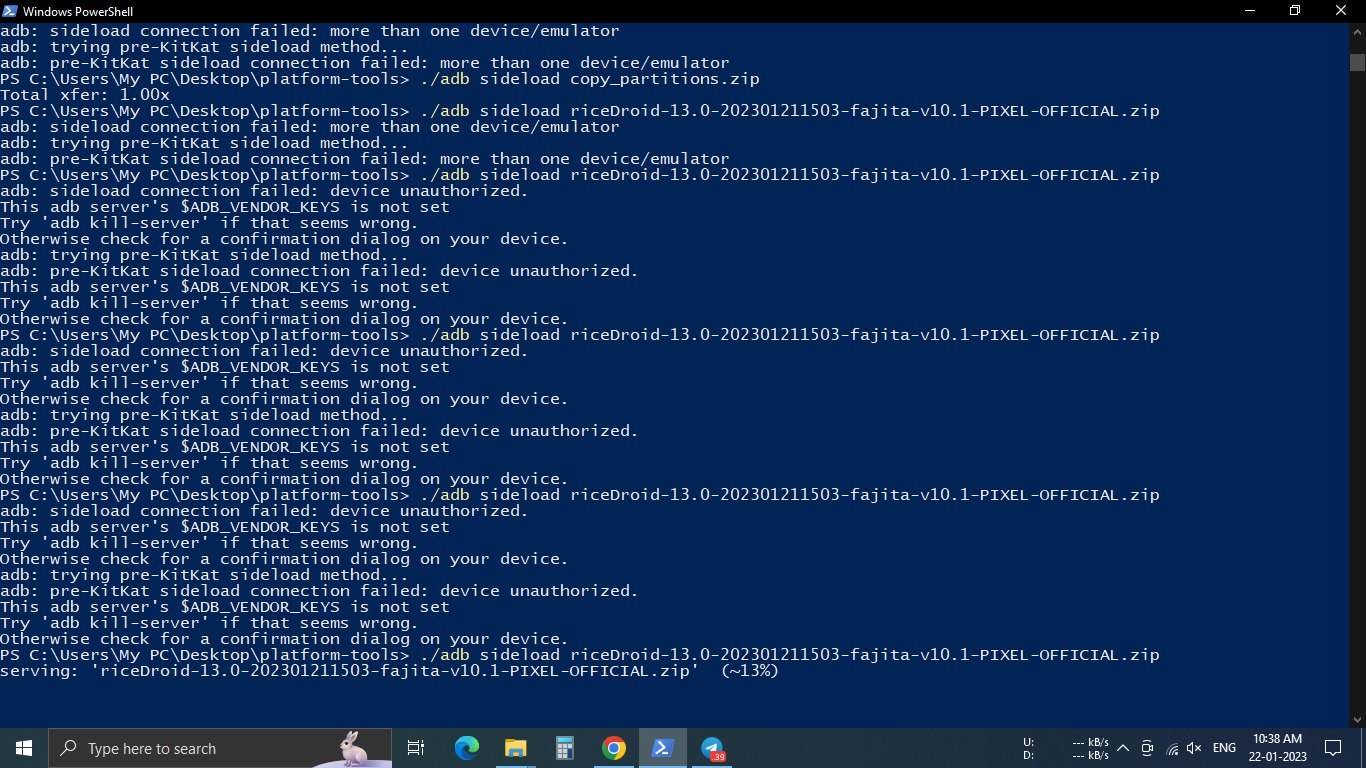
You may receive an error from recovery, which will state the following:
Signature verification failed
Install anyway?
Choose the "Yes" option to continue, since this zip doesn't have a signature in the first place.
○ After copy partition it will back to recovery. Then navigate to Apply update -> Apply from ADB
○ Run the following to sideload riceDroid:
./adb sideload [riceDroid zip name]
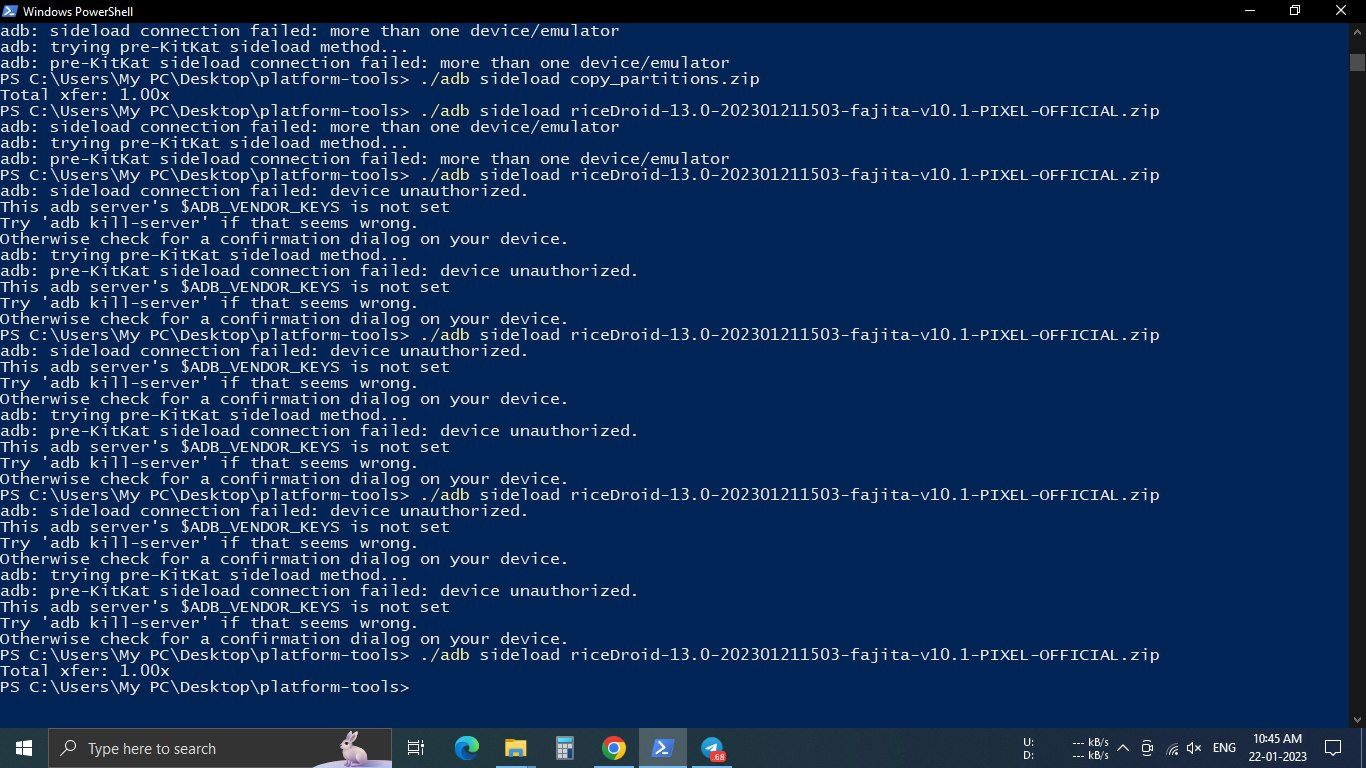
If you encounter installation errors when sideloading, run adb pull /tmp/recovery.log to get logs to share while asking for help.
○ If this is a new install, format data. If you're migrating from non-retrofit , skip this step.
○ Reboot system
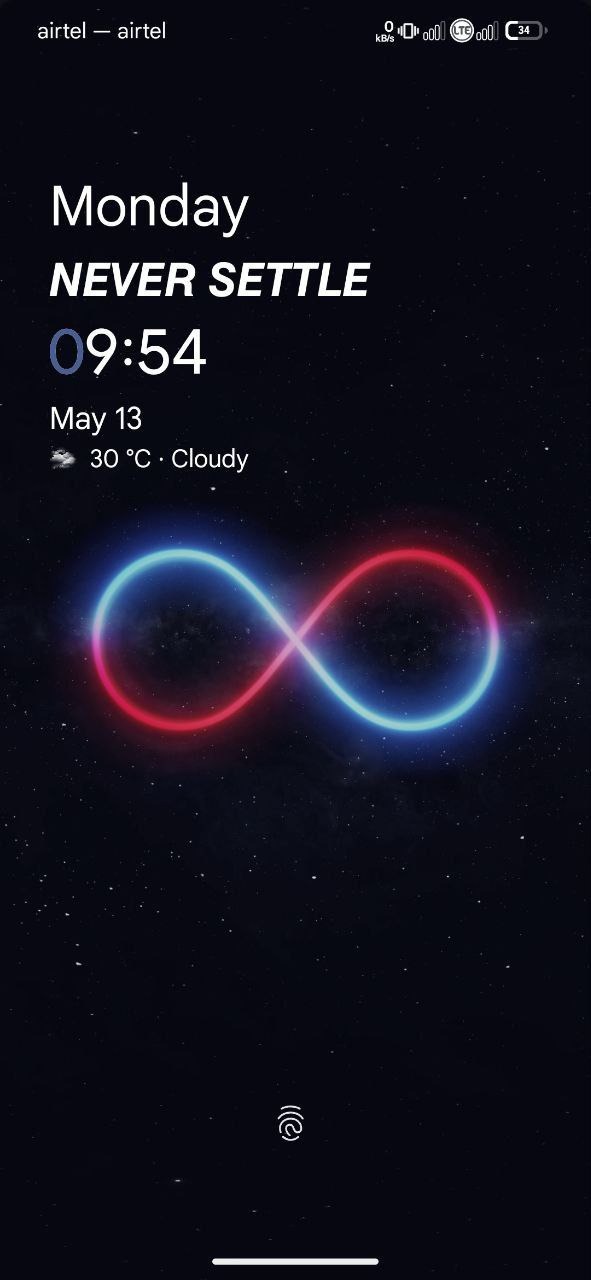
- 𝐭𝐡𝐚𝐧𝐤𝐬 𝐟𝐨𝐫 𝐮𝐬𝐢𝐧𝐠 𝐨𝐩𝐭𝐢𝐦𝐮𝐬 𝐫𝐨𝐦 😊
- 𝐈𝐟 𝐚𝐧𝐲𝐨𝐧𝐞 𝐰𝐚𝐧𝐭 𝐭𝐨 𝐬𝐮𝐩𝐩𝐨𝐫𝐭 𝐭𝐡𝐢𝐬 𝐩𝐫𝐨𝐣𝐞𝐜𝐭😊
- 𝐓𝐡𝐞𝐬𝐞 𝐧𝐞𝐰 𝐢𝐦𝐩𝐥𝐞𝐦𝐞𝐧𝐭𝐚𝐭𝐢𝐨𝐧𝐬 𝐰𝐢𝐭𝐡 𝐩𝐫𝐨𝐯𝐢𝐝𝐢𝐧𝐠 𝐫𝐨𝐦 𝐮𝐩𝐝𝐚𝐭𝐞𝐬 𝐨𝐧 𝐚 𝐫𝐞𝐠𝐮𝐥𝐚𝐫 😊𝐦𝐞𝐚𝐬𝐮𝐫𝐞 𝐫𝐞𝐪𝐮𝐢𝐫𝐞𝐬 𝐚 𝐥𝐨𝐭 𝐨𝐟 𝐩𝐞𝐫𝐬𝐨𝐧𝐚𝐥 𝐭𝐢𝐦𝐞 𝐚𝐧𝐝 𝐞𝐱𝐩𝐞𝐧𝐬𝐞𝐬 𝐟𝐨𝐫 𝐛𝐮𝐲𝐢𝐧𝐠 😊𝐬𝐞𝐫𝐯𝐞𝐫𝐬 𝐟𝐫𝐨𝐦 𝐦𝐲 𝐨𝐰𝐧 𝐩𝐨𝐜𝐤𝐞𝐭..
- 😊𝐒𝐨 𝐢𝐟 𝐲𝐨𝐮 𝐜𝐚𝐧 𝐬𝐮𝐩𝐩𝐨𝐫𝐭 𝐦𝐞 𝐟𝐢𝐧𝐚𝐧𝐜𝐢𝐚𝐥𝐥𝐲 𝐢𝐭 𝐰𝐨𝐮𝐥𝐝 𝐛𝐞 𝐯𝐞𝐫𝐲 𝐚𝐩𝐩𝐫𝐞𝐜𝐢𝐚𝐭𝐞𝐝
- 😊𝐔𝐏𝐈 𝐈𝐃: 𝐯𝐢𝐤𝐚𝐬𝐲𝐚𝐝𝐚𝐯𝟓𝟎𝟕𝟑@𝐨𝐤𝐬𝐛𝐢