OpSwap TestNet Event
👉 AnishJoin Telegram: https://telegram.dog/Earn_With_Crypto_Looters
Rewards-
- First Batch: Airdrop 4800 Lock-up OPPs
- Second Batch: Airdrop 1200 OPPs within 48 hours of Uniswap being online, which can be traded immediately.
Procedure-
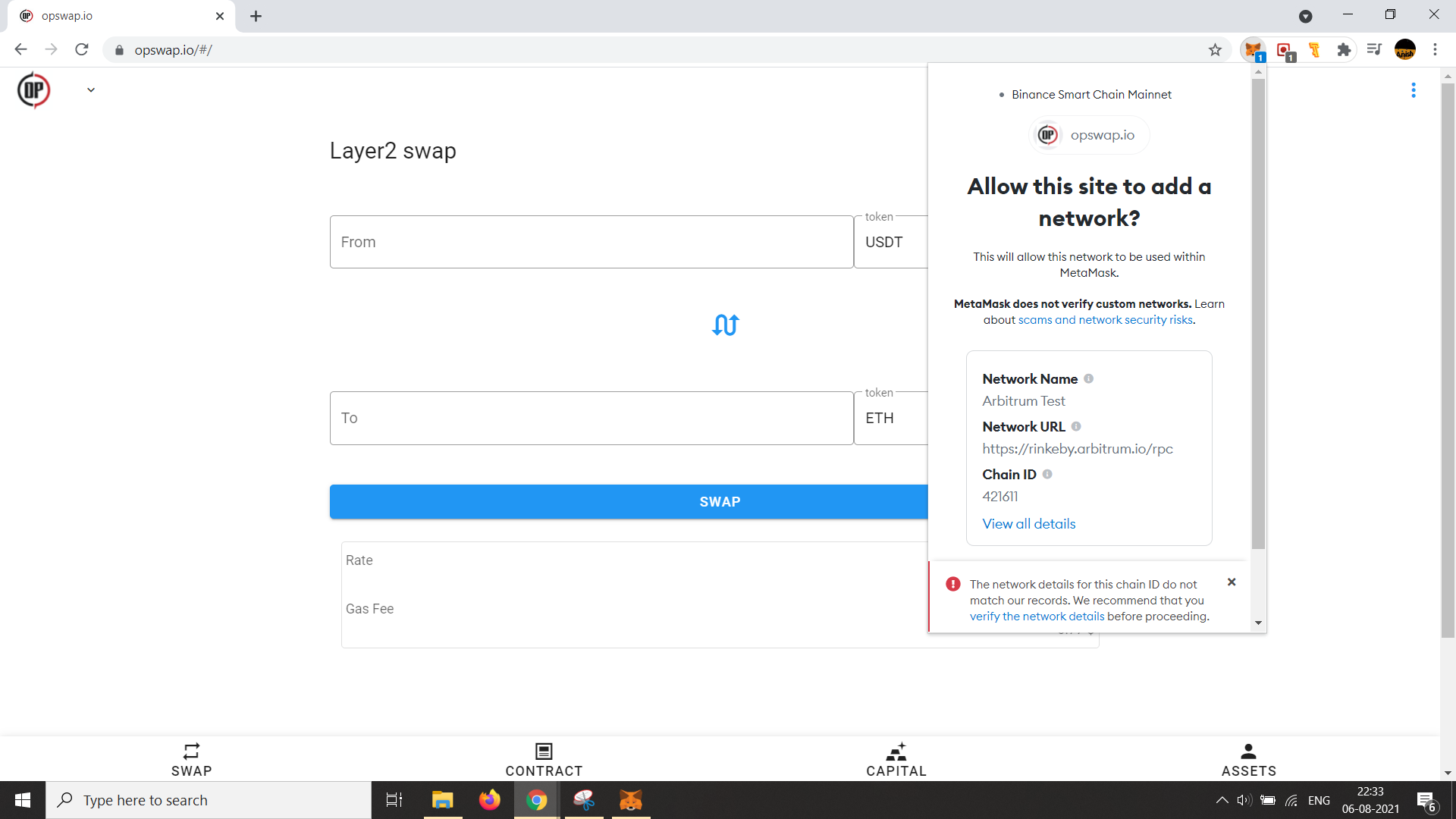
Setting Up RPC In MetaMask
Mobile Users Can Try On Yandex / Kiwi But The Website Developer Recommends Using A Laptop With Firefox Browser
- Visit: https://opswap.io/#/ And Automatically Popup Will Come In MetaMask, Click On Approve >> Switch Network
Getting TestNet Tokens:
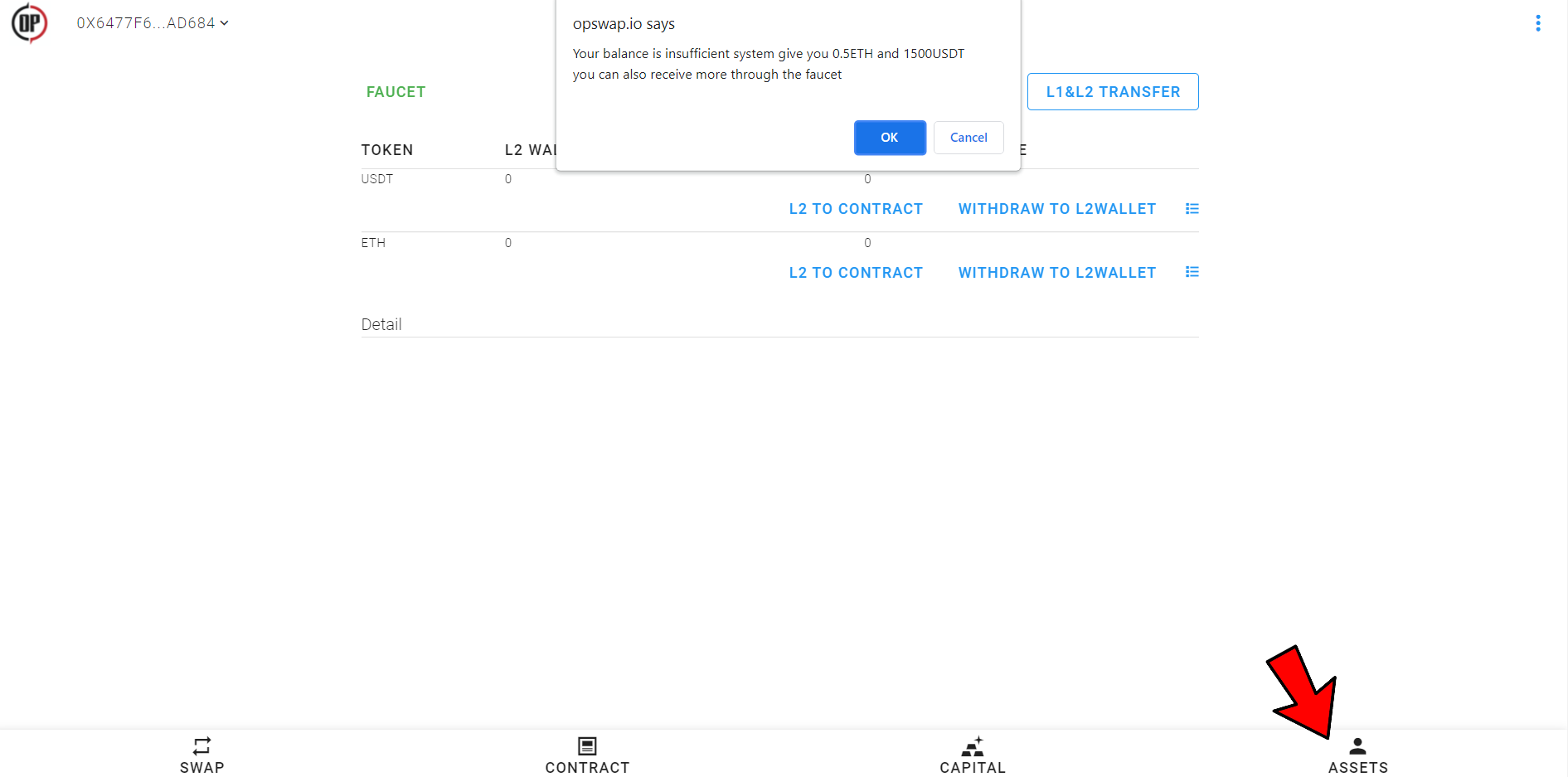
- Now Go To Assets And A Popup Will Come, Click On OK. Wait For The Test Tokens To Get Credited. If You Don't Get The Popup Click On Faucet And Then Enter Your MetaMask Address To Get The Tokens
Task 1: Spot Exchange-
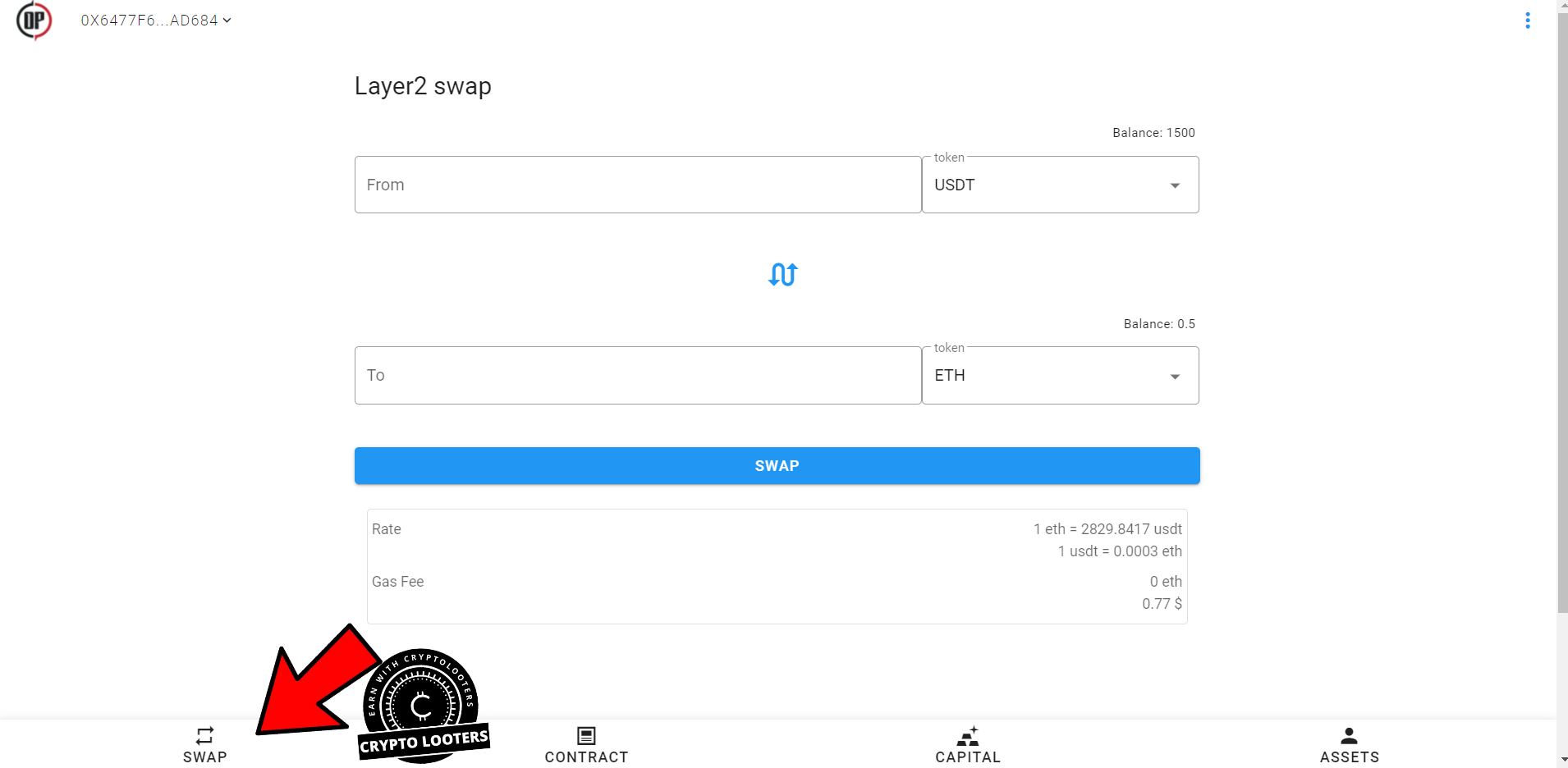
- Go To Swap And Then Swap 50 USDT To ETH, Approve Txns In MetaMask (2 Approvals Needed)
Task 2: Adding And Removing Liquidity
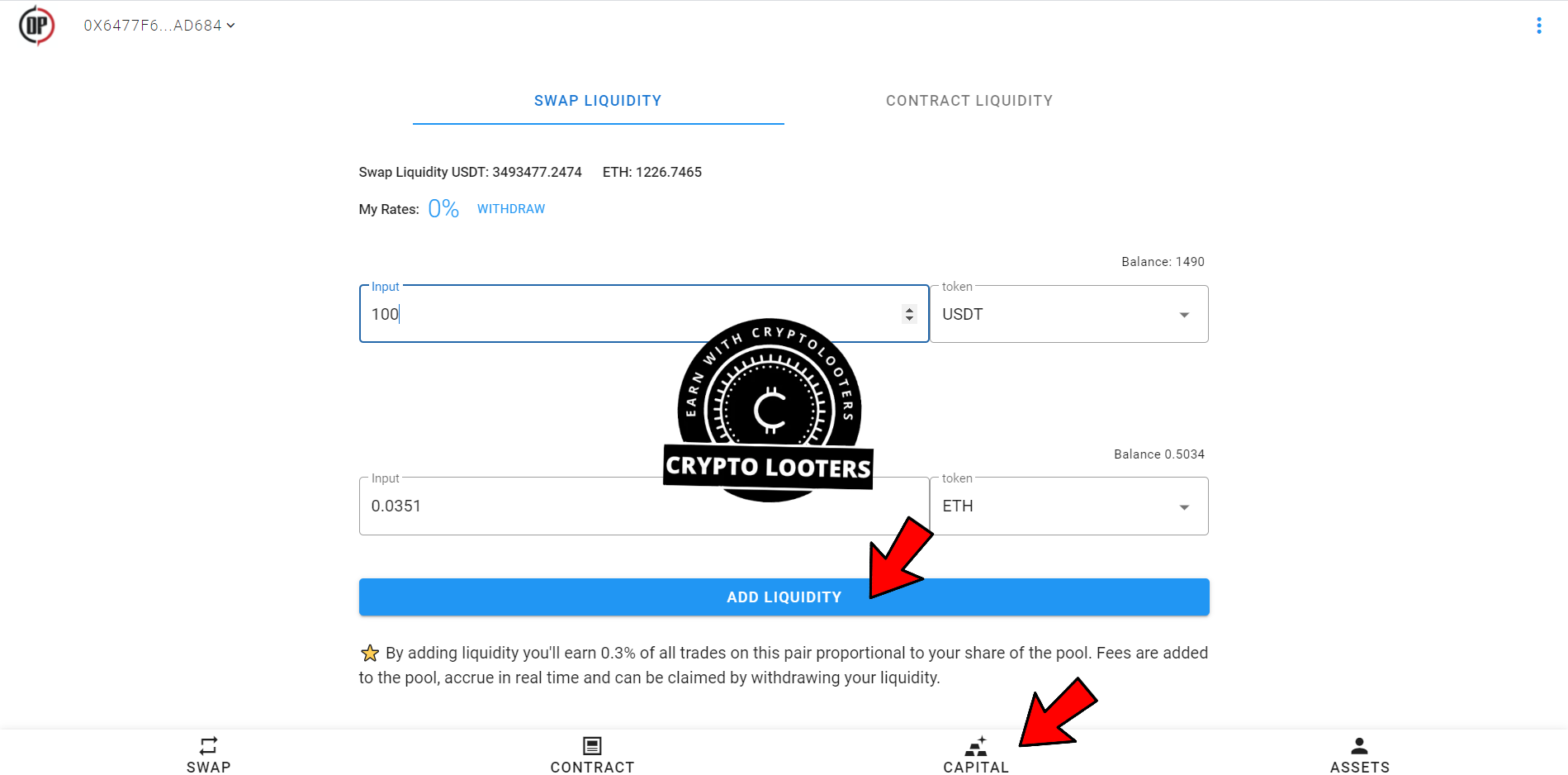
- Go To Capital Select SWAP LIQUIDITY And Then Enter USDT As 100 And Then Click On Add Liquidity. Approve Txns In MetaMask (2 Approvals Needed)
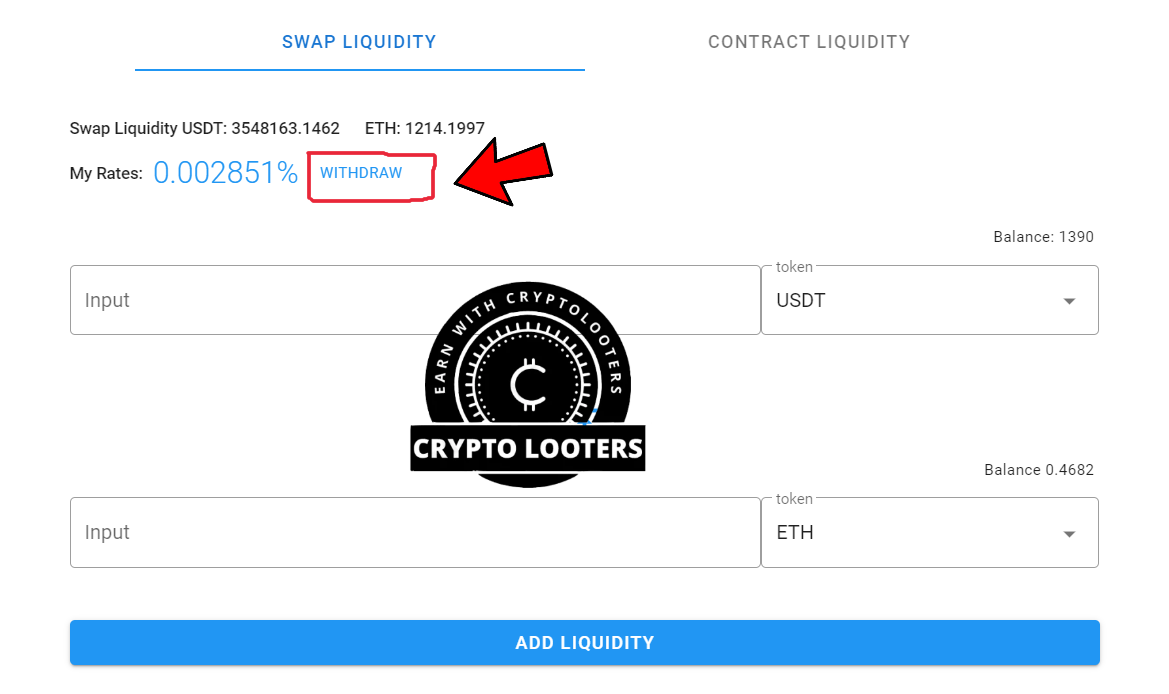
- Now Click On Withdraw, Do It 100% And Then Approve Txns In MetaMask
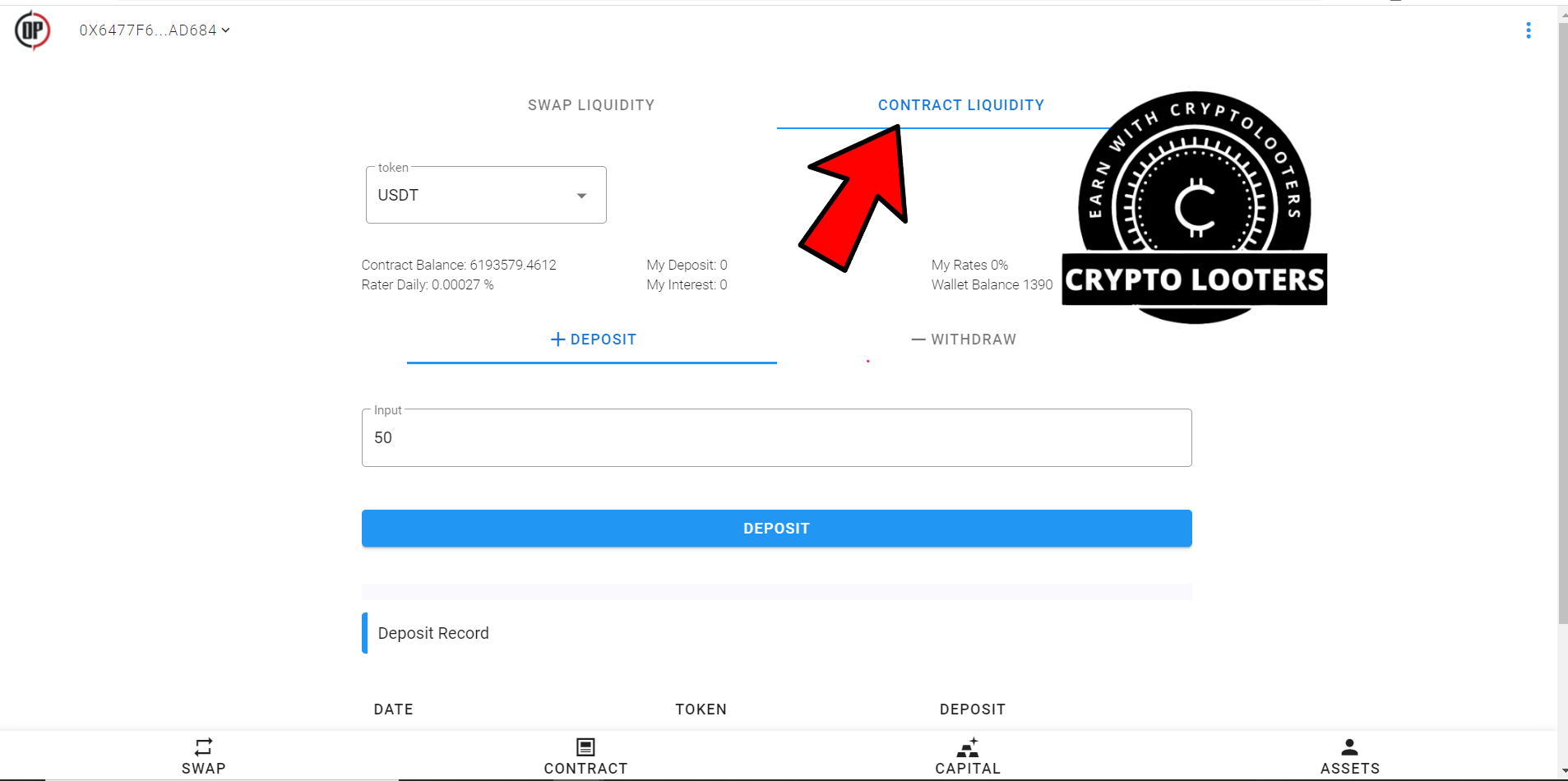
- Now Select CONTRACT LIQUIDITY And Select Token As USDT And Deposit 50 USDT. Approve Txns In MetaMask (2 Approvals Needed)
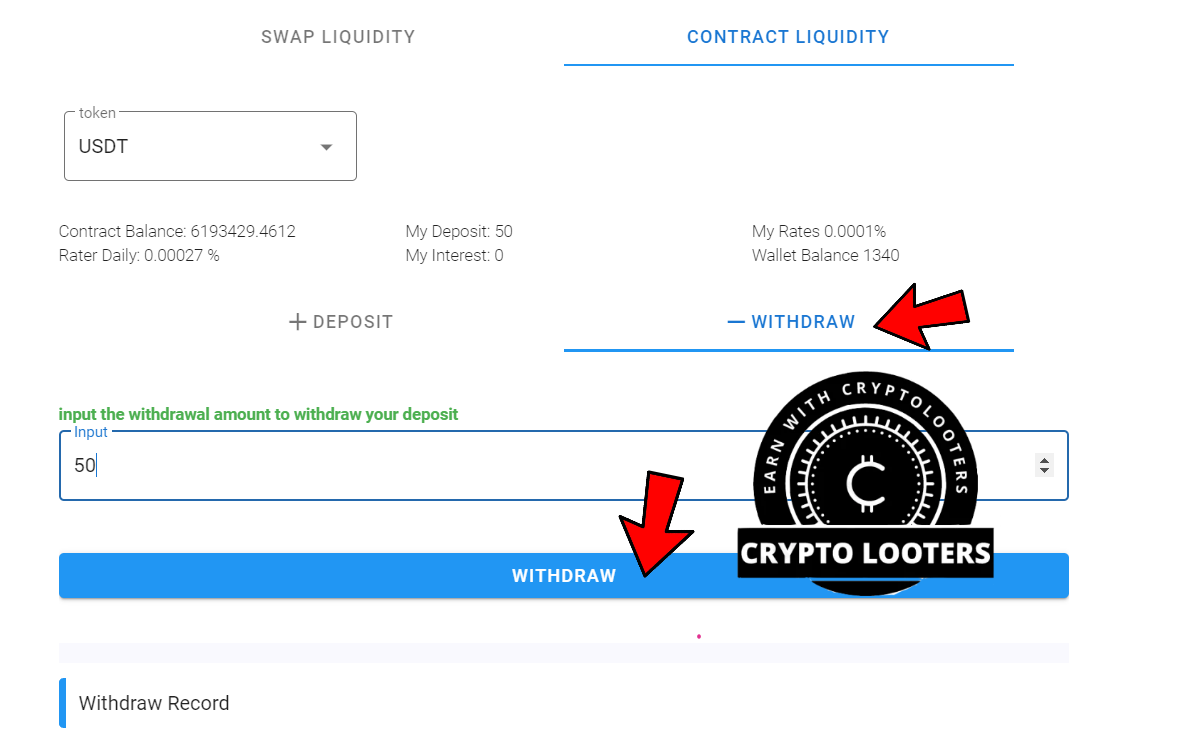
- Now Select Withdraw And Enter Amount As 50, Then Hit Withdraw Button. Approve Txns In MetaMask (2 Approvals Needed)
Task 3: Opening And Closing Position
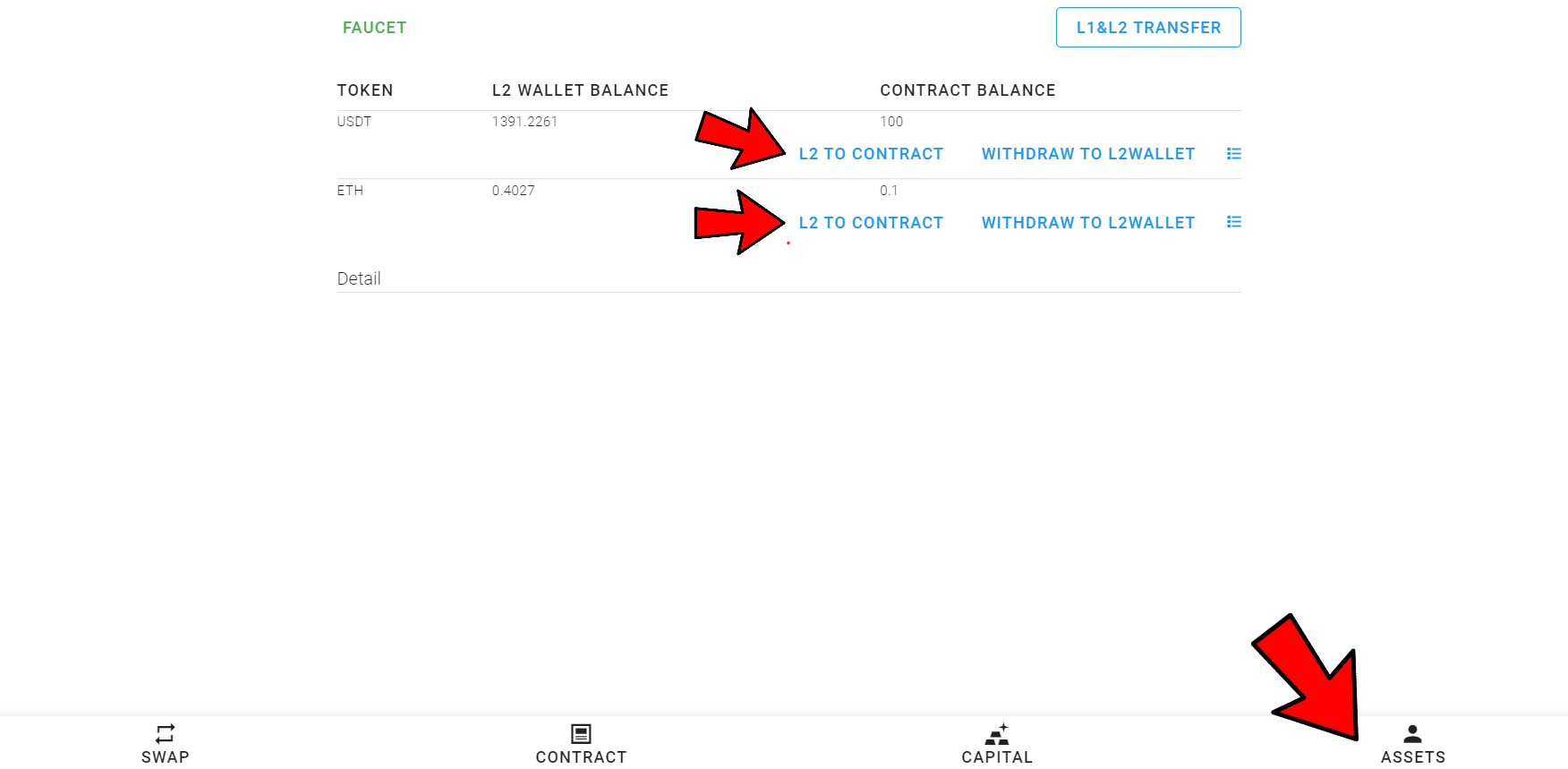
- Go To Assets And Then Add 100 USDT And 0.1 ETH By Clicking On L2 To Contract And Then Approve Txns In MetaMask
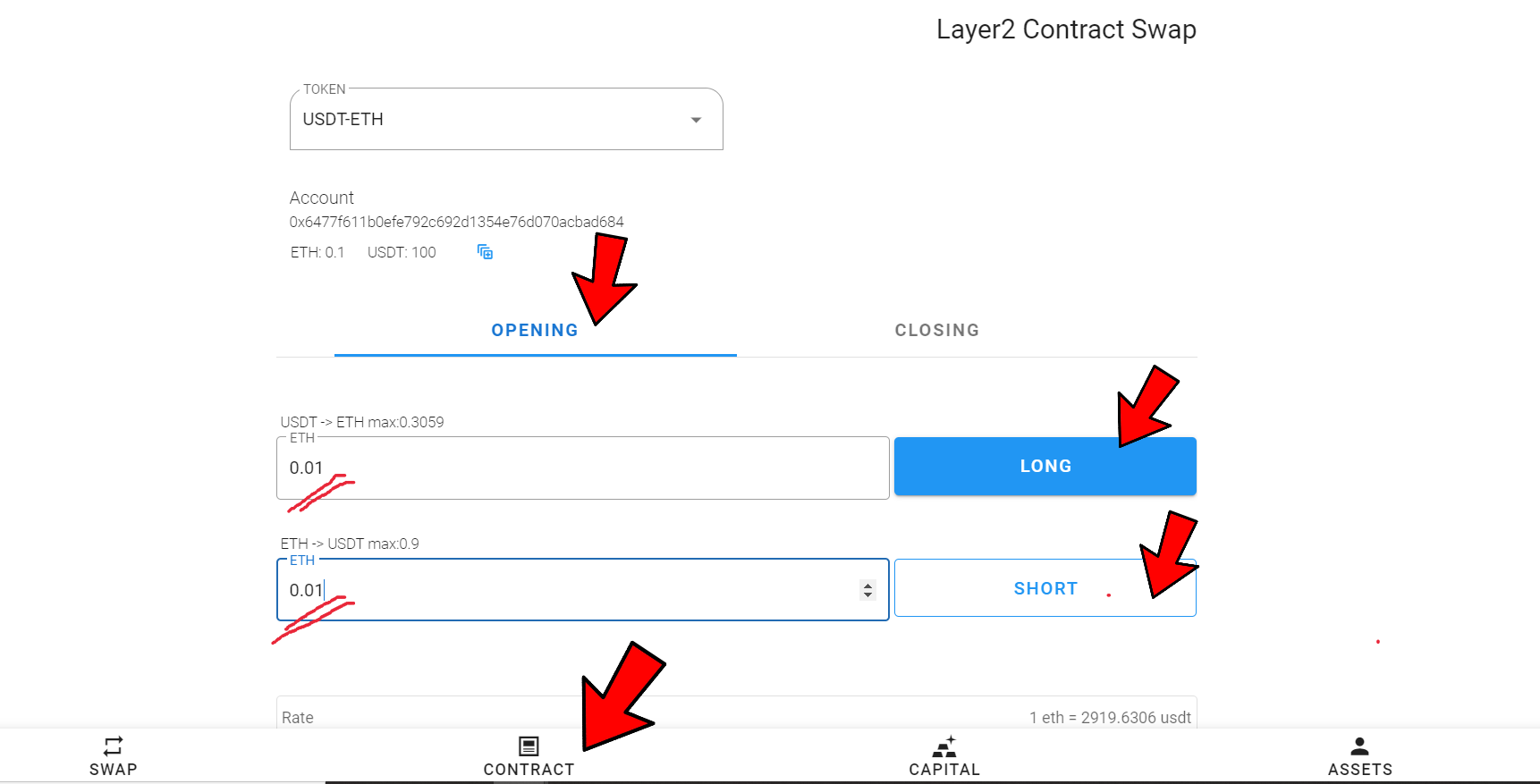
- Now To Go Contract And Open One Long And Short Position, Enter ETH Value 0.01 In Both And Approve Txns In MetaMask
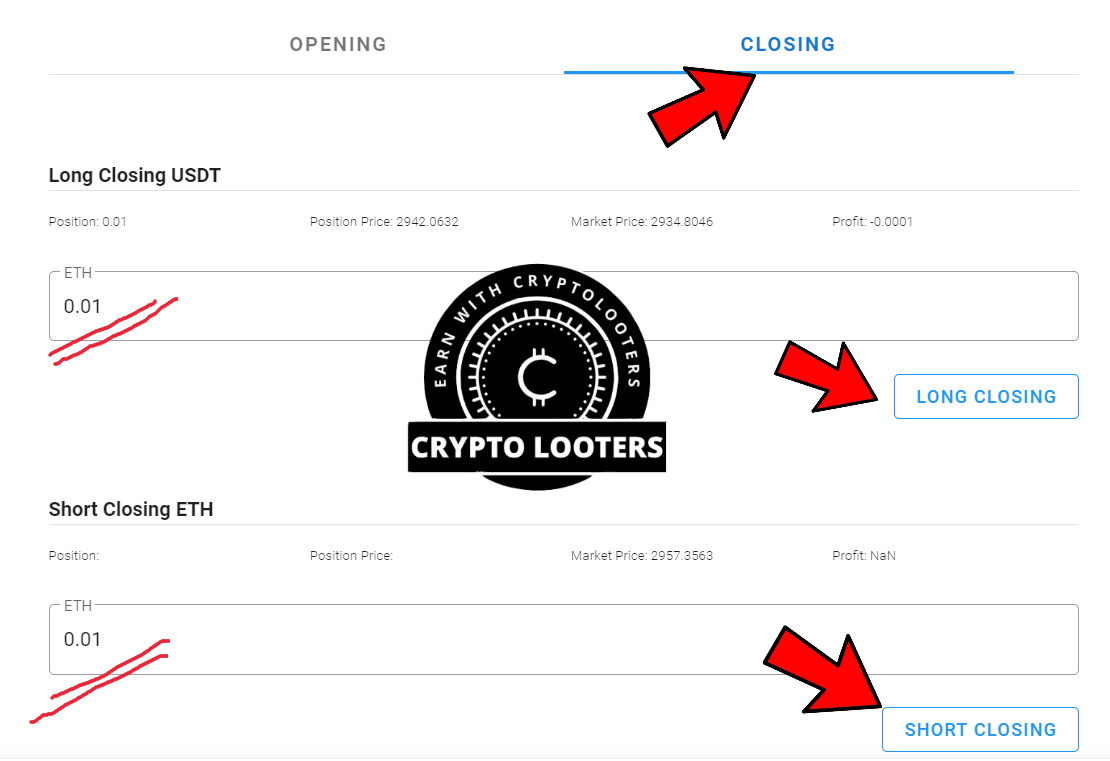
- Now Go To Closing And Enter 0.01 And Close The Positions And Then Approve Txns In MetaMask
Bridge:
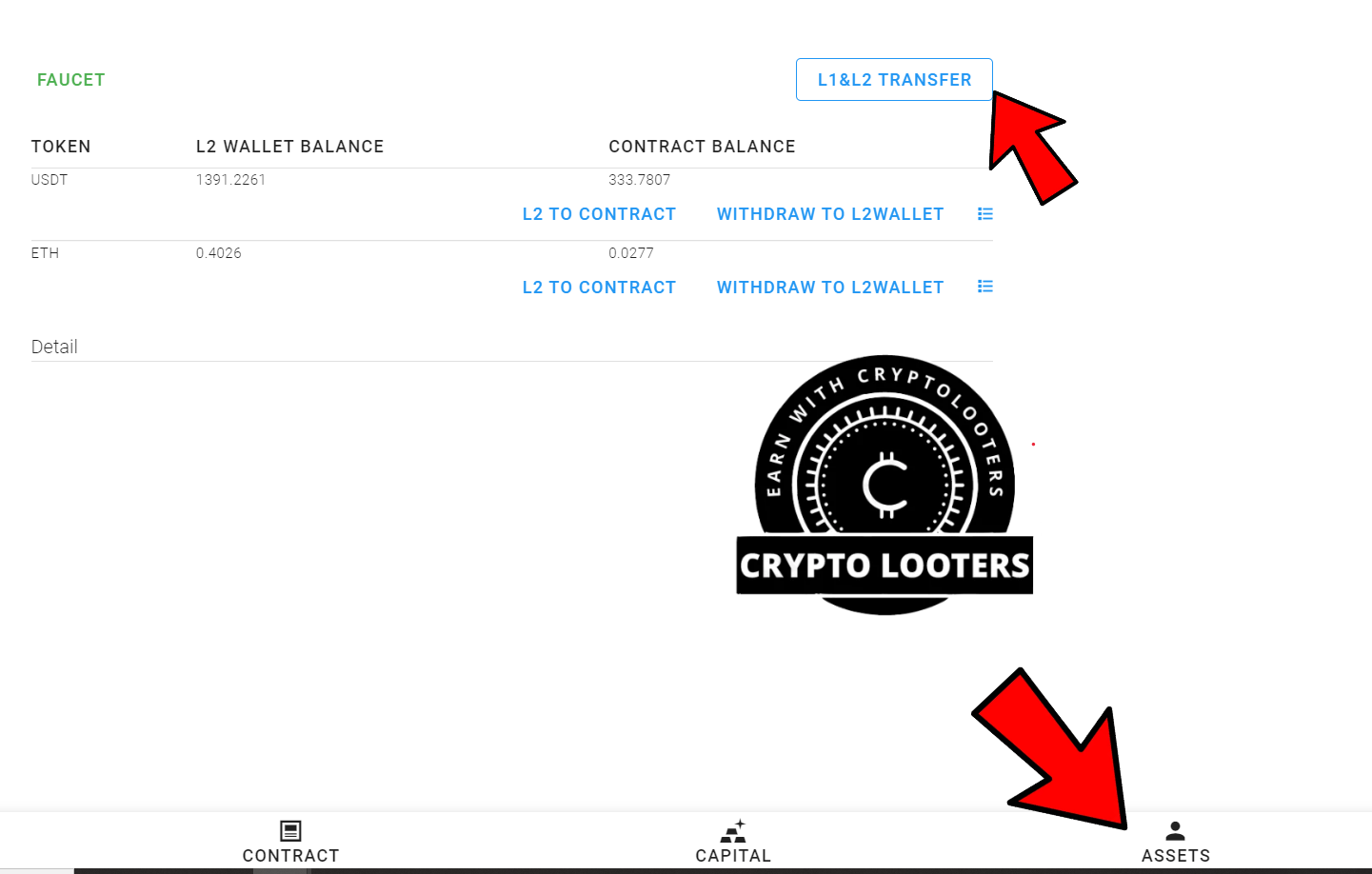
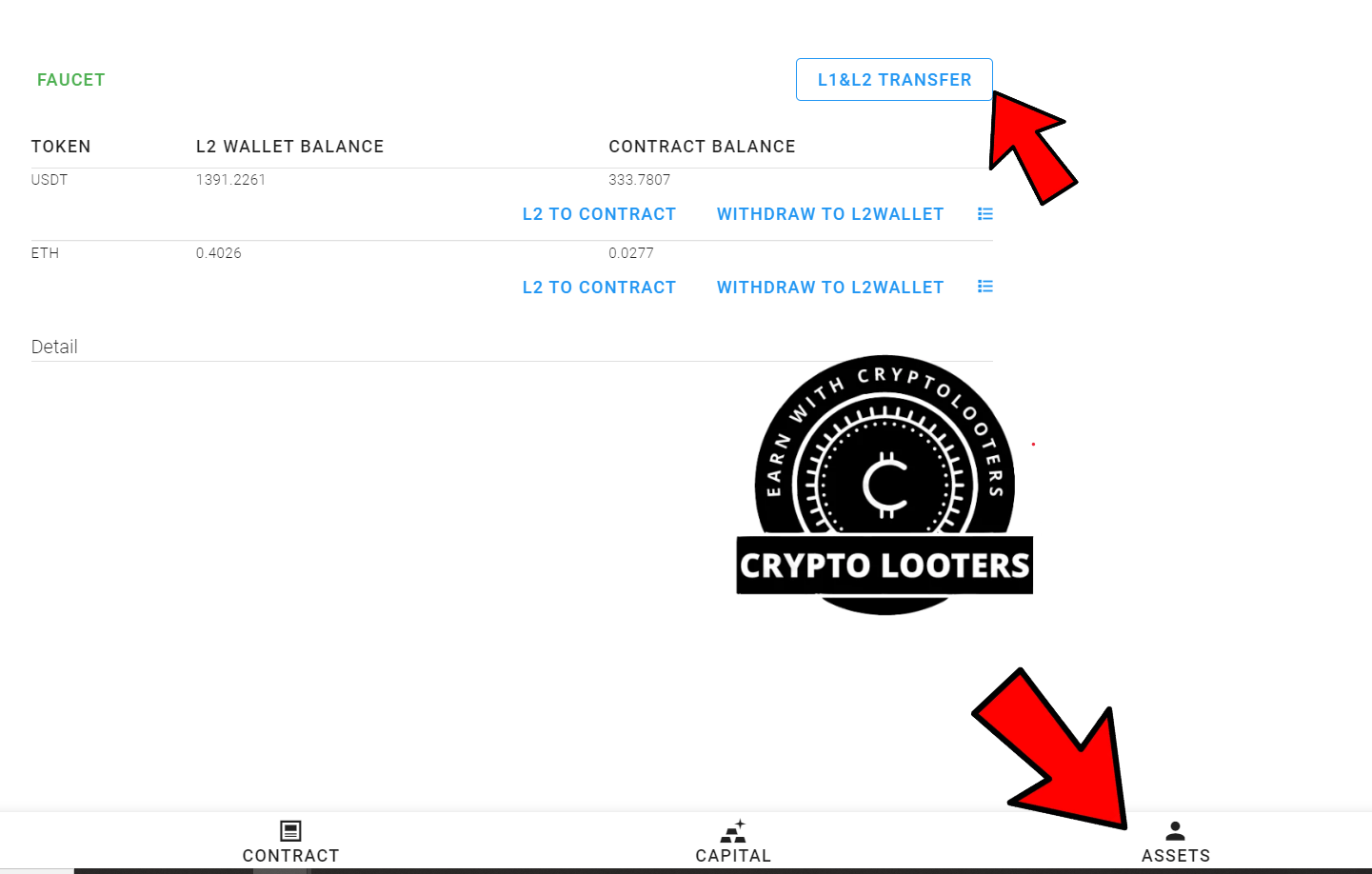
- Go To Asset And Click On L1 & L2 Transfer. You Will Be Redirected To Their Bridge, Once You Are There You Are There, Approve In MetaMask
- Now Change Network To Rinkeby In MetaMask
- In Case You Don't Have Testnet Tokens On The Rinkeby Testnet, Go To https://faucet.rinkeby.io/ And Post Your MetaMask Address On Twitter And Paste That Link On The Faucet To Get Testnet ETH On Rinkeby)
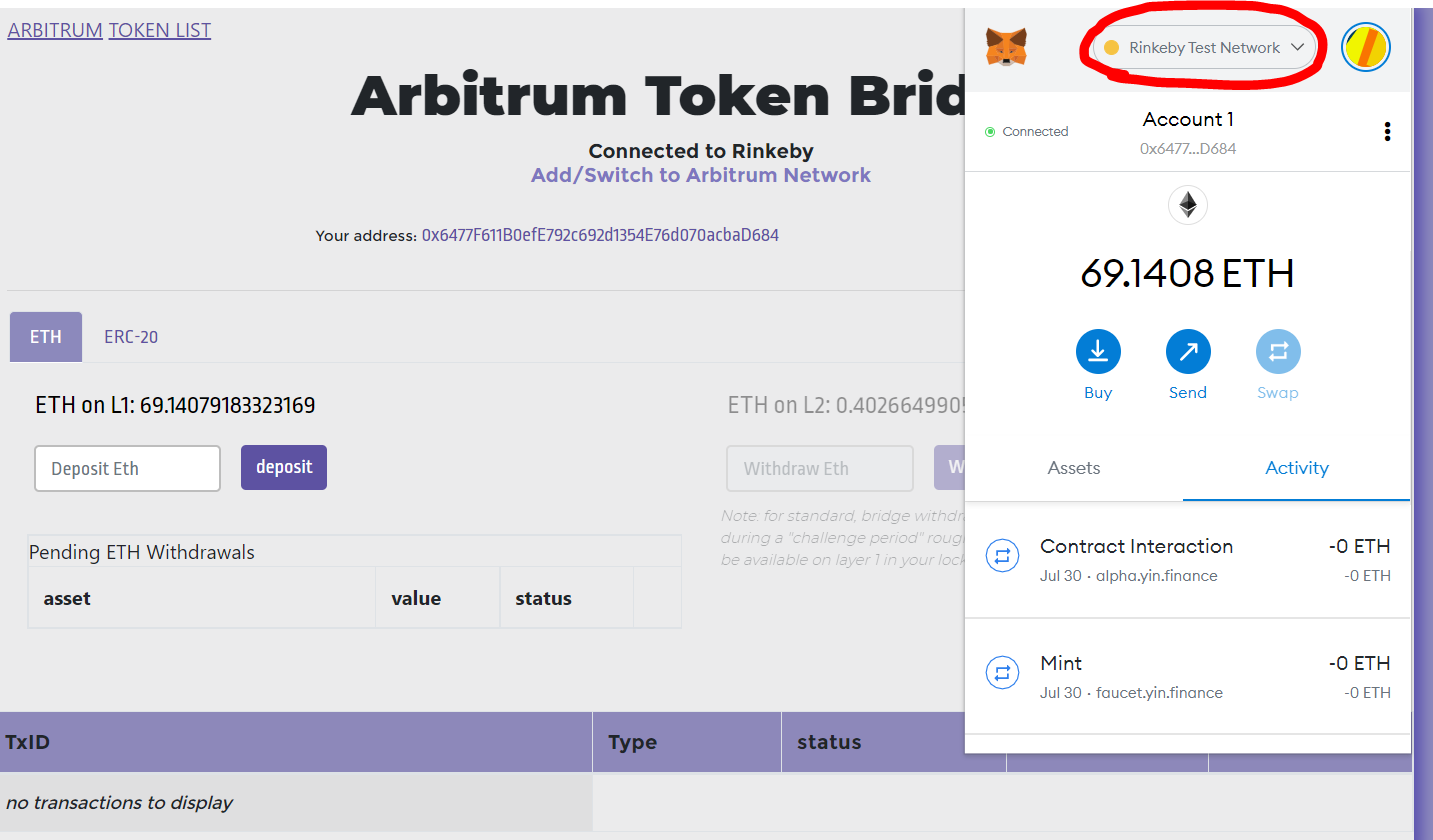
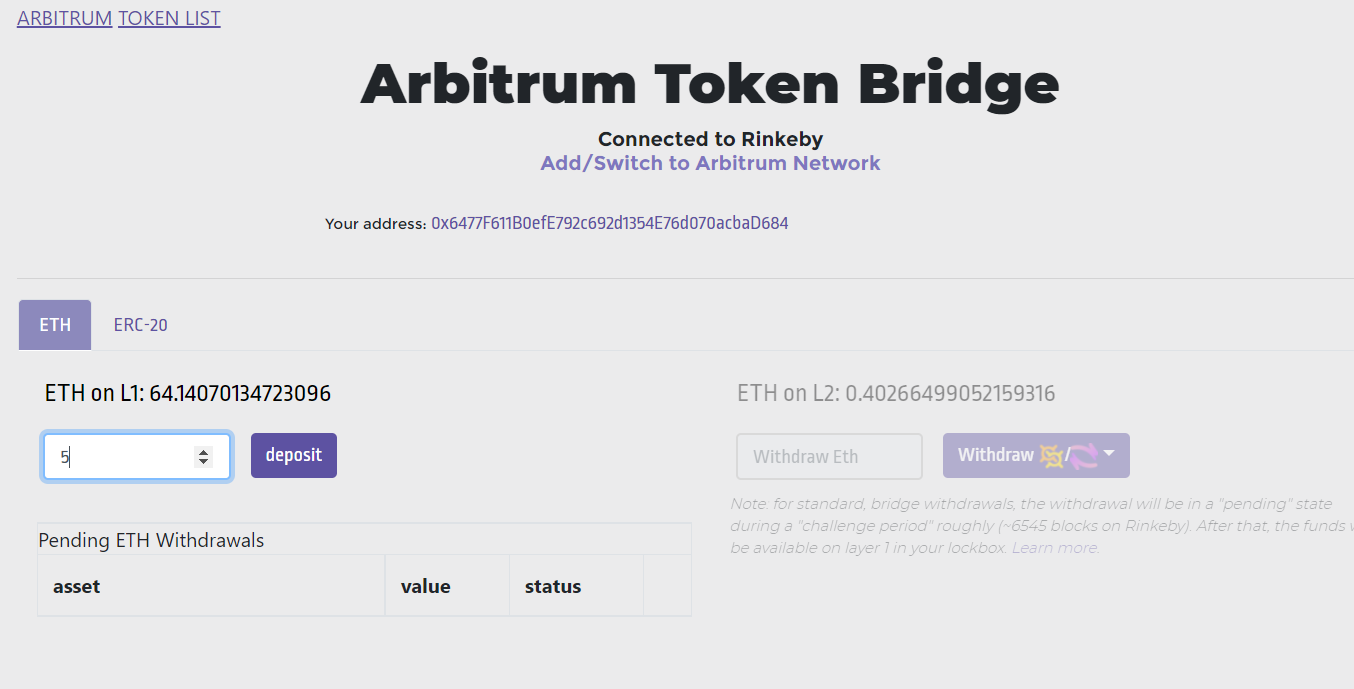
- Now Enter ETH Value As 1 And Click On Deposit And Approve In MetaMask
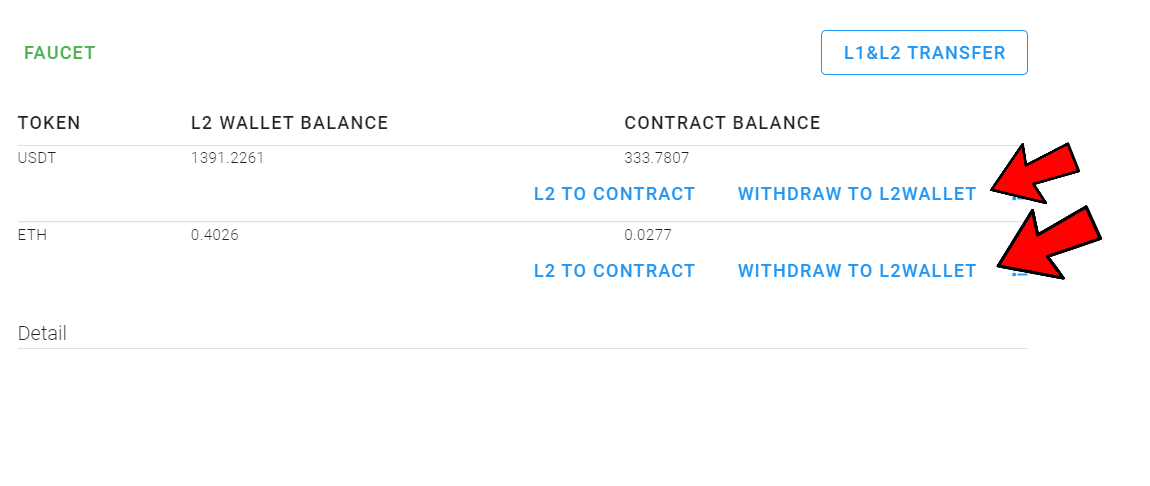
- Now After Depositing, Go To https://opswap.io/#/myAccount And Switch Back To Arbitrum Network
- Now Click On Withdraw To L2Wallet And Withdraw 200 USDT And 0.01 ETH. Approve In MetaMask
- Again Click On L1 & L2 Transfer
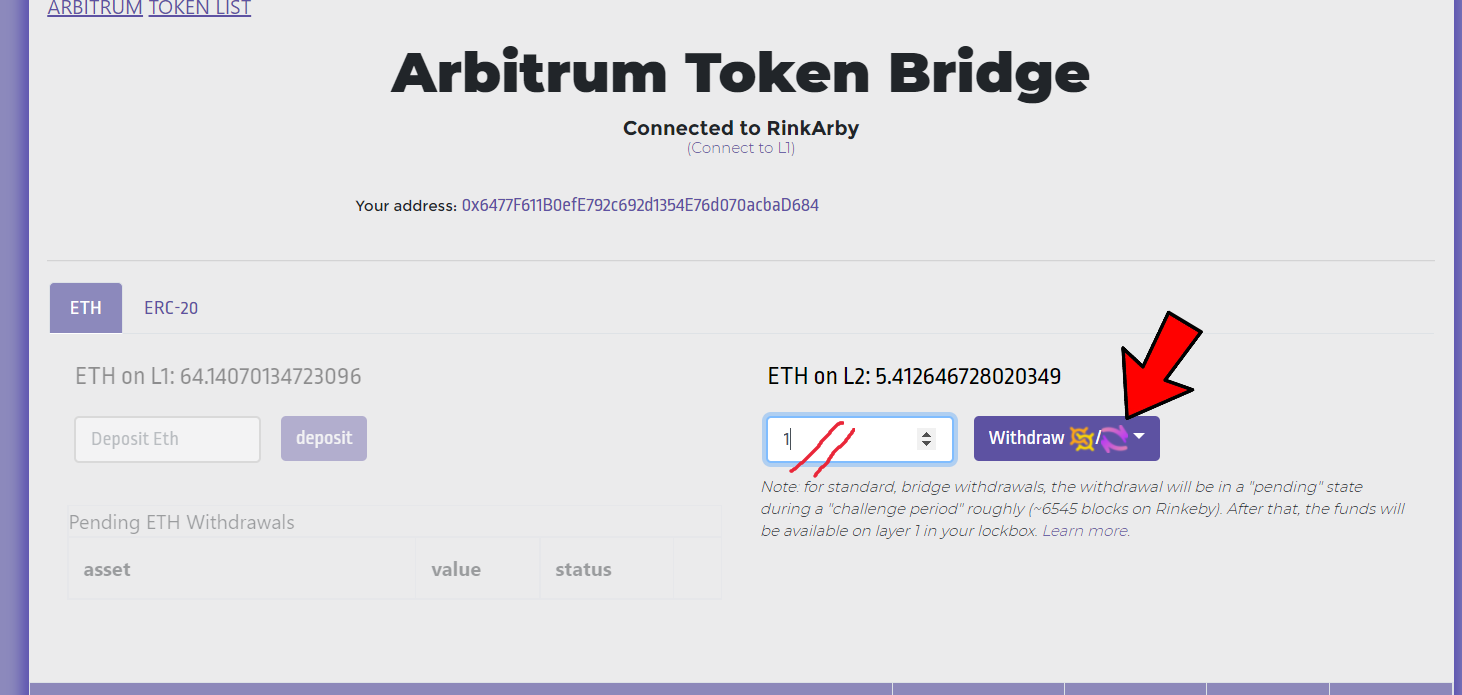
- Now Enter ETH Value As 1 And Click On Withdraw (Select Bridge) And ThenApprove In MetaMask
You Are Done Now (●'◡'●)
Fill Form: http://hk.mikecrm.com/yChuhNZ
Join Telegram: https://t.me/opsglobalOfficial
Join Discord: https://discord.gg/XhCwyYEE
Join Telegram: https://telegram.dog/Earn_With_Crypto_Looters
Follow Twitter: https://twitter.com/opswapio And Retweet The Pinned Post And Tag 3 Friends