ONBOARDING SOL
You need a Solana wallet to buy $COFFEE presale and get some SOL. Pump out your retardio and we're good to go.
DOWNLOADING
Step 1. Go to https://phantom.app/ and click "Downoad for [your browser]".
Step 2. Open the browser extension on PC OR open the app on mobile.
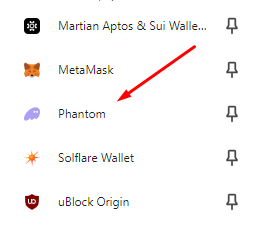
PC: Open this (or similar) icon in the browser and then choose Phantom.

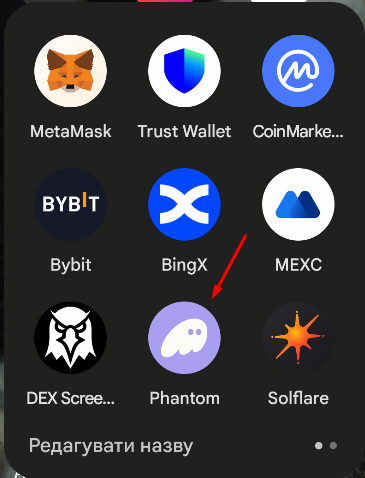
Mobile: Find the app with this icon.
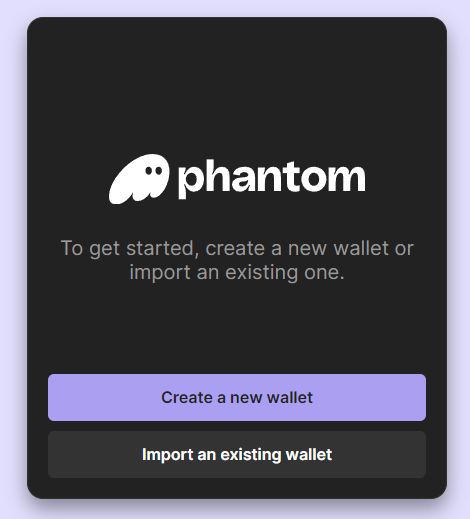
Step 3. Choose "Create a new wallet".
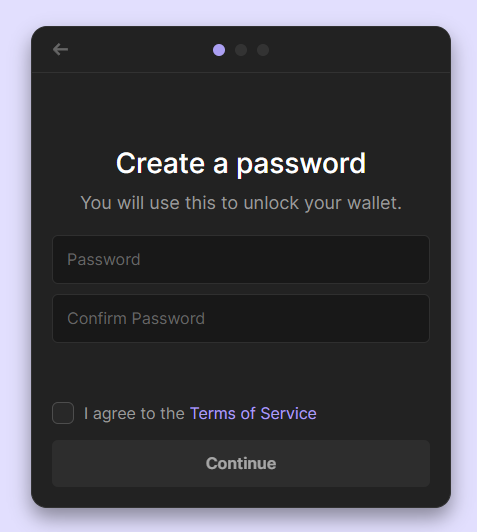
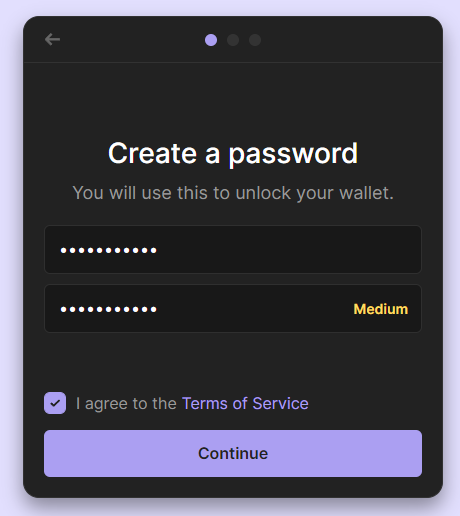
Step 4. Create a password (and remember it).
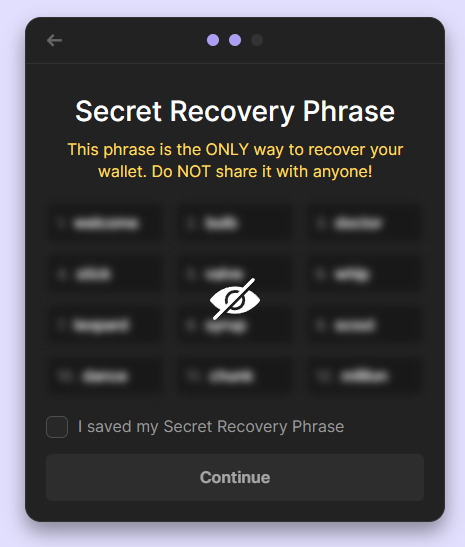
Step 5. You'll be shown your recovery phrase. Click to view. This is your secret key that give access to your wallet: do not show it to anyone. Write it down on a piece of paper and save it.
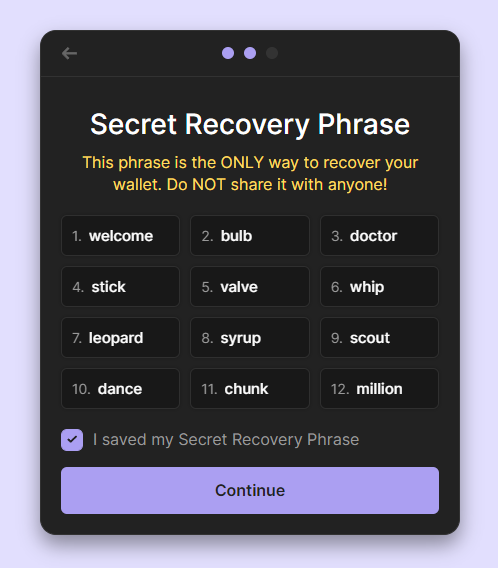
Step 6. Check "I Saved my Secret Recovery Phrase". We're only showing the recovery phrase, because we won't use the wallet: do NOT do it.
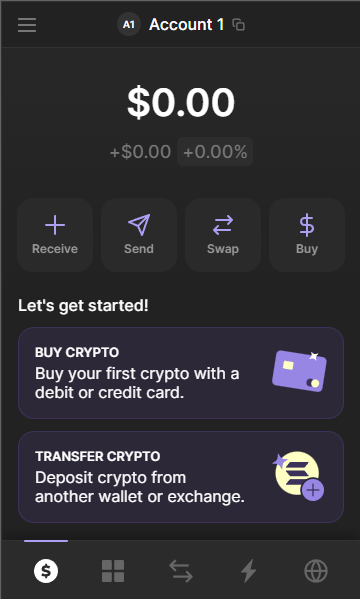
Now you've got a wallet! You can do different transactions in it, like sending funds, and store tokens, including $COFFEE.
DEPOSITING SOL
There are two ways to do it: in the wallet via onramp or using your favourite exchange.
In-Wallet Onramp
If your country is supported, you will be able to simply deposit funds via onramp. It's quick and effective.
Step 1. Choose "Buy Crypto".
Step 2. Choose Solana as the asset for deposit.
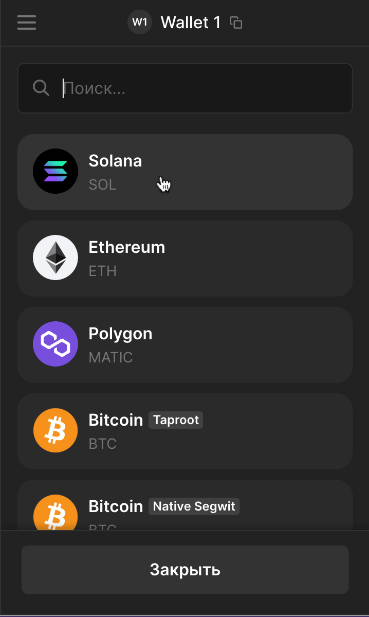
Step 3. Specify the amount.
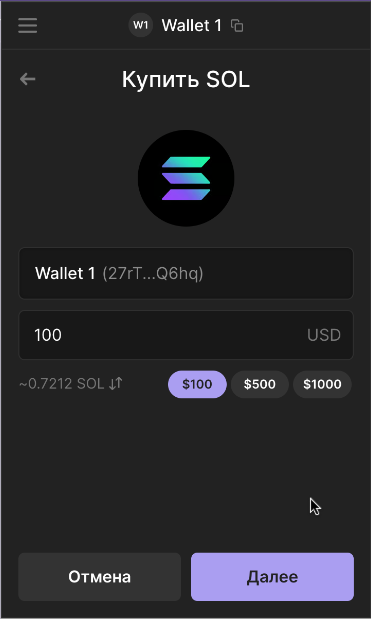
Step 4. Choose the desired method of deposit.
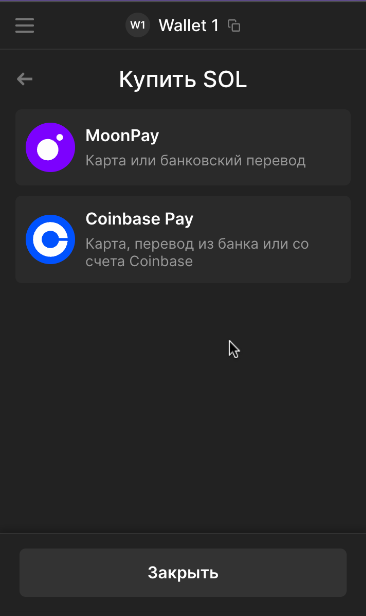
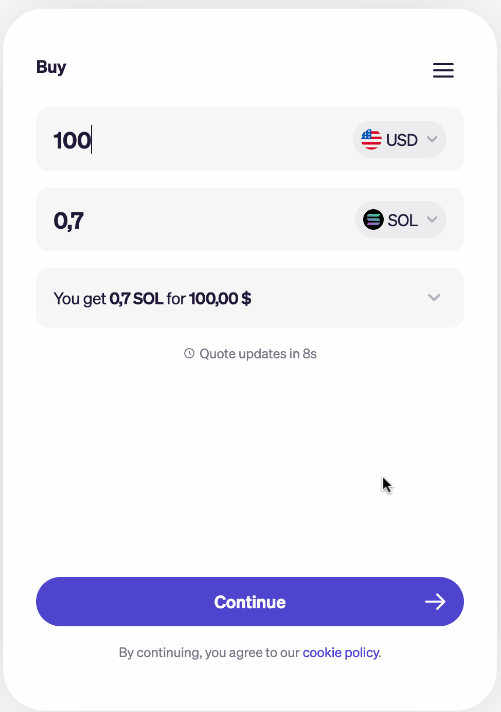
Step 5. Use the desired onramp method to get some SOL!
Exchange On-Ramp
You can also deposit funds into your wallet thru an exchange. To do this, you need to be registered on the said exchange.
You can deposit with card or using P2P (hardcore). Refer to the exchange guides for help.
Once you have funds on the exchange, you need to do two things to get SOL in your wallet.
- Buy SOL
- Send SOL to your wallet
We'll be showing how to do these to things on OKX.
Buying SOL
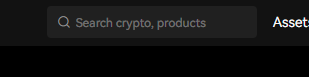
Step 1. Find the search tab.
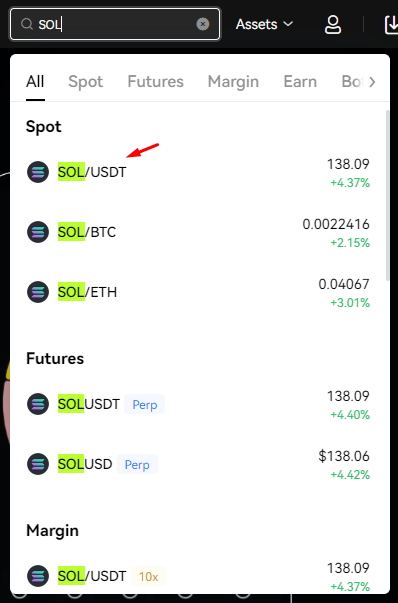
Step 2. Type SOL and choose the spot SOL pair.
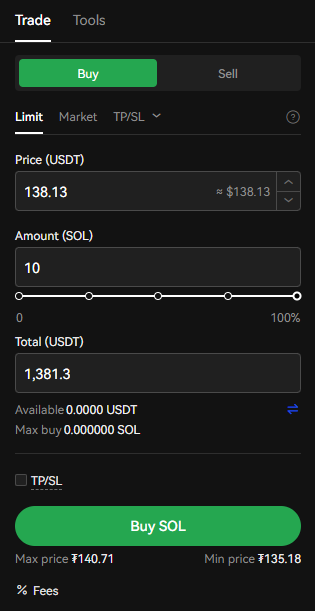
Step 3. You'll see the trading terminal. Specify the desired SOL amount and click Buy SOl.
Sending SOL to your wallet
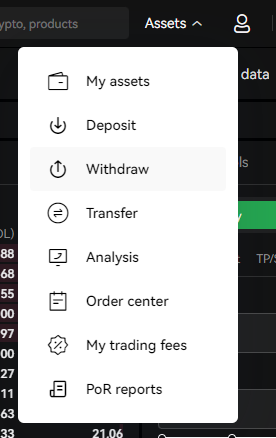
Step 1. Find the Withdrawal option in your Assets Tab. For OKX, it's Assets >> Withdraw.
Step 2. Choose crypto (SOL). Method: on-chain.
Step 3. Go back to your Solana wallet. Click the copy button on top.
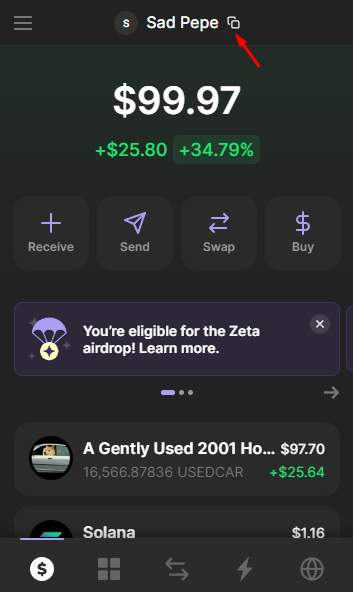
Step 4. Now you have your wallet in the clipboard. Paste it in the Withdrawal form. Provide the Withdrawal amount (in SOL).
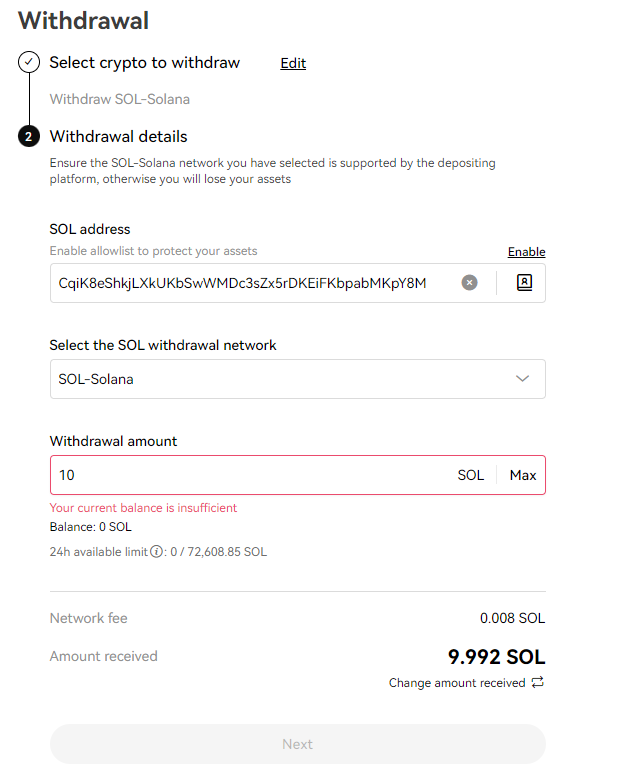
Step 5. Click Next, confirm the action and complete 2FA to withdraw funds to your wallet. It won't take more than a few seconds until your exchanges processes the request and funds reach your wallet.