Notification didn't show on some devices
mαplєThis problem occurred and the solution has been tested on:
XIAOMI / REDMI (MIUI 12)
and it should be worked with another device such as OPPO, VIVO, HUAWEI etc.
Follow the following steps:
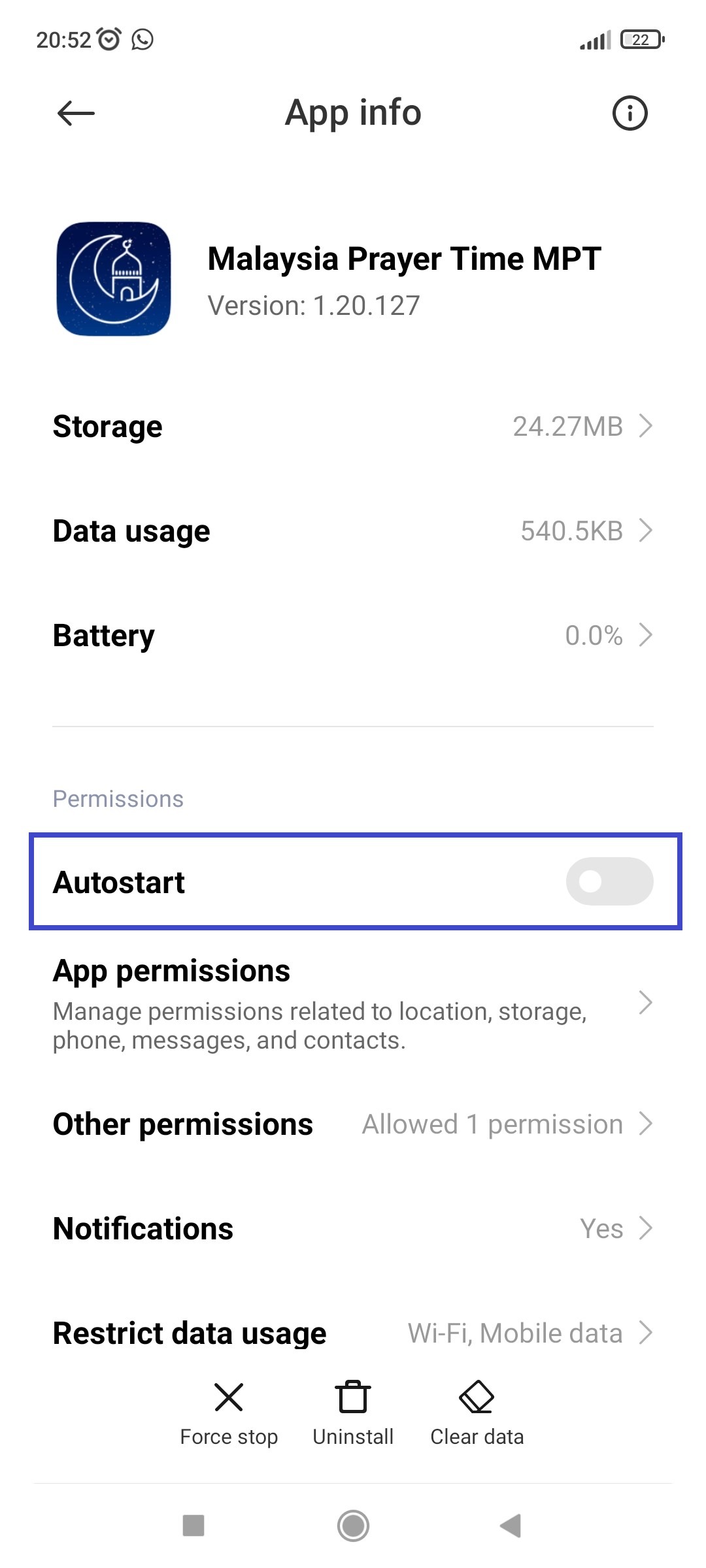
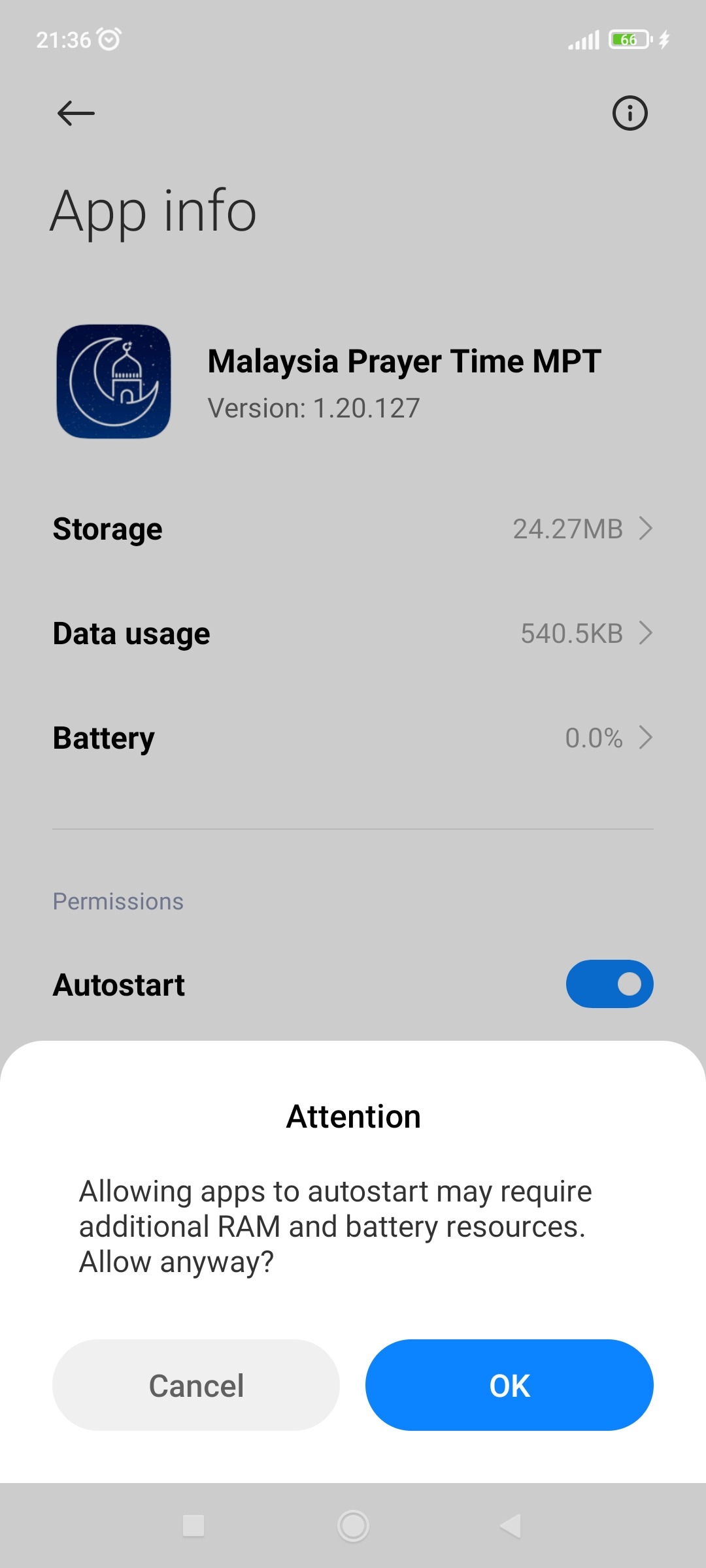
- Open the app setting for MPT from your system setting. Find the Autostart option. By default, it is off, please turned it on.
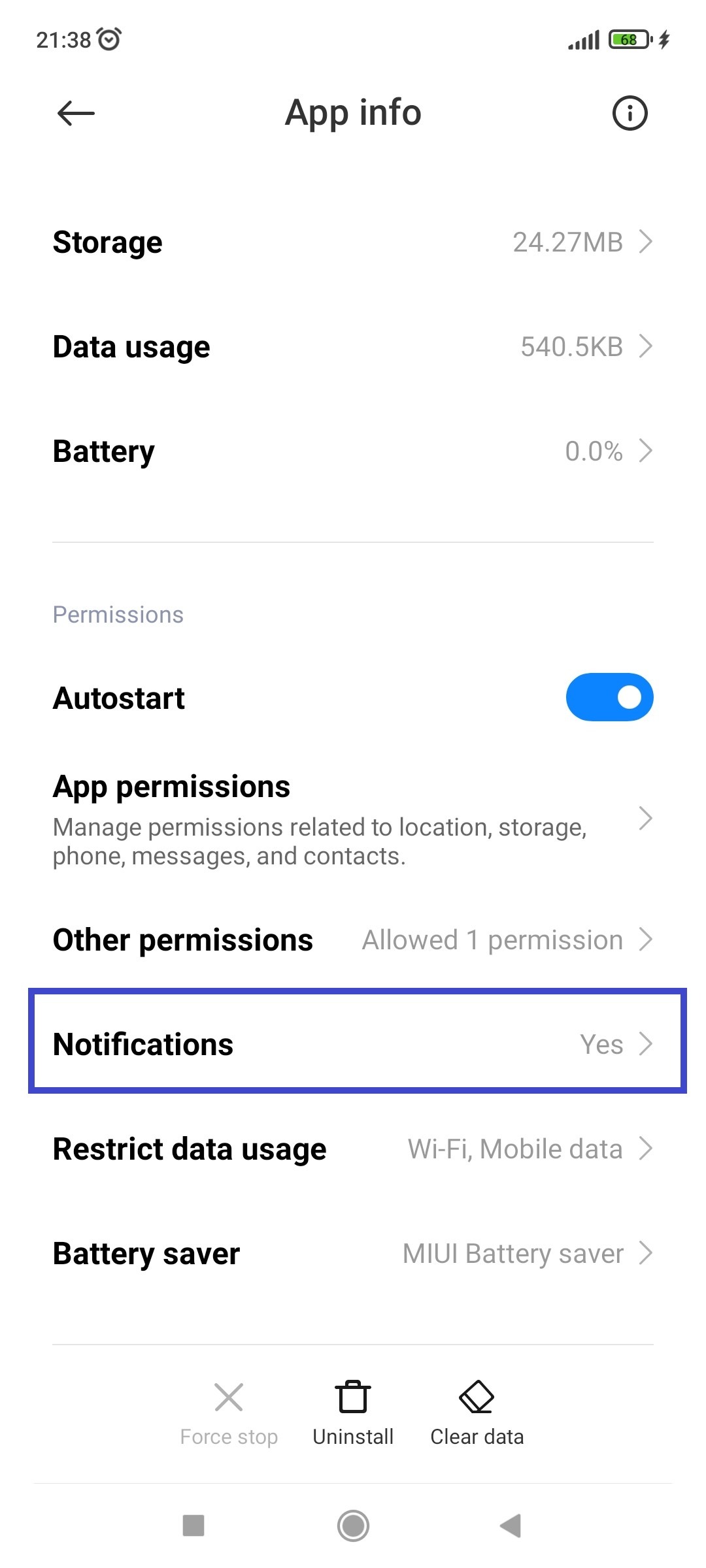
2. Now, tap on notification option.
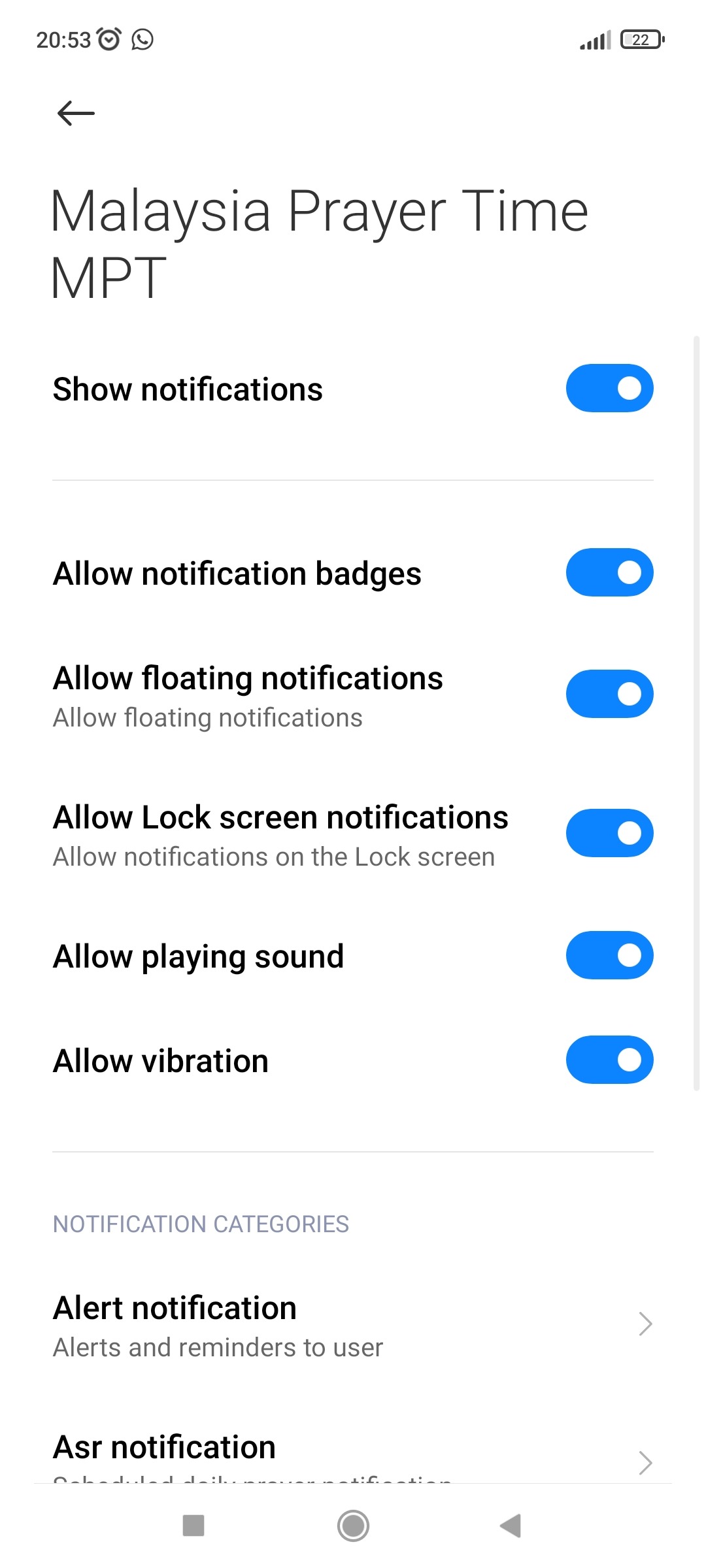
3. Enable all / desired notification option.
That's all. Hope you can now receive notification every time prayer time has come. Jazakallah.
If you have this solution tested on another device like Vivo, Huawei, etc. Do let me know 😊.
If you have older MIUI version, do check out this article: https://nine-faq.9folders.com/articles/8772-how-to-manage-autostart-service-on-the-xiaomi-devices
If the problem still not solved, consider read this article: https://www.howtogeek.com/763365/why-am-i-missing-notifications-on-android/