Not actuality MFP > 4.1.0
Built on the logic of Autorack by @erenmetesarr - https://github.com/erenmete/autorepack
TG @pocof3dfe
Be careful, this is a test version that works according to my tests, in some cases there may be problems. in this case, you need to send me recovery.log
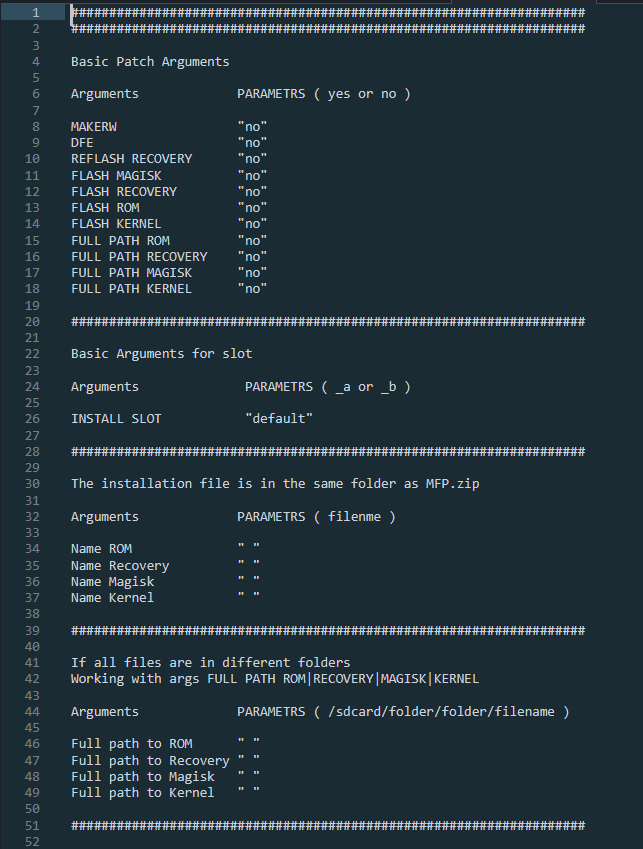
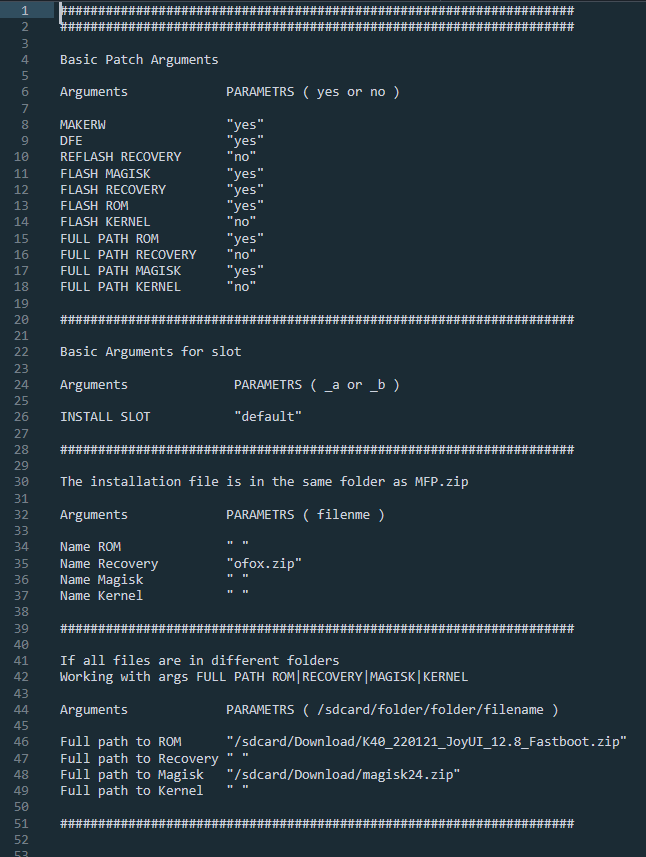
ARGIN - read args in arguments.txt inside MFP.zip
ARGOUT - read args arguments.txt is in the same folder as MFP.zip
ARGNAME - read args in name MFP.zip
!!! the Arguments.txt template is inside the archive !!!
Args ARGIN|ARGOUT for arguments. txt
Args for ARGNAME
MAKERW - Gives read and write permissions to system partitions, and also expands partitions to the maximum available size
DFE - Patch fstab so that the device does not enable user data encryption, relevant for A12
FROM-name_rom.zip/rar-EROM/FROMname_rom.zip/rarEROM - Installs a ROM, along with MAKERW/DFE/MAGISK/RECOVERY/KERNEL and etc flags enabled
support rom :
recovery(payload.bin).zip,
recovery(new.dat/new.dat.br).zip
fastboot(super.img).zip/rar
fastboot(system.img/vendor.img and etc).zip/rar
fastboot(super.img/system.img/vendor.img and etc).zip/rar
FREC-name_rec.img/zip-EREC/FRECname_rec.img/zipEREC - Install recovery
FKER-name.zip-EKER/FKERname.zipEKER - install kernel
REFLASHREC - Available only when installing a ROM, reinstalls RECOVERY which is already installed, needed to update the system. NOTE: installs a recovery that was already installed, not the one you booted into, be careful
FMAGISK-name_magisk.zip-EMAGISK/FMAGISKname_magisk.zipEMAGISK - installed magisk
INSLOT-A/INSLOT-B - Available only when installing a ROM, installs the ROM in the slot you need, by default installs in the current slot
How to use?
Just rename the downloaded archive according to the above flags. If you only need DFE then the name of the archive is DFE.zip
If you need to install the ROM and patch it with DFE then FROM-rom.zip-EROM-DFE.zip
Note: INSTALLATION FILES SUCH AS KERNEL,MAGISK,ROM,RECOVERY MUST be in the same folder as the archive
NOTE:
The MFP has foolproofing.
That is, if you set a port that will not start with magisk, then magisk will be disabled.
If you install a port/hosttree ROM that can only work with TWRP vashy, then automatically TWRP will be installed from VASHY