New details about Android 13
Наиль Садыков
According to the experience of previous years, the first builds of the new Android in the form of Developer Preview 1 appear closer to the second half of February. But details about upcoming features in new versions of the OS can appear even six months before. We already know a number of facts about Android 13 T(iramisu) from publishers XDA and Android Police, and today some reliable anonymous source shared with the latter three more facts about the upcoming update of the operating system from Google.
Tap-to-transfer
Details are scarce at the moment, but it looks like the feature will allow you to move media files between your phone and other devices. Android Police has published a demo of the user interface (read: Google layout) that is part of the "Media TTT" workflow - where the acronym TTT stands for "tap to transfer", but whether that name will live up to the release is unknown.
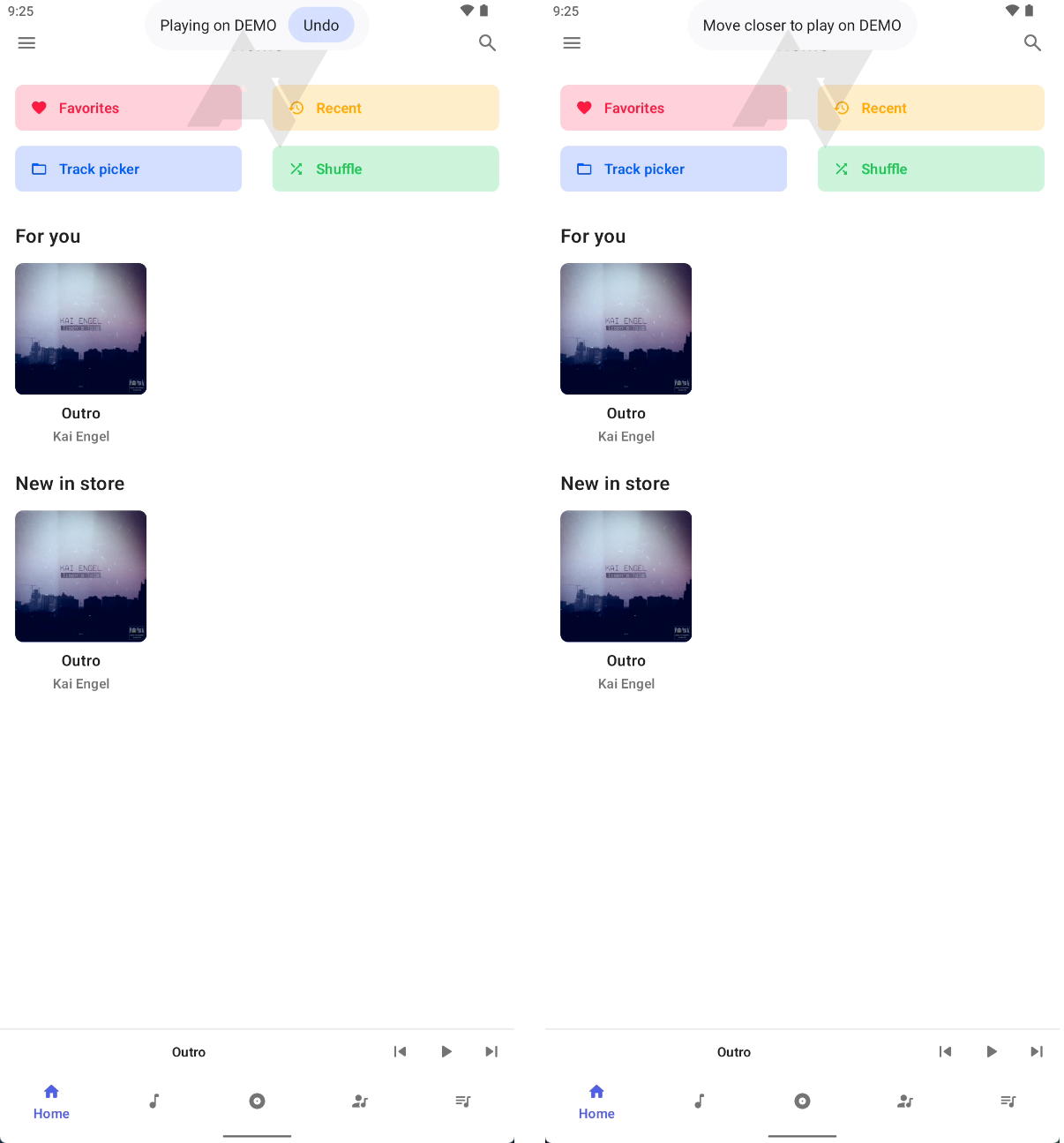
2) A prompt asking you to move closer to the device
Credits: Android Police
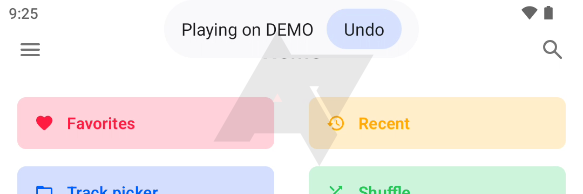
According to Android Police, the feature will work like this: If you're playing media on your phone and there's some receiver device nearby (be it another phone, tablet, or Chromecast device), you'll get a little pop-up chip notification on top with some useful contextual information.
Also, this notification can prompt you to get closer, inform you about playback on another device, and display the undo button.
Credits: Android Police
It is assumed that it can use NFC or UWB to select a specific device in the room, and work through the Google Cast protocol.
Streamline QR-code scanning
Among the images shared with Android Police by their reliable source, they have also spotted a new option "Show QR-scanner" in the lock screen settings section. Based on this, we can conclude that this feature enables a shortcut for quick access to the QR code scanner directly from the lock screen. (Perhaps, according to the Google News editorial, it will replace smart home device control or wallet control). In addition, this feature will also have a quick settings tile.
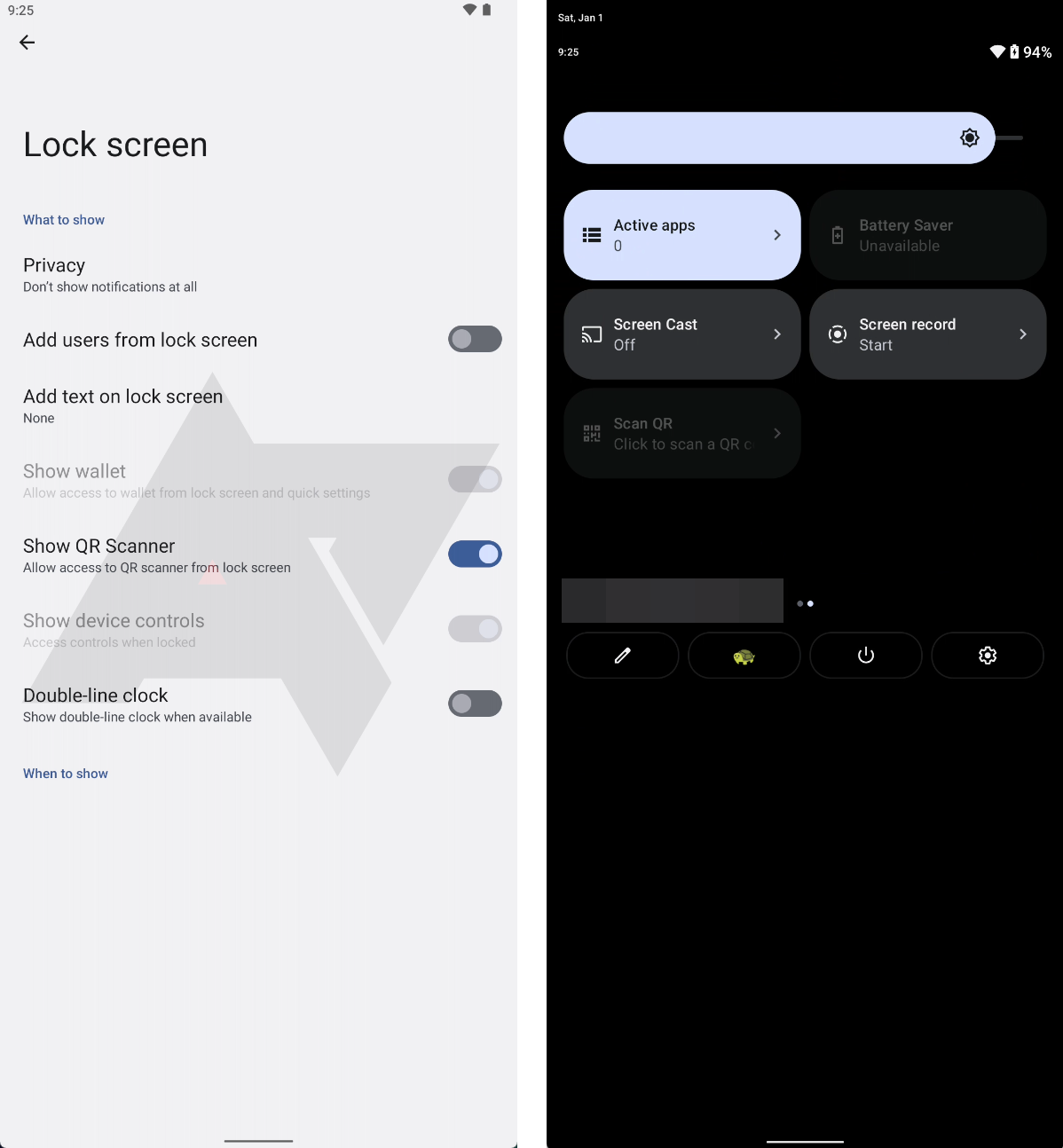
2) Quick settings tile 'Scan QR'.
Credits: Android Police
New design of output picker
Android 10 introduced a shortcut to change the output device, which subsequently changed in each version of Android. Previously, its menu was always tied to the bottom of the screen, but in 12L it moved to the middle.
However, in Android 13, Google has gone further and redesigned the sliders, making them thicker and changing the layout a bit.
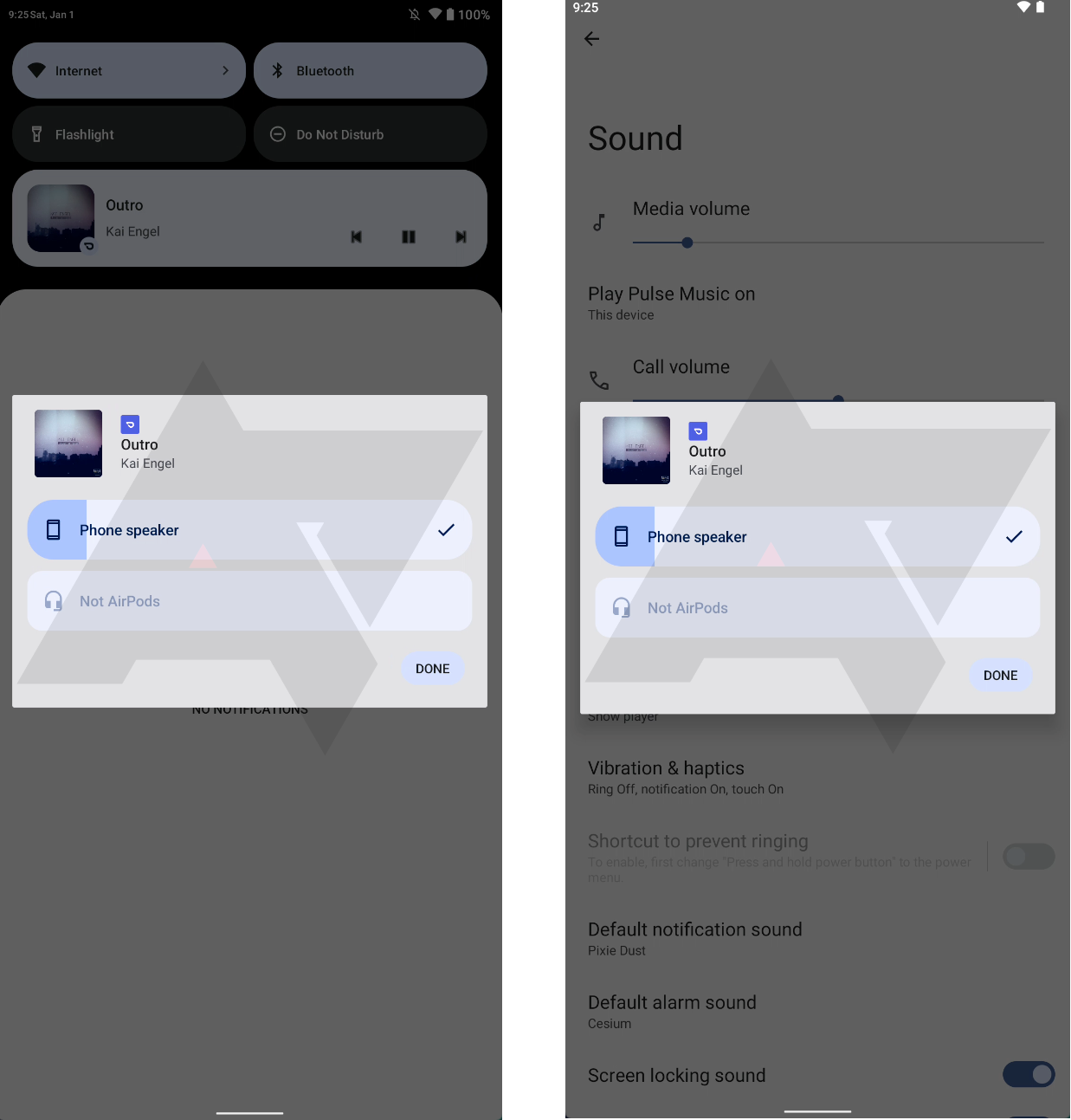
Credits: Android Police
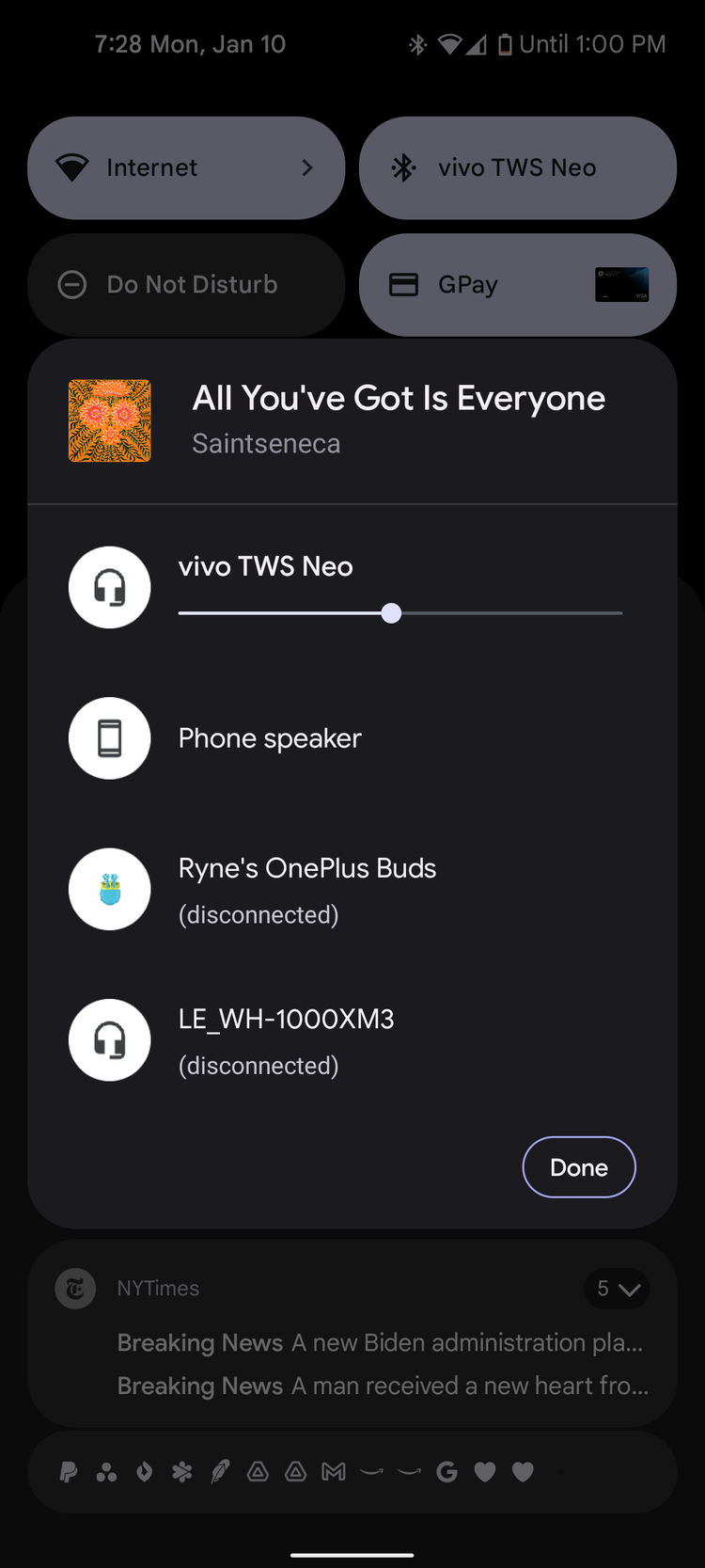
Credits: Android Police
As the source of Android Police assures, the function itself works as before. Disabled devices are now grayed out, and the names of the devices have moved inside the slider. Also, the current playback device has a checkmark.
Don't take into account the square corners or the missing output picker button in the player, as the source most likely has an extremely experimental build of the new OS version.
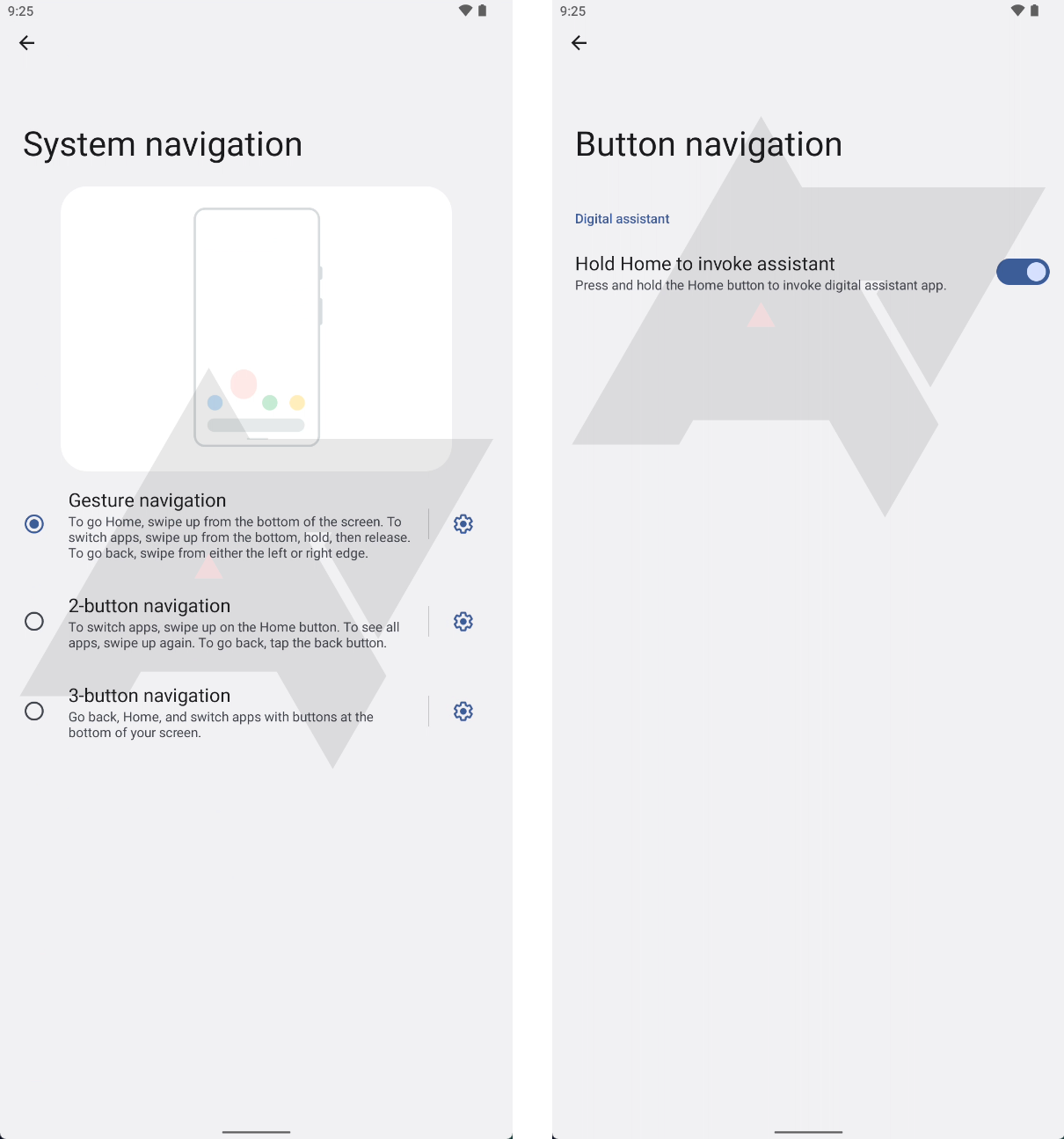
Disable the Assistant call gesture for two- and three-button navigation.
In Android 12, Google added the ability to disable the Assistant call gesture for the system's gesture-based navigation, but it forgot to add the same for button-based navigation. In Android 13, in the System Navigation settings, there will be a gear that allows you to turn off the gesture of holding down the home button to invoke the Assistant.
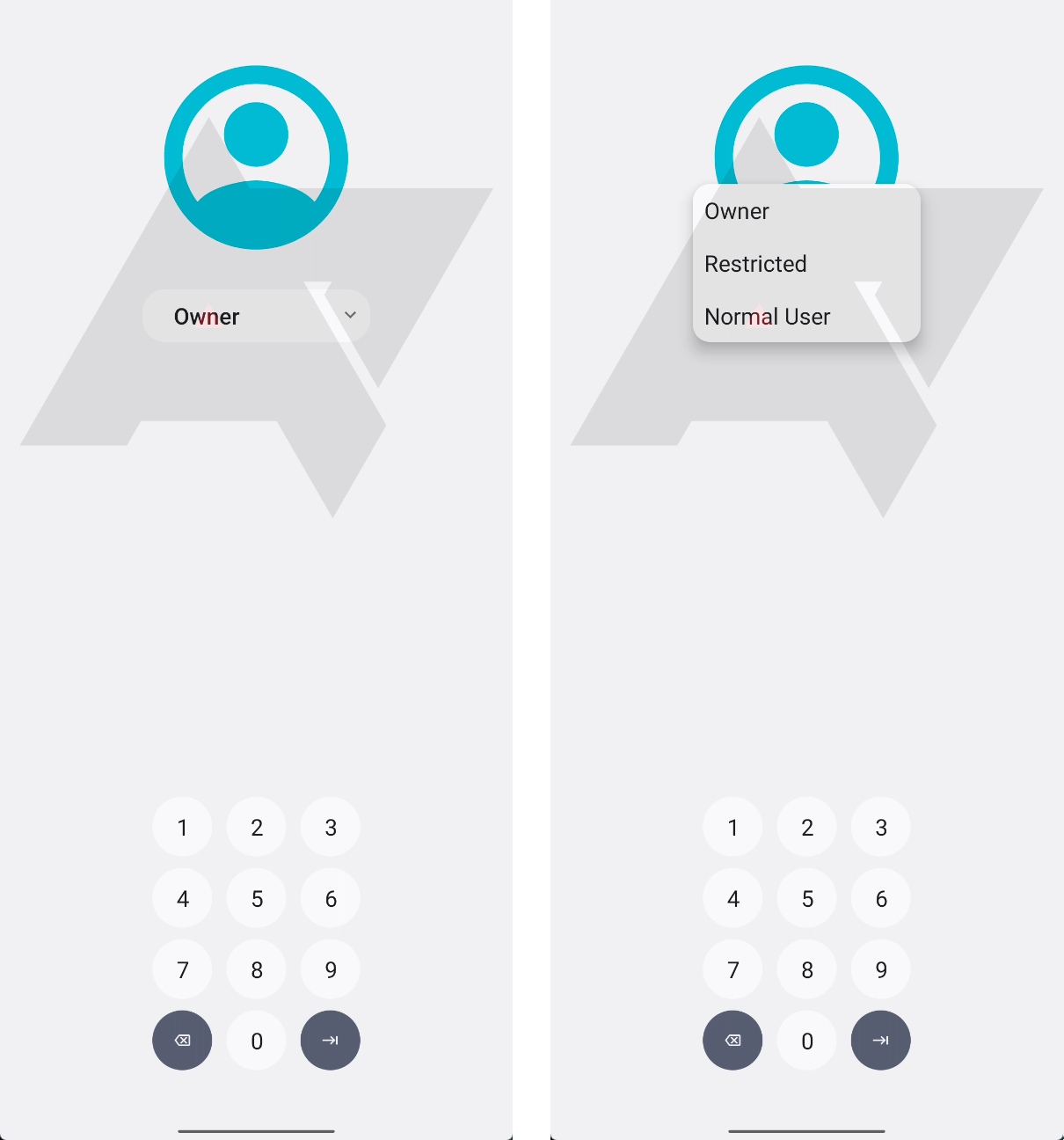
Keyguard user switcher
Android 13 will allow you to change the current user directly from Keyguard. This is a potentially useful feature if you suddenly notice when unlocking your device that you are in the wrong user, and allows you to avoid returning to the lock screen unnecessarily. Whether this applies only to tablets or will also be available on phones is unknown.