New Player Interface for Apple TV
UniPlayer v3.0.21Today we're releasing update 3.0.21, which includes something special — a new player interface for Apple TV that we've been working on for over two years.
The journey wasn't easy. We rewrote it from scratch several times, paused development, and came back to it again. But today the core functionality is ready, and we finally want to show it to you — and hear what you think. 🎉🥳
You can enable the new player in Settings → Player Interface → New (Beta). This is a public beta for now. The current default player has been renamed to Classic.
What's Changed
1. Reimagined compact channel menu
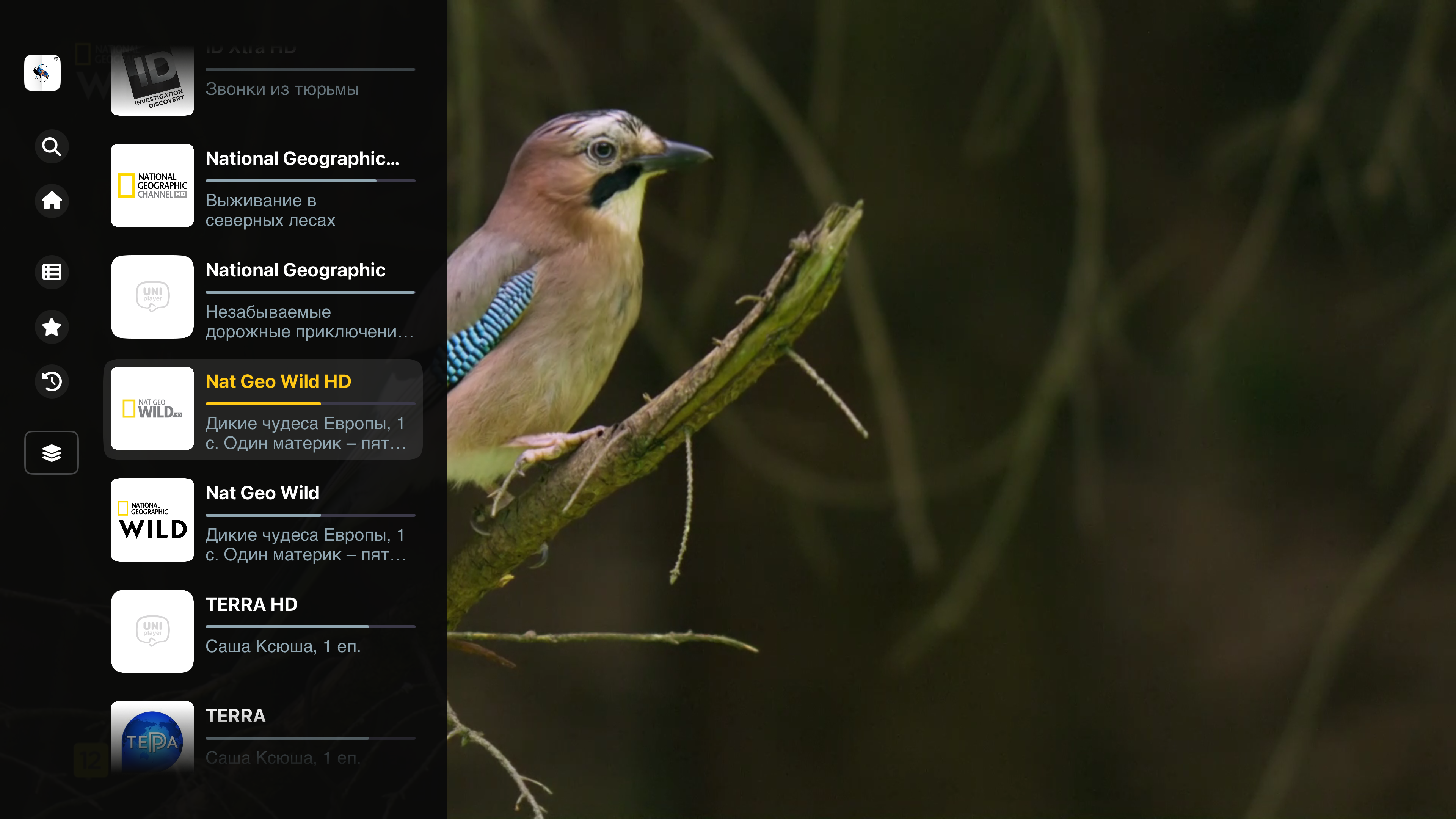
The main menu has been completely redesigned. In normal mode it takes up significantly less screen space — leaving more room for what matters most: watching.
2. Faster category switching
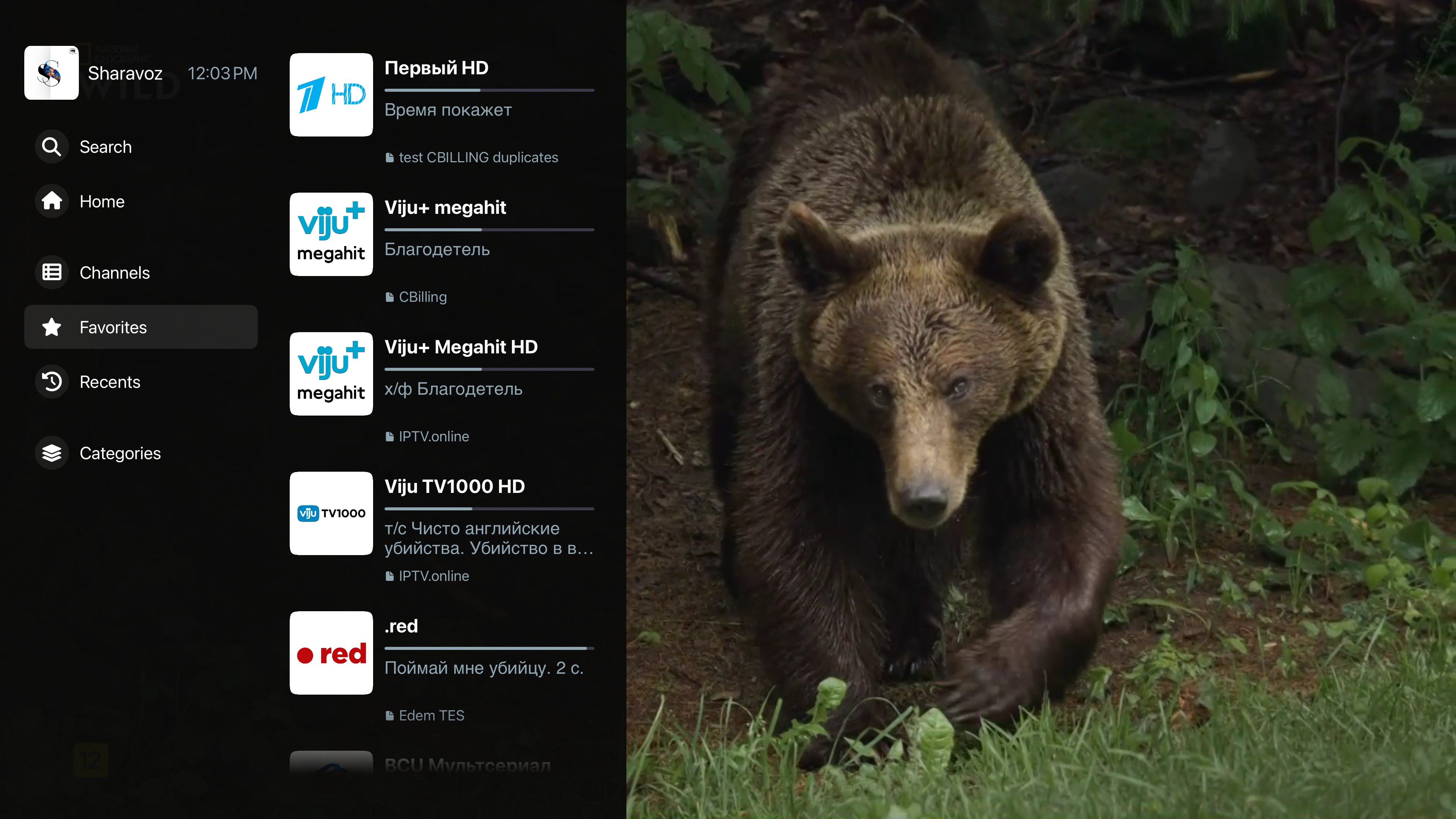
Navigating between categories is noticeably faster and more comfortable.
3. Focus-based navigation — no unnecessary clicks
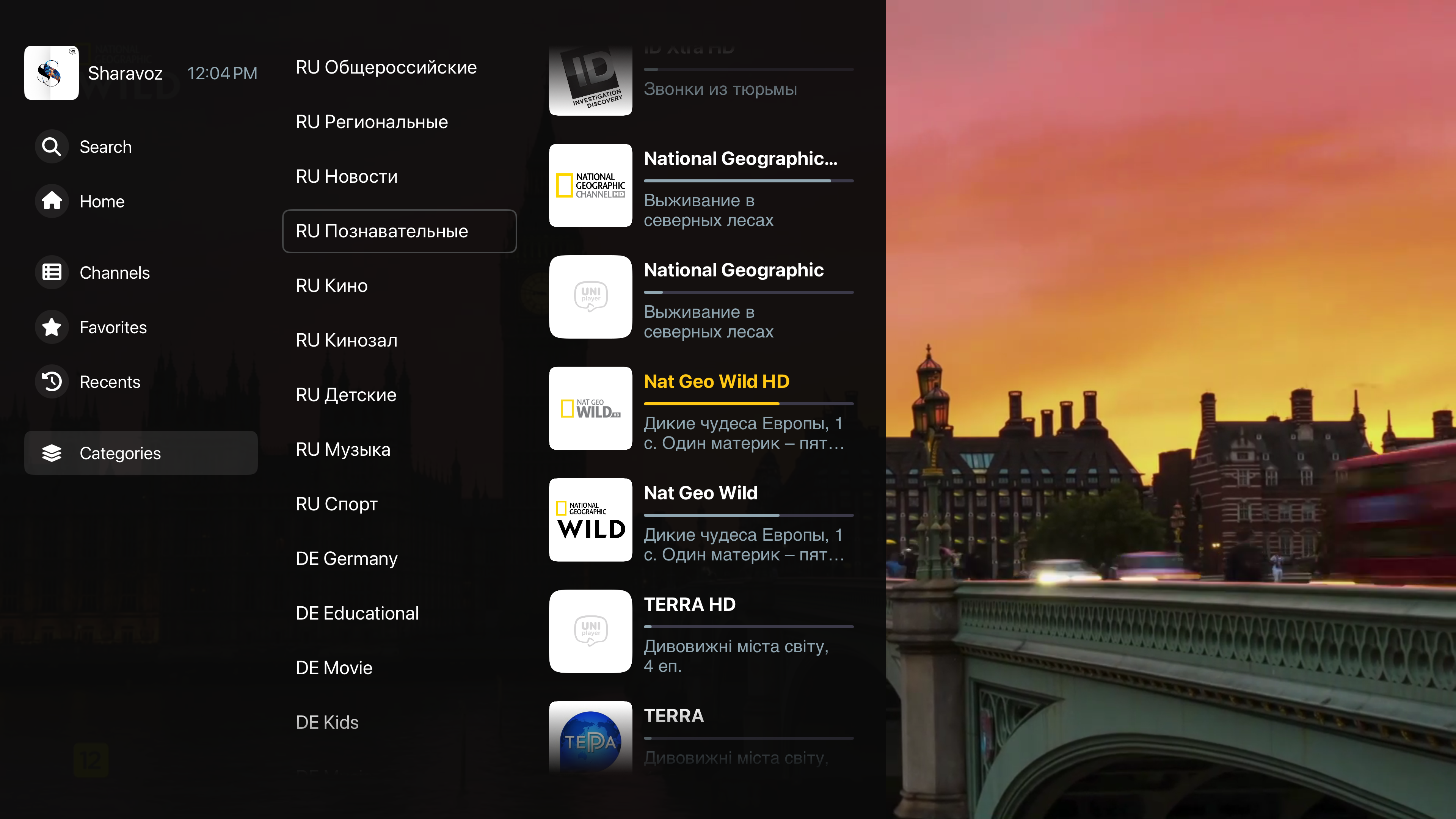
Switching between menu items, categories, Favorites, and Recents now happens instantly on focus — no need to click anything.
4. New stream menu
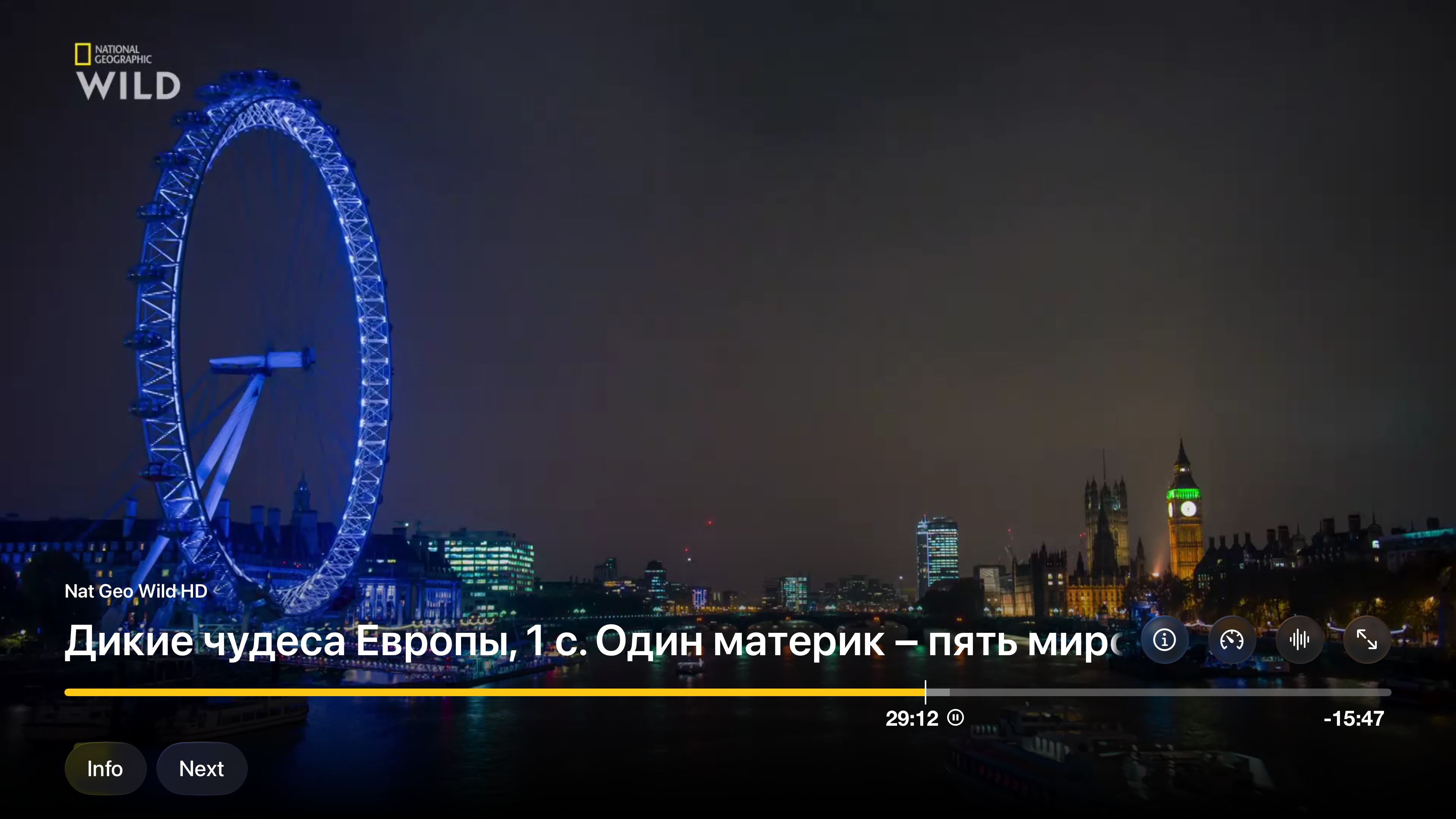
The playback control menu has been fully redesigned. It opens with a single tap. No more pressing Pause before seeking.
5. Controls moved to the right place
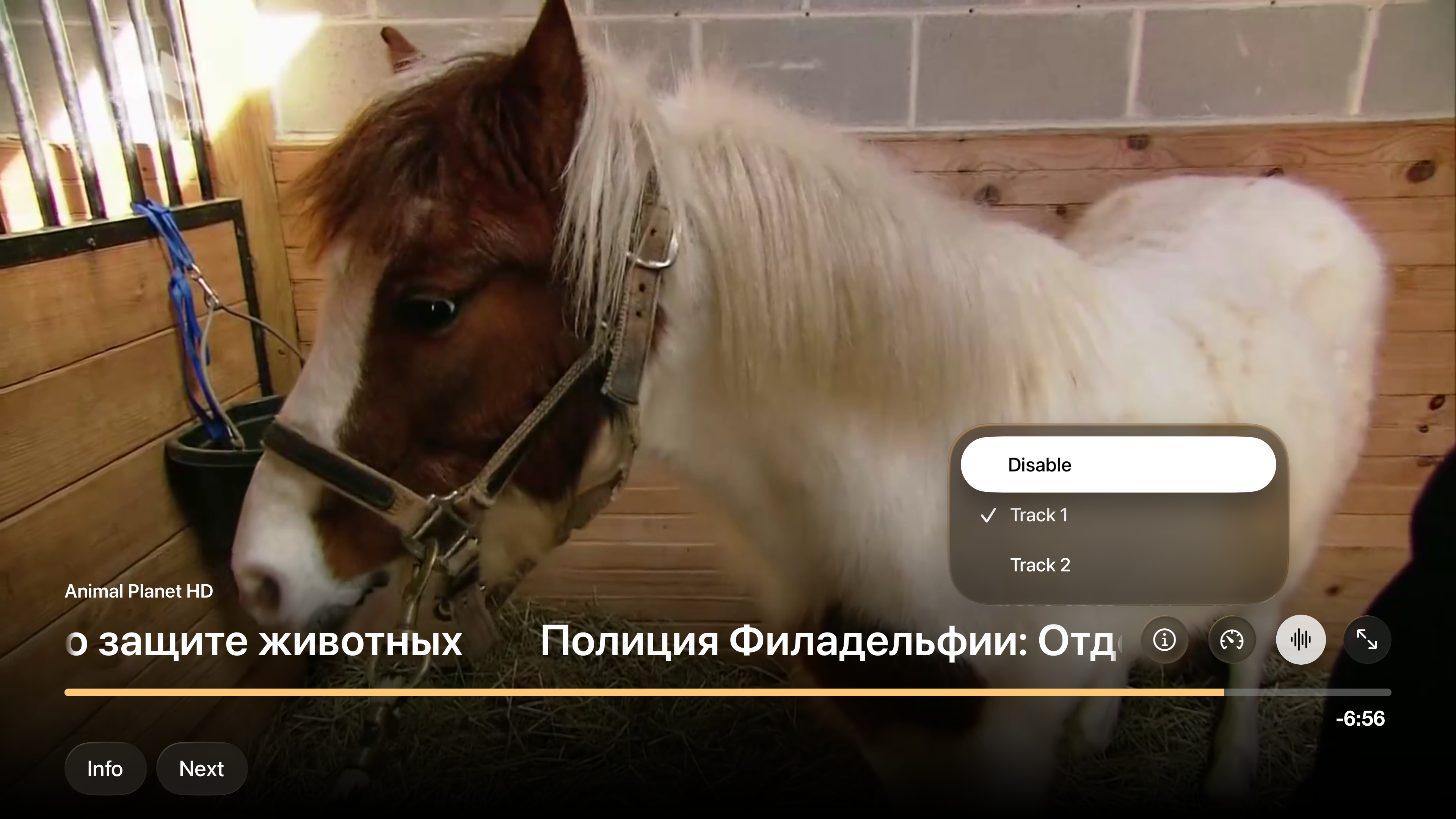
Stream info, audio track selection, Picture in Picture — everything is now accessible directly from the control buttons and much easier to reach.
6. Live performance monitor
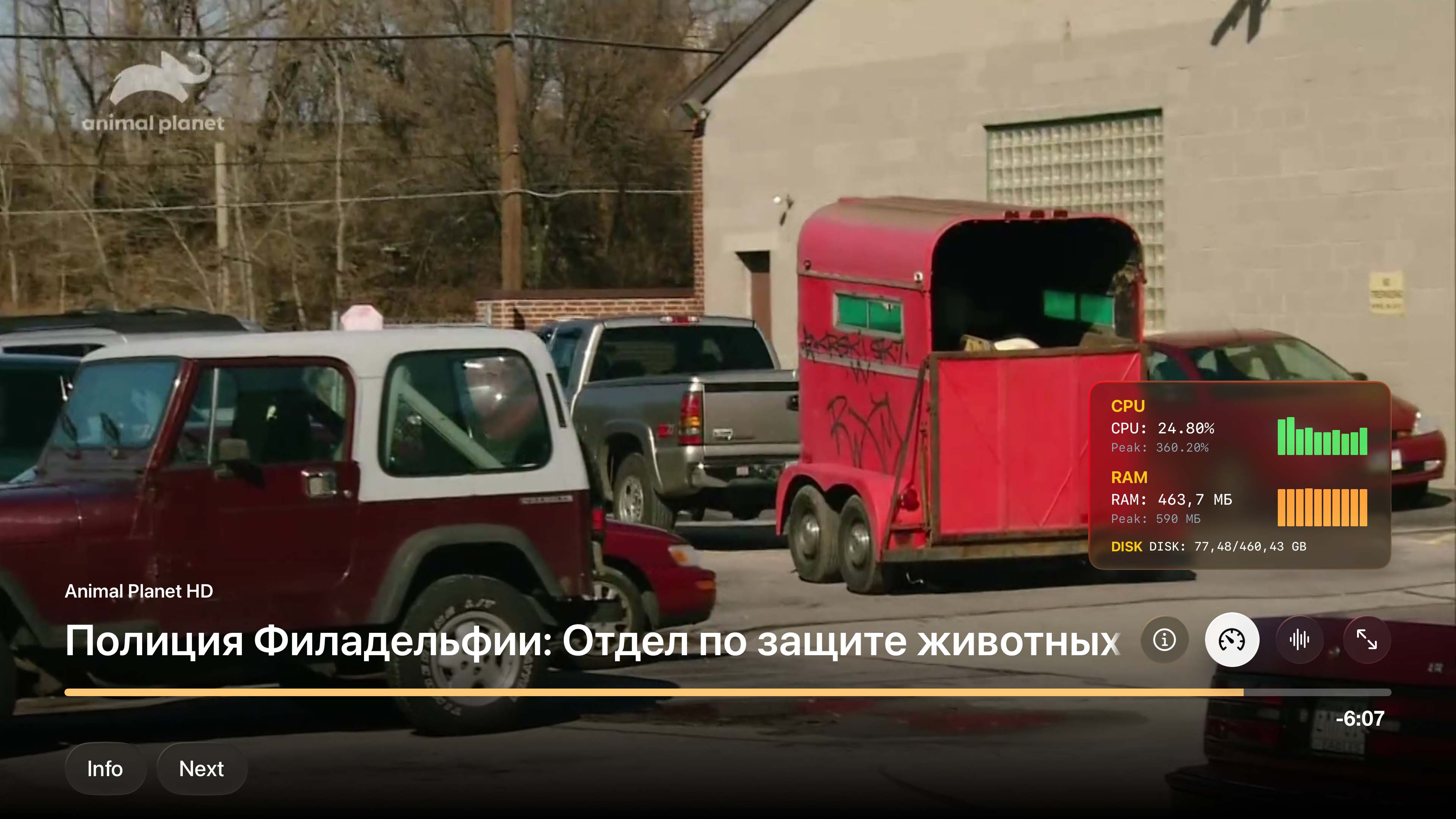
A new built-in monitor displays CPU load, RAM usage, and storage in real time. This is especially useful when a stream freezes or stutters — you'll immediately see whether the issue is with the device's resources, so you can make an informed decision instead of guessing.
7. Stream info — compact and polished
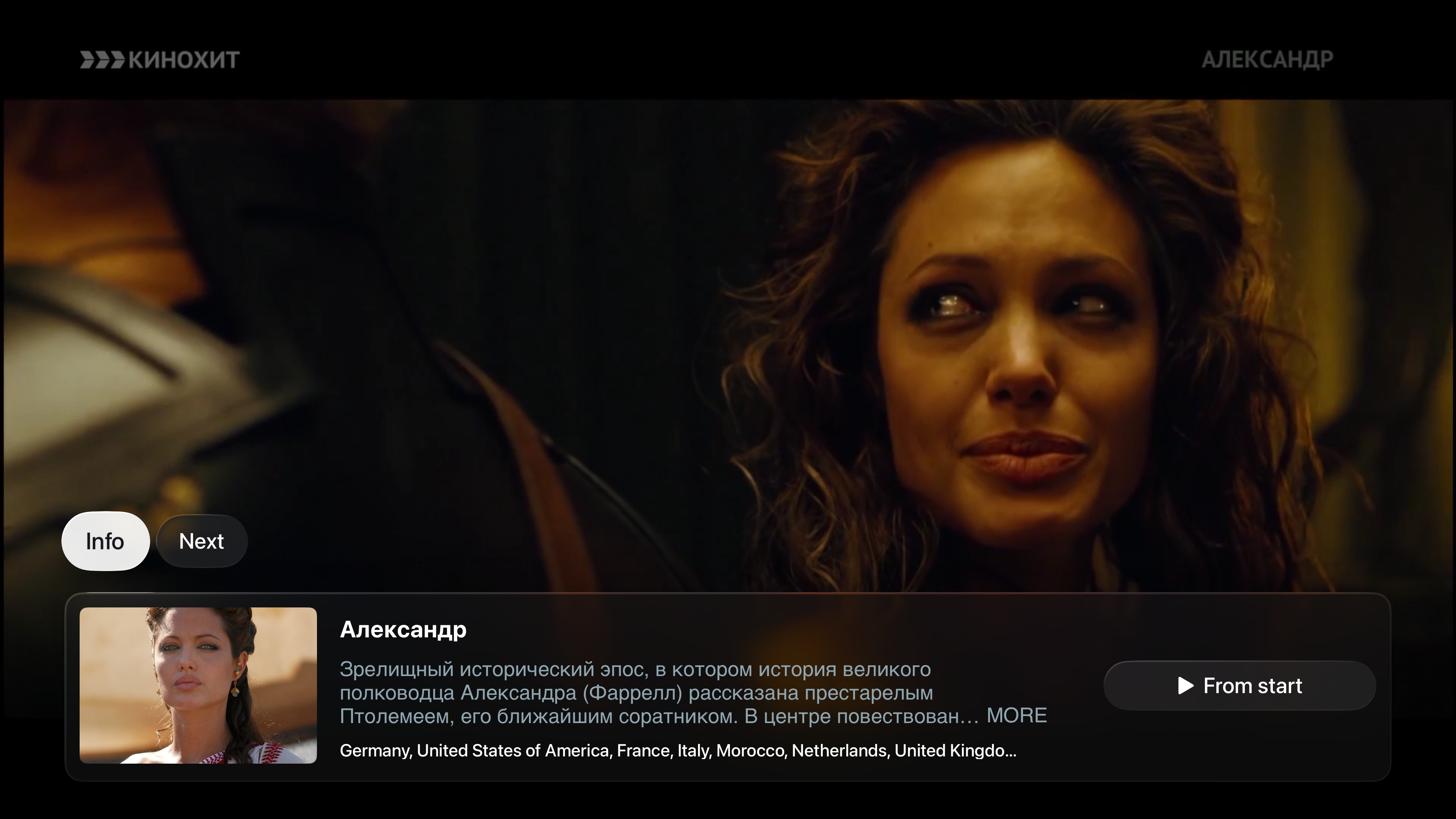
The current stream information has been redesigned: more compact, and styled with Liquid Glass in the spirit of tvOS 26.
8. What's on next — right in the bottom menu
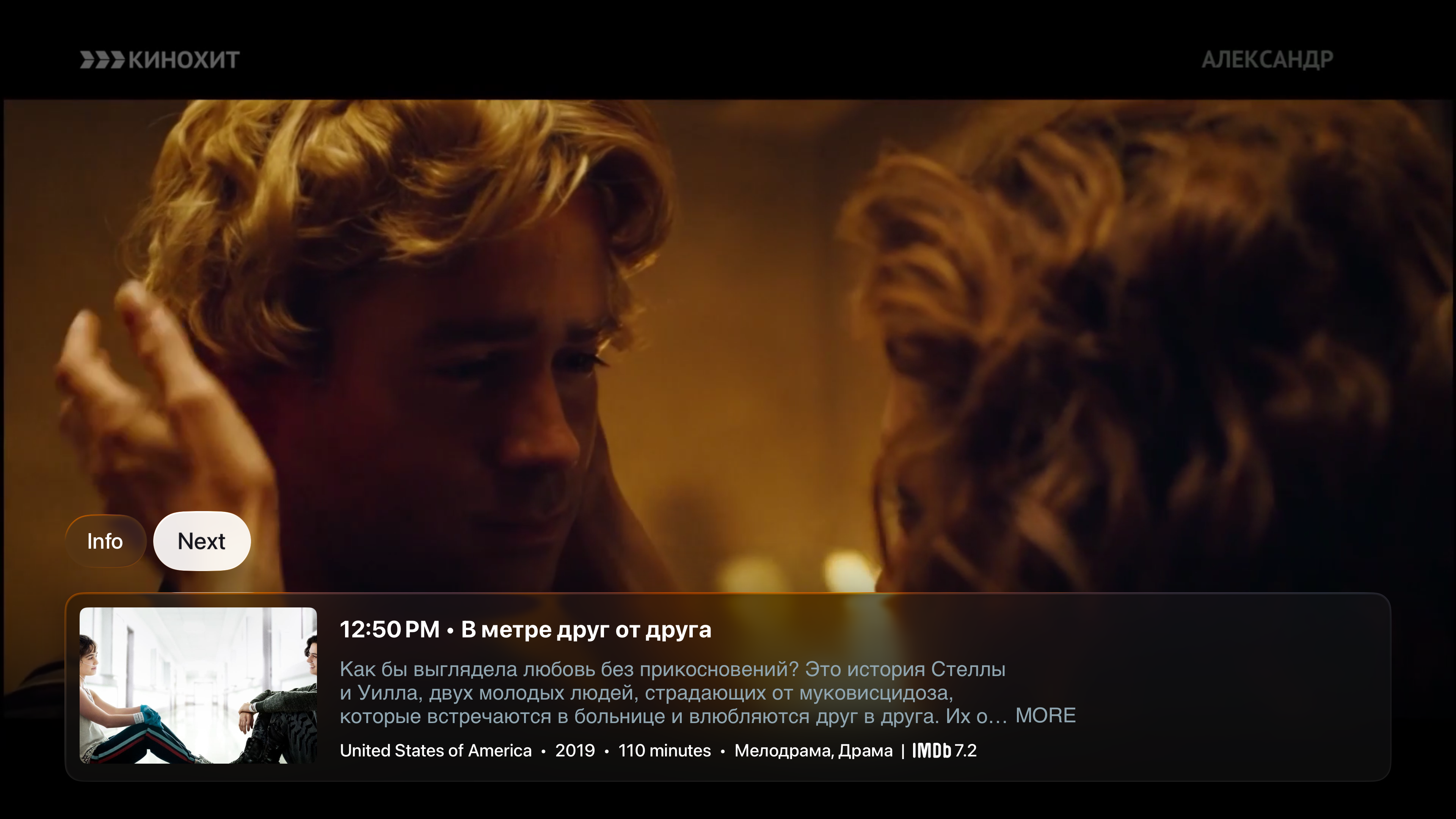
Information about the next programme is now available directly from the playback menu.
9. Channel logo instead of a blank placeholder
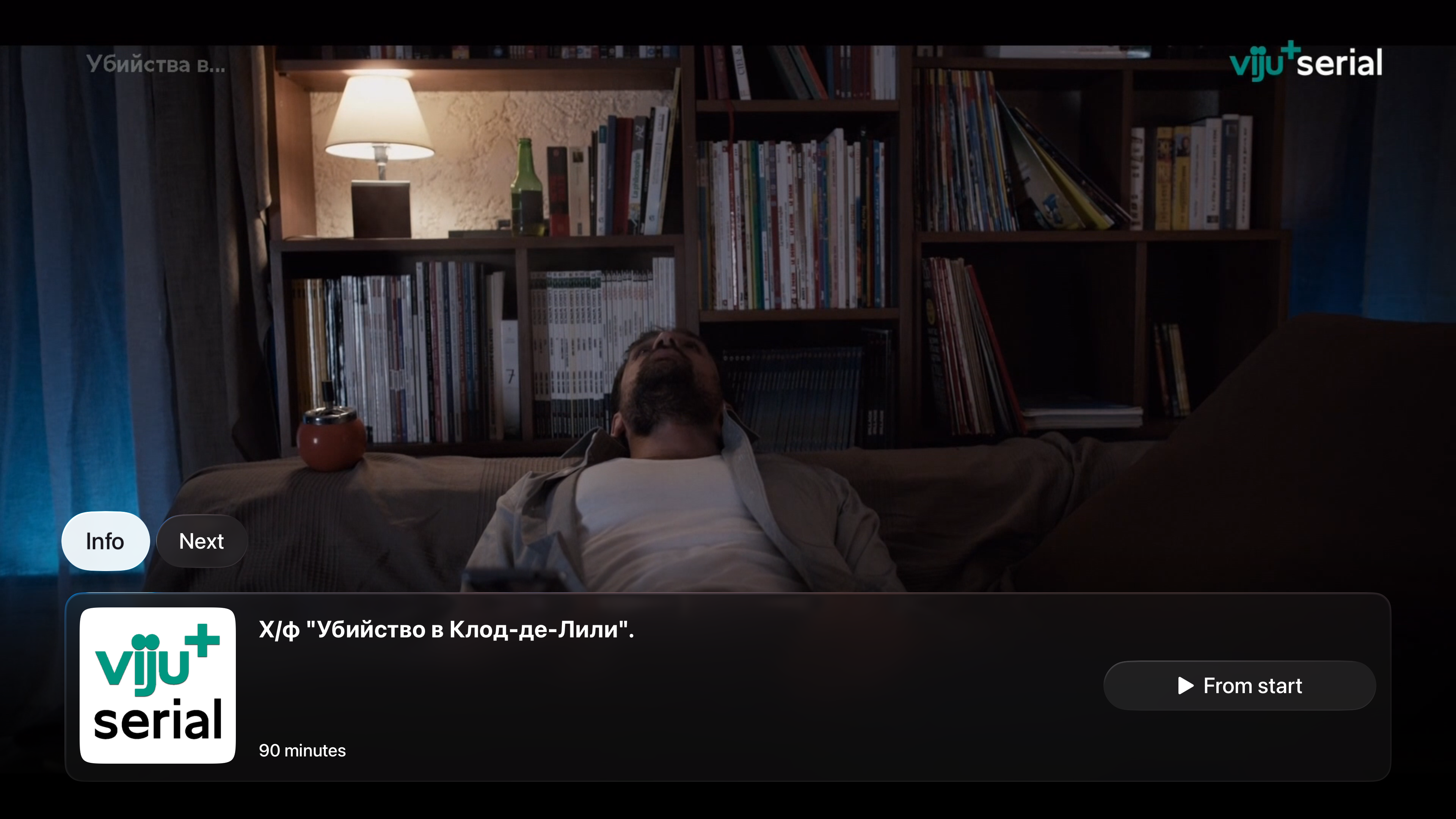
If a programme has no EPG artwork, the channel logo is shown instead.
10. Switch playlists without going back to the home screen
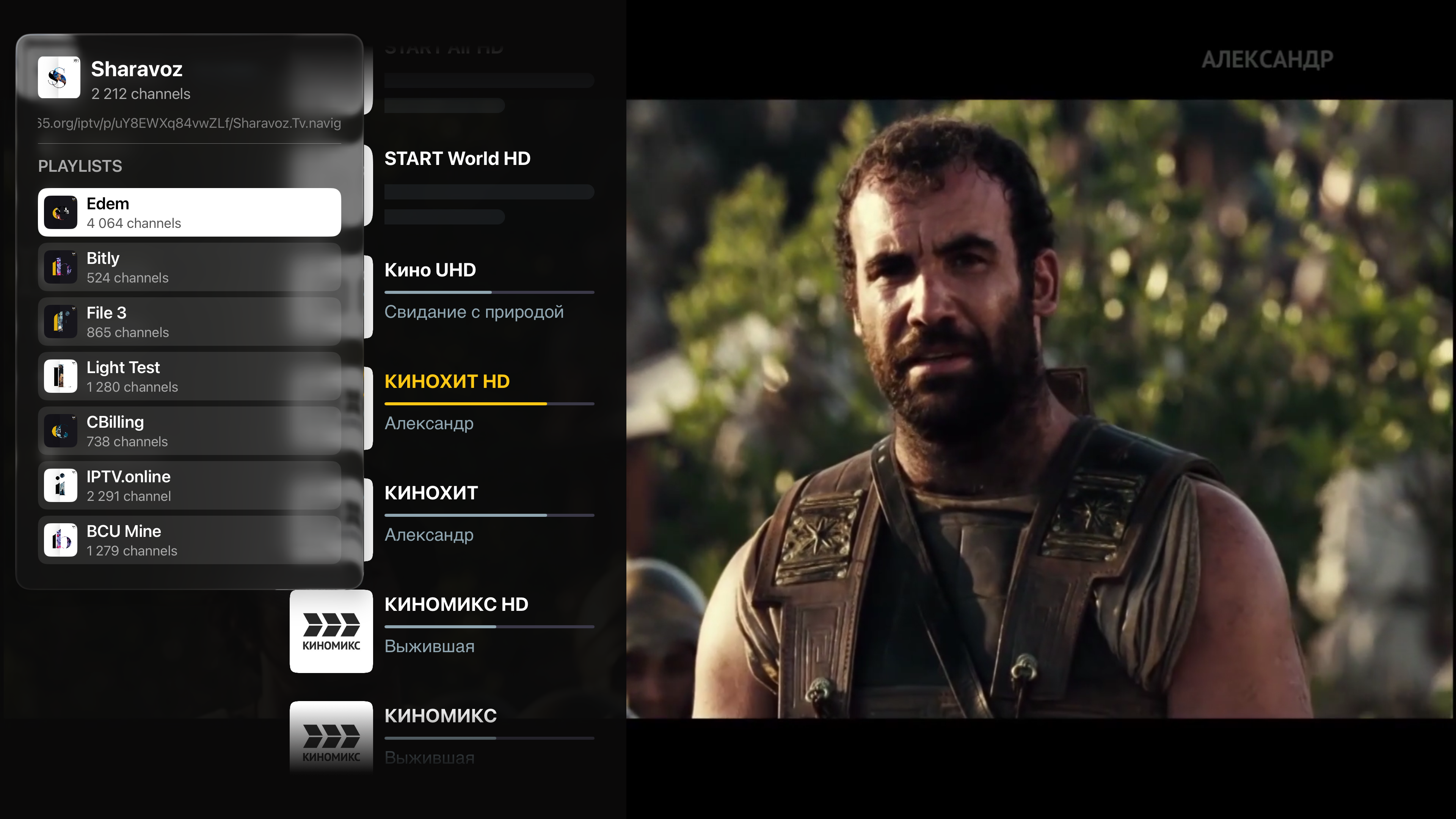
You can now switch to another playlist directly from the main menu, without leaving the player.
11. Hide categories from the context menu
Press and hold a category to get the option to hide it. Hidden categories and channels can be restored in your account at my.uniplayer.net.
12. Resume archive playback from where you left off
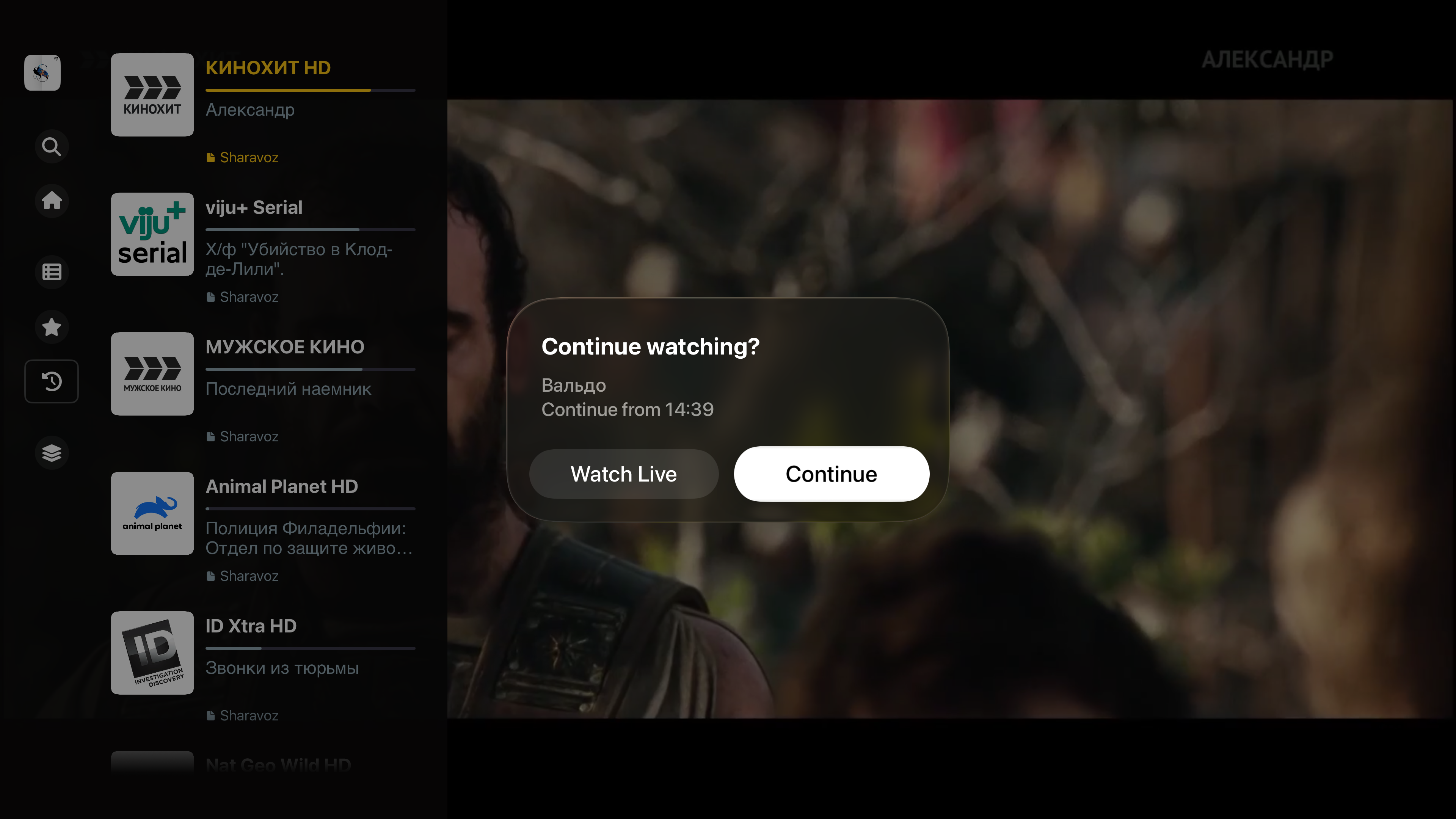
Switched channels, went to the home screen, or turned off the box while watching an archive? Next time you return, the player will offer to resume from where you stopped.
13. Personalisation
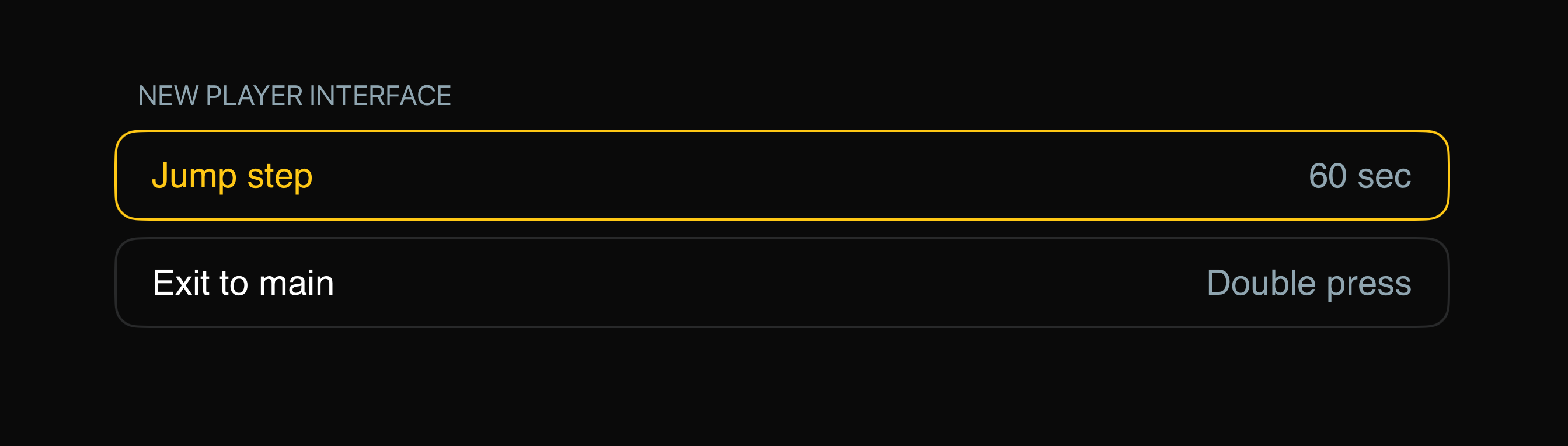
We've rethought how returning to the home screen works. In the Classic player, accidentally pressing Back would immediately jump to the home screen with no warning. In the new player, you can go Home from the main menu by pressing "Home", or by double-clicking Back.
This new behaviour may feel unfamiliar at first, so we've added it as an option under Settings → Personalisation.
You can also set your archive seek step there. The default is 60 seconds — the optimal value for most providers. Very few providers support smaller seek intervals, but if yours is one of them, you can now set a smaller step from Personalisation.
An Important Decision
We've put an enormous amount of time, effort, and iterations into the new player. We want it to become the default — and the only — player.
From this point on, we are stopping development of the Classic player. It will remain available during the beta period, but all new features and improvements will be released exclusively in the new player.
Known Issues & Missing Features
As this is the first public release of the new player, some functionality may be missing or behave unexpectedly. We will fix and improve all known issues in upcoming releases.
1. Channel, category, and favourites sorting is not available
Sorting is currently only available in the Classic player on Apple TV and in the account portal at my.uniplayer.net. We will add this to the new player in a future update.
2. Tile view for channels
We've decided to remove this screen entirely from the new interface and have no plans to bring it over. It doesn't exist on other platforms or in the account portal — its original purpose in the Classic player was primarily to allow easy sorting on Apple TV.
Try It and Tell Us
Enable the new player in Settings and share your thoughts — in the Telegram channel @UniPlayer or at team@uniplayer.net. Your feedback directly shapes what the final release will look like.
Thank you for being with us all this time. 🙏