Near NFT guarantor User's manual
The service allows you to quickly and safely sell or buy any NFT that complies with the NEP-171 standard
The service works in web4 at nftsale.near.page (for tests nftsale.testnet.page)
- How to buy
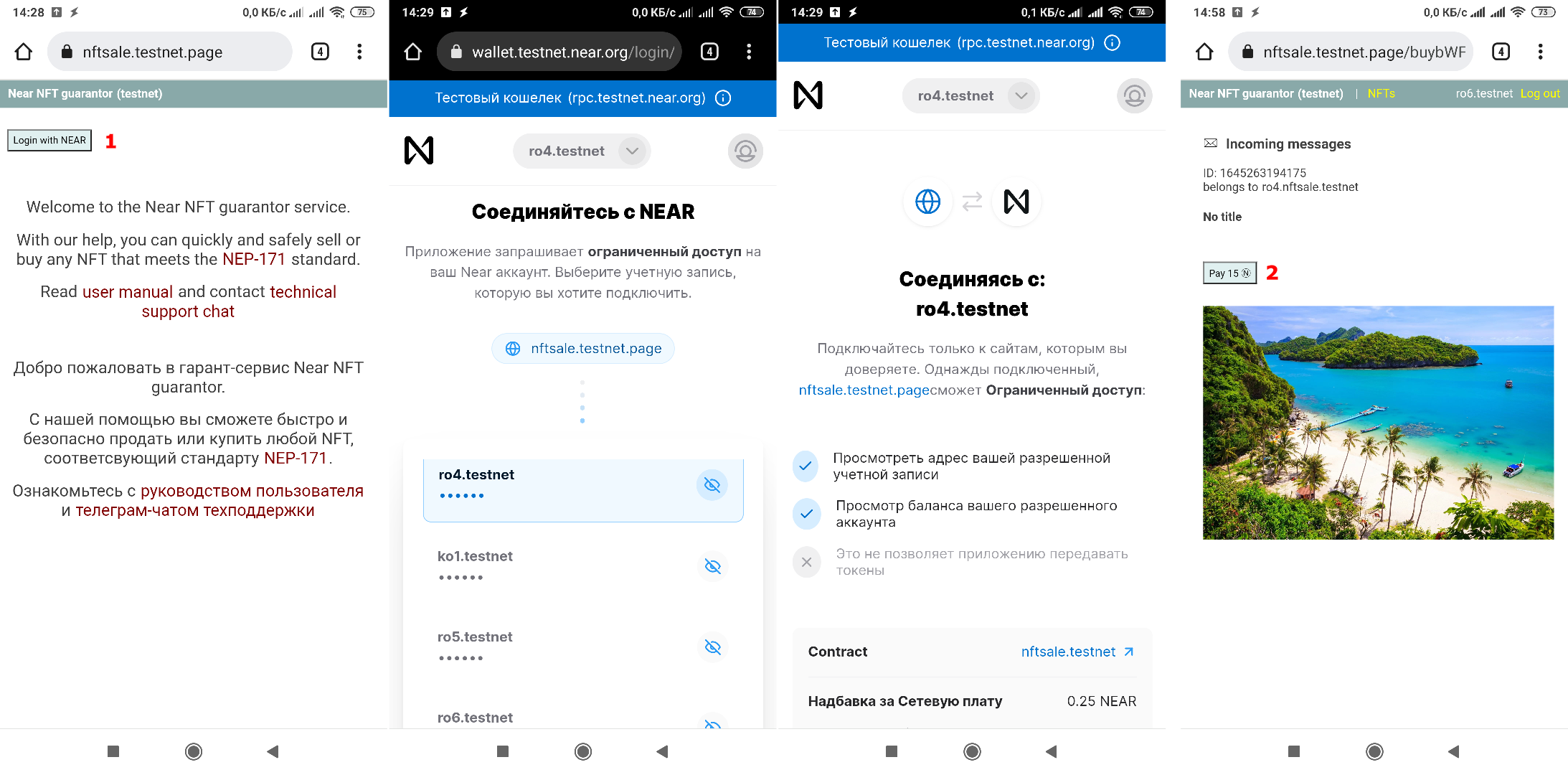
Follow the link where the NFT is placed for sale in the format
nftsale.testnet.page/buybWFpbGd1bi50ZXN0bmV0LDE2NDUyNjMxOTQxNzU=
and login (1) with your Near account via web wallet, press the button
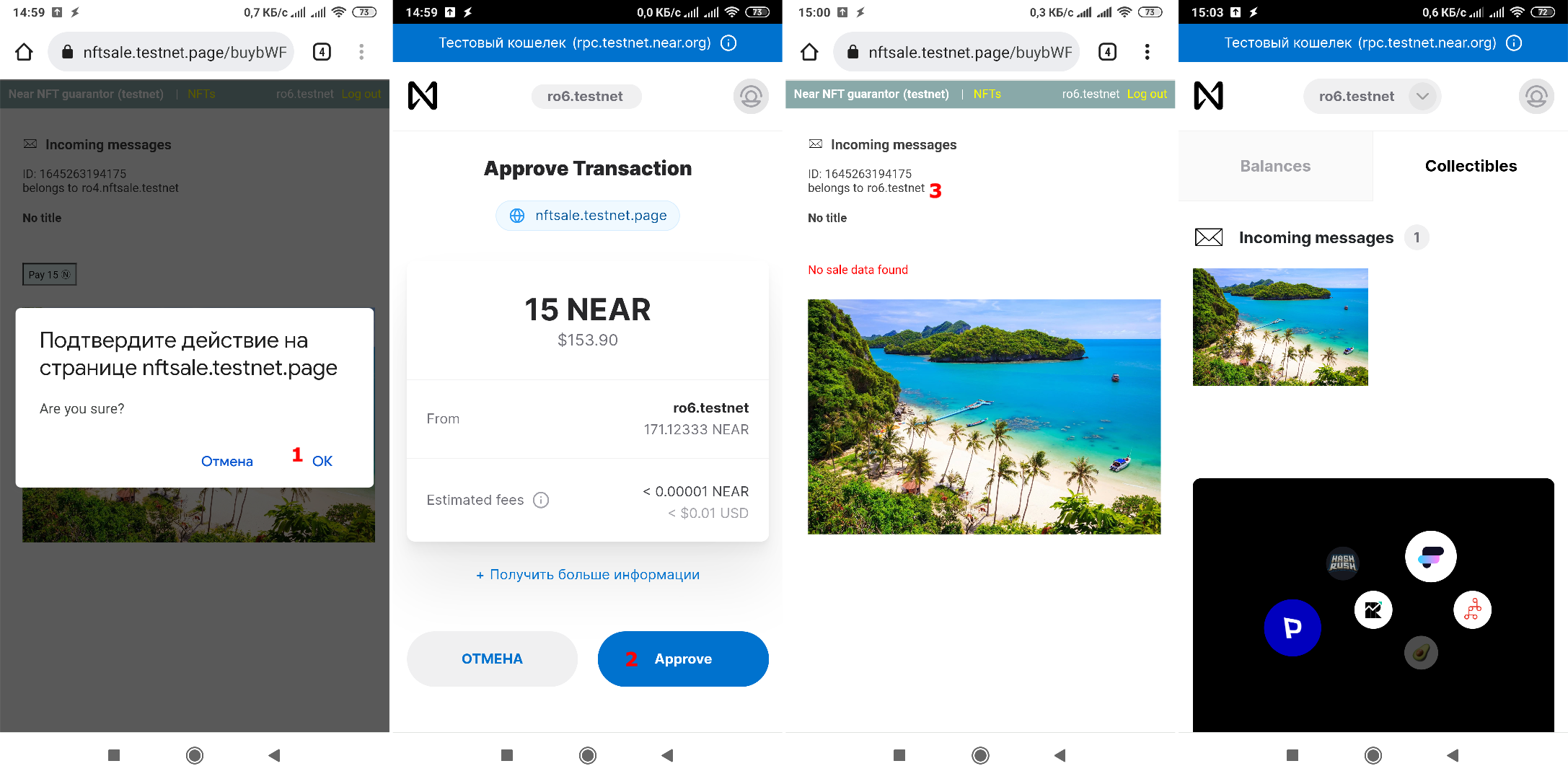
Pay with price (2) and confirm the transaction.
- How to sell
Log in to the service (1) and click on "NFTs" (3).
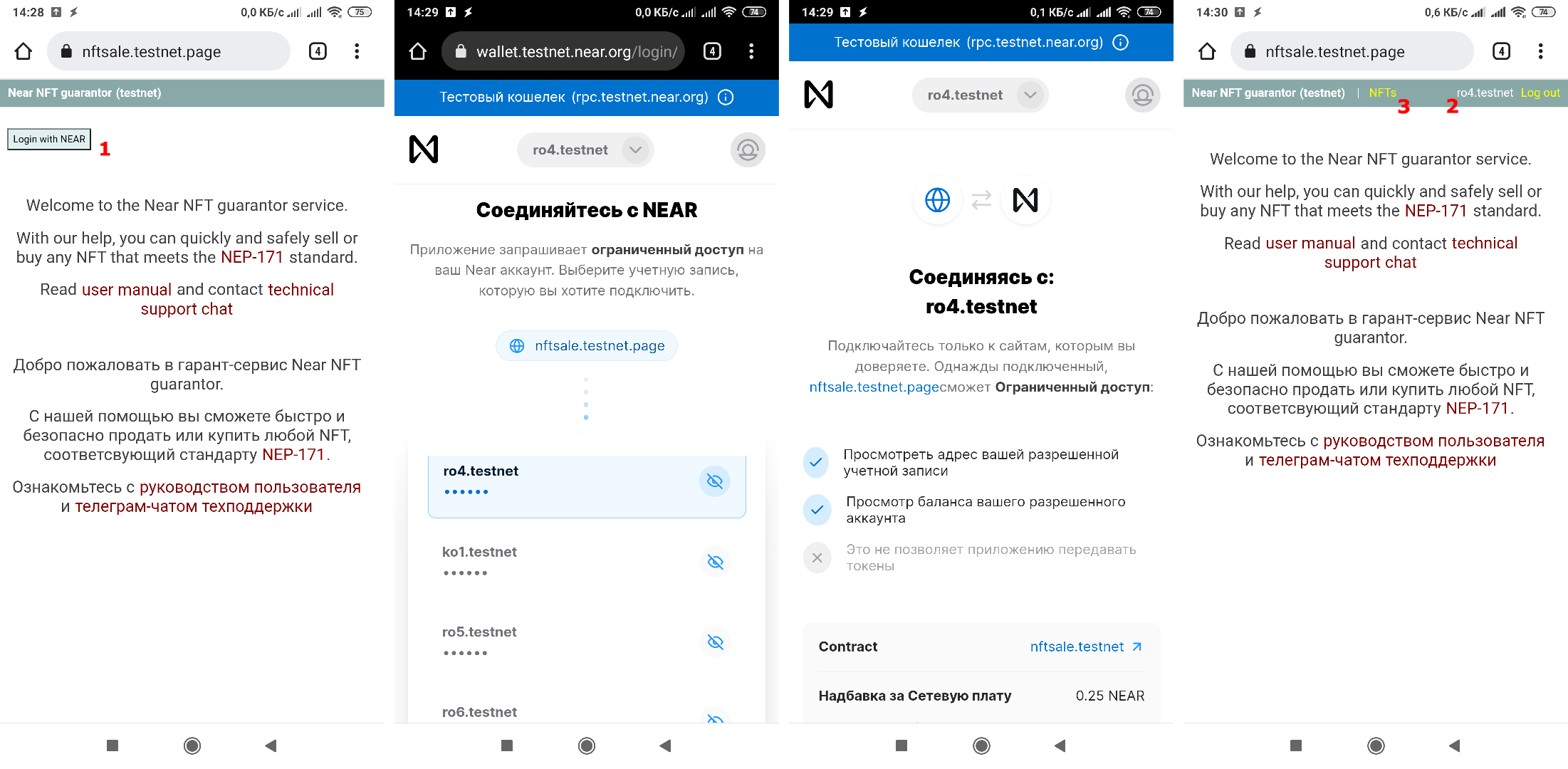
If you have not yet created an account for sales on the service, then you will need to create one. The account name is arbitrary (1) from the unused ones on the main wallet of the xxx.nftsale.near service
You will also need to pay 1.6 Near to deploy the contract, which will guarantee the security of transactions.
Next, go to the page where NFTs of your account are displayed by clicking on its address in the upper right corner of the page (2)
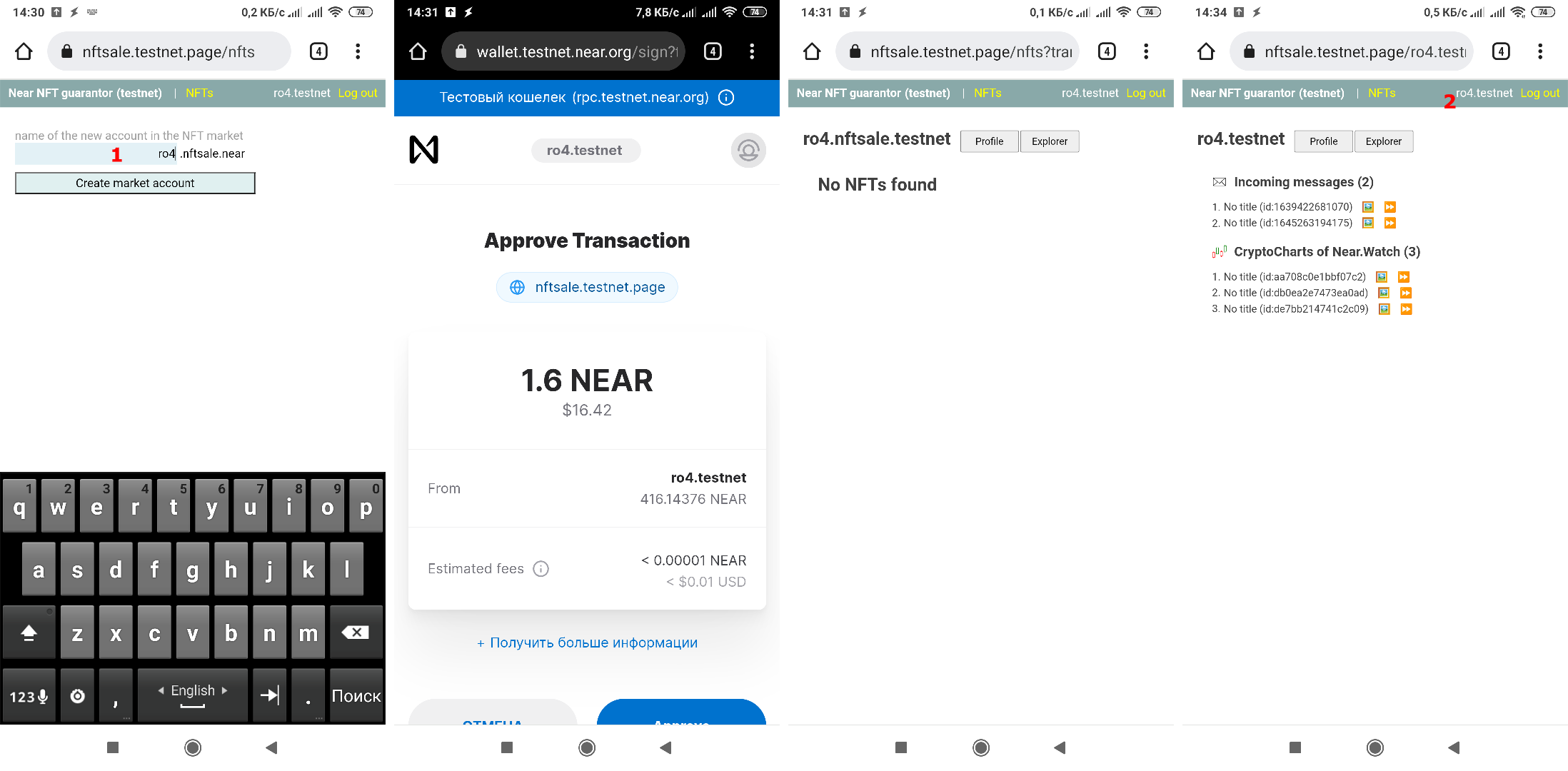
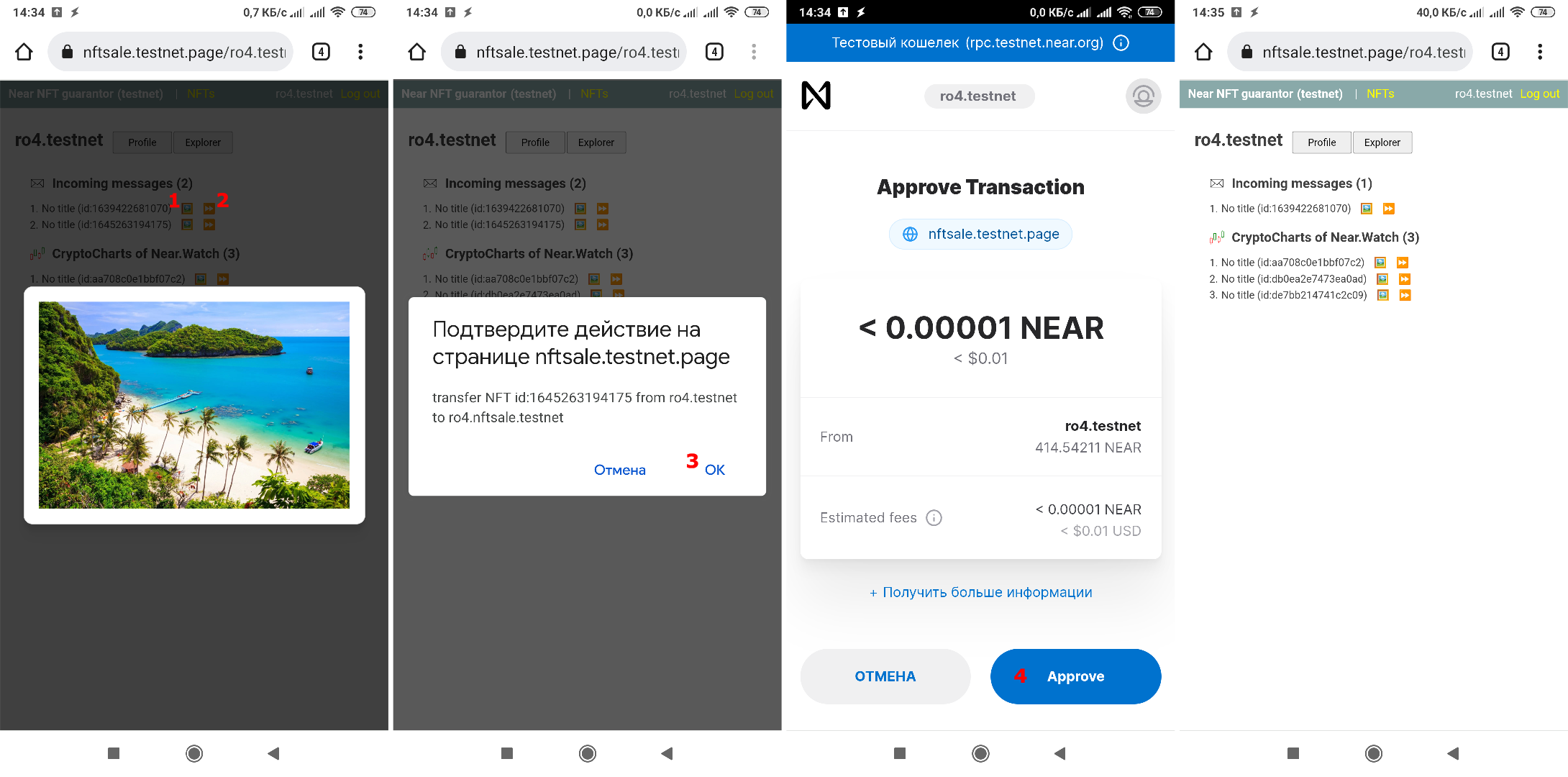
In the list, find the NFT you plan to sell. By clicking on the picture icon (1) you can see its image.
Next, you must move the NFT to your trading account by clicking on the right arrow icon (2) and confirming the intention to move the NFT (3)
The result of the operation will be the disappearance of the NFT from the list of the main account.
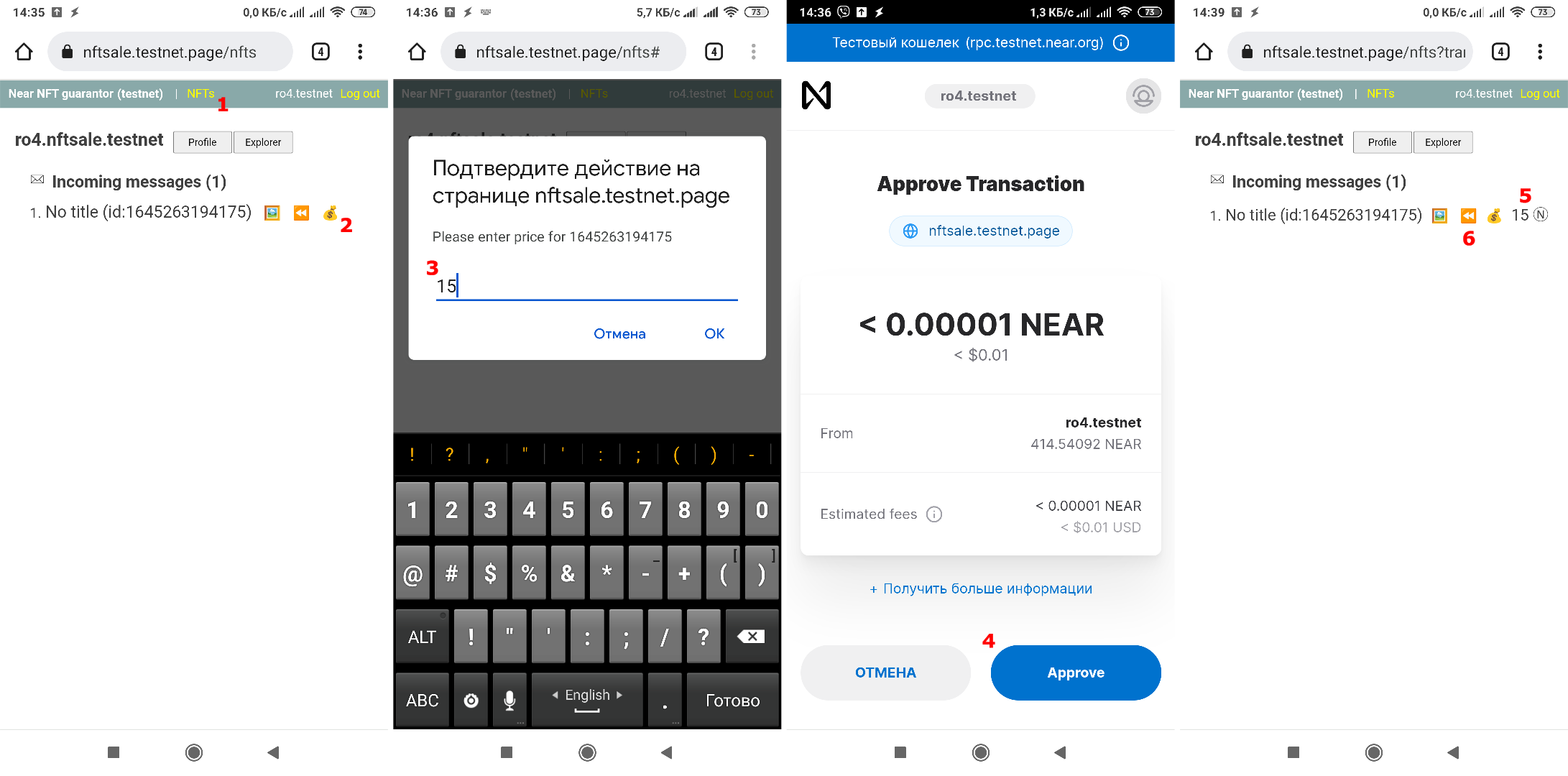
Go to the trading account NFT listing page (1)
Find the NFT and set a price for it by clicking on the "money bag" icon (2)
Next, enter the price (3) and confirm the transaction (4).
The NFT list will be updated and the current price will be displayed opposite NFT (5)
From now on, NFT is available for purchase.
To remove NFT from sale, you need to repeat the installation operation with a zero price or move it back to the main account by clicking on the "left arrows" icon (6)
Full video of the service work
Support telegram chat @nearaccbot_support