Navigation and Guide to Hello Pixel
Mr. NeZnayka
Welcome to the Hello Pixel ecosystem!
To start mining PXLs coins and NFT, friends, we need to register through this
➥ link or ➥ https://t.me/pixel_wallet_bot
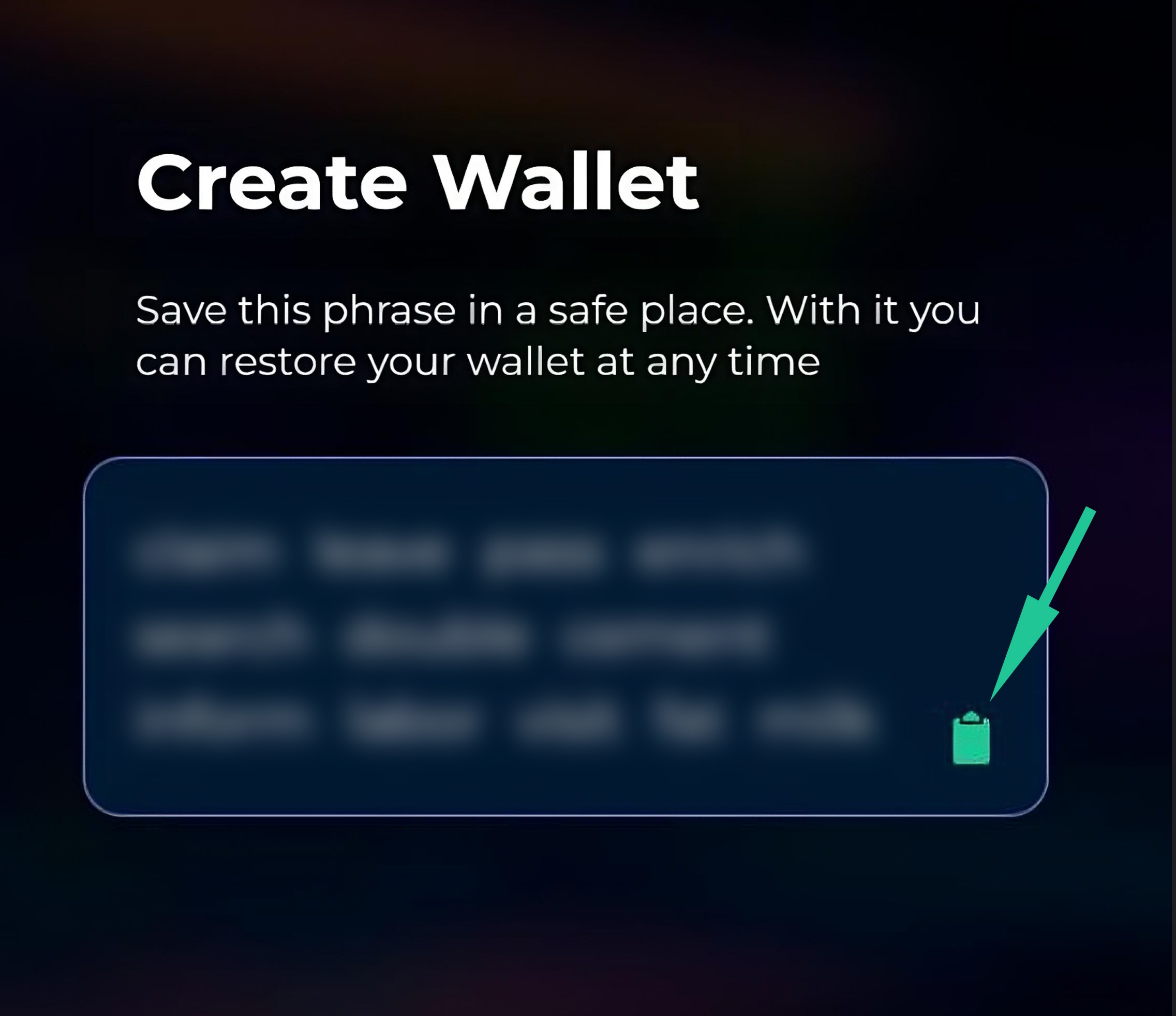
Next, you will see a screen with your Seed Phrase, which is used to restore your wallet if you lose access!
Only you have access to it, so be sure to write it down or take a screenshot!
Your settings also contain a Private Key, which works like the Seed Phrase. We recommend copying it too! (Section №8 p.3-1)
Main application screen
Section №1
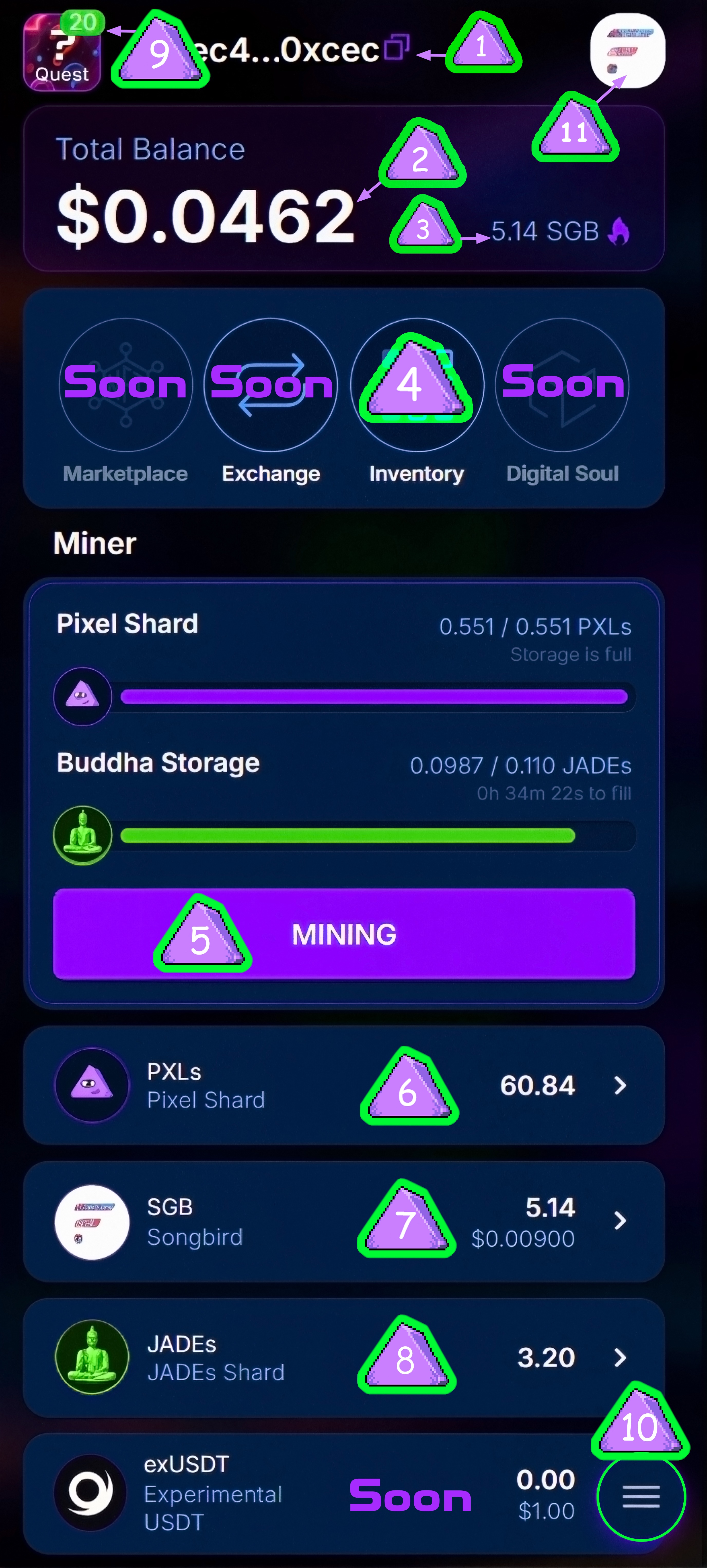
1. Your EVM wallet address on the SongBird (SGB) network
(By clicking on the 2 purple squares, you can copy it)
2. Total wallet balance
3. Your balance in SGB tokens (Gas for paying the fee in the Blockchain network)
To start mining, you need to get a free gas token, which you can obtain in the
Mining ➥ Quests section or from our partner bots here:
4. Inventory with NFT
5. Main Mining section
6. PXLs balance
7. SGB balance and Transfer section (Sending SGB tokens to another wallet)
8. JADEs balance
9. Quests
10. Menu and settings section
11. Blockchain network switching function
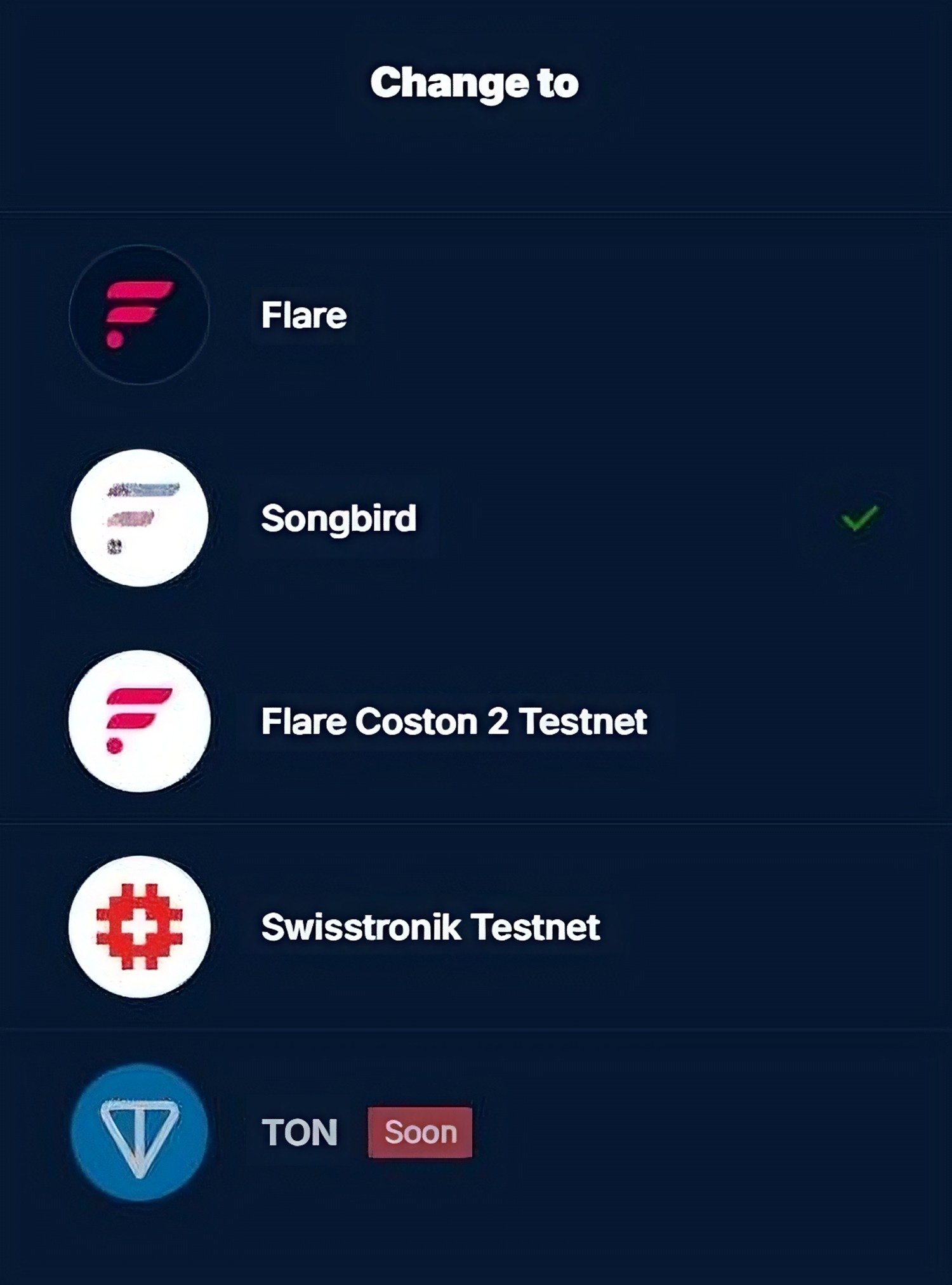
At the moment, three additional networks are available:
Flare Network - Currently, you can exchange FLR tokens for FINU tokens
(Remember to leave some FLR for the exchange fee)
Swisstronik Testnet - where we mine SWTR tokens.
Flare Coston 2 Testnet - a test network where we test the Marketplace
In the test network, there is no need for mining and storing NFT, as it is intended solely for testing the marketplace.
Upon completion of the testing, all data and progress will be reset.
Test tokens can be obtained here - https://faucet.flare.network/coston2
Select Coston 2 and enter your Pixel wallet address below.
Then click the Request C2FLR button. You can receive 100 tokens every 24 hours!
Swisstronik Testnet Main Menu
This interface is similar to the main Pixel Wallet.
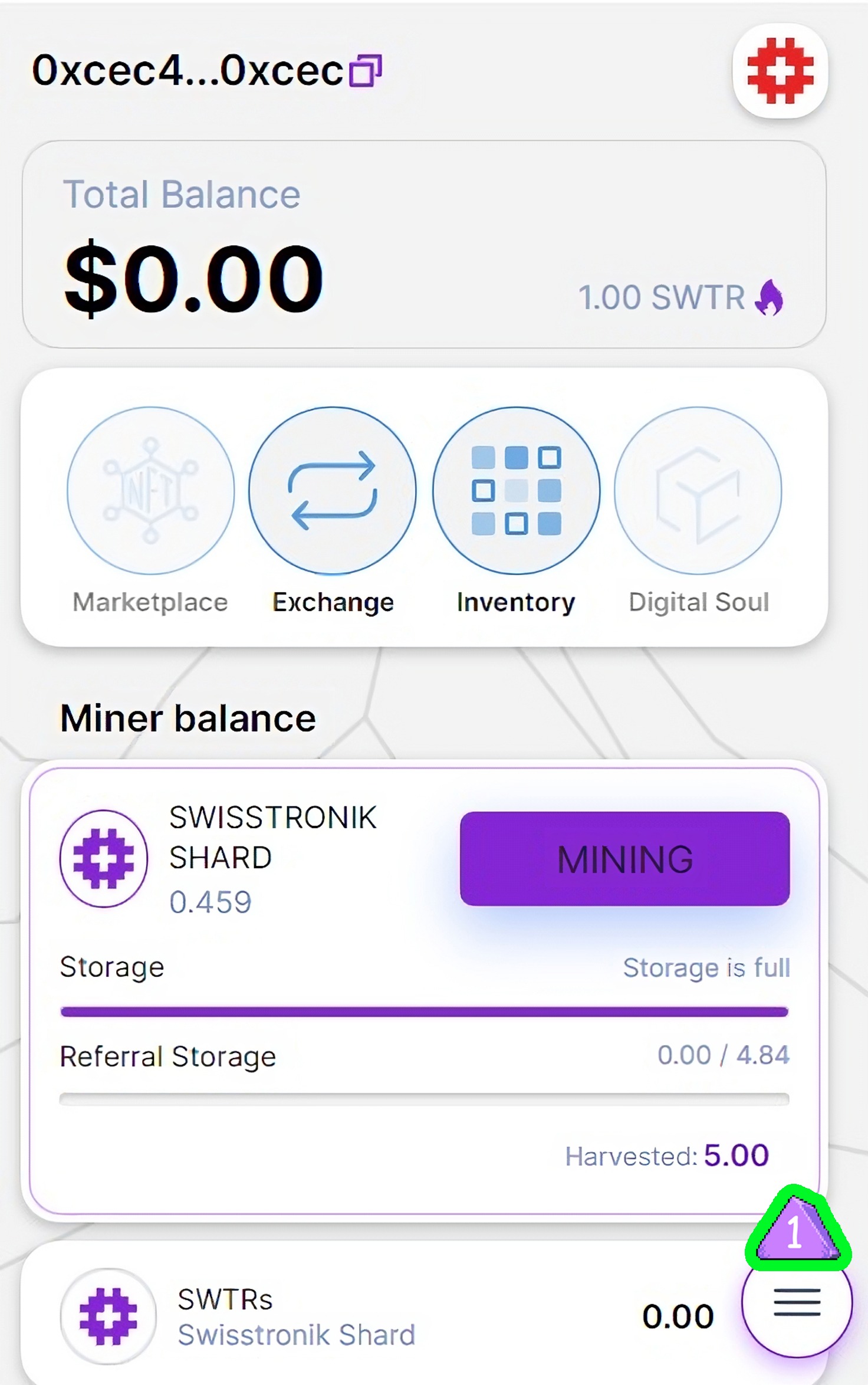
- To start mining, you need to get a free gas token in the Swisstronik network. Click the three lines at the bottom right, a menu will open on the left, and go to the Quests section
Swisstronik Quests Section
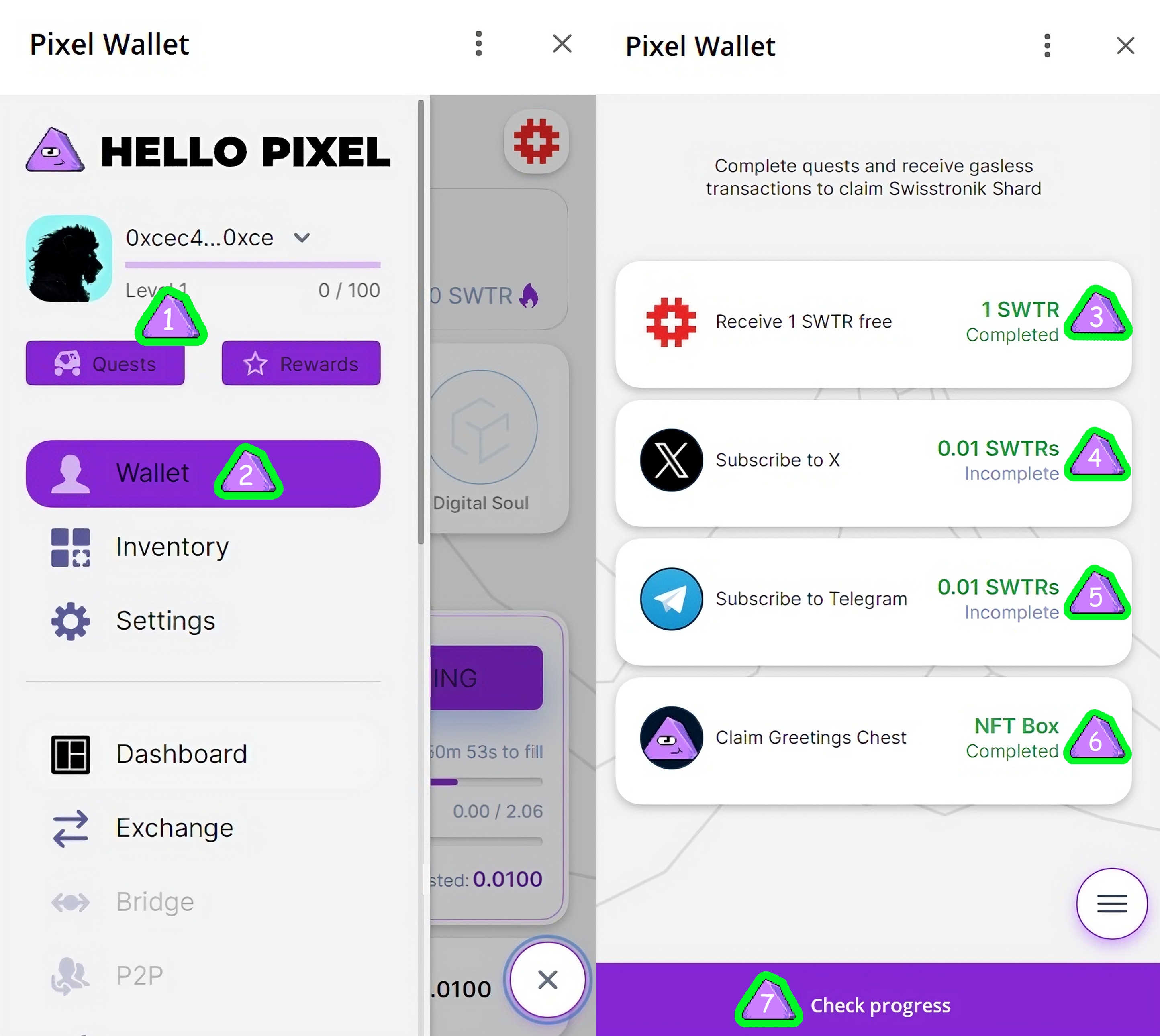
- Quests Menu
- Exit to the Main Screen
- Task to get gas token in the Swisstronik network
- Follow on Twitter: Reward 0.01 SWTRs
- Join Telegram channel: Reward 0.01 SWTRs
- Welcome bonus NFT Box! Complete the task, then click the task completion verification button, go to your inventory, and there you will find an NFT!
- Task Completion Verification Button
You can also get SWTR gas tokens here:
➥ https://faucet.testnet.swisstronik.com/
Visit the faucet site and paste your wallet address (located on the main screen of our wallet, top left). Click "Continue," pass the captcha, then click the second button at the bottom: "No thanks, just send me 1 SWTR." Wait for the TXn (unique transaction identifier generated in the blockchain system) to appear at the bottom. If you encounter an error, try again!
Mining Section
Section №2
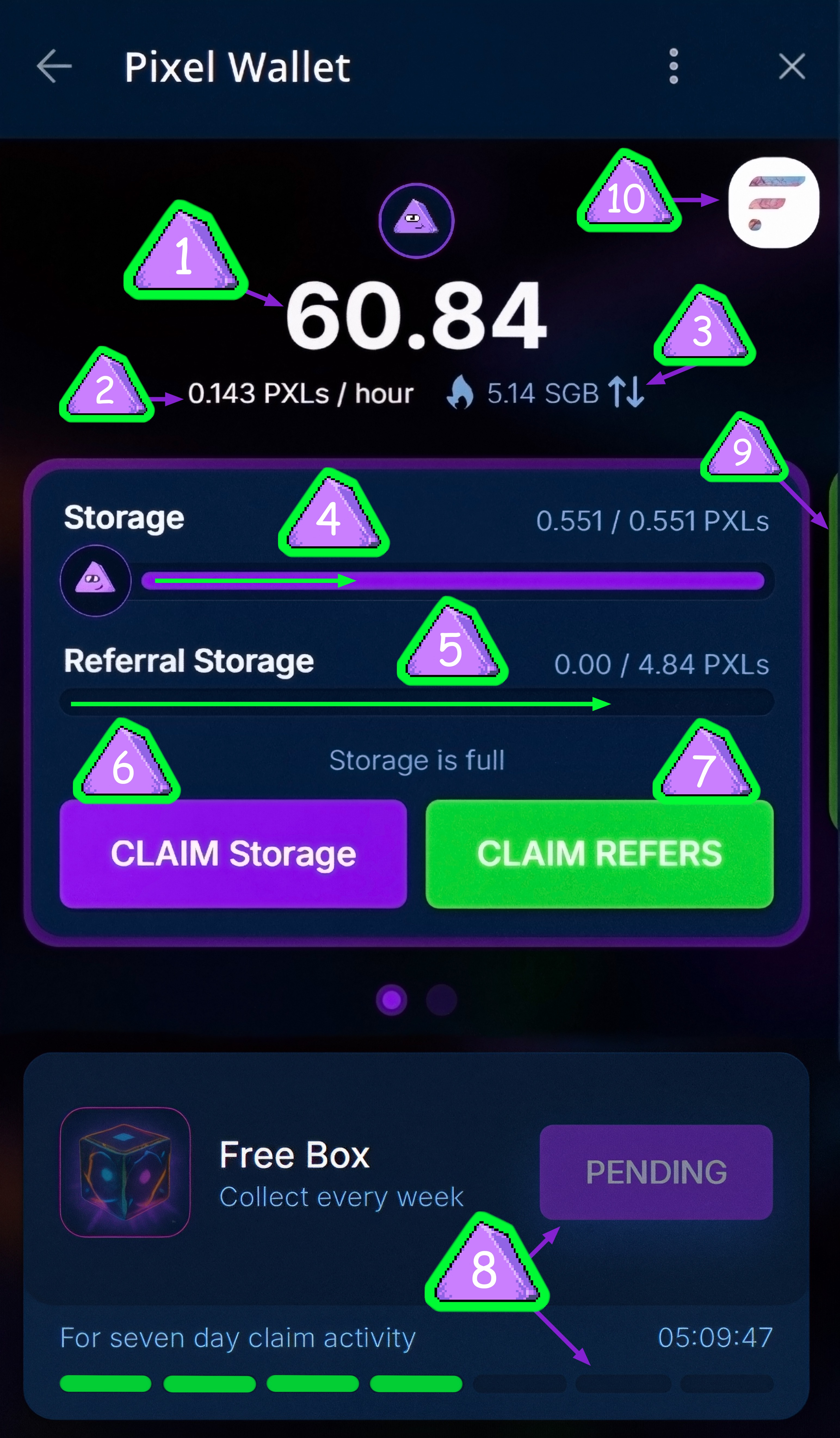
- Balance of mined Pixel Shard coins
- Current mining speed per hour
- SGB tokens for gas; you can switch to free gas from quests or back to SGB gas by clicking the arrows
- Storage; all tokens mined with the drill will wait here until you collect them, limited by storage capacity
- Referral storage; here you receive a percentage of your friends' earnings, and as this, you can collect your bonus pixels from friends' mining!
- CLAIM PXLs Button: Click to collect mined coins
- CLAIM REFERS Button: Collects all pixels from the referral storage and adds them to your balance
- If you log in and collect Pixel tokens twice or more daily, within 23 hours and 59 minutes, after a week, the will up, and you'll receive a free NFT chest. This can be used for mining bonuses or sold when our marketplace opens.
- Buddha Miner: To unlock it, swipe from the right edge of the screen to the left. Buddha Miner becomes available after reaching level 10 of your main Drill. The speed and storage depend on the upgrade level of the main miner.
- Button for switching between Blockchain networks
Buddha Miner
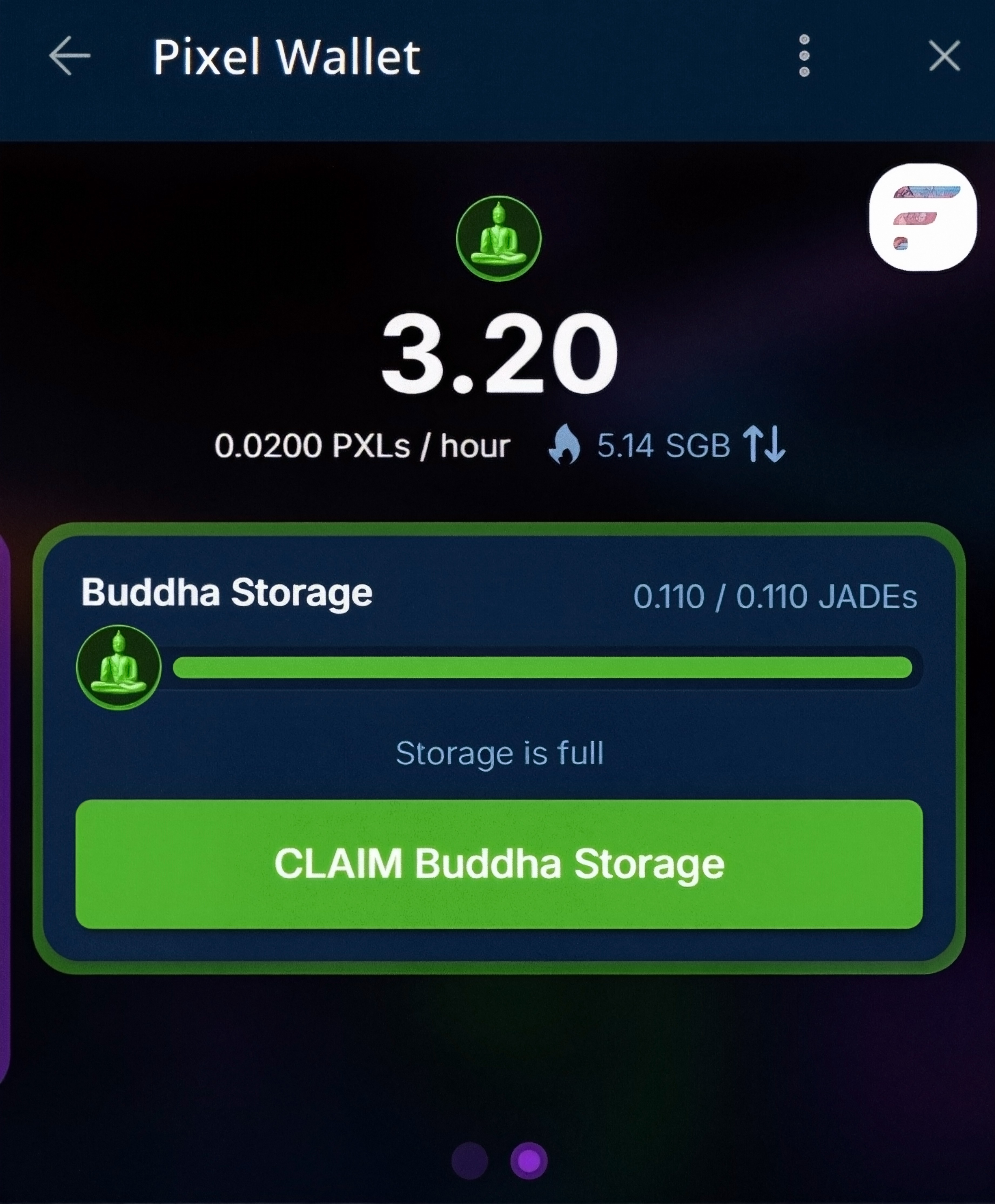
Here, only one function is available:
Collecting JADEs tokens with a single button press.
NFT come in 5 rarity types, each unique in its characteristics:
- COMMON
- UNCOMMON
- RARE
- EPIC
- LEGENDARY
Further down in the Mining section
Section №3

- Quests Section: Complete various tasks to get gas for Pixel token claims. More valuable quests will be added later.
- Upgrades Section: Improve your Storage - Pixel storage and mining speed by upgrading the Drill.
- Friends Section: Find your invited friends list and referral link to invite friends. They provide you with 20% of their PXL earnings, and your friends' referrals give you 5% of their earnings.
- Inventory Section: Store all your NFT, which you can use to boost mining speed or storage capacity!
- Pixel Box: Purchase during sales for mined Pixels, containing NFT of various rarities. Sales are announced on the official channel!
- SGB Box: Purchase during sales for SGB tokens, containing NFT of various rarities. Sales are announced on the official channel!
Quests Section
Section №4
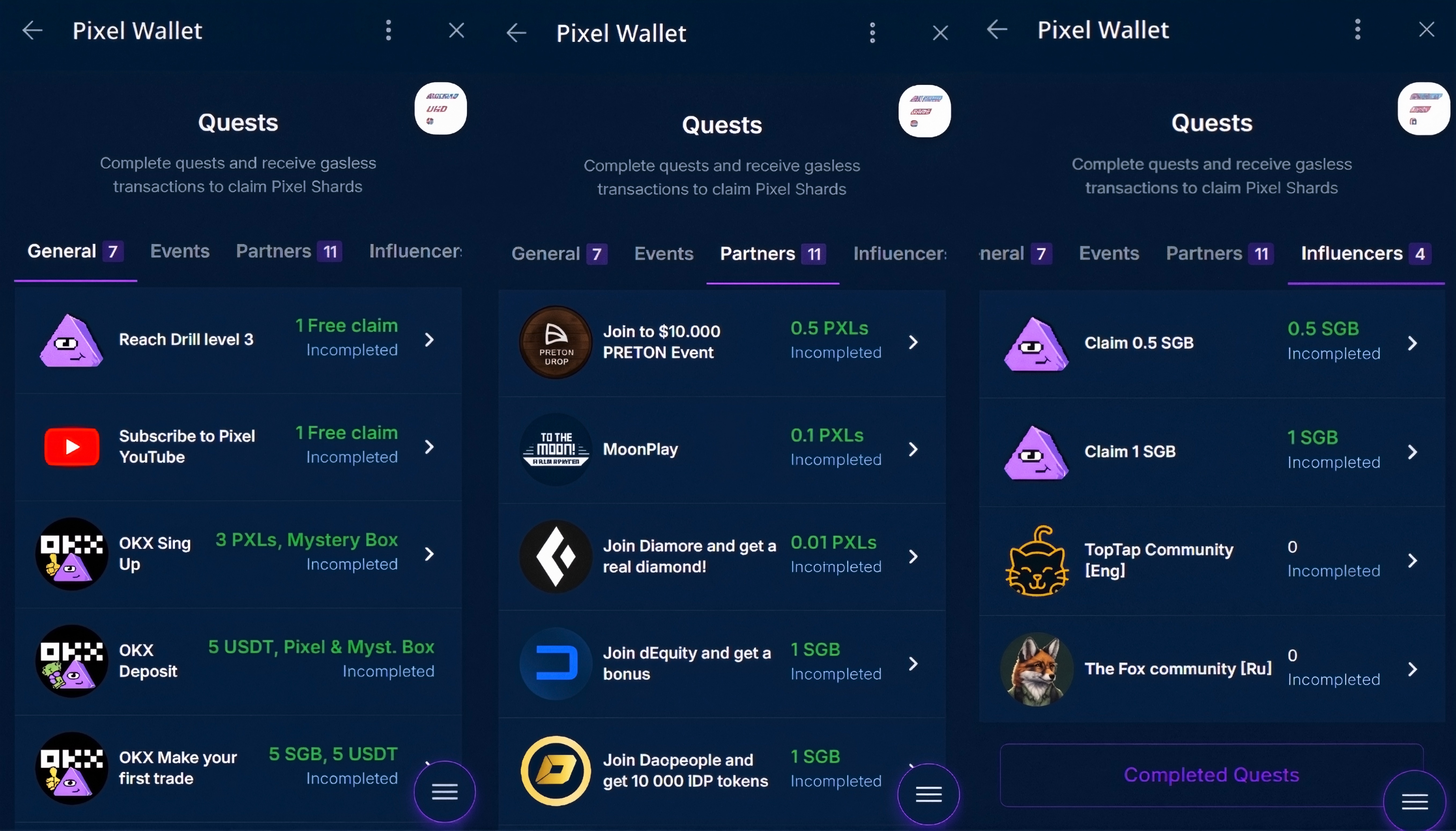
Here you can get free gas for mining or free SGB tokens for gas! Additional quests with various valuable rewards are also added.
Upgrades Section
Section №5
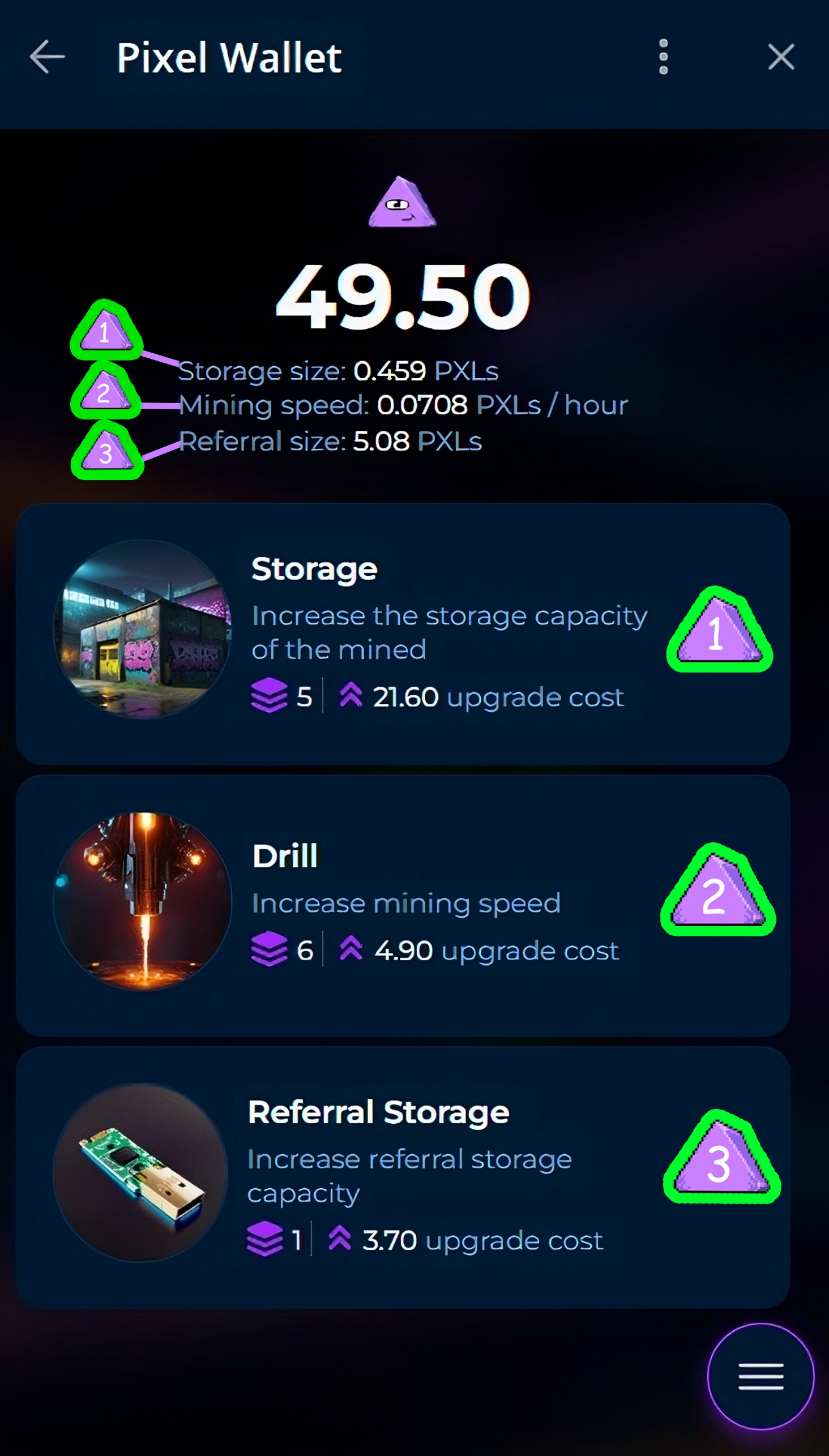
- Storage: Increases as the drill speed increases. The larger the storage, the less frequently you need to collect Pixel tokens.
- Drill: The higher the drill level, the faster you mine Pixel tokens. Remember, upgrading the drill decreases collection time since storage holds a limited number of pixels at different levels!
- Referral Storage: Stores tokens mined by your friends as your referral bonus. Collect it as it fills up.
Friends Section
Section №6
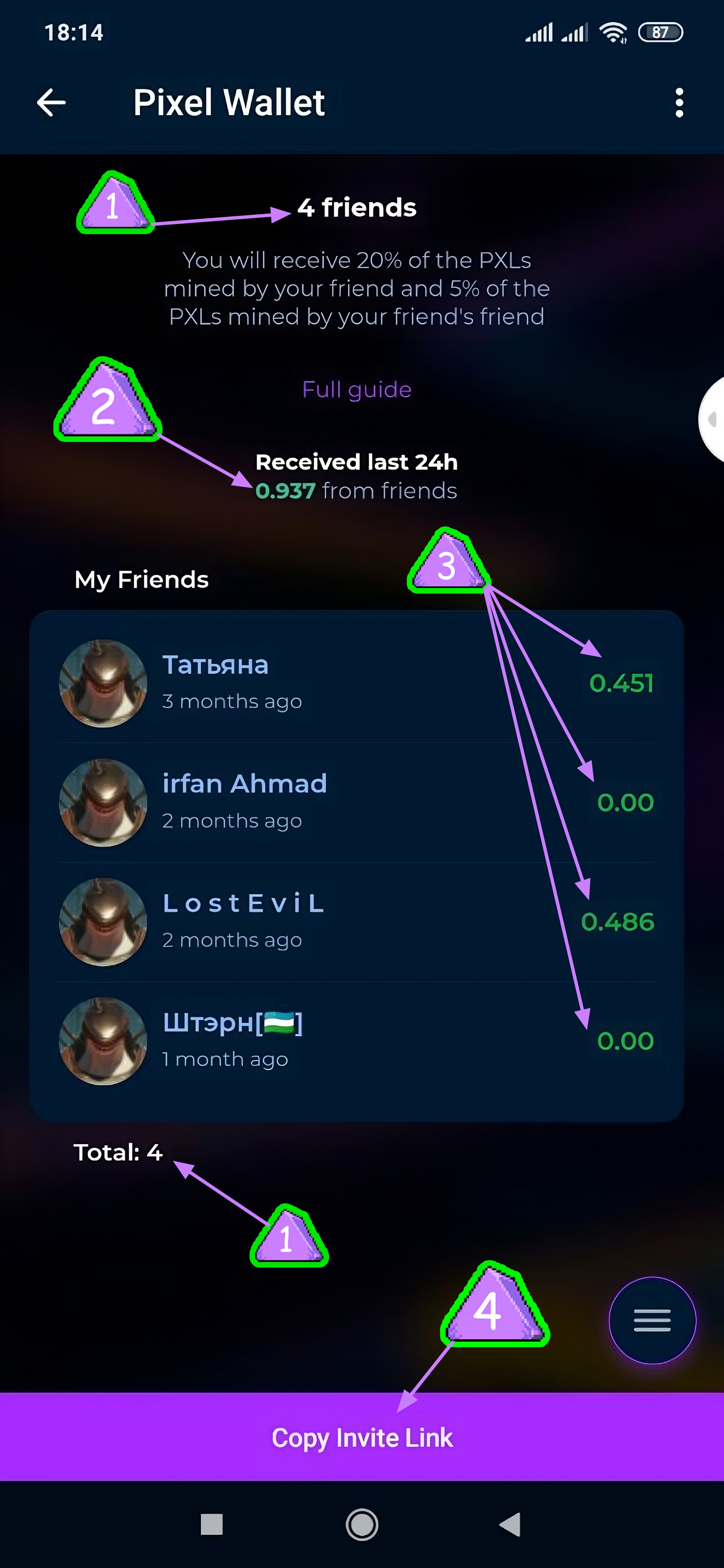
1. Number of your friends
2. Number of Pixels per day mined by your friends as referral bonuses
3. Number of Pixels per day mined by each of your friends individually
4. Button to copy your referral link
Inventory Section
Section №7
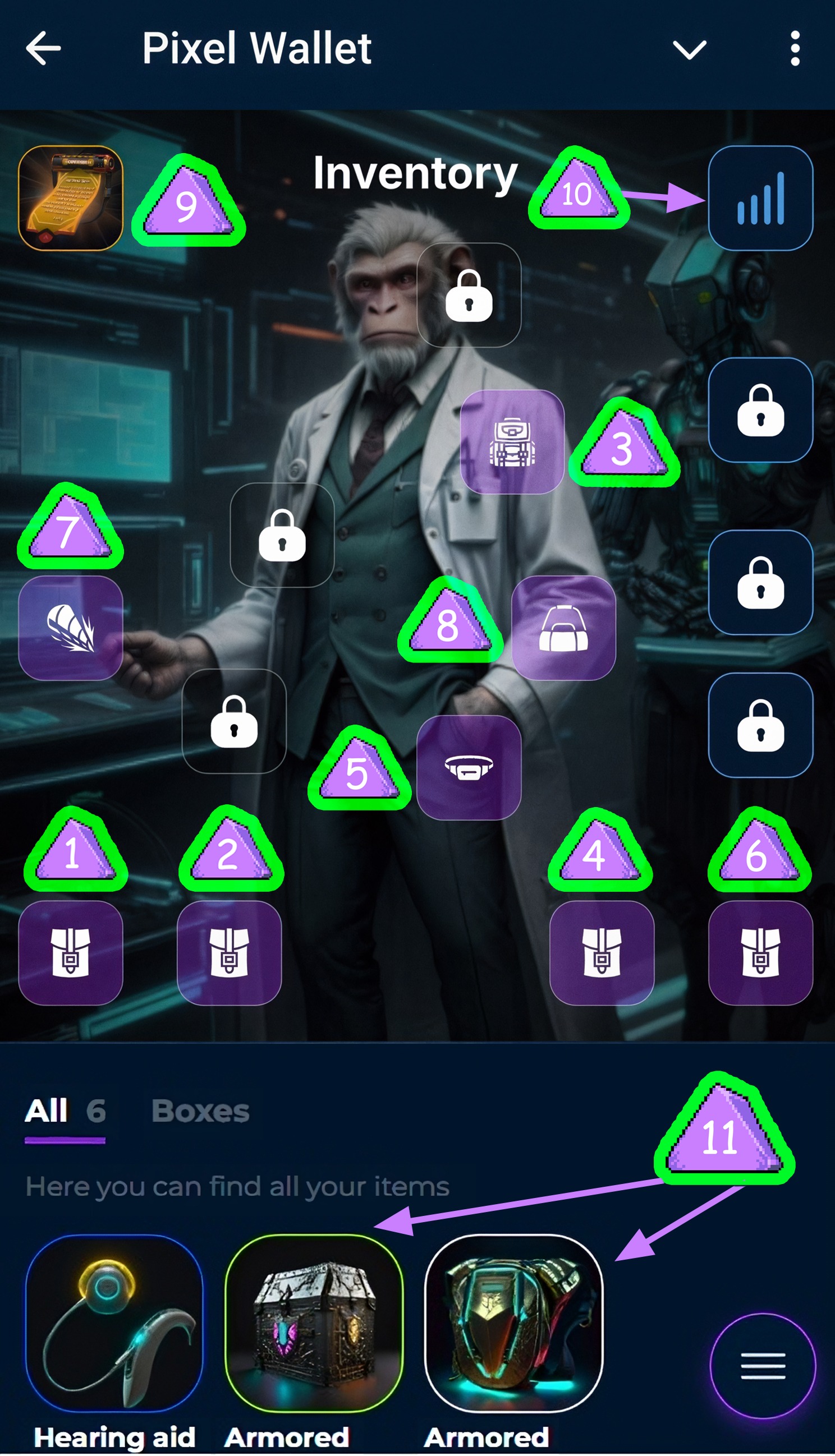
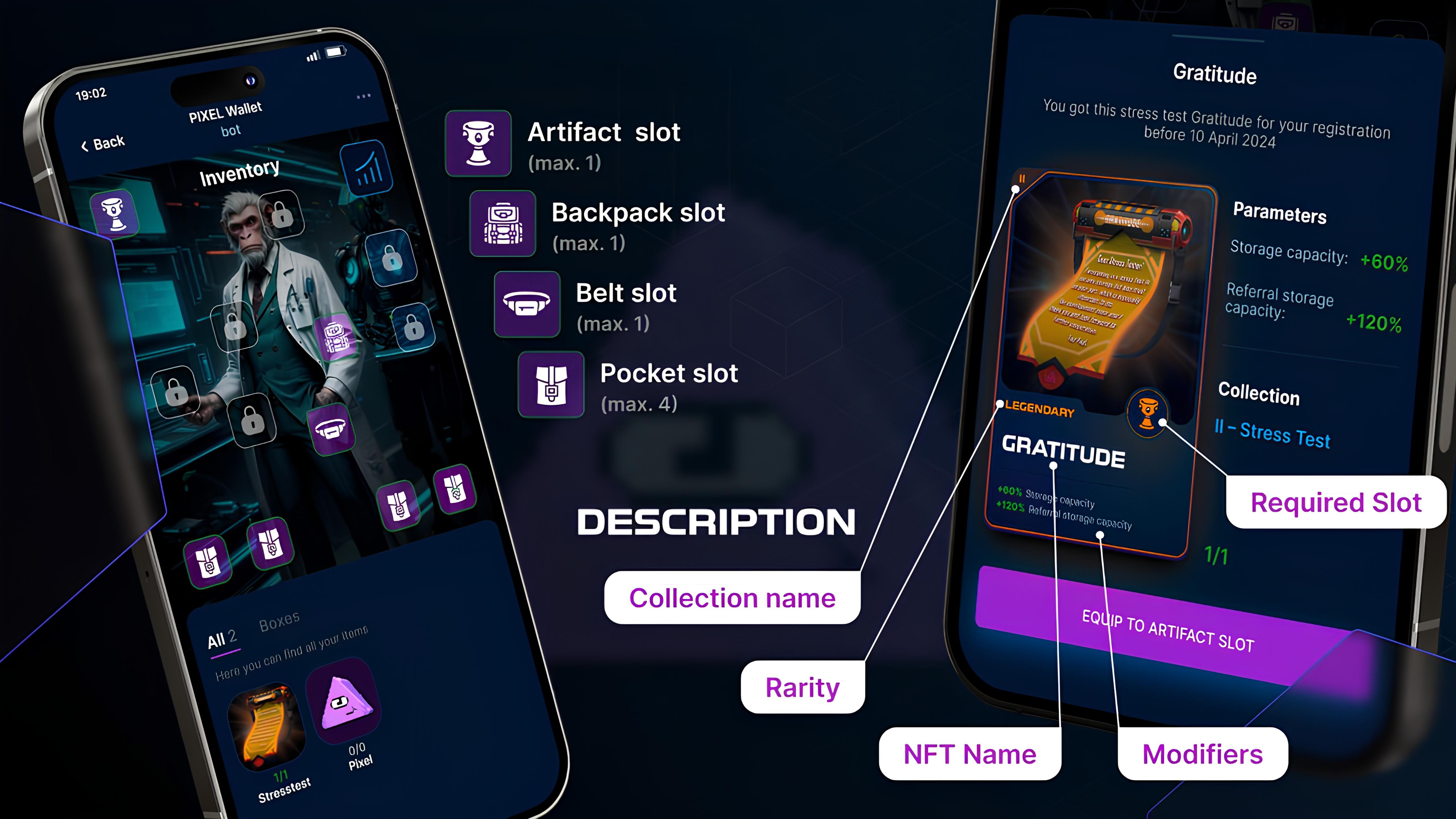
1. Six Available Slots: Open each slot with mined Pixels or SGB!
Slot Opening Order List:
2. Pocket
3. Backpack
4. Waist Bag
5. Pocket
6. Pocket
7. Drill
8. Back
9. Total Bonus Statistics: Bonuses provided by equipped NFT
10. Artifact Slot: Exclusive items that are hard to obtain. Actively mine and follow official channel announcements to not miss them!
11. Your unequipped NFT
NFT come in 4 rarity types, each unique in its characteristics:
- COMMON
- UNCOMMON
- RARE
- EPIC
- LEGENDARY
Total NFT bonus statistics
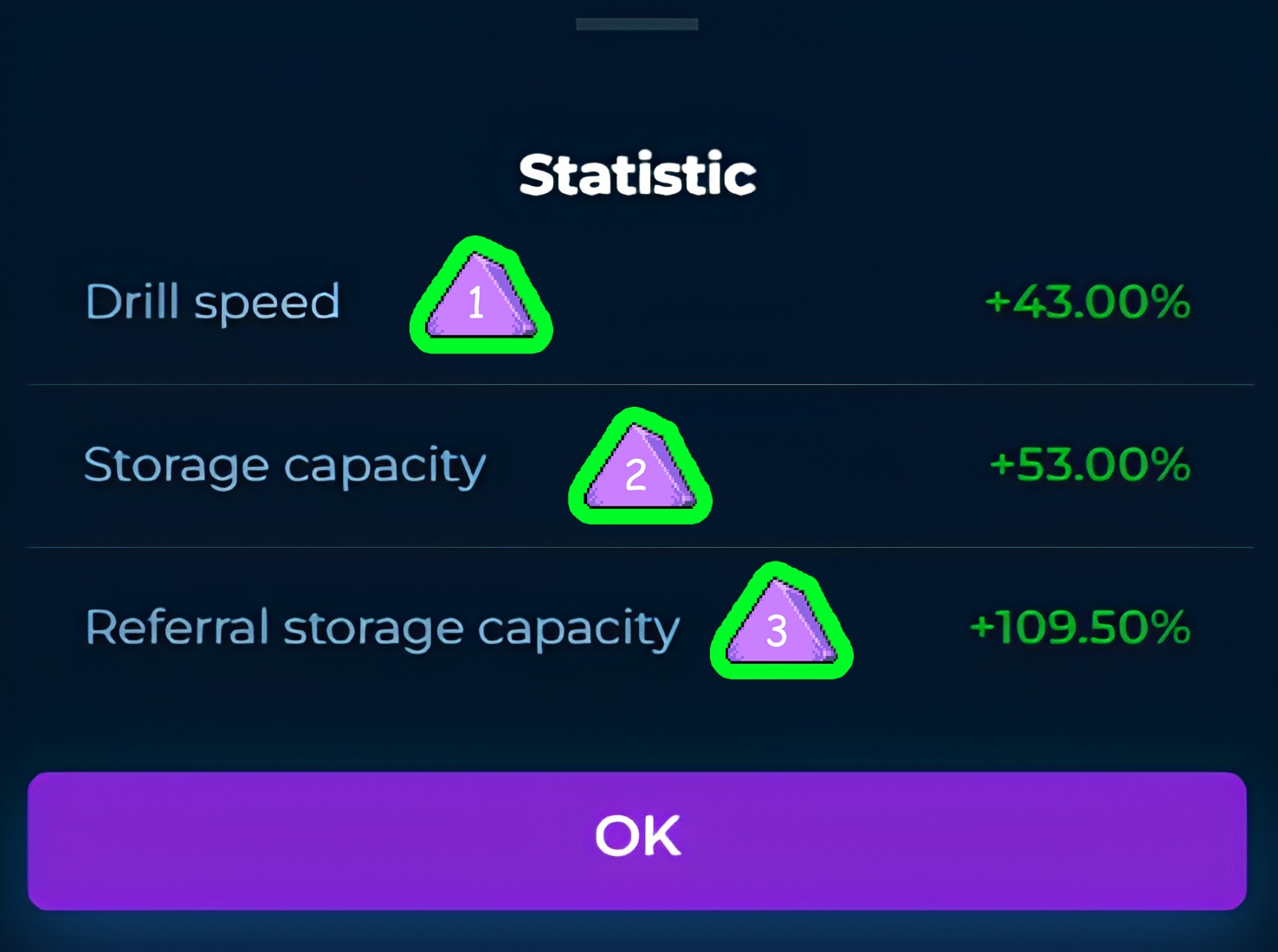
- Total Drill Bonus of all equipped NFT
- Total Storage Bonus of all equipped NFT
- Total Referral Storage Bonus of all equipped NFT
Slot type
Equipping NFT
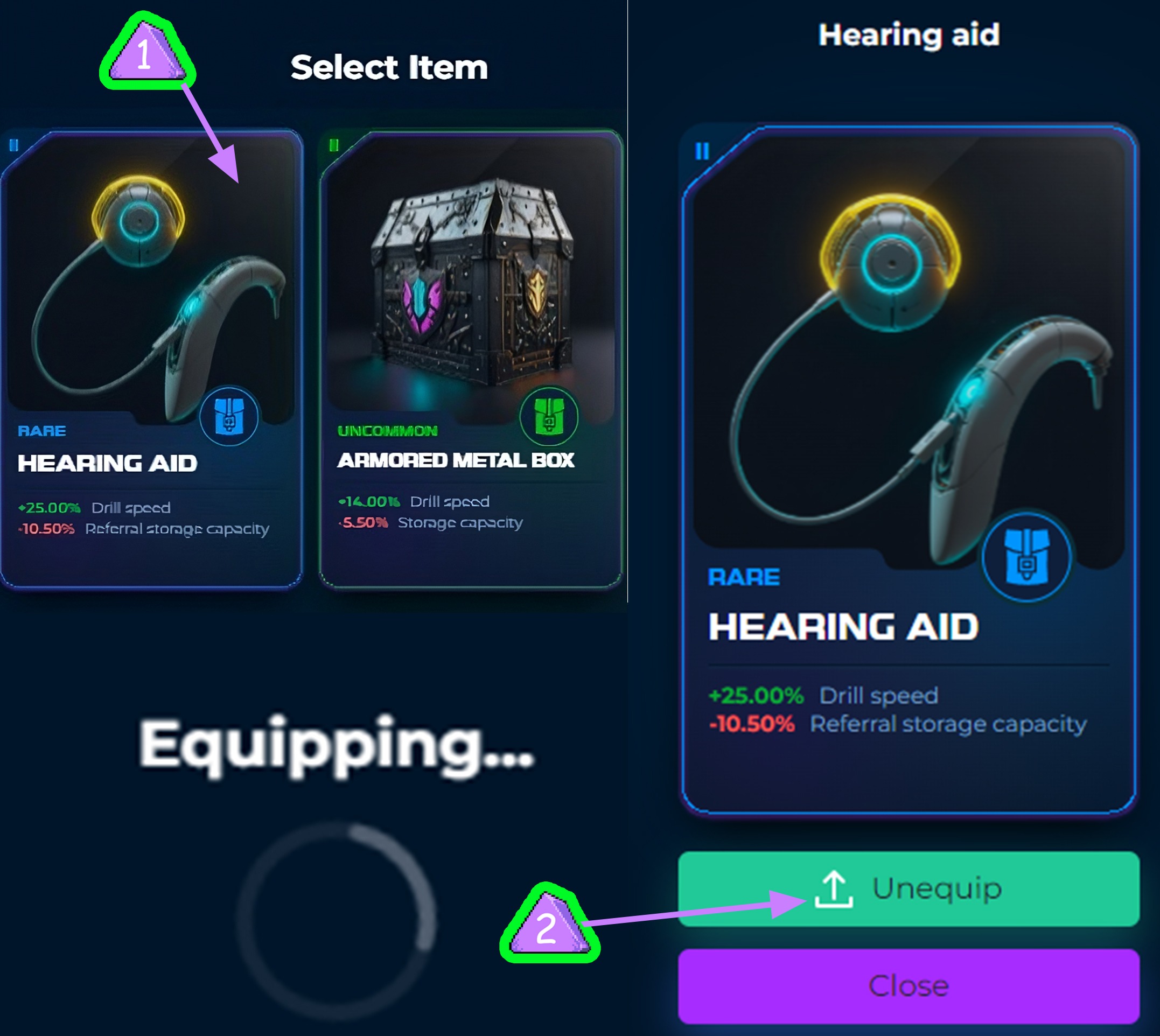
- To equip an NFT in an inventory slot, buy the required slot, click on it, select the desired NFT, and click it.
- To unequip an NFT, select the slot by clicking it, then click the Unequip button.
Main Menu and Settings Section
Section №8
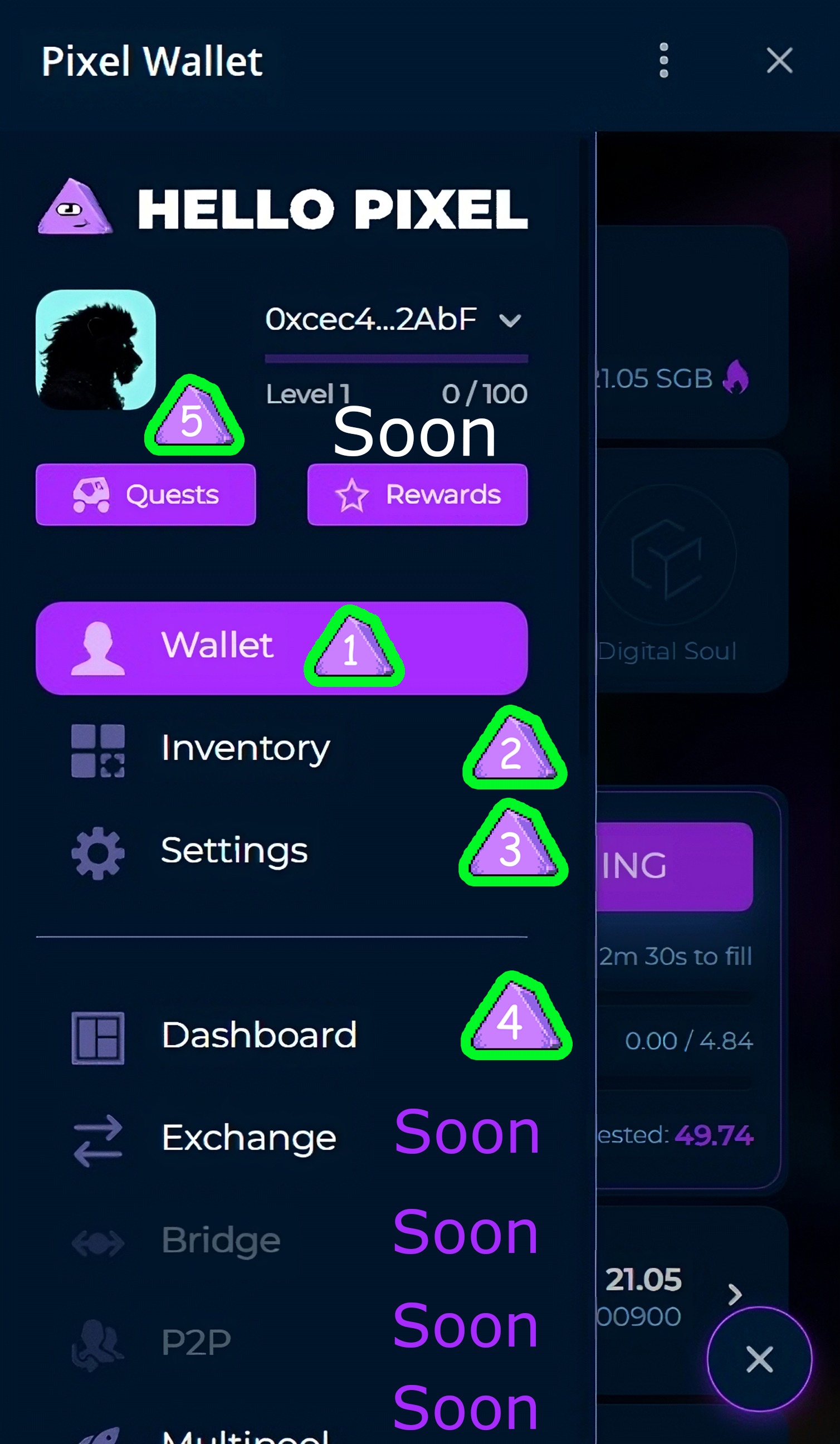
Clicking on the circle with three lines at the bottom right opens the menu, which currently has 4 functions:
1. Return to your wallet and main menu
2. Inventory
3. Settings
4. Dashboard: This displays the total coin pool in the miner, the number of users, the number of users online, and the number of mined and burned Pixel tokens.
5. Quest section
Settings
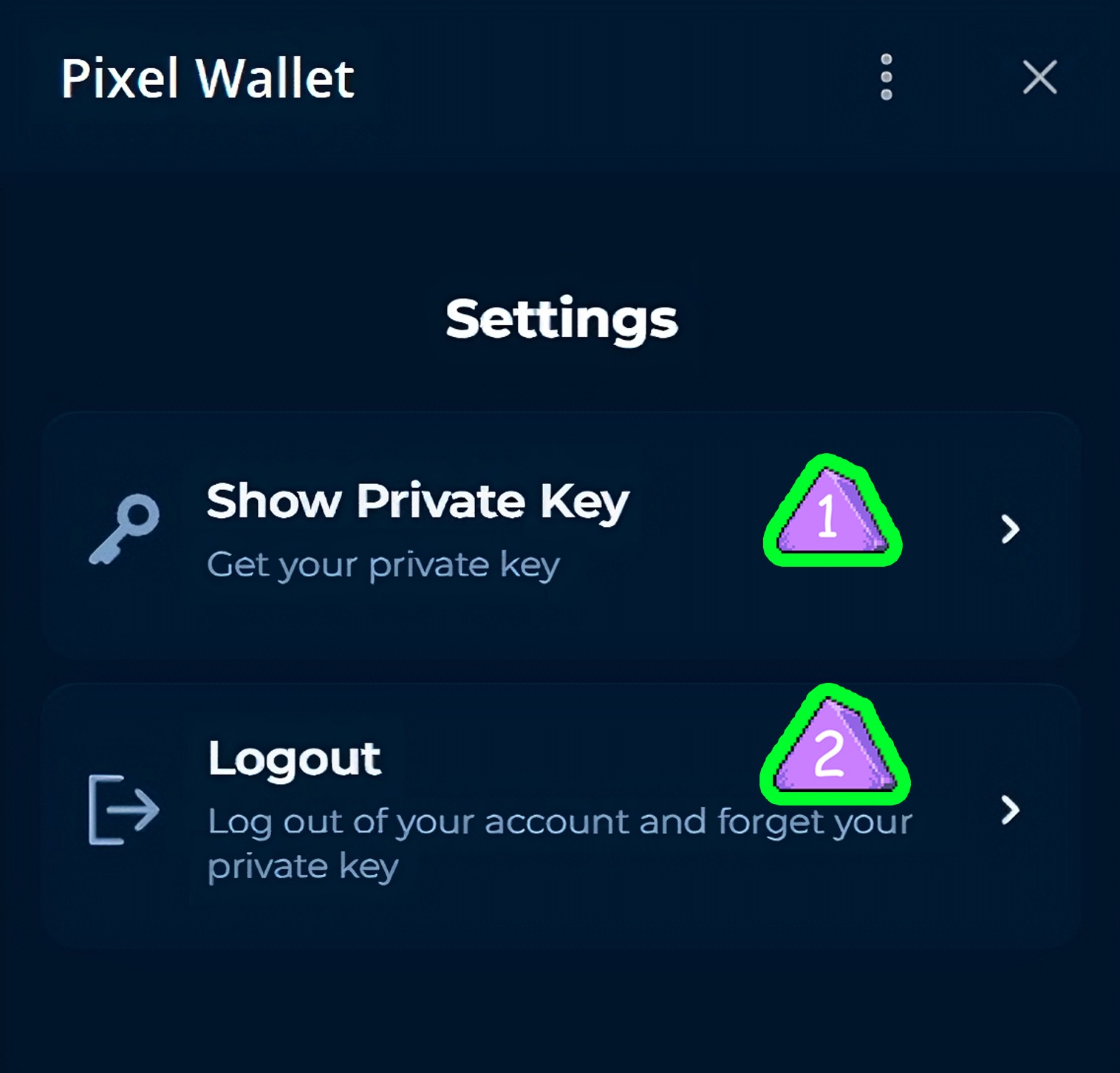
- View and copy your private key (works for wallet recovery like the Seed Phrase!)
- Logout from your wallet
SGB token section and their transfer to other players
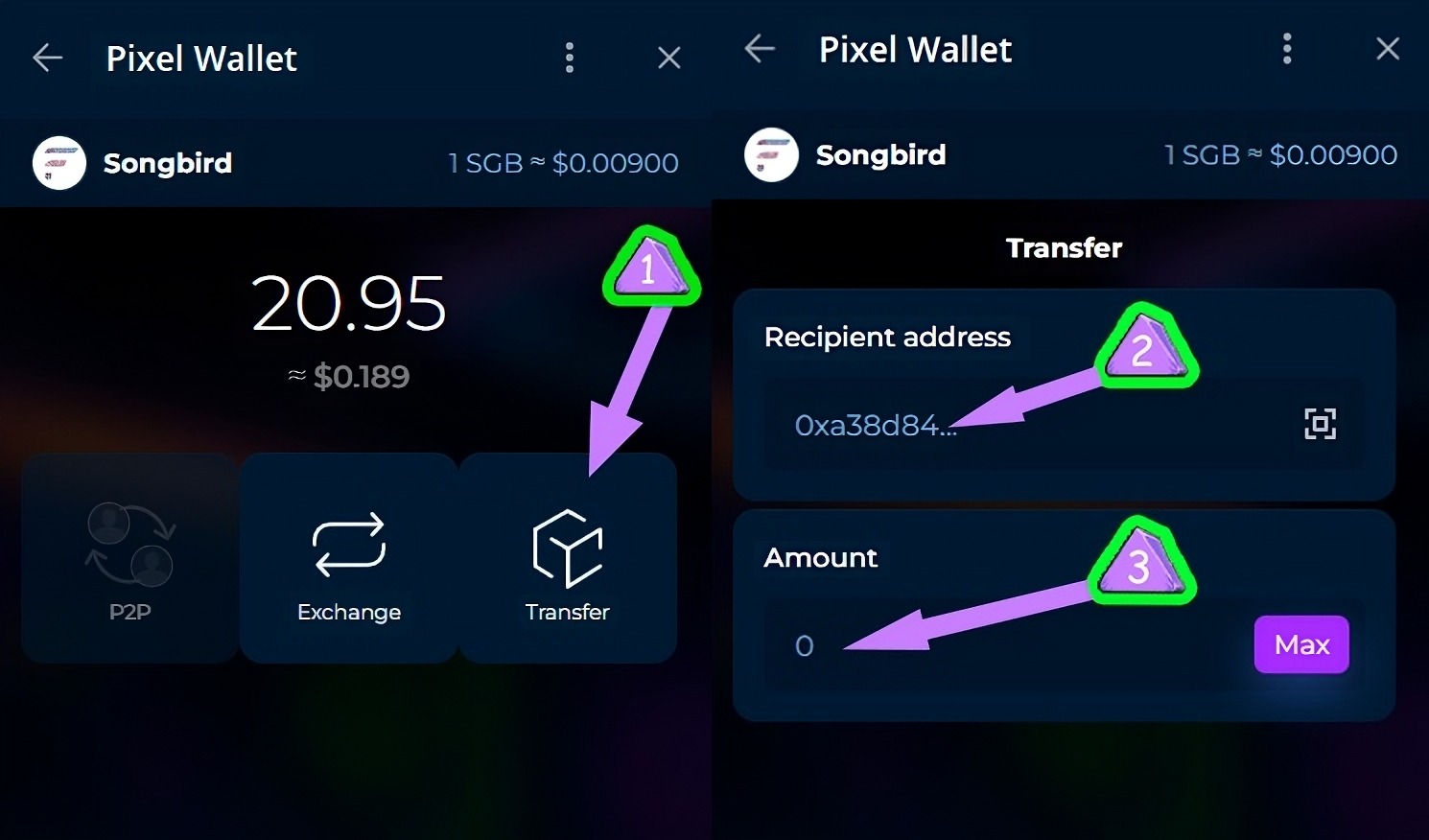
- Access this function through the main menu (Section 1 - item 5).
- Then select the Transfer function.
- Enter the recipient's wallet address, the number of pixels to send, then click the purple Transfer button. SGB sent successfully!
Thank you all for your attention, good luck with your NFT and fast mining!