NEIRO DMA for ROB RUN — features, prices and requirements
ROB RUNNEIRO DMA for ROB RUN: ESP for players, items and world objects, a mini radar, off-screen arrows and aim assistance through MAKCU, KMBox, Ferrum or Arduino. A separate gaming PC, a DMA PC and a compatible DMA/FPGA device are required. Aiming requires a supported external input device.
Checkout · Requirements · Features · Media
Requires two computers, compatible DMA/FPGA hardware and an external aim device. This is not a single-PC setup.
Plans and checkout
System requirements
- Client: Steam
- Anti-cheat according to supplier: Elytra Anti-Cheat
- Operating system: Windows 10 / Windows 11; 64-bit Windows on the DMA PC
- CPU: Intel / AMD
- Built-in spoofer: Not built in
- USB drive: Optional
- Display mode: Windowed / Borderless / Fullscreen
- DMA hardware: Compatible DMA/FPGA device, a separate DMA PC and a separate gaming PC
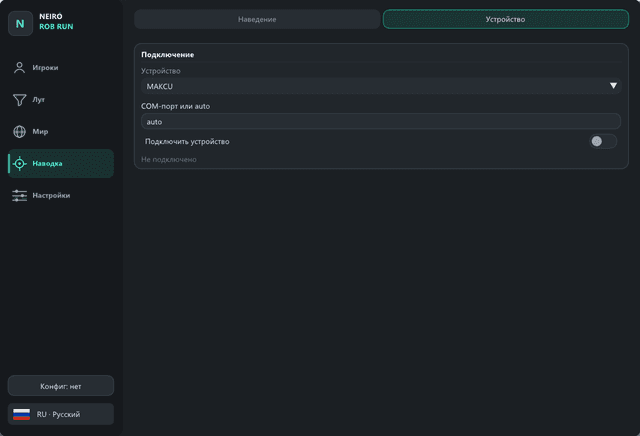
- Aim device: Supported external MAKCU / KMBox / Ferrum / Arduino device
- Graphics API: DirectX 11
- Libraries: VMM, LeechCore and FTD3XX are included; install the DMA/FTDI system driver separately. Do not replace DLLs with files from random archives.
- Visibility check: The supplied maps folder; Low quality is recommended for a DMA PC with 8 GB RAM
Screenshots and video
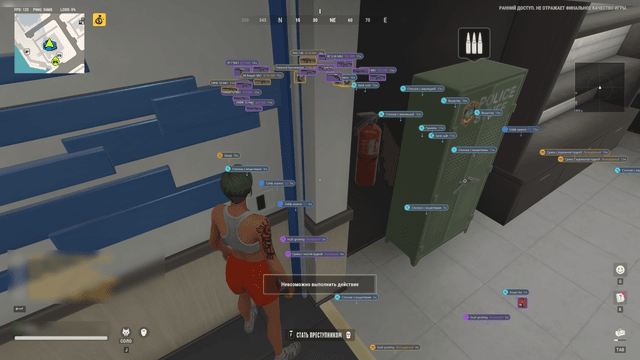
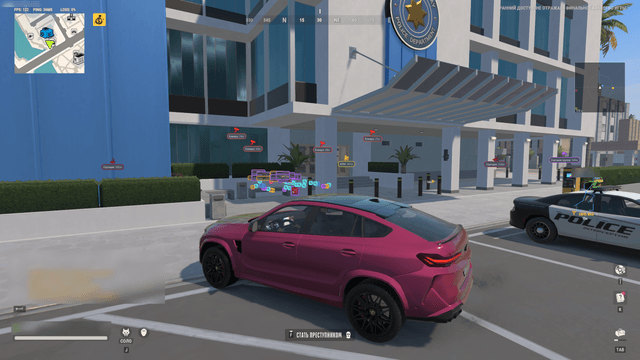
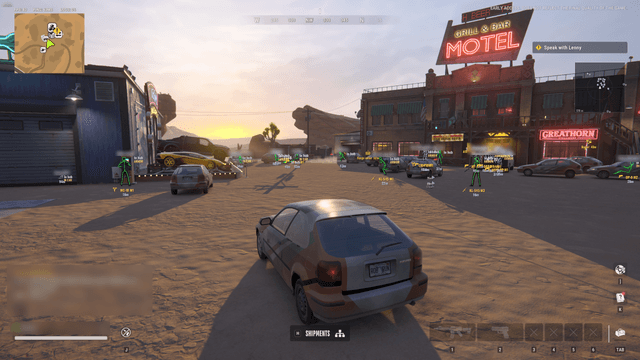
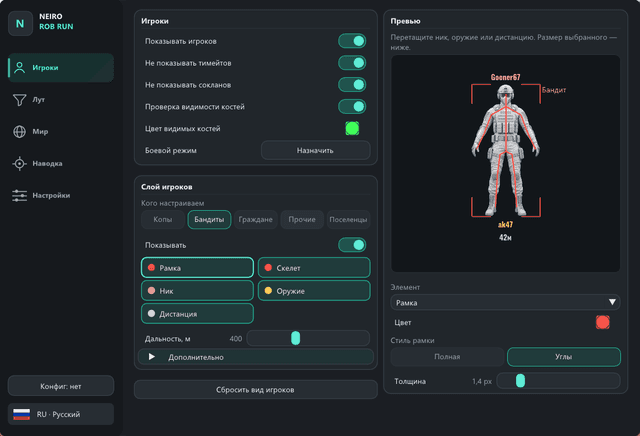
Full feature list
Player ESP
- Separate settings and colors for cops, robbers, citizens, settlers and other roles; citizens are yellow and visible bones are green.
- Full or corner boxes, skeleton, name, weapon, distance and role.
- States: in a car or helicopter, hiding, knocked out, arrested, handcuffed, surrendered, searching, looting, trading, carrying items and cargo, reloading, using an item and armor.
- Visibility check: walls, terrain and vehicles count as cover; bars and glass do not.
- Hide teammates and clan members; separate color, size and position for every element, plus ESP and skeleton distances.
- Interactive ESP preview with draggable elements.
Loot ESP
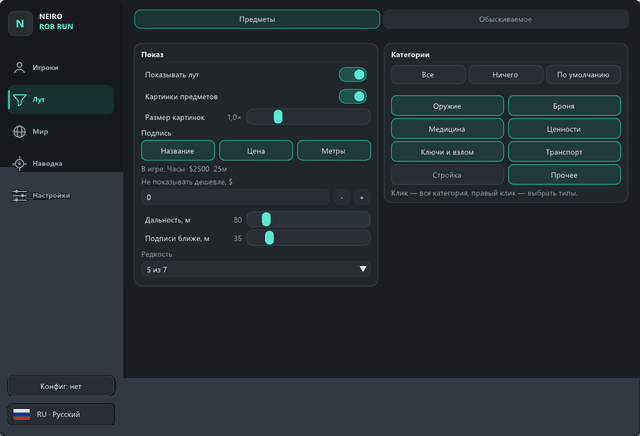
- Ground items with original game pictures, name, price and distance.
- Minimum-price, rarity and category filters: weapons, gear, medical items, valuables, keys and tools, vehicles, building and other items; individual item-class selection.
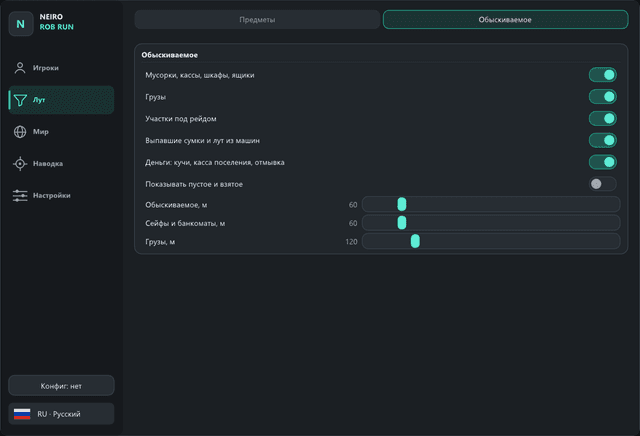
- Dumpsters, registers, lockers, crates, safes, ATMs and cargo in buildings.
- Hide empty and already searched spots; separate distances for items, searchable objects, safes and cargo.
World ESP
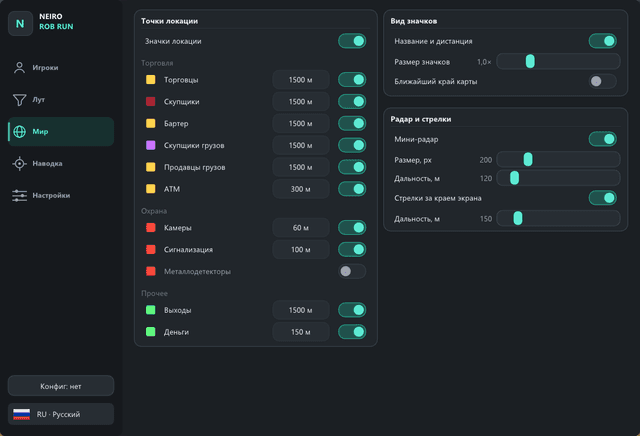
- Traders, fences, barter, cargo buyers and sellers, ATMs.
- Cameras, alarm panels and metal detectors.
- Location exits, cash and the nearest map edge.
- Separate toggle, color and range for each icon type.
Radar and arrows
- Player mini radar with above / below indicators.
- Radar size and range; drag it with the mouse while the menu is open.
- Off-screen player arrows with distance.
Aim assist through an external device
- Supports MAKCU, KMBox B+ Pro (COM), KMBox NEX / Net (UDP), Ferrum (COM / NET), Arduino Leonardo / Pro Micro with the m<x>,<y> sketch.
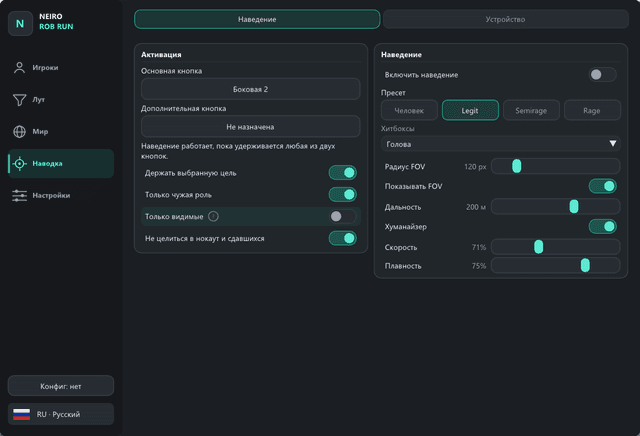
- Activation through the device or the gaming PC keyboard / mouse; two key bindings.
- Human, Legit, Semirage and Rage presets.
- Head, neck, chest and pelvis hitboxes — one or several.
- FOV, distance, speed, smoothness, stick strength and humanizer.
- Lead for moving targets and retention of the selected target.
- Visible Only mode skips targets behind cover.
- Teammates and clan members are always excluded; your own role, knocked-out and surrendered players can also be excluded.
Battle mode
- An assignable key hides loot and world icons while keeping players visible.
- A small red crosshair appears at the top center of the screen while the mode is active.
Settings and image output
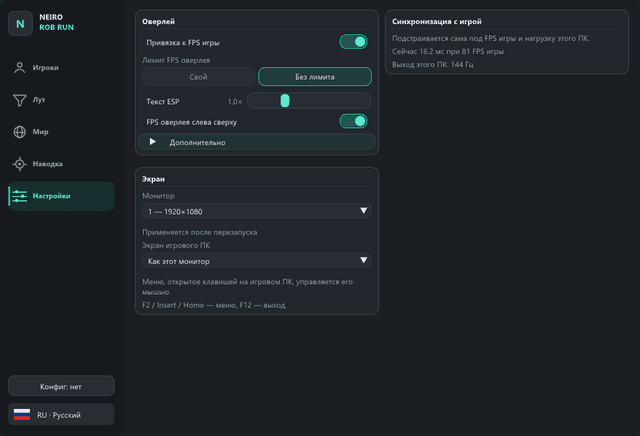
- Russian and English interface, automatic saving and named configurations.
- Another user’s profile does not change device, monitor or synchronization settings.
- Automatic ESP-to-picture synchronization: on the second PC, delay adapts to game FPS and PC load; when running on one PC, the camera is checked against the picture during a match.
- Following game FPS is enabled by default; when disabled, the overlay uses the FPS set in the menu.
- Overlay FPS limit, ESP text size and monitor selection.
- Control the menu using the keyboard and mouse of either PC.
- Output to a second monitor or through a fuser; when running on one PC, a transparent overlay appears over the game.
- Automatically waits for the game and match.
Help choosing
Feature information: 14 November 2026. This description is not a current operational test. Status and compatibility may change.