Microsoft Developer Program
Sieam SadiIt will give you access to an admin account.
Requirements:
Phone number, a previously created outlook or hotmail email
Step 1:
Go to this link and click the blue button saying “Join now”. (https://developer.microsoft.com/en-us/microsoft-365/dev-program )
Step 2:
Create your account as you would normally or use your personal Microsoft account, I’d suggest you use your real Infos, or not, do whatever you want.
Step 3:
Select your country, give them a fake company name, accept conditions, whatever.
Step 4:
They will ask you why you want to integrate the program, and say that you want to use this account for personal projects.
Step 5:
They will ask you what apps you want to use, just put whatever you want, you will have access to everything still.
Step 6:
Now they will ask you what sandbox you want, I’d suggest you take the Instant sandbox.
Step 7:
Now they will ask you to create an admin account and input your country, the name you want, and your password.
Step 8:
Input your phone number, it will be used to send a verification code. (You will also have to use an authenticator to connect to the account.)
Step 9:
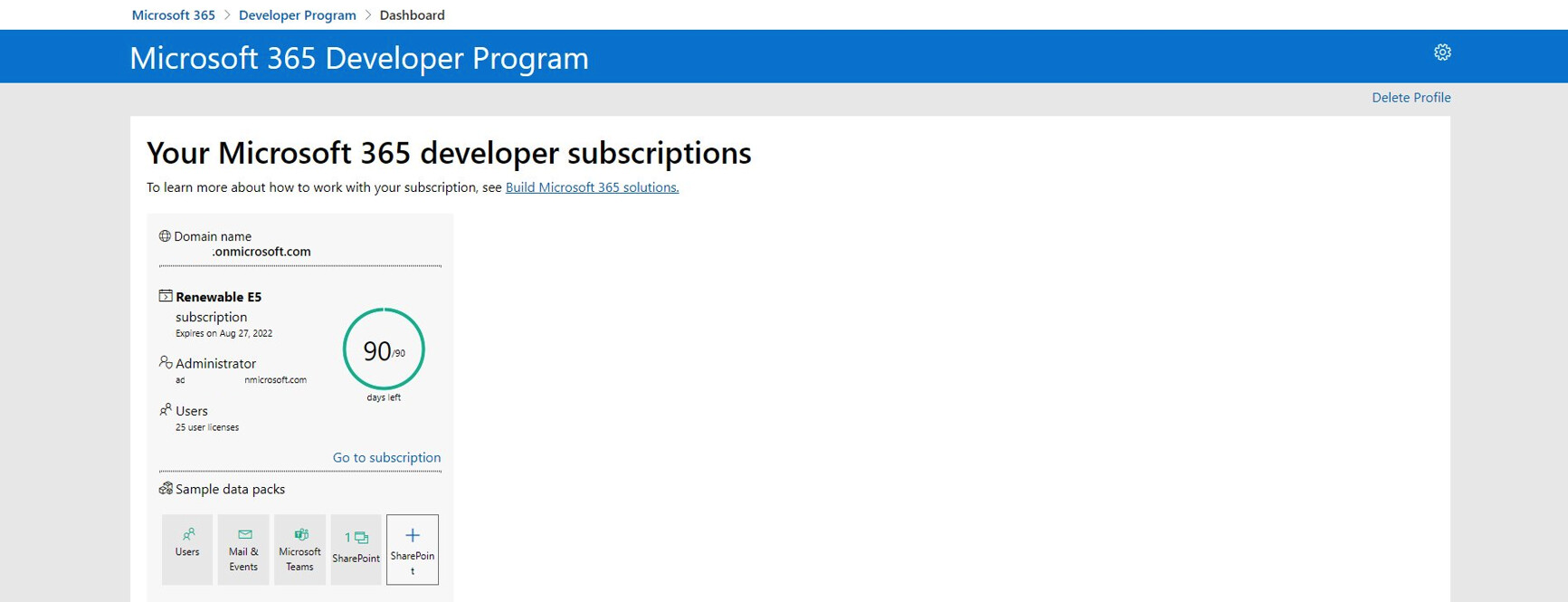
Your account is created.
You will land on this page:
Step 10:
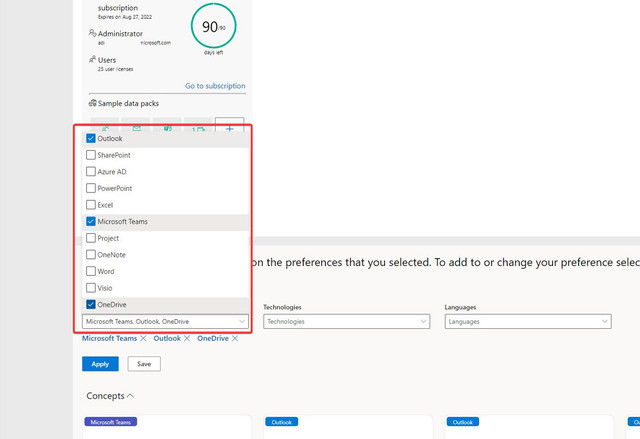
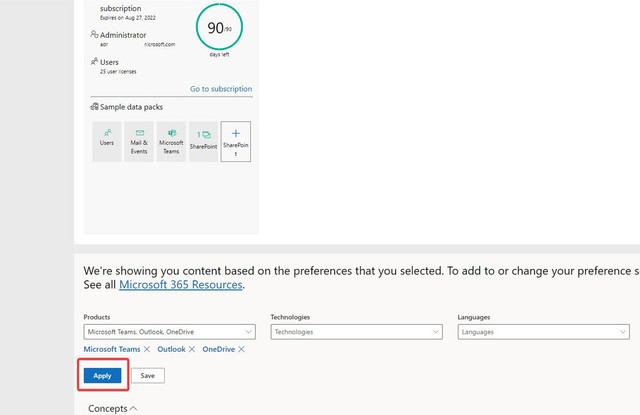
Scroll down and enable the necessary apps then click apply and save:
Step 11:
Go to office.com (http://office.com/) and connect with your given mail and the password you choose.
Source: https://docs.microsoft.com/en-us/office/developer-program/subscription-expiration-and-renewal