Metale Tutorial #2: Profile Overview
Metale Protocol
This guide outlines all the actions you can perform with your Metale account. Hereafter, we will use Type 1 account (Email login) for all actions on Metale platform. If there is a need to use Type 2 account (login via other Wallets), it will be specified directly in the tutorial material.
Account Management
1. Open the account dashboard on the top right:
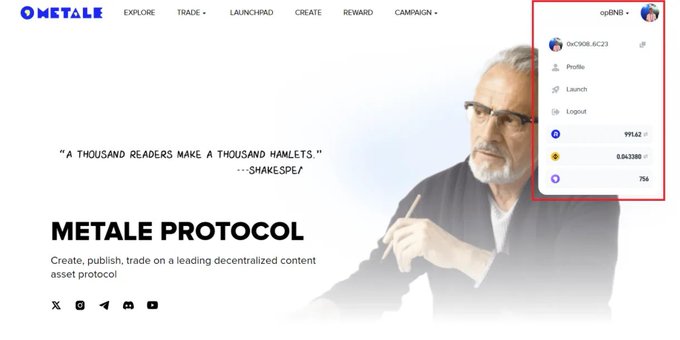
2. The following functions are available:
A. Switch between BNB and opBNB chains (as of June 10, all actions on Metale platform are on opBNB chain).
B. Copy Wallet Address to deposit assets from other wallets/platforms.
C. Open your Profile page.
D. Open a Launchpad management page.
E. Log out from your account.
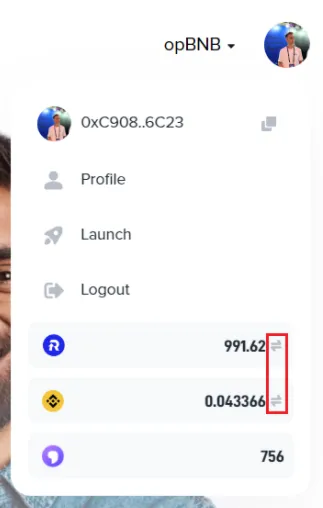
F. Open a Cross-Chain Bridge for $RCM/$BNB for BNB and opBNB chains.
Profile Page
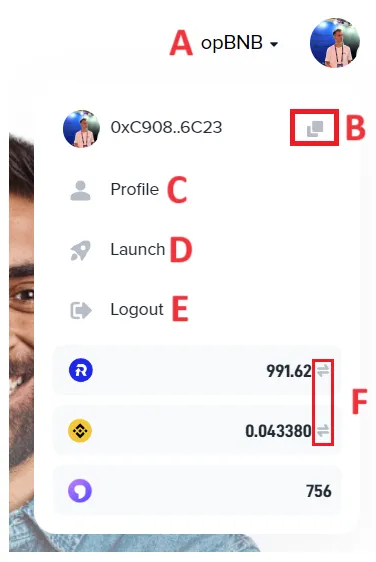
1. Click on Profile:

2. Find the following functions on your Profile page:
A. Account name: Twitter name after your link it to your Metale account on Reward page.
B. Created section: Place where you can check all your content NFT collections published so far via Create page.
C. Collected section: Place where you can check all your NFTs you own on your wallet (account).
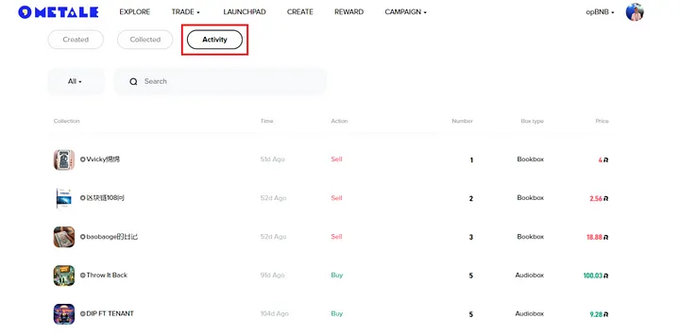
D: Activity section: Place where you can check all the actions you performed while trading NFTs on Bonding Curve page.
Next, we’ll cover each section of the profile separately.
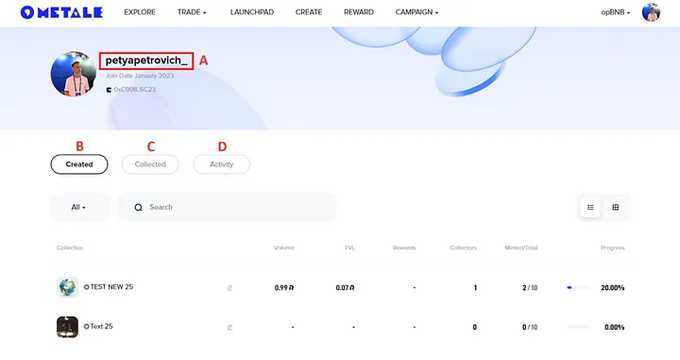
1. Profile: Created Section
A section designed to manage the content NFT collections you have published, as well as track the necessary statistics.
If you click on the collection name, the main page of the NFT collection opens. This page is explained in Metale Tutorial #3: Create Introduction (coming soon).
A. Edit page: Change the content of your NFT collection anytime.
B. Volume: Trading volume for all time.
C. TVL (Total Value Locked): The total value of all assets in your NFT collection.
D. Collectors: Number of unique users owning at least 1 NFT of your content collection.
E. Progress: NFT mint progress in your content collection.
2. Profile: Collected Section
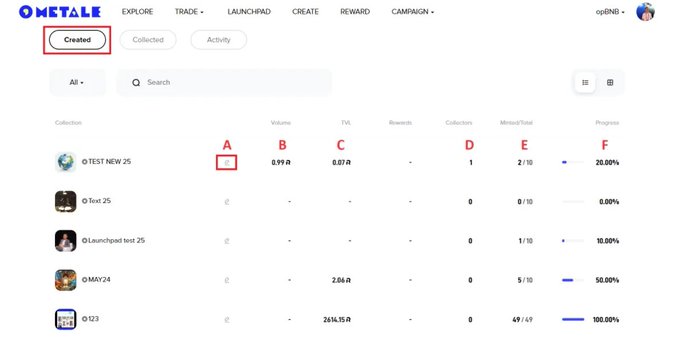
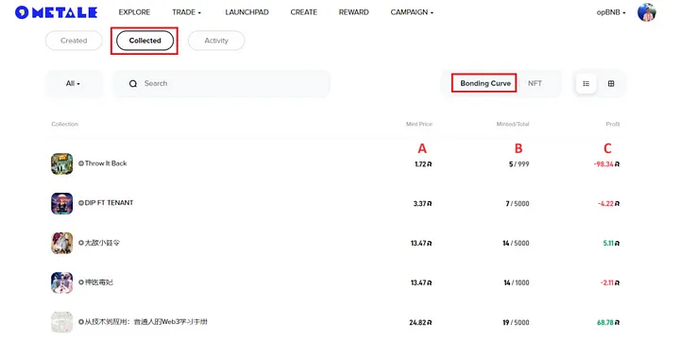
A section designed to manage NFTs of content collections you own on your wallet (account), as well as track the necessary statistics and set up trade orders on the Metale NFT Market for NFTs with BEP721 and BEP404 standards.
2.1 Bonding Curve
A. Mint Price: Current price to mint 1 NFT within Bonding Curve economic model (read more about Bonding Curve in Metale Protocol Whitepaper).
B. Minted/Total: Number of NFTs which have been minted by other users/total available NFTs to mint.
C. Profit: The amount of income calculated assuming you sell all NFTs at this time.
2.2 NFT
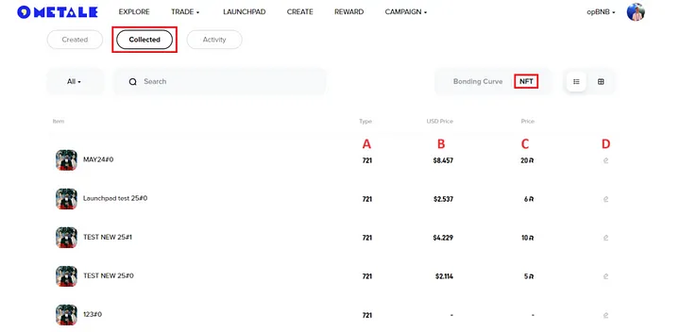
Both creators and merchants need this page in order to trade NFTs they have on their wallet. If you want to quickly find NFT of a particular content collection, just start typing its name in the Search.
A. Type: 721 or 404.
Read more about BEP721 in Metale Tutorial #9: BEP721 Model (coming soon).
Read more about BEP404 in Metale Tutorial #10: BEP404 Model (coming soon).
B. USD Price: Price in $ after you set up your NFT sell order.
C. Price: Price in $RCM after you set up your NFT sell order.
D. Order: Set up or edit your order which is available on NFT Market.
3. Profile: Activity Section
A section designed to track all the actions you performed while trading NFTs on Bonding Curve page.
Launch Page
1. Click on Launch:
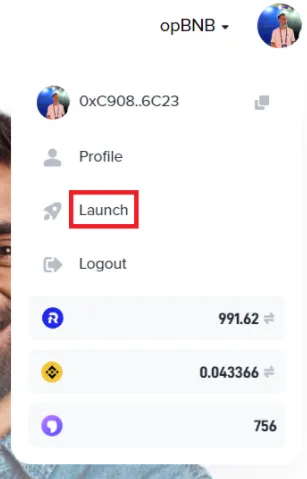
2. If you have already published your content NFT collection on-chain in the BEP721 standard with the “Launchpad” type on Create page, this collection will appear here so you can launch it on Metale Launchpad anytime to raise funds you need to create your content (for example, one of the most useful features for short drama production teams):
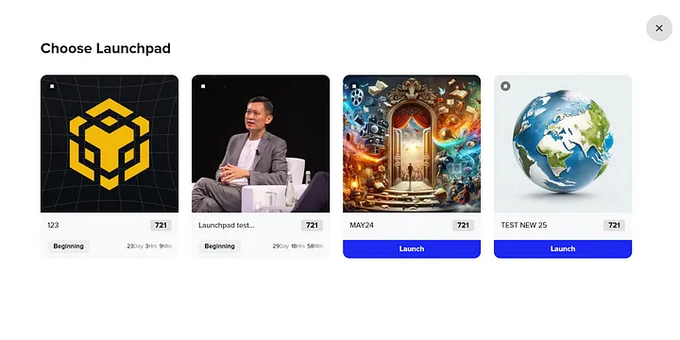
Read more how to launch your content NFT collection on Metale Launchpad and use crowdfunding to raise funds in Metale Tutorial #6: Launchpad Introduction (coming soon).
$RCM/$BNB Cross-Chain Bridge for BNB and opBNB chains
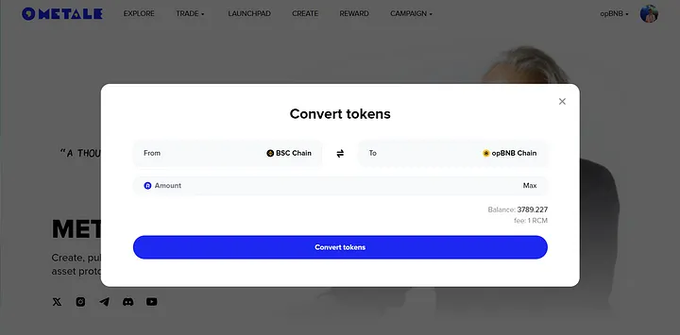
In order to make the transfer of $BNB/$RCM tokens between these chains seamless and fast, we provide a direct bridge right on Metale platform.
1. Click on the Arrow Icons next to your balance:
2. Choose the bridge direction, amount and confirm the transaction (bridging takes up to 1 minute only):
About Metale Protocol
A new-era global content distribution protocol that provides on-chain services for content subscription, transparent profit-sharing, and asset transactions.
