Marketplace
Main menu of the trading platform
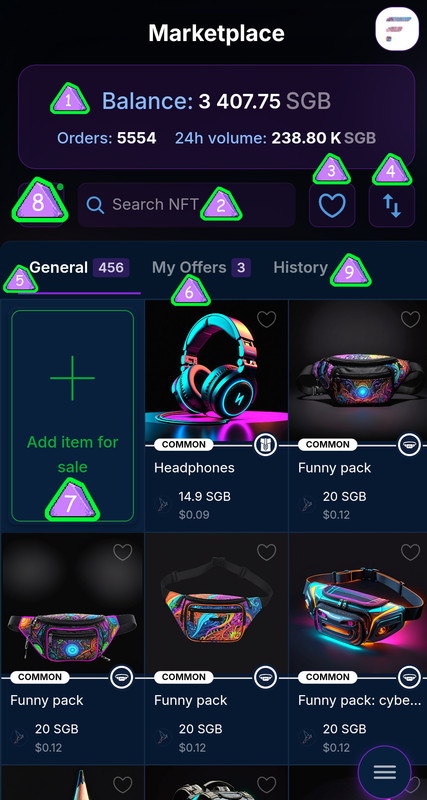
- Balance – displays the current balance of the C2FLR token tests.
- NFT Search – Search bar to find NFT definition by name.
- Favorites – a button to view your favorite NFTs.
- Sort - A button with two arrows pointing up and down that sorts NFTs by price, from low to low and vice versa.
- General - A tab for viewing all available NFT offerings on the marketplaces.
- My Offers - a tab for viewing your actual NFTs listed for sale.
- Add item for sale – add NFT button for sale.
- Filters - a button for setting filters, allowing you to customize your NFT search by various criteria.
- History - Here you can view the history of all your purchases and sales.
How to sell NFT?
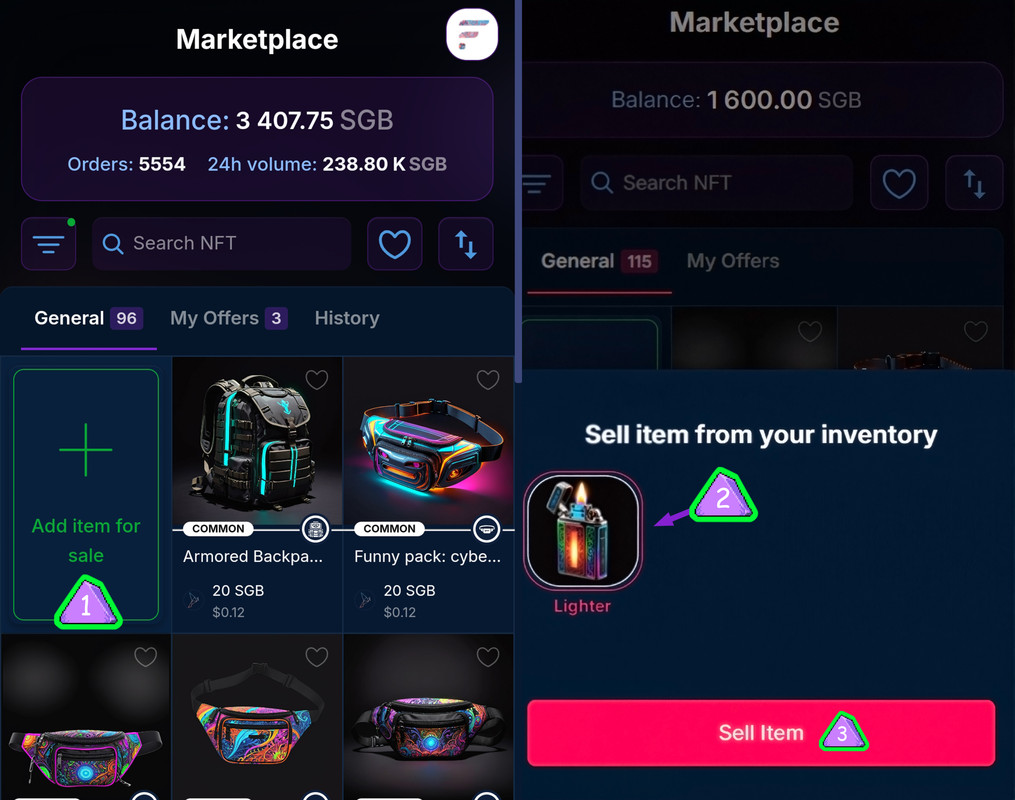
- Click the “Add item for sale” button – it is located on the marketplace and is marked with a green “plus” icon.
- Select the NFT from your inventory. A window will appear with your inventory, where you can select the NFT you want to sell.
- Click the “Sell Item” button and a window will open where you can set the price and finally put your NFT up for sale.
Next step
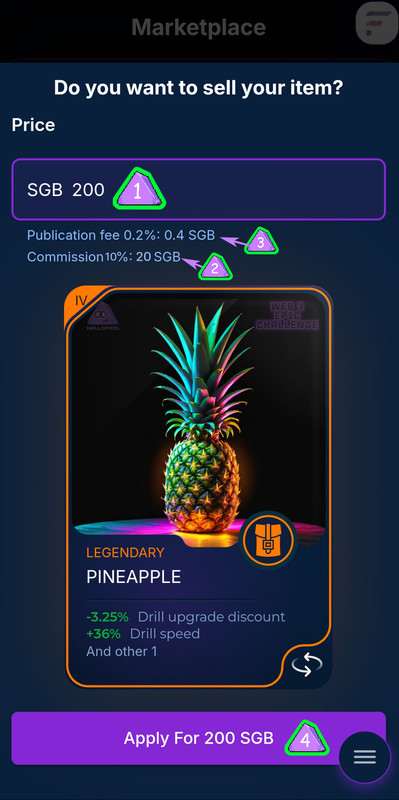
- Enter Price – In the Price field, enter how many SGB you want to sell your NFT for. For example, 200 Singapore pounds .
- Sales Commission – The ongoing commission is shown below (in this case it is 10% which is equal to 20 SGB ).
- The listing fee is the fee for listing the item for sale. It is 0.2% of the listed price. In this case, it is 0.4 SGB .
- Confirm the sale - Click the "Submit 200 SGB " button to ensure your NFT is listed for sale at the specified price.
How to buy NFT?

You need to select the desired NFT in the "General" section and click on it.
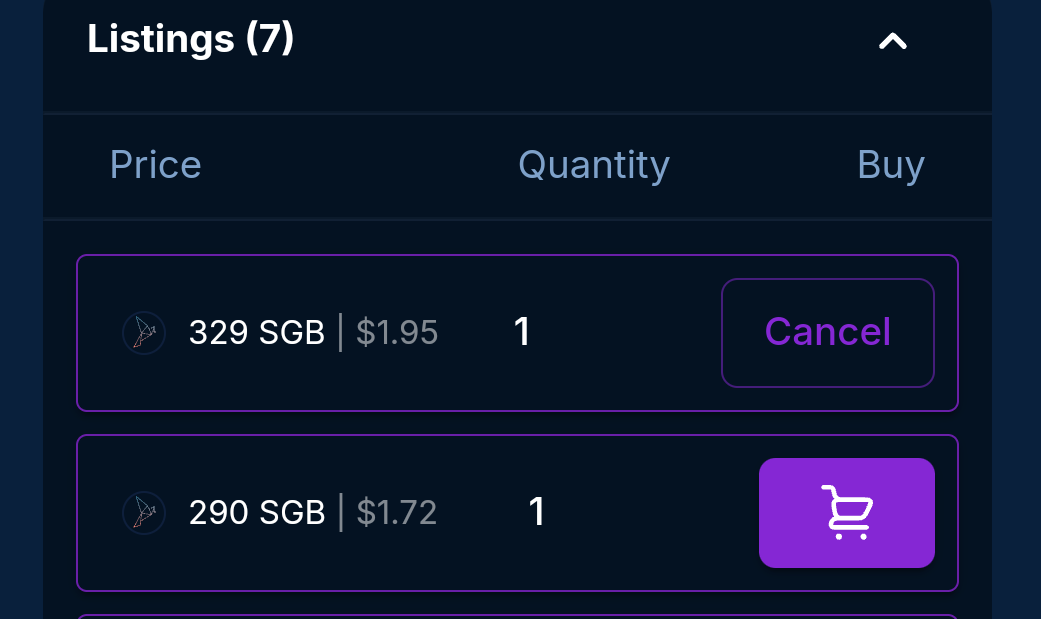
Then scroll down the page to see current offers and prices.
Select the desired option and click the trash can icon.
Order cancellation (your sale)
The first option remains: stay on the “My Offers” tab and select the desired NFT
(at the bottom, click “Cancel order”).
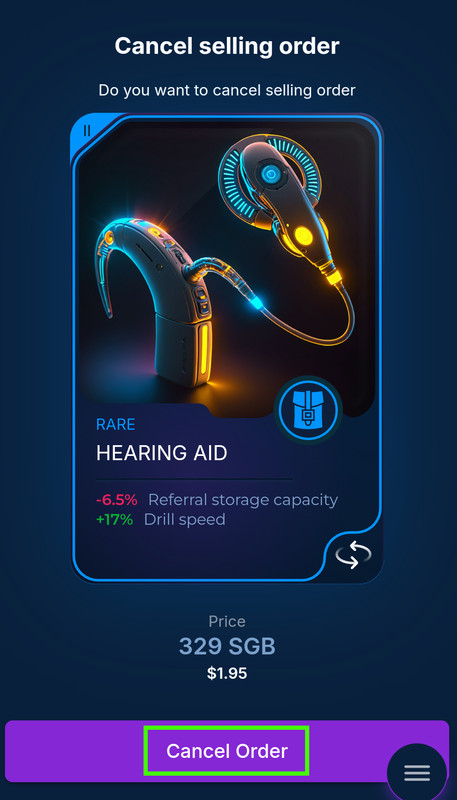
Second method
Cancellation via order list:
You can also cancel an order through the general list of items for sale. In this list, next to each item there is a Cancel button that allows you to cancel an instant order. Click the Cancel button next to the item you want to remove from sale. The item will be removed from available free ads, the order will be disabled.
Happy shopping!