MTK Authorisation Bypass
Box In A BoxThanks to
Dinolek
ErdilS
xyzz
**All Steps Are Mandatory, Don't Skip Any Of Them**
How to install:
1. Download the attached file:
Alternate Download:
https://anonfiles.com/l0yeSfD2u7/MTK-Bypass_zip
Alternate Download:
https://dl.uploadgram.me/6126628127c5fh?raw
2. Extract the file and open the folder.
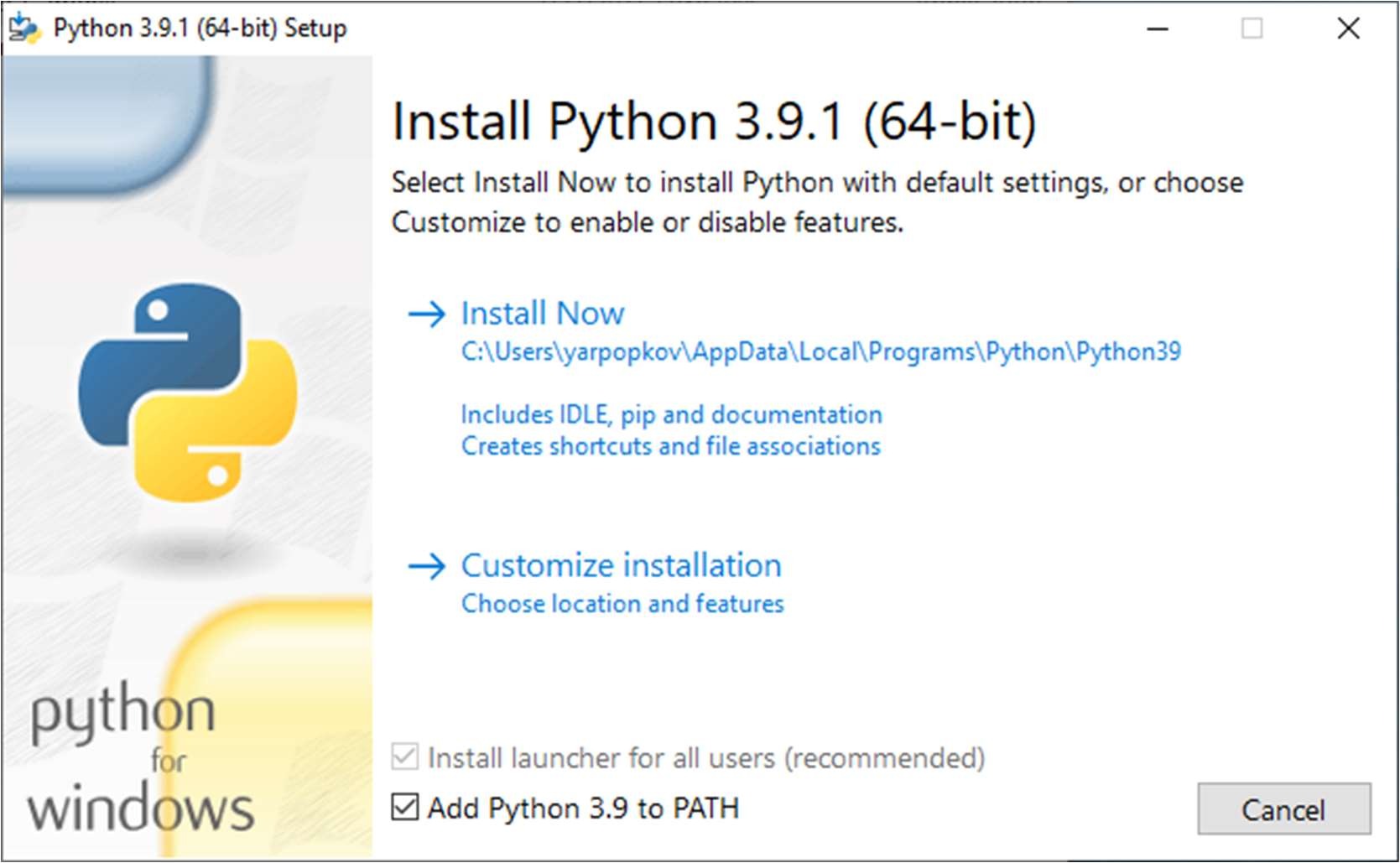
3. Run and install python: python-3.9.1-amd64.exe.
Keep atention: You need to select "Add Python to PATH" before starting the installation.
4. Open cmd or powershell and execute this command:
pip install pyusb pyserial json5
5. Go to the Driver folder and right-click on the cdc-acm.inf file, then click Install and then, close window.
6. Run and install filter wizard: libusb-win32-devel-filter-1.2.6.0.exe.
7. Launch filter wizard.
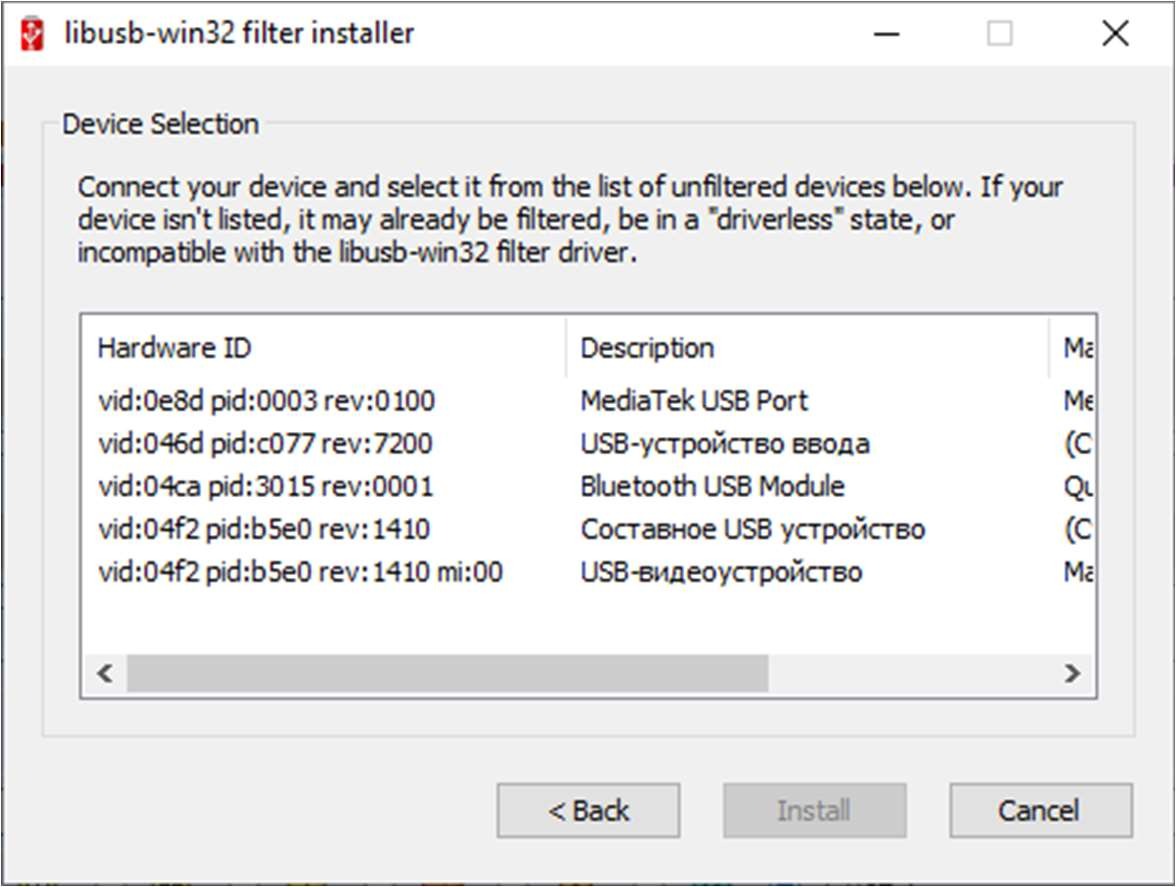
8. Select Install a device filter and click Next.
9. Connect powered off phone with volume- button to boot in EDL mode.
10. Once you see new MediaTek USB Port in the list, select it and click Install.
Now, you are ready for bypassing EDL !
How to bypass:
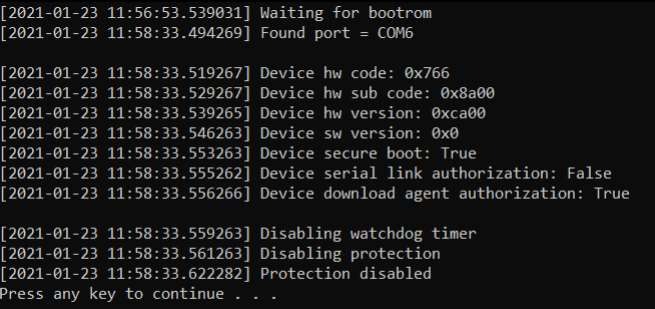
1. Go to the Bypass folder. Run the script: bypass.bat.
2. Connect powered off phone with volume- button to boot in EDL mode.
3. Once you get "Protection disabled" at the end, without disconnecting phone and usb, run SP Flash Tool
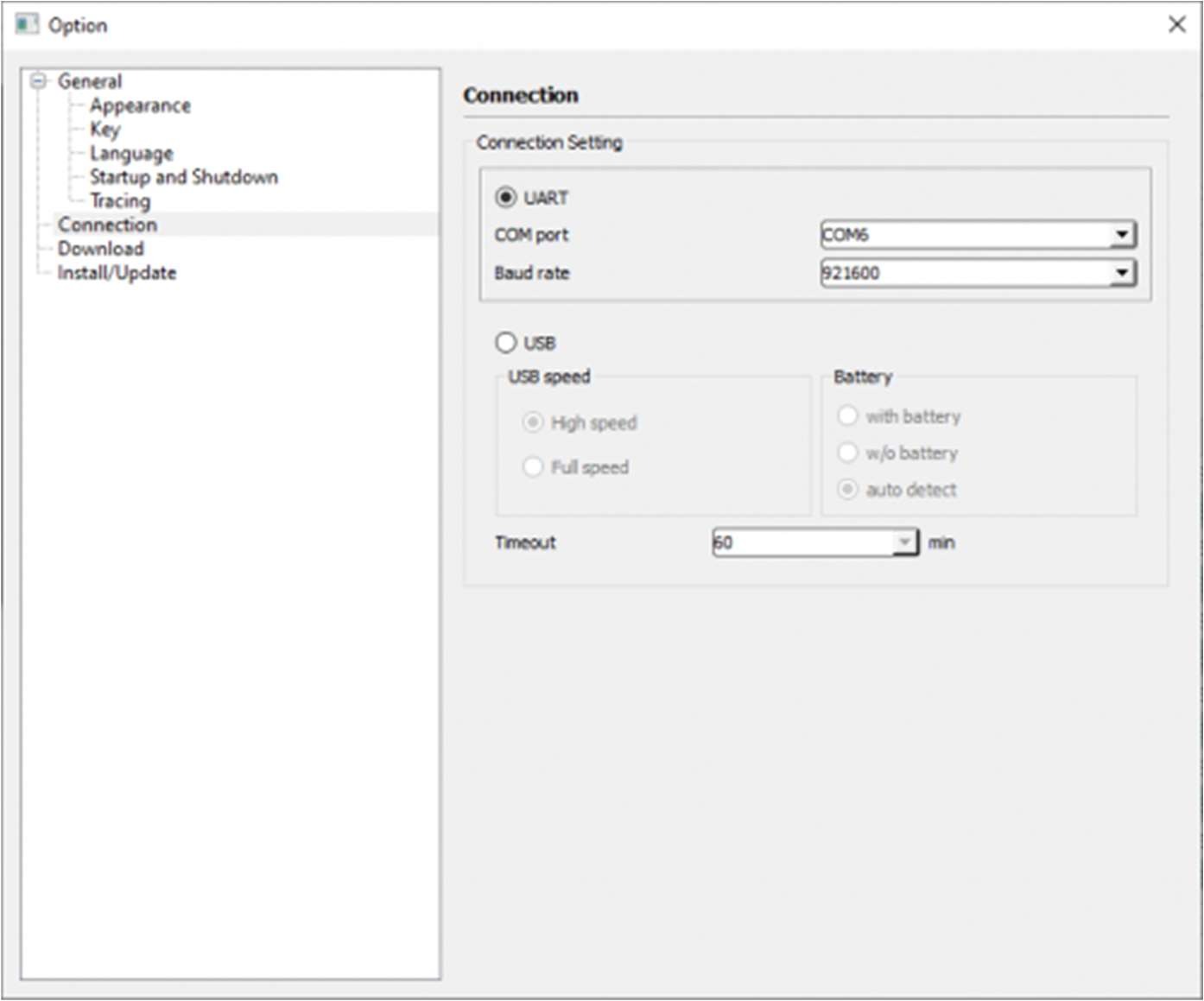
4. Once the SP Flash Tool opens, click Options > Options > Connection.
5. Select UART mode and select Baud rate to 921600.
Now, you are ready for flashing.
How to update:
1. Download latest release of the tool: https://github.com/MTK-bypass/bypass_utility/releases/latest
2. Download latest release of payloads: https://github.com/MTK-bypass/exploits_collection/releases/latest
3. Extract the content of both files to the Bypass folder.
Now, you are updated ! 😎