MONIspin: Commands
MONIspin AdminAll the functions available on the MONIspin bot can be accessed using commands
Every command begins with a / followed by the name of the command.
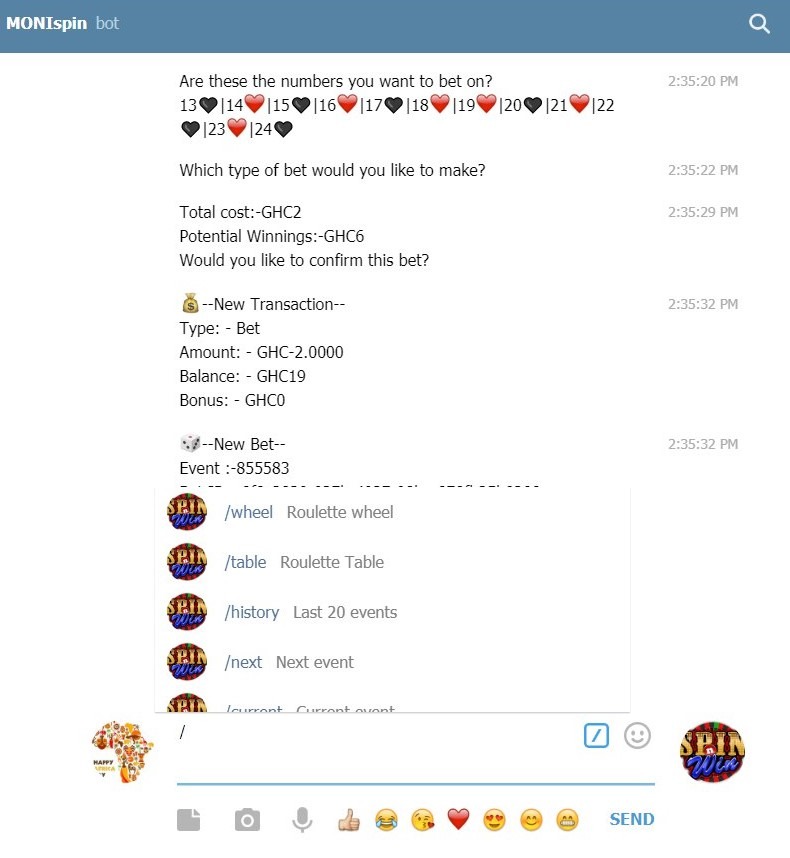
Once you type the / a list of available commands will be presented in telegram and you can click on one to make a selection
The full list of commands and their descriptions are given below
- wheel - Roulette wheel
- table - Roulette Table
- history - Last 20 events
- next - Next event
- current - Current event
- number_stats - Number Statistics
- col_stats - Column Statistics
- row_stats - Row Statistics
- half_stats - Half Statistics
- colour_stats - Colour Statistics
- zoe_stats - ZOE Statistics
- lmh_stats - LMH Statistics
- hot - Hot Numbers
- cold - Cold Numbers
- help -Help
- describe - Describe selection
- register - Register
- aregister - Register via affiliate
- limits - House Limits
- lock - Lock Account
- unlock - Unlock Account
- otp - Verify SUPABETS OTP
- reset - Reset Account
- balance - Account Balance
- statement - Account Statement
- live - What live draws
- load - Load Account
- withdraw - Withdraw from account
- betlist - Betlist
- bet - Place bet
- bet_all - Bet short cut
- bet_group - Bet short cut
- quick_all - Express individual bet
- quick_group - Express group bet
- try -trial bet
- transfer - Transfer money to another MONIspin account
- lucky -Try you luck on a random number
- list - List available groups
- ranking - Daily top winners