Liquid Mining Registration Guide
Liquid Mining • April 12, 2023Follow these steps to register successfully and start mining on the Liquid Mining App:
1. Download TronLink Wallet.
Download the TronLink browser extension or mobile application suitable for your device using the link of the official website: https://www.tronlink.org/dlDetails/
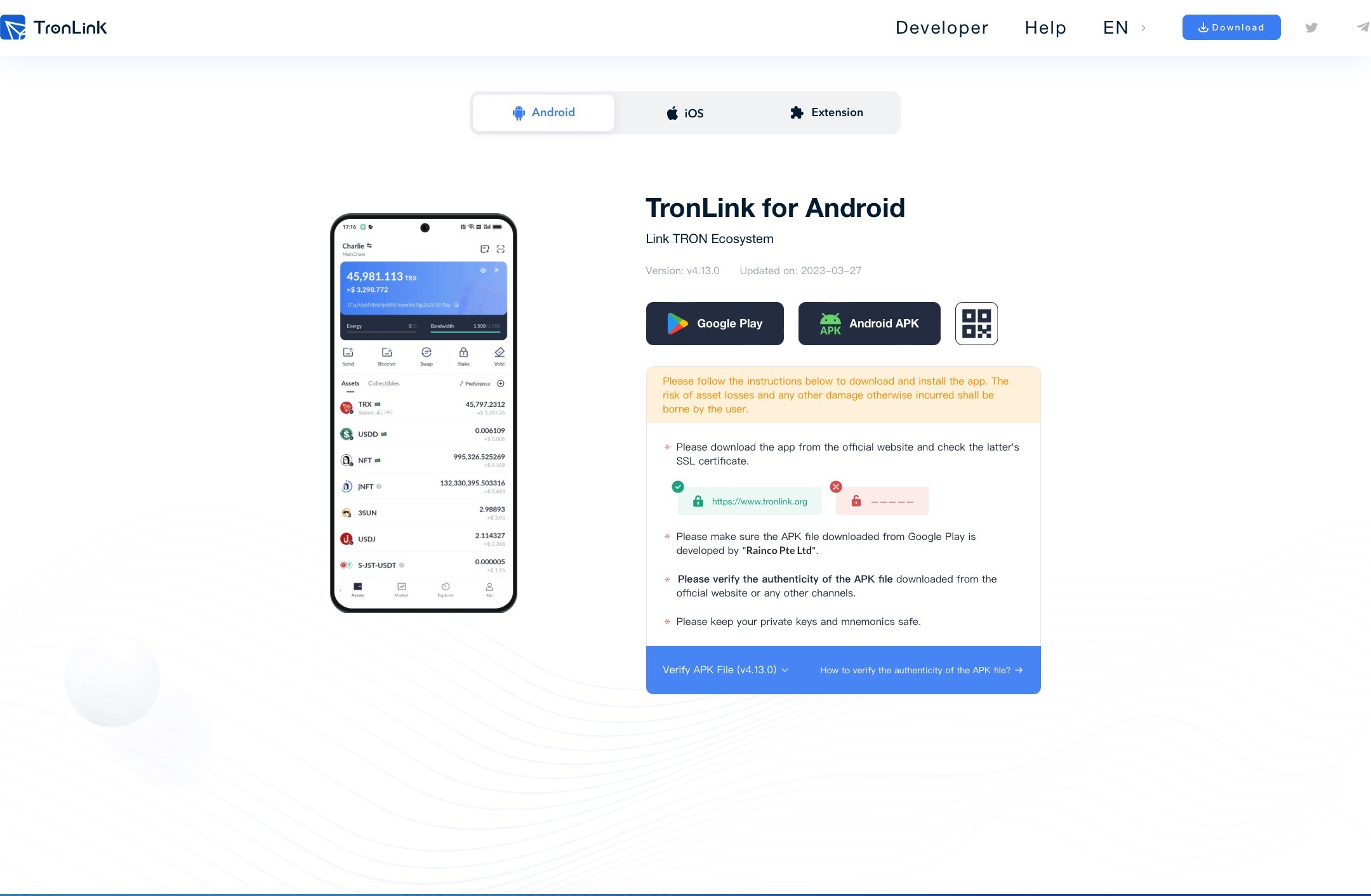
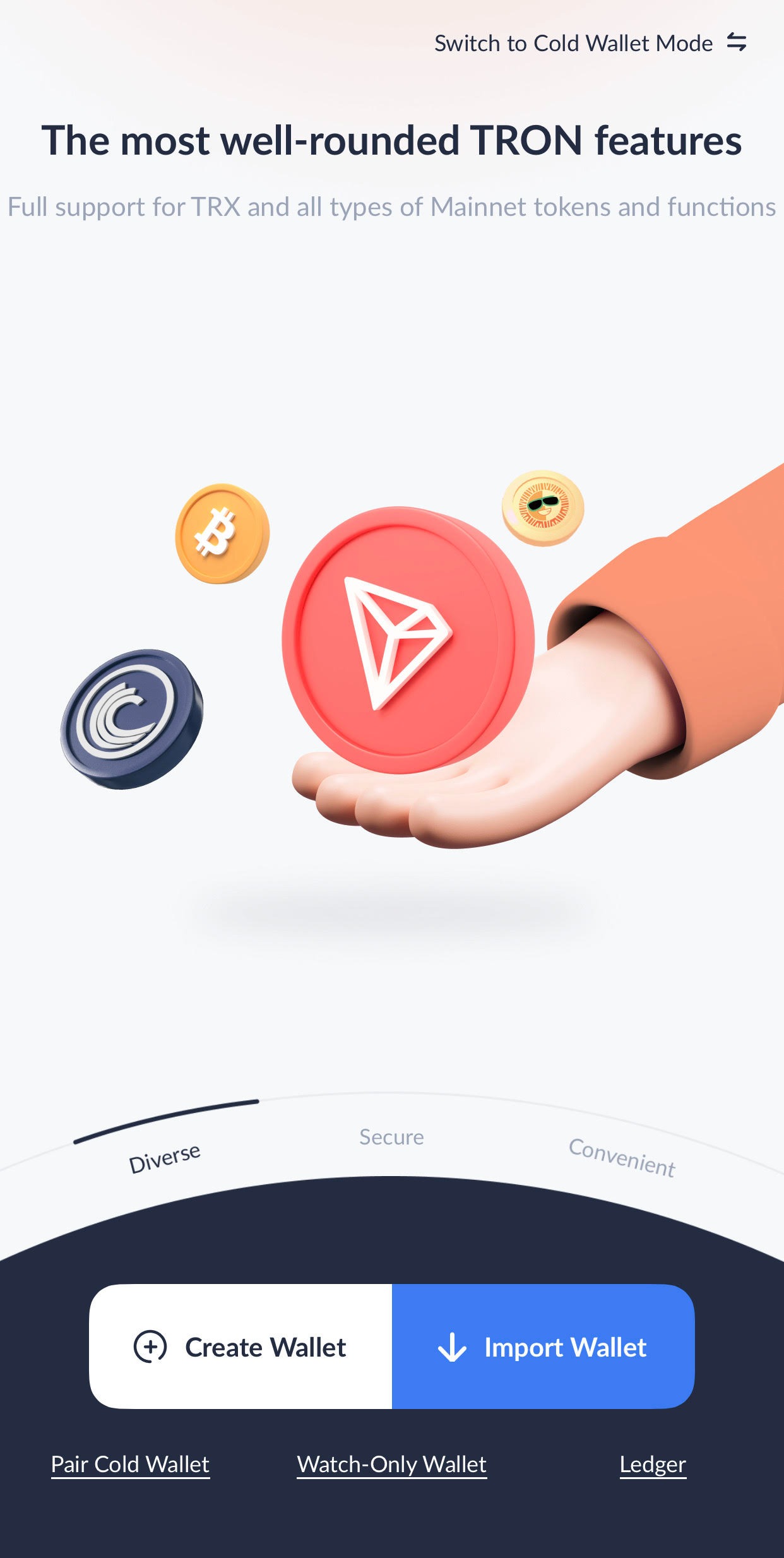
2. Create a crypto wallet or Import an existing one
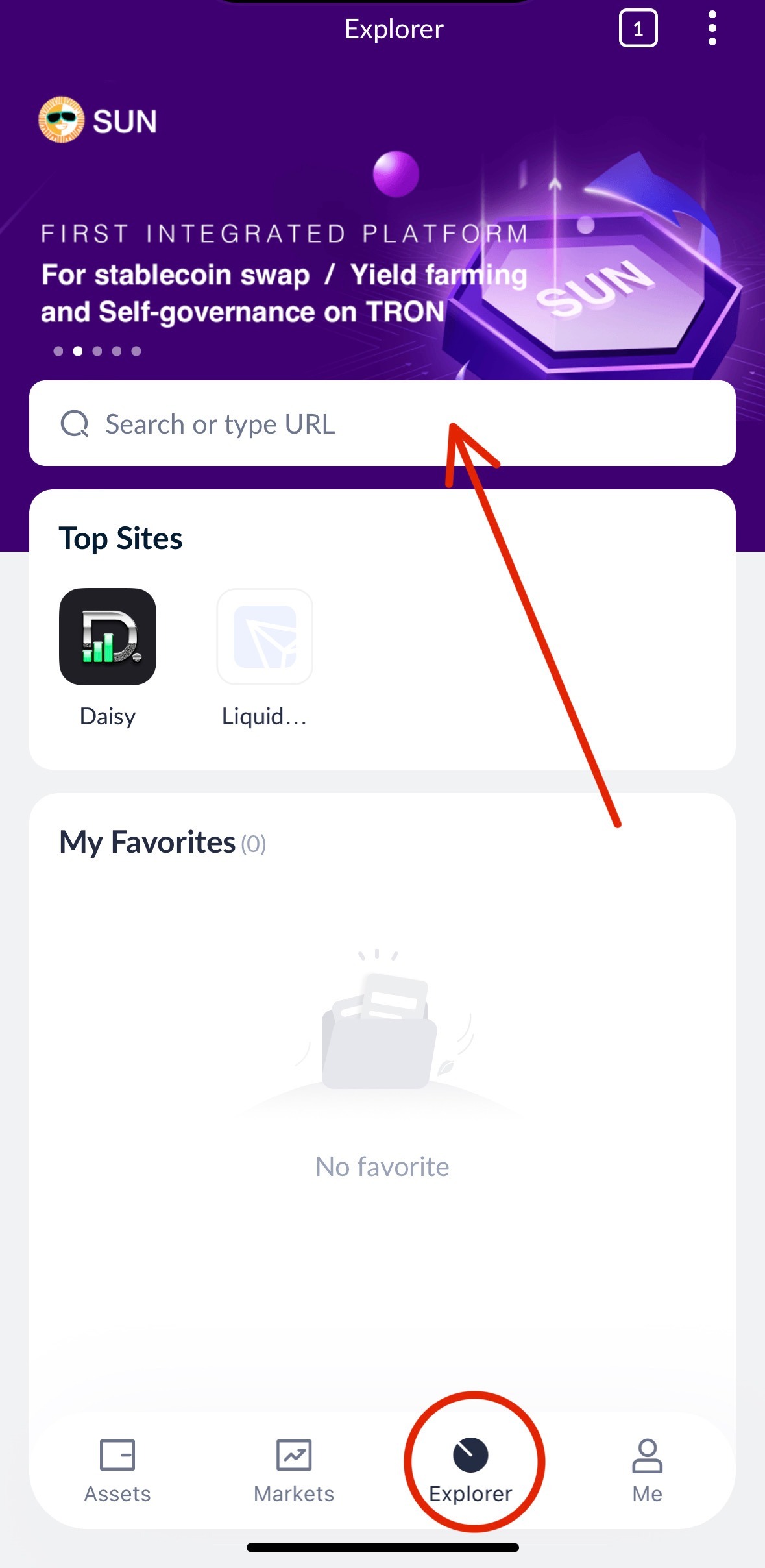
3. Go to the Explorer/Browser in the TronLink App
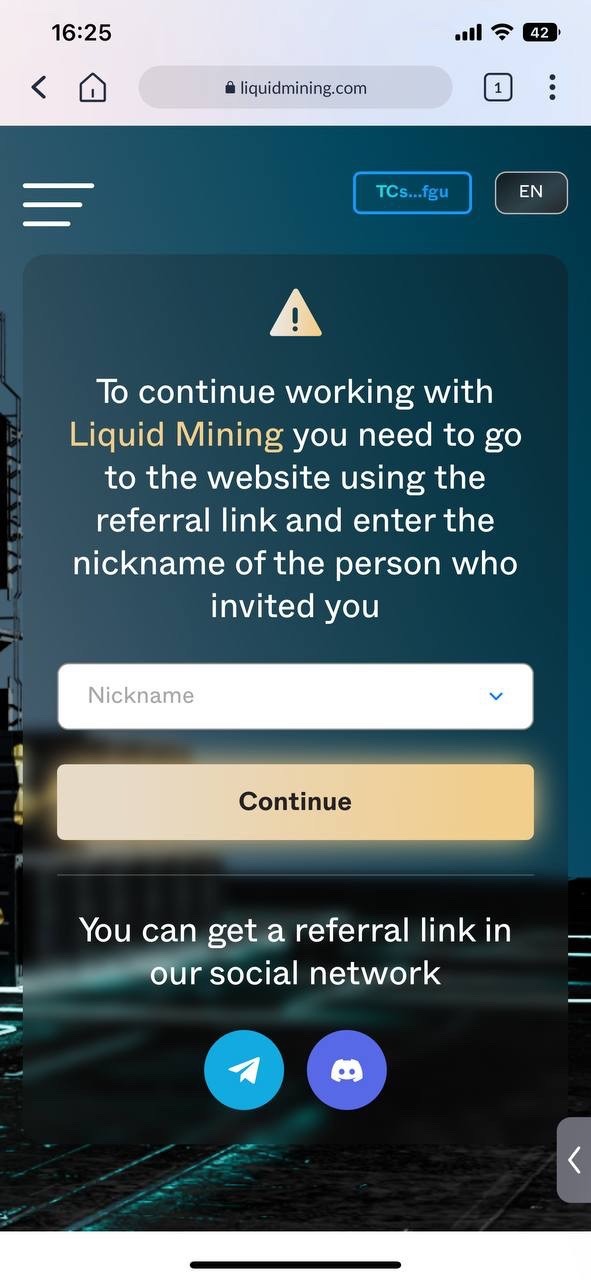
• If you didn't input a referral link, you will be directed to a screen where you need to enter the Nickname/Username of the person who/that invited you.
• If you used a Referral link, you will be directed to a page where you can create your account.
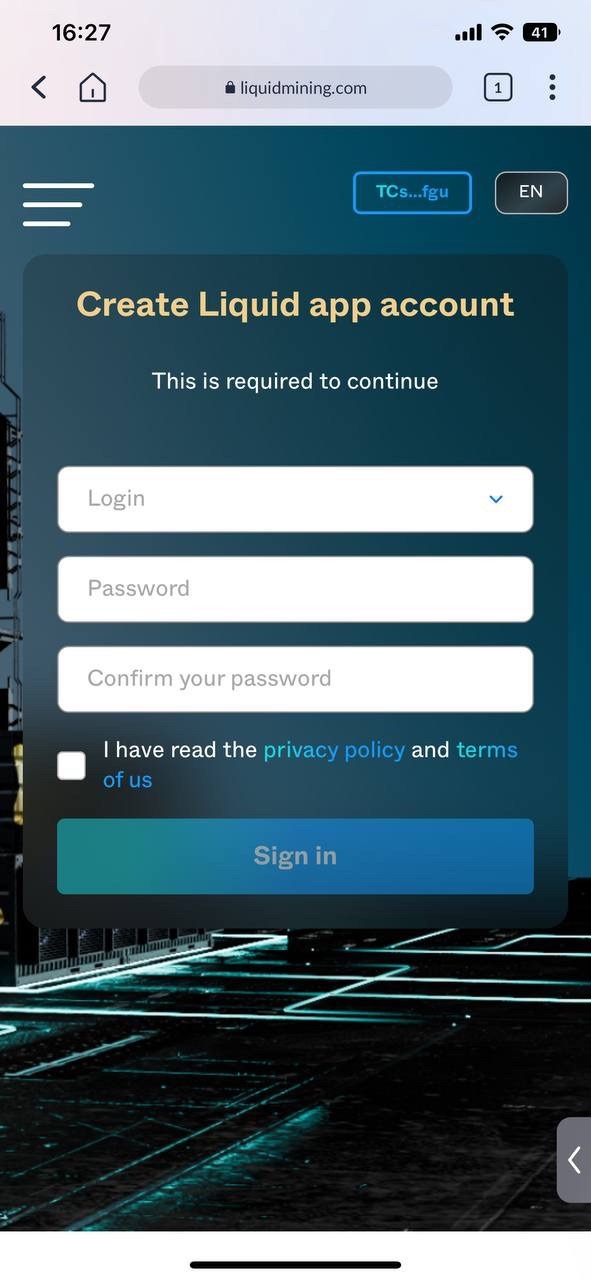
4. Enter your Email address
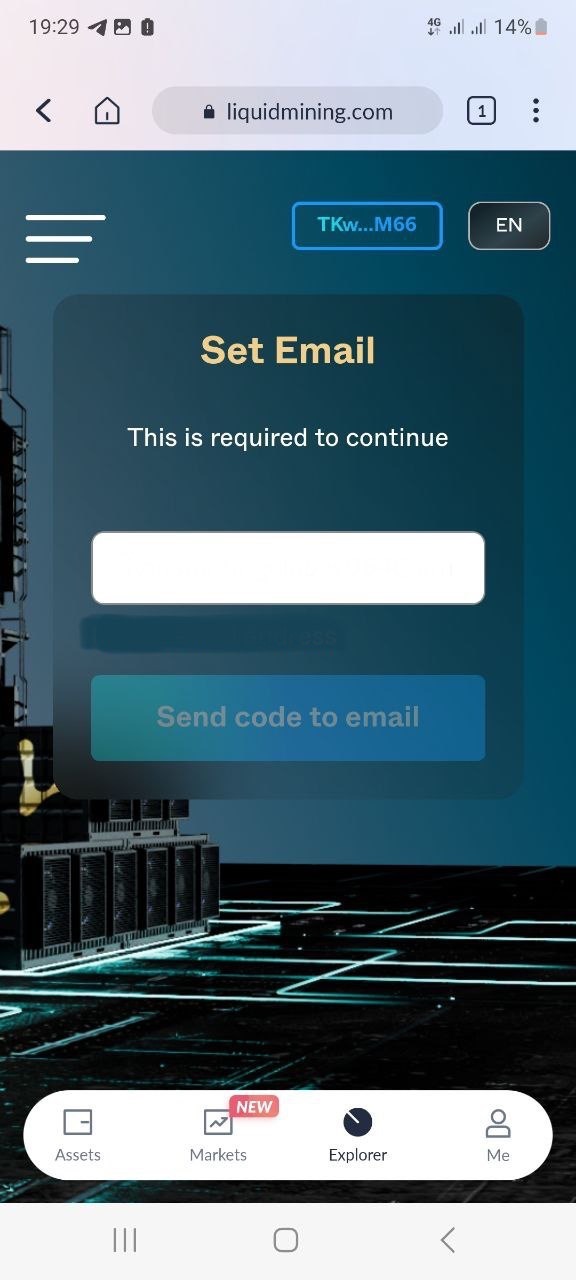
• If you can't find the email with the in your Inbox, be sure to check the "spam" folder
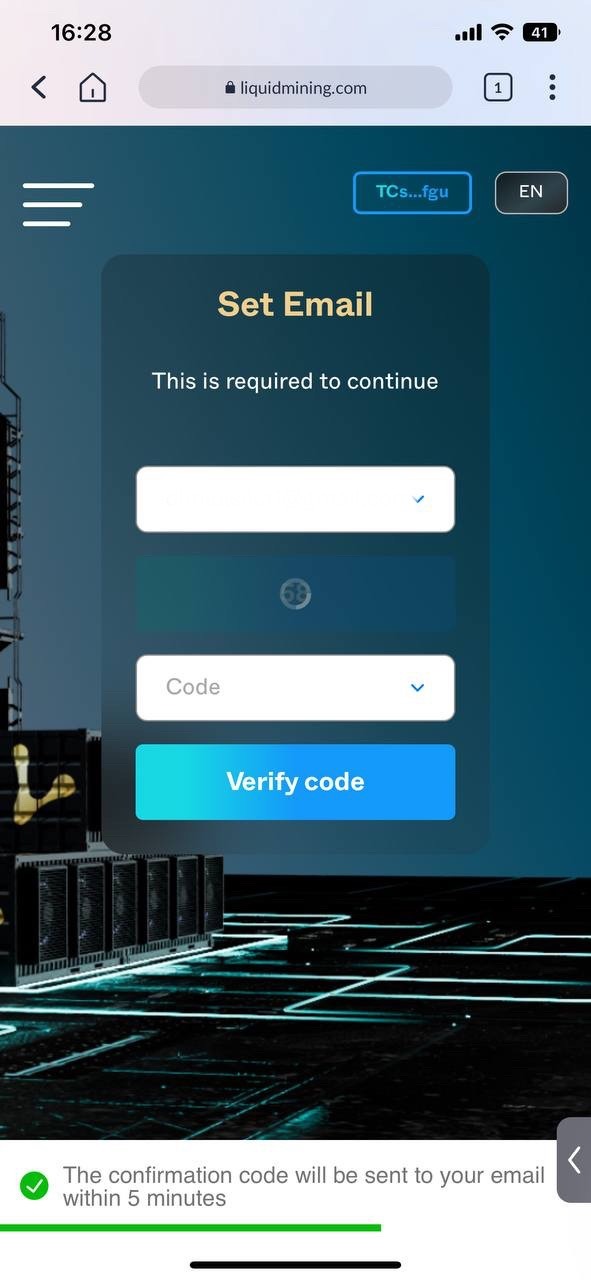
5. Enter the code received in your Email
6. Upon accessing the Marketplace section, Choose the necessary components for purchase (the minimum package for starting mining is GPU + installation fee (empty rig)). Please note that equipment can only be purchased on the website. The application is only used for managing your existing equipment.
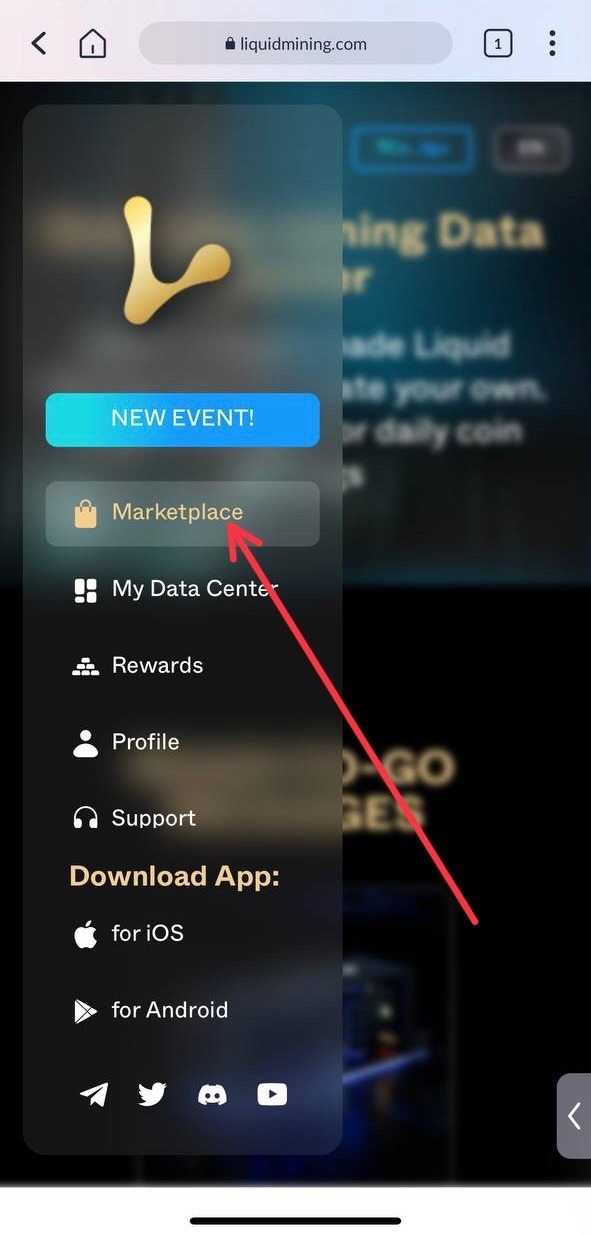
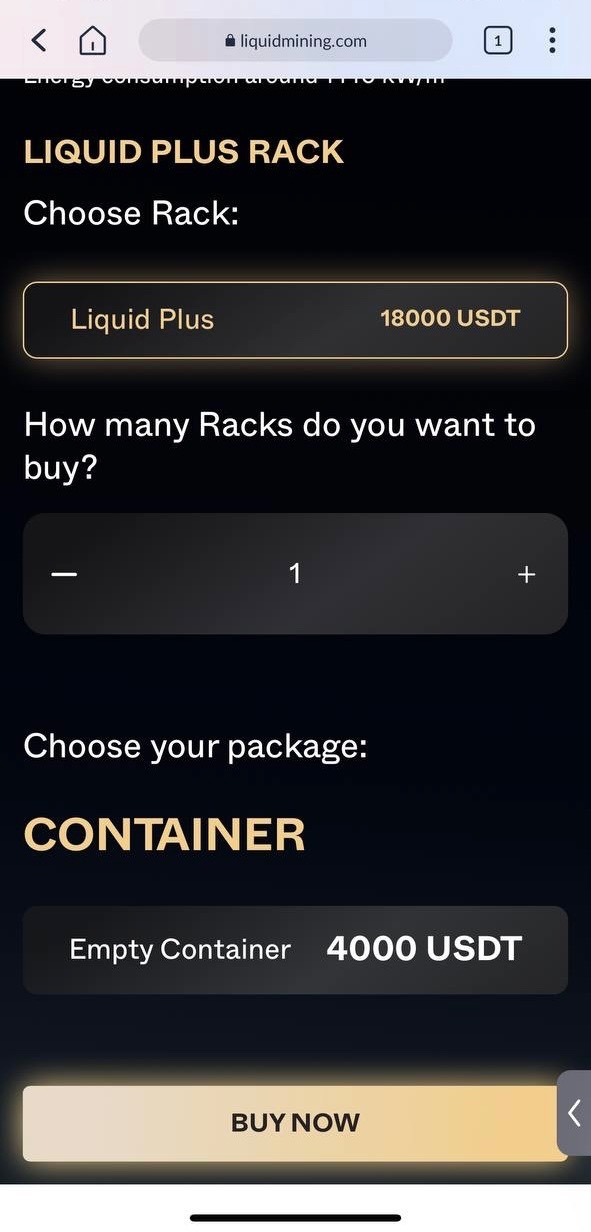
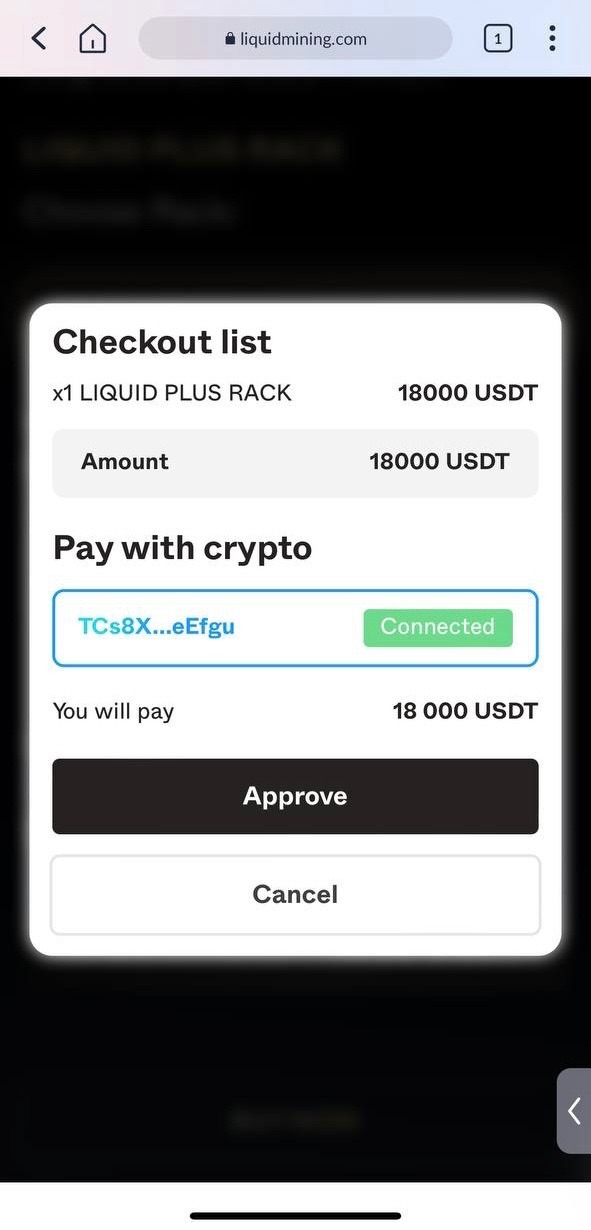
7. On the website, in the side menu, you can download the application for your iOS/Android device.
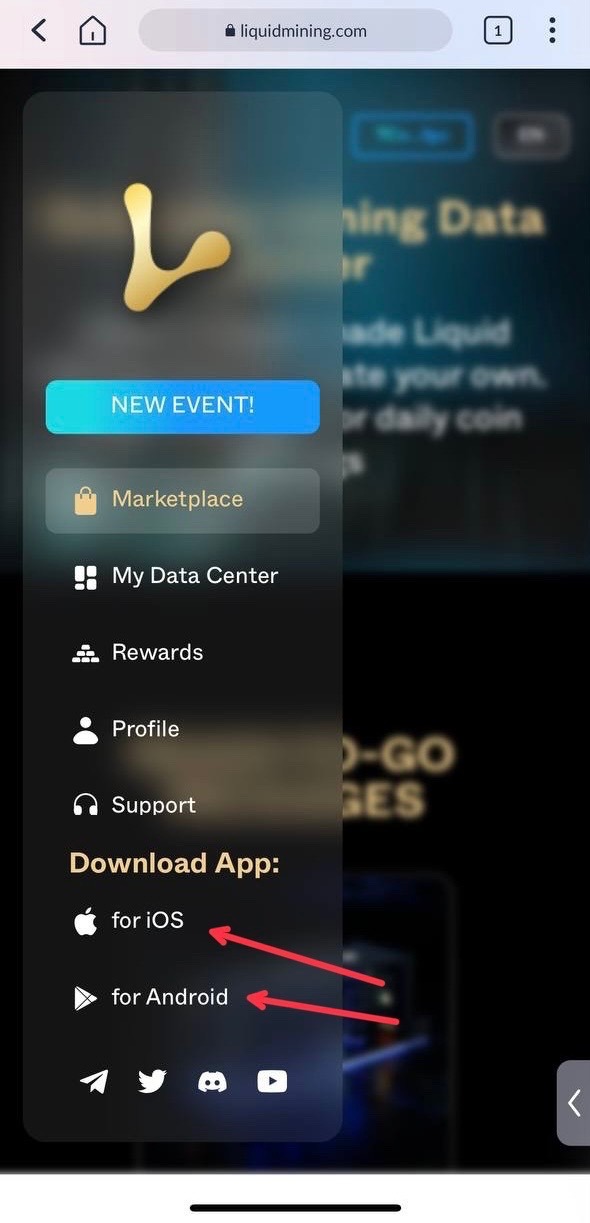
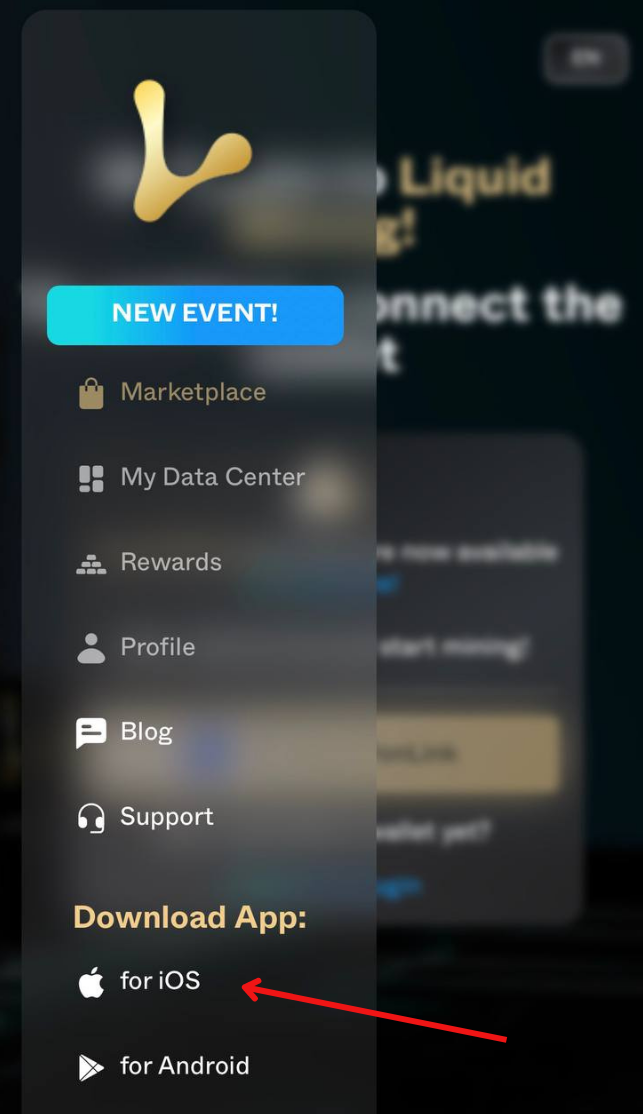
• The visit the Liquid Mining website https://liquidmining.com/ and choose the iOS version and it will automatically direct you to where you can download the App,
Depending on your devices' OS
7. In the downloaded Liquid Mining App, Enter the login and password entered on the website.
Happy Mining!
For any questions, concerns and queries, please contact Us using the links:
Discord: https://discord.gg/liquidmining
Telegram RU: https://t.me/Liquid_Official_Ru
Telegram RU Chat: https://t.me/Liquid_Mining_Ru_Chat
Telegram EN: https://t.me/nftliquid
Twitter: https://twitter.com/liquid__mining