Linux for the hacker: basic commands and scripts to know
@PrivacyNotACrime 🗽 Channel on TelegramIntroduction
Linux — is not only a server OS and development environment, but also a tool that allows you to explore the system in depth: find weaknesses, automate routine tasks and quickly get a «snapshot» of the host state. For practical security, it’s important to master not only individual commands, but also the ability to quickly collect information, automate repetitive actions, and apply safe techniques.
1. File navigation and management — where it all begins
Linux — file system; many operations start by moving around the directory and viewing files. It’s important not only to know the commands, but also to understand which flags provide useful information, which operations store file attributes, and how to minimize the risk of deleting the required data.
pwd (print working directory)
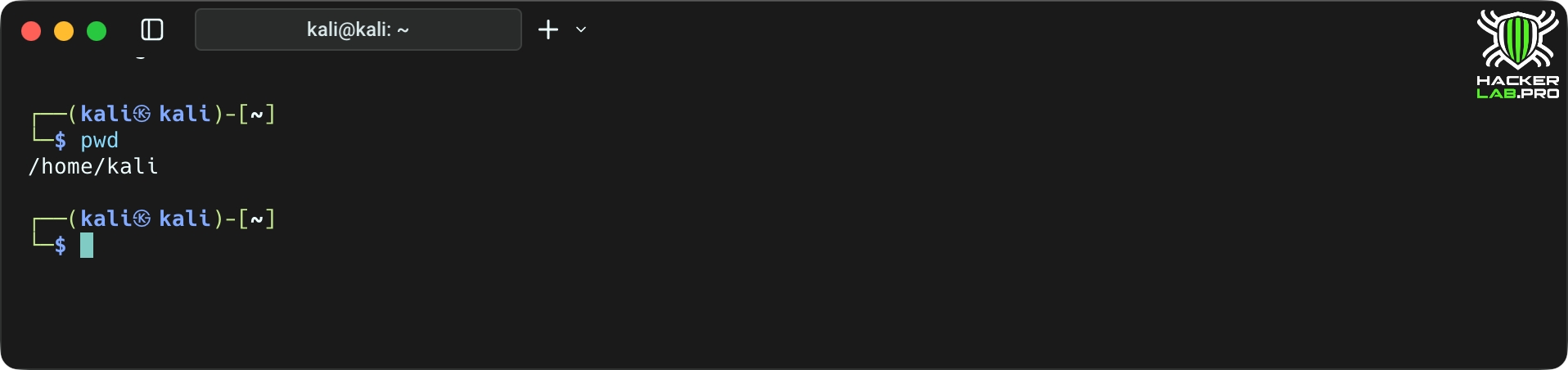
What it does: Displays the absolute path of the current working directory.
Why it’s important: to avoid getting lost and executing commands in the wrong folder (especially dangerous before rm/mv).
ls /ls -la
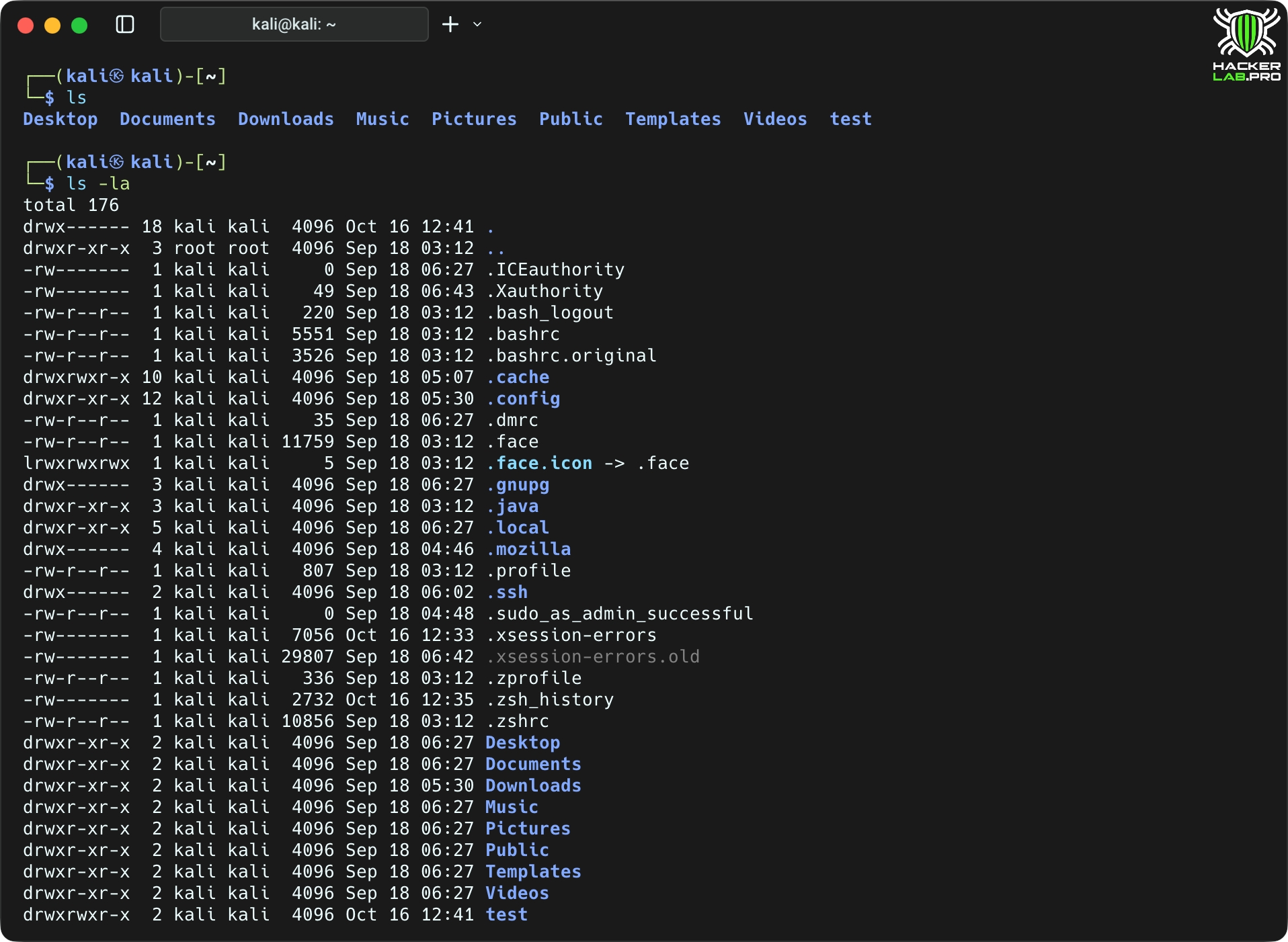
What it does: shows the contents of the directory. -l — long format (rights, owner, size, date), -a — includes hidden files.
Why it matters: quick overview of files, rights and metadata.
cd (change directory)
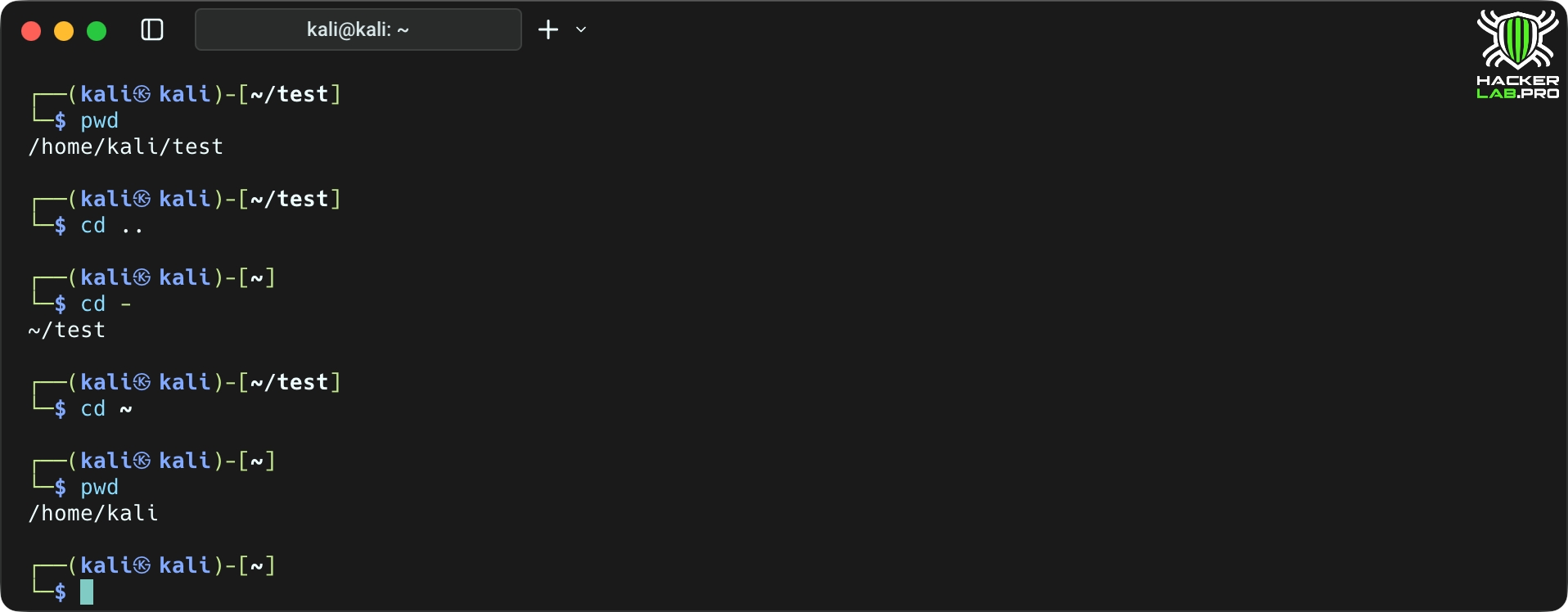
What it does: change the directory.
Why is it important: the right path — ensuring that subsequent commands are executed in the right context.
mkdir
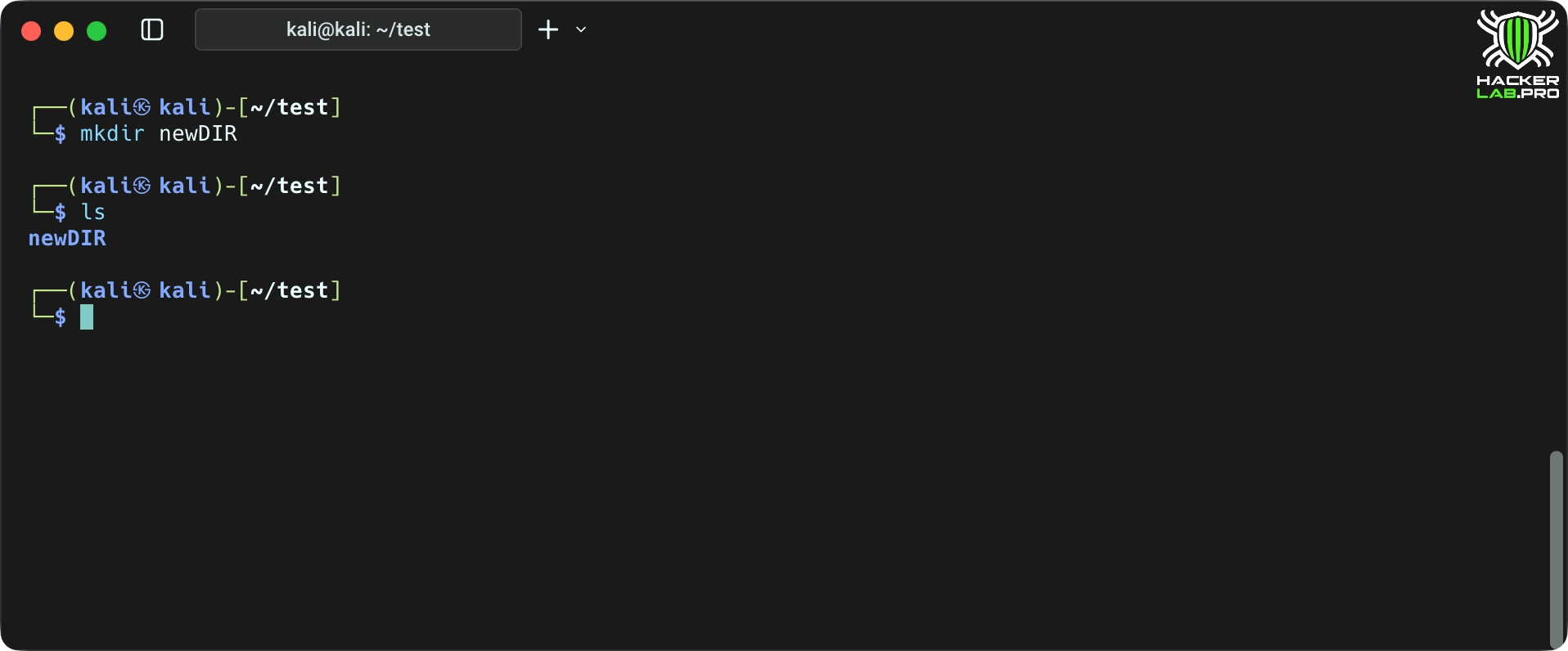
What it does: creates a directory.
Why it’s important: preparing the structure for configurations, backups, etc.
cp, mv, rm
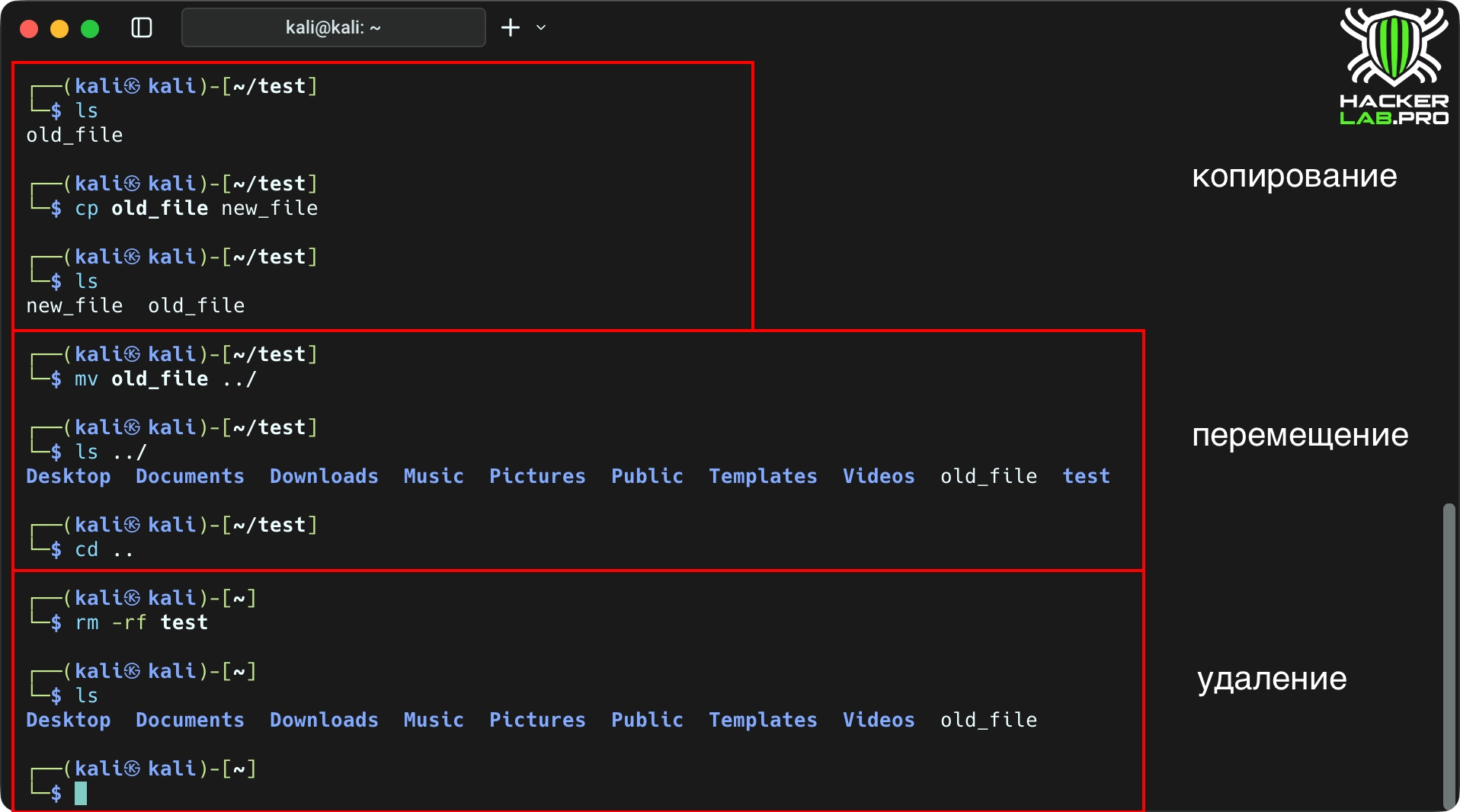
What it does:
cp — copy (use -a to save attributes).
mv— moving/renaming.
rm — deletion (attention: rm -rf dangerously).
Why is it important: file operations — basic for administration and testing.
cat, less, head, tail -f
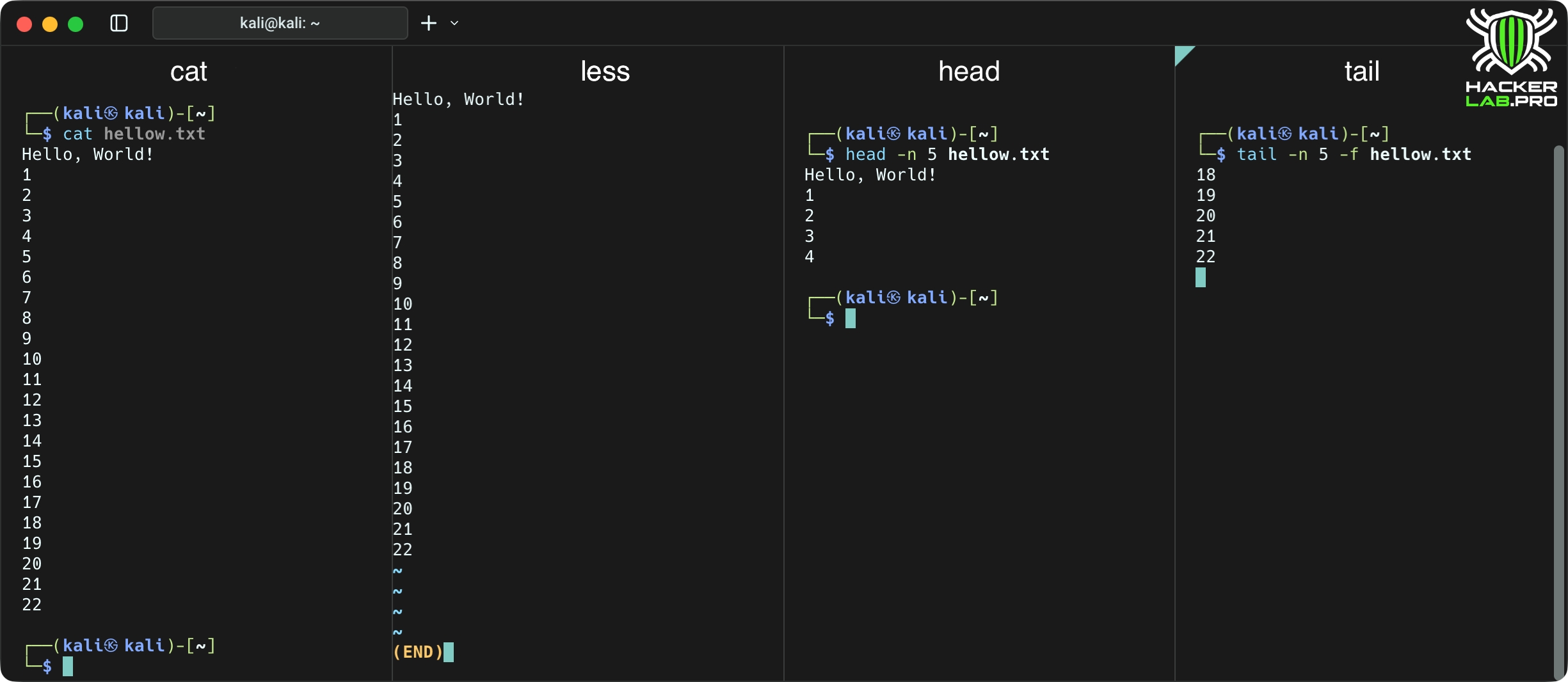
What it does:
cat — output of the entire file; less — page view; head/tail — top/bottom of file; tail -f — log tracking.
Why it matters: reading logs and configs — basis of diagnosis.
find
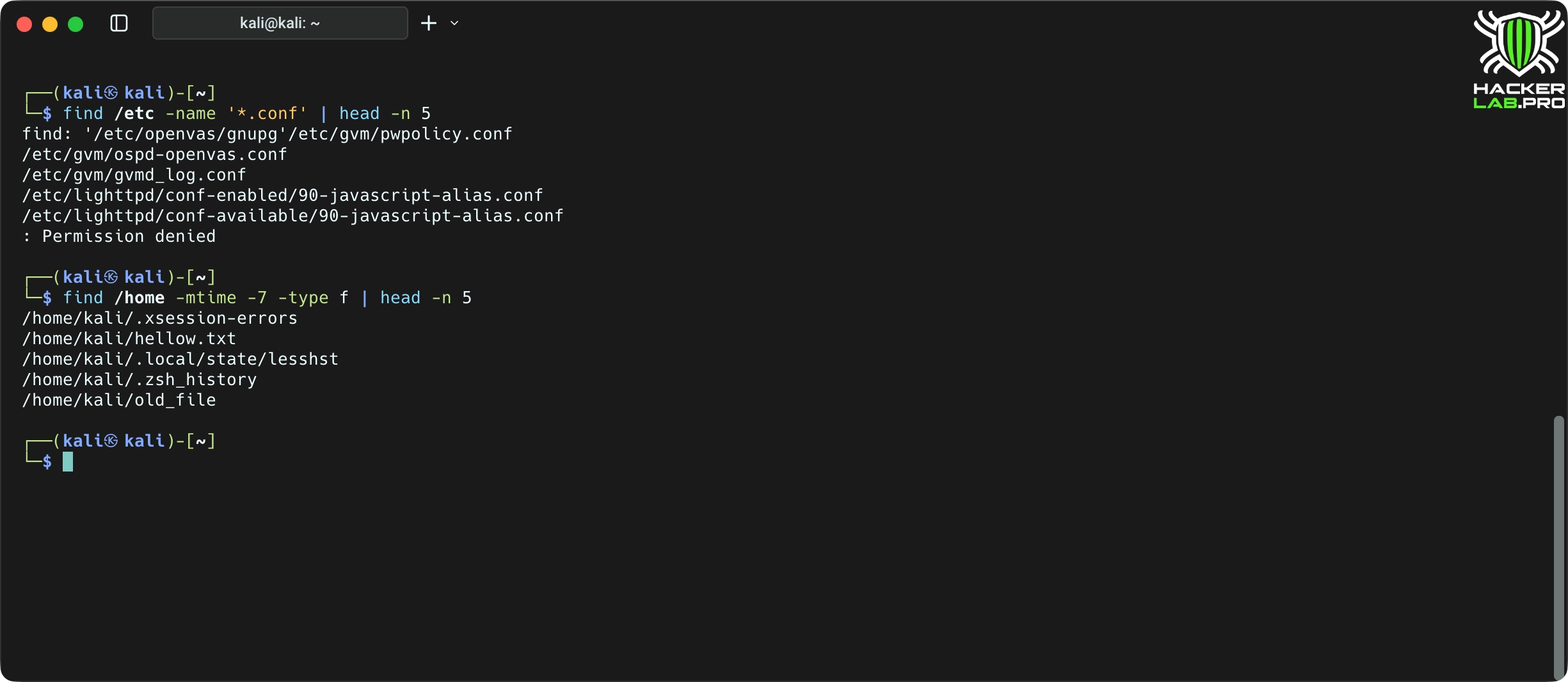
What it does: search for files based on multiple criteria (name, rights, time, size, type).
Why it’s important: find setuid, modified configurations, or recently created files.
Useful options:
name — name mask; -type f|d — file/directory;
perm — rights (/ -perm -4000 — setuid);
mtime, -min — modification time;
exec — execute command on found files.
locate
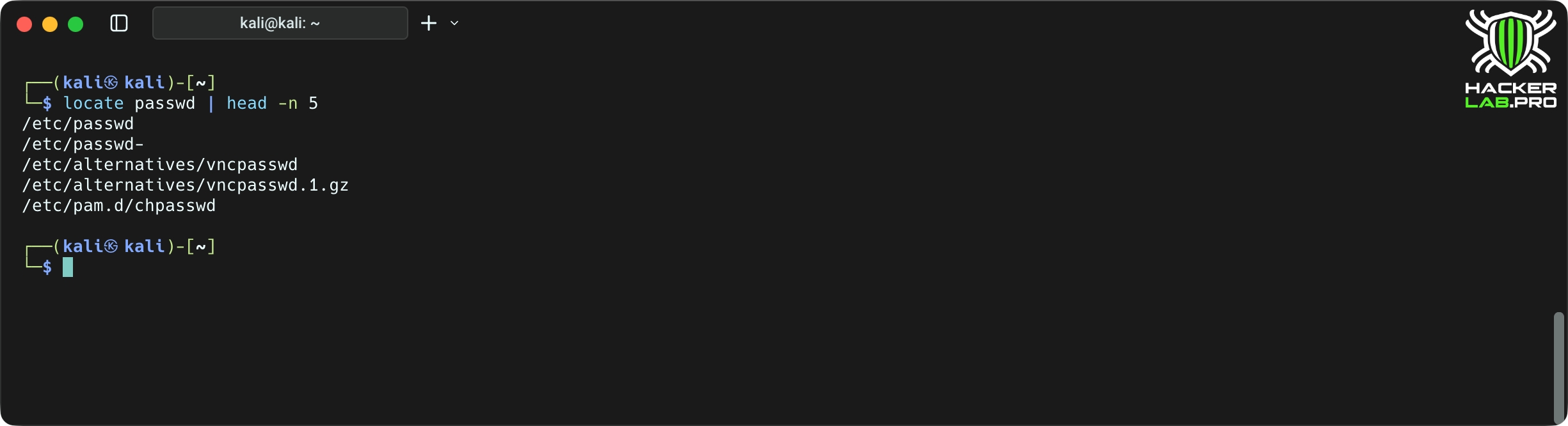
What it does: search the indexed database (mlocate). Faster find, but the base may not be up to date.
Why it matters: Quickly search for known files throughout the system.
Update database: sudo updatedb (often in cron).
2. Understanding access rights and owners
Without understanding Linux permissions, we can’t talk about any security. This is where the fine lines between «user» and «administrator», between «restriction» and «exploit» are hidden. Knowing who owns the file, who can read it and run it, you see more than just the structure — you see the attack surface.
chmod
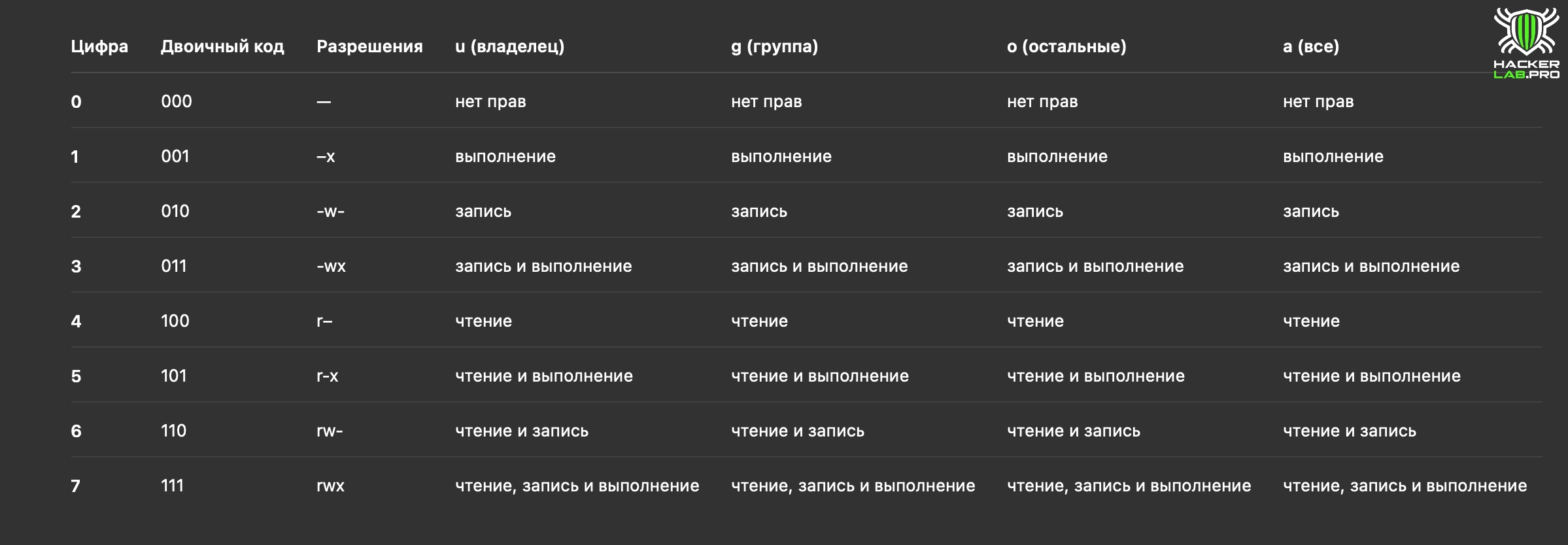
What it does: modifies file/directory permissions (character and numeric form).
Why is it important: incorrect permissions give or deny access, and can also be a source of vulnerabilities (for example 777).
chown
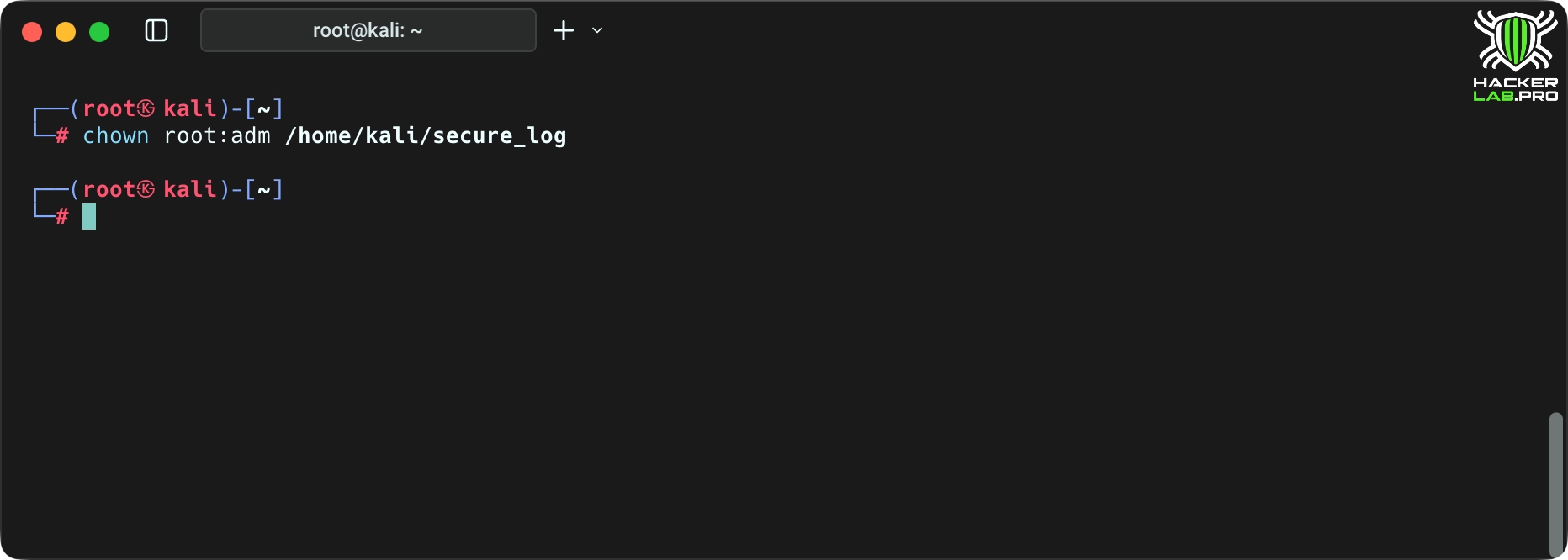
What it does: changes the owner and group of the file/folder.
Why is it important: the right owner — a guarantee that only the right users manage the resource.
umask
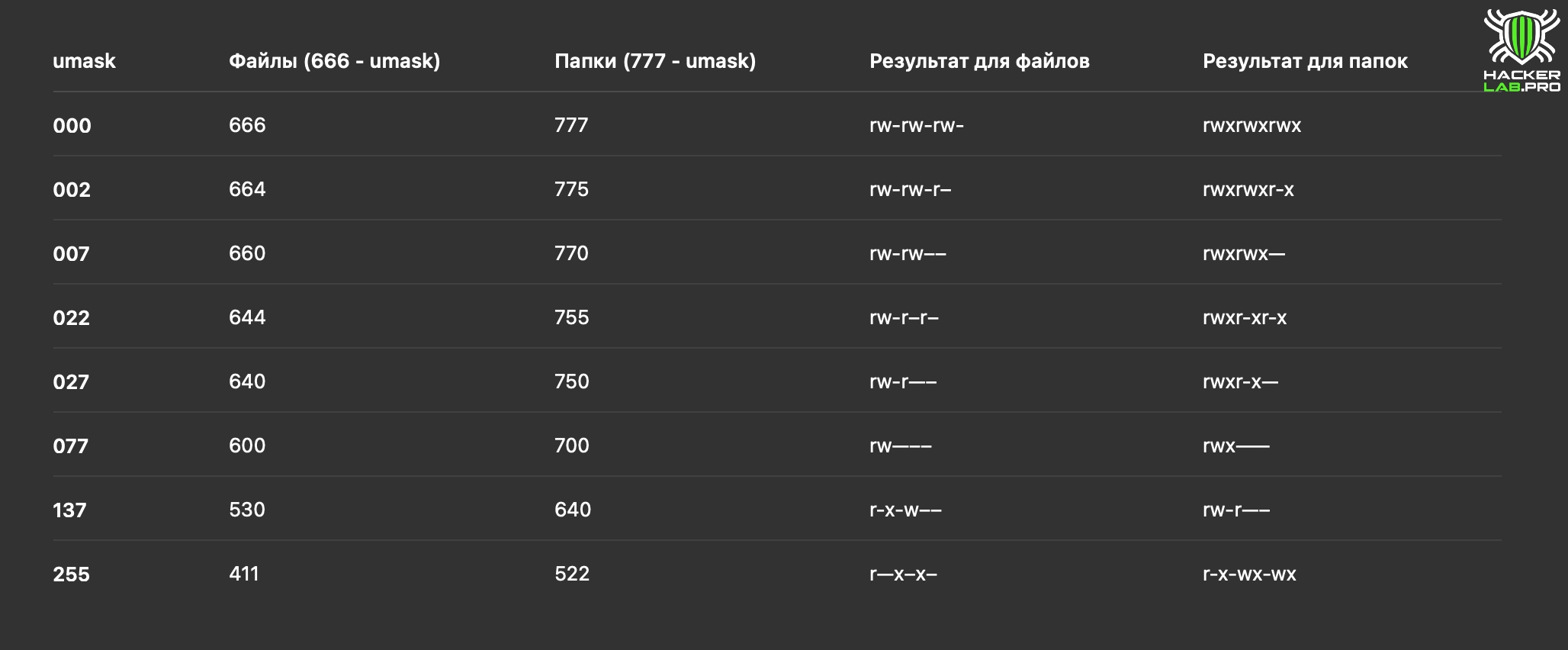
What it does: Specifies the default rights mask for newly created files.
Why it matters: Invalid umask can create files that are too open, especially in services and cron.
3. Processes, study and management
In Linux, everything lives in processes. They come and go, created by demons, users or other processes. Sometimes malicious code or a suspicious script is hidden among them. The ability to see who is currently working in the system — as the ability to observe the pulse of a living organism.
ps aux
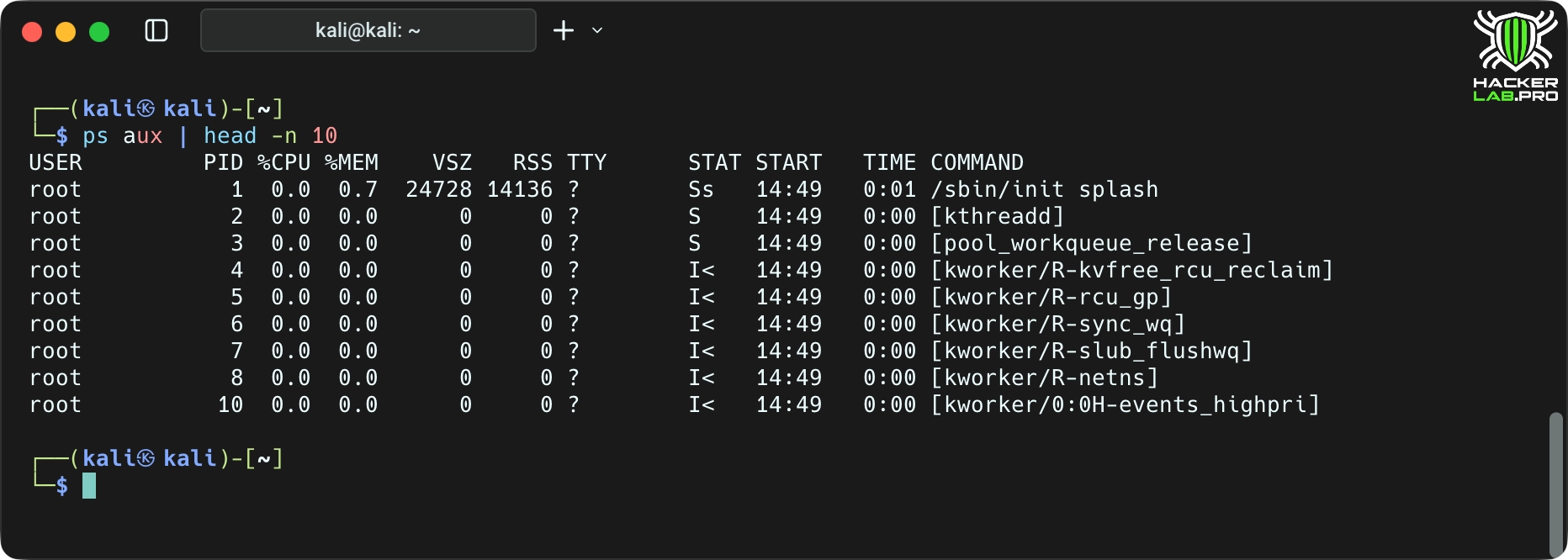
What it does: a static snapshot of all processes with all the important information (USER, PID, %CPU, %MEM, CMD).
Why it’s important: understand what’s running, who’s consuming resources, and what binaries are running.
top/htop
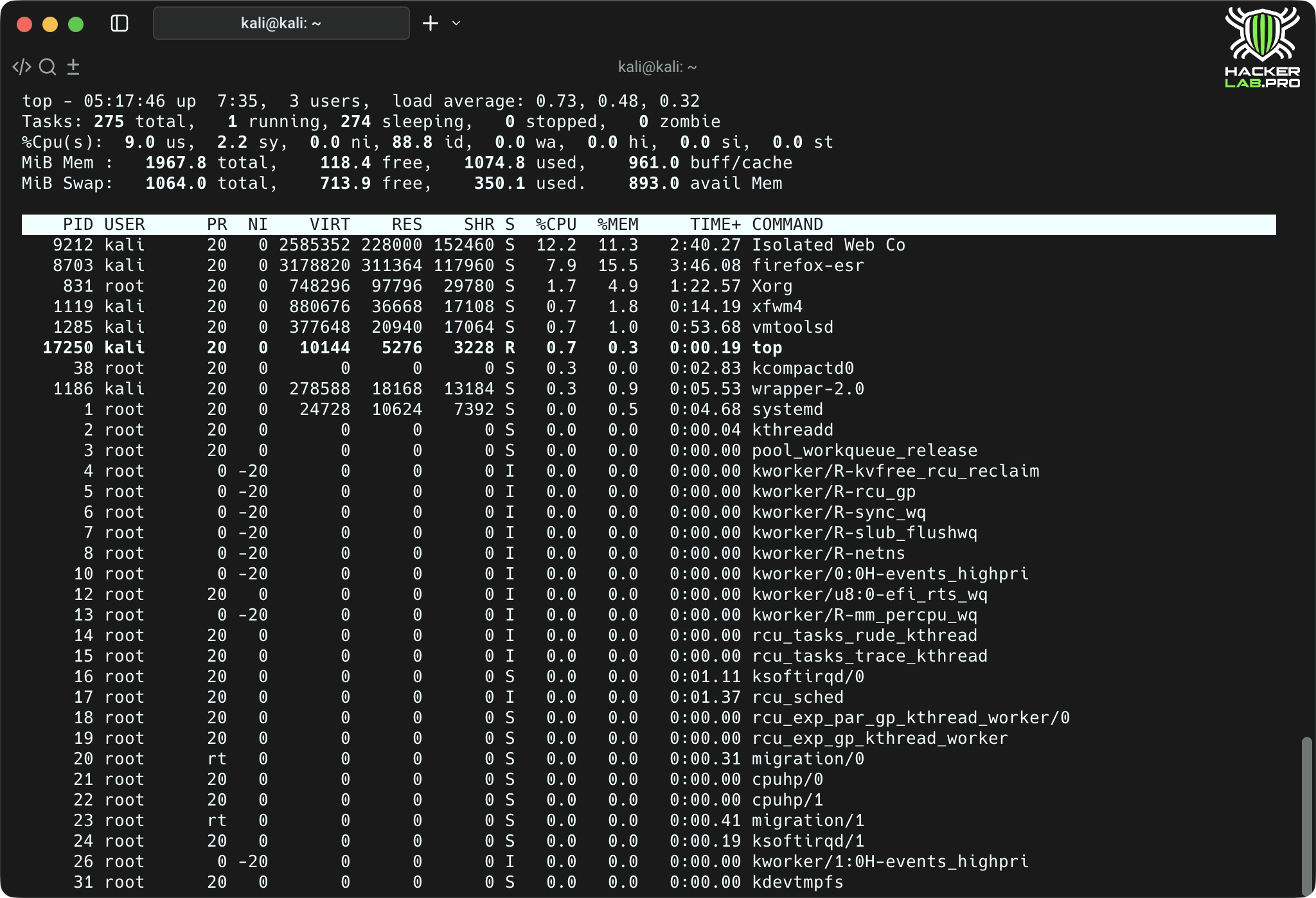
What it does: dynamic process monitoring. htop more convenient and interactive.
Why it's important: Observe real-time loading and quickly identify «devourers» CPU/memory.
pgrep/pkill
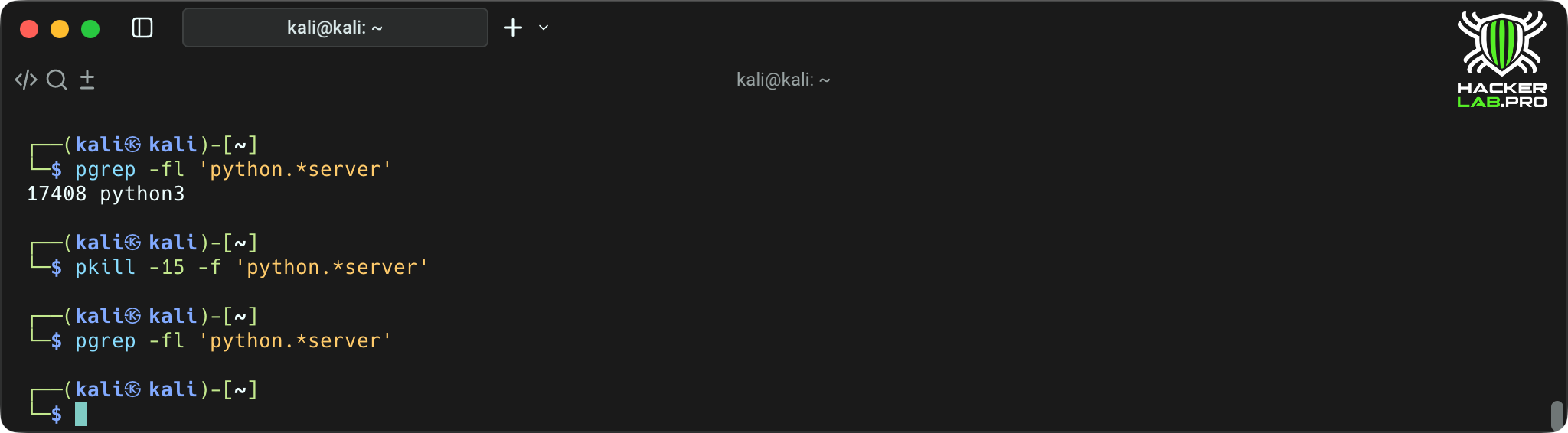
What it does: pgrep searches for PID by template; pkill sends a signal to processes according to a template.
Why it matters: quickly find or terminate processes by name.
4. Network — interfaces, connections and traffic
A real hacker does not sit in isolation — the network is for him — this is the battlefield. Intelligence, understanding routes, interfaces and ports are important here. Who's listening? Where does the traffic go? What services are open? These commands are — your eyes and ears in the Linux network space.
ip a/ip addr show
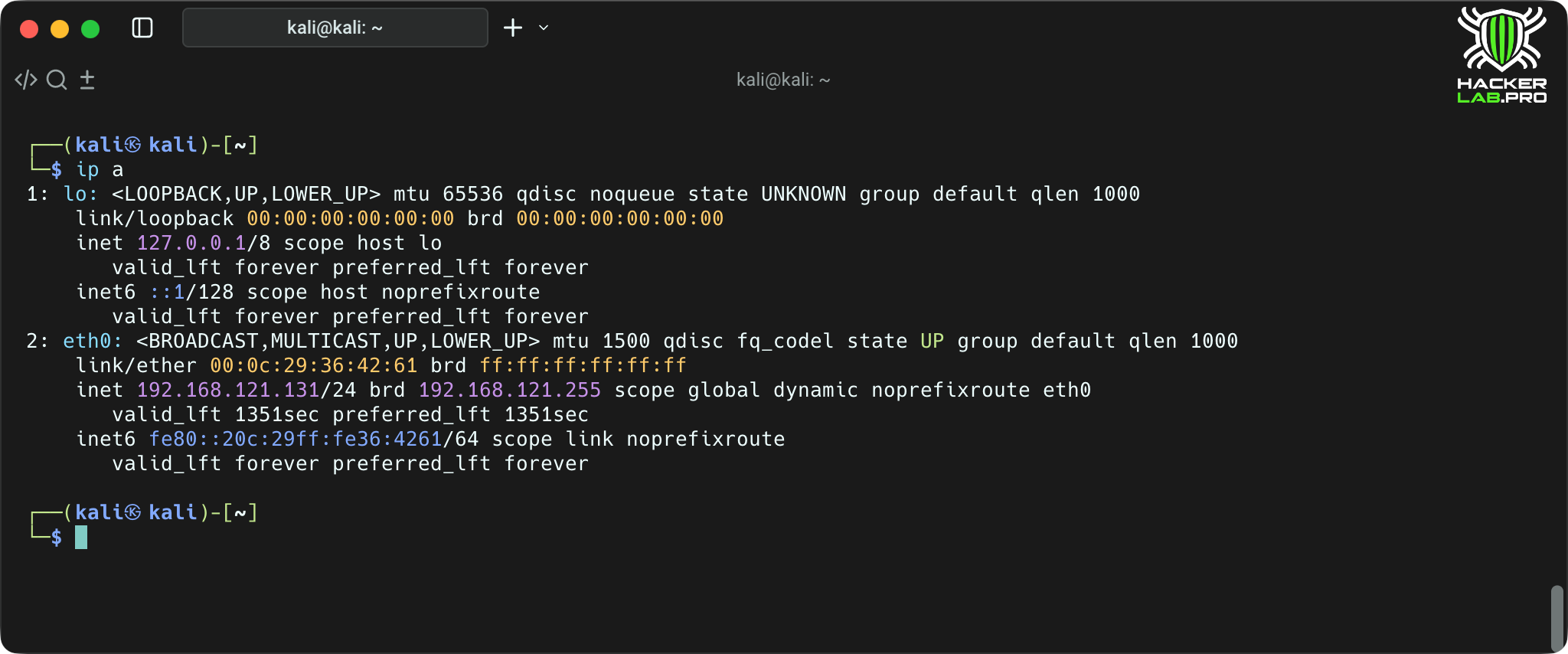
What it does: shows network interfaces and their IP addresses (replacement) ifconfig).
Why it’s important: quickly find out the device’s network configuration.
ip route
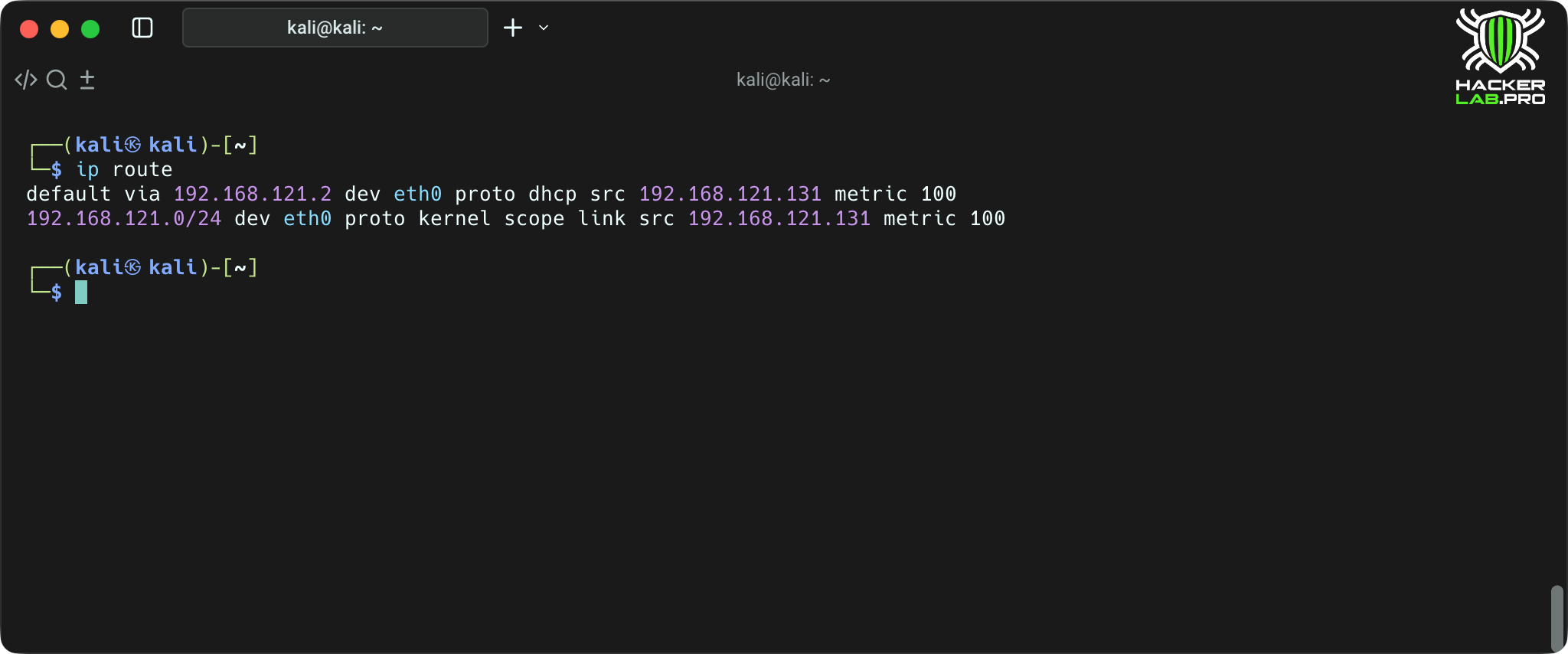
What it does: shows the routing table (where the default traffic goes).
Why it’s important to understand which gateway traffic is passing through and how routing works.
ss
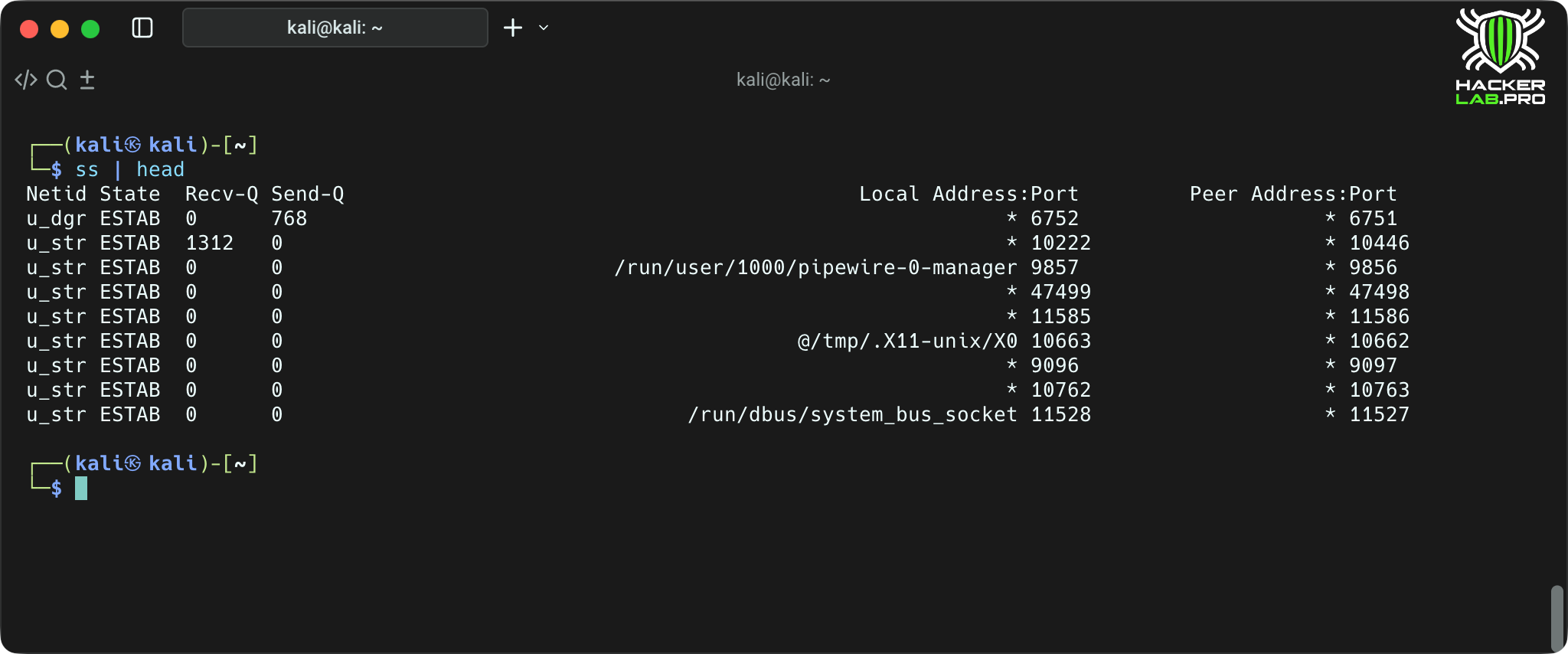
What does: shows sockets (replacement netstat).
Why it’s important to see the ports being listened to and active connections to the PID processes.
tcpdump
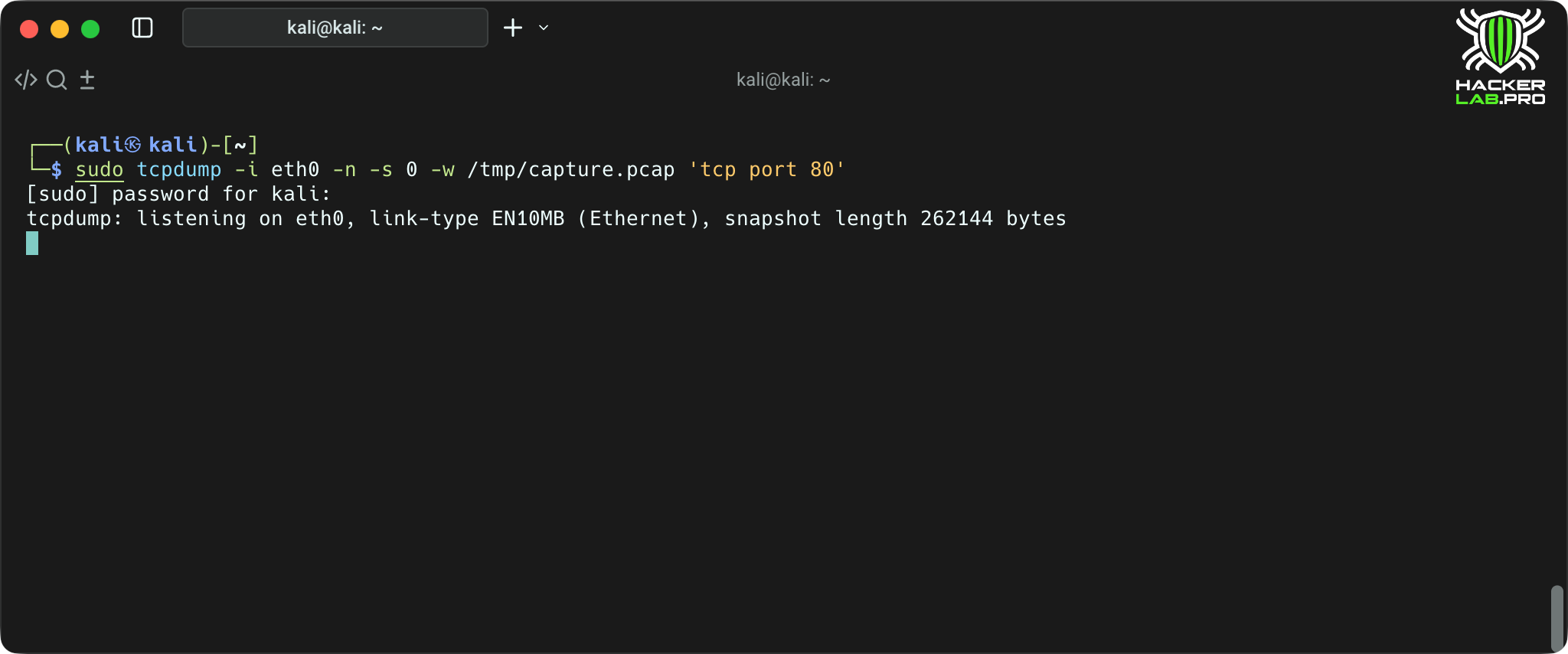
What it does: it intercepts packets using a BPF filter and writes them to pcap.
Why it matters: the need for detailed analysis of network traffic.
Tips: -s 0 — capture full packets; filter by host/port to avoid creating gigabyte dumps.
nmap
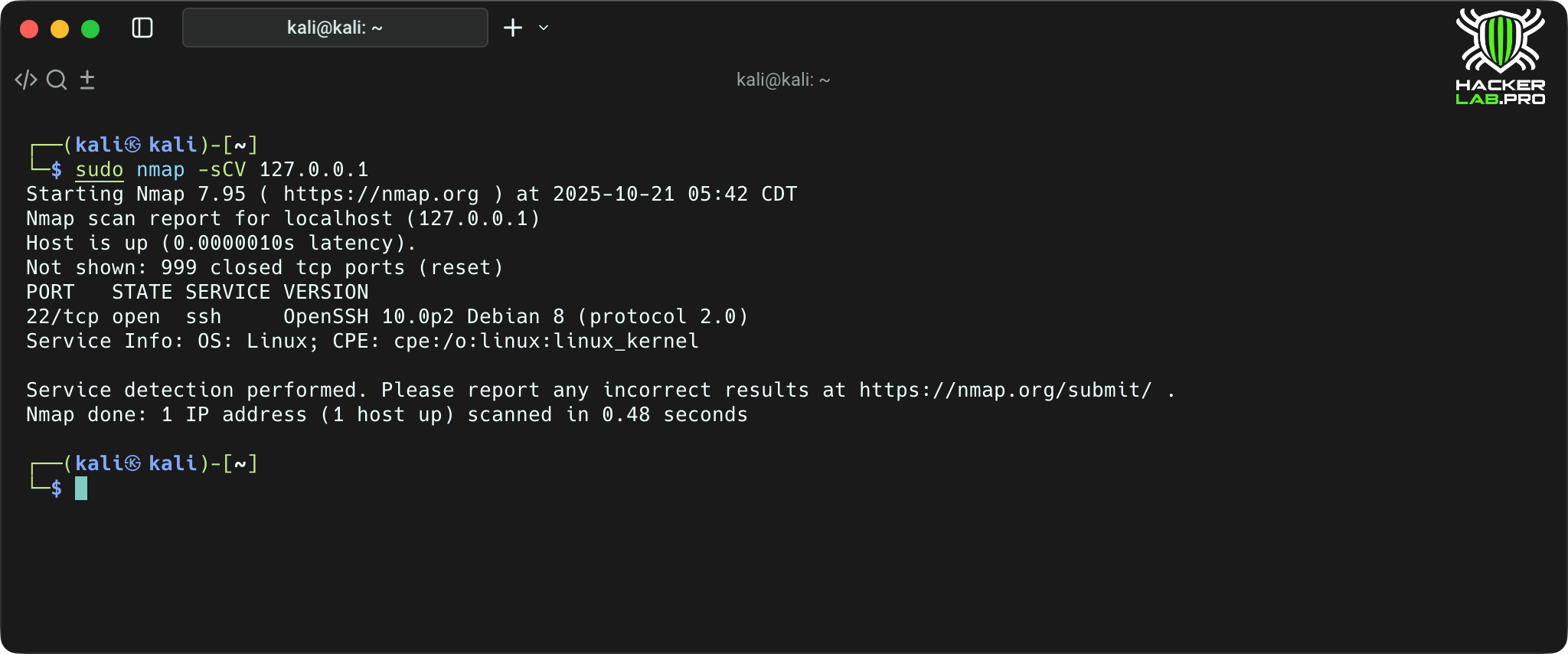
What it does: scans ports and defines services/versions.
Why is it important: primary reconnaissance of the remote host (with permission and scanning rights).
curl/wget
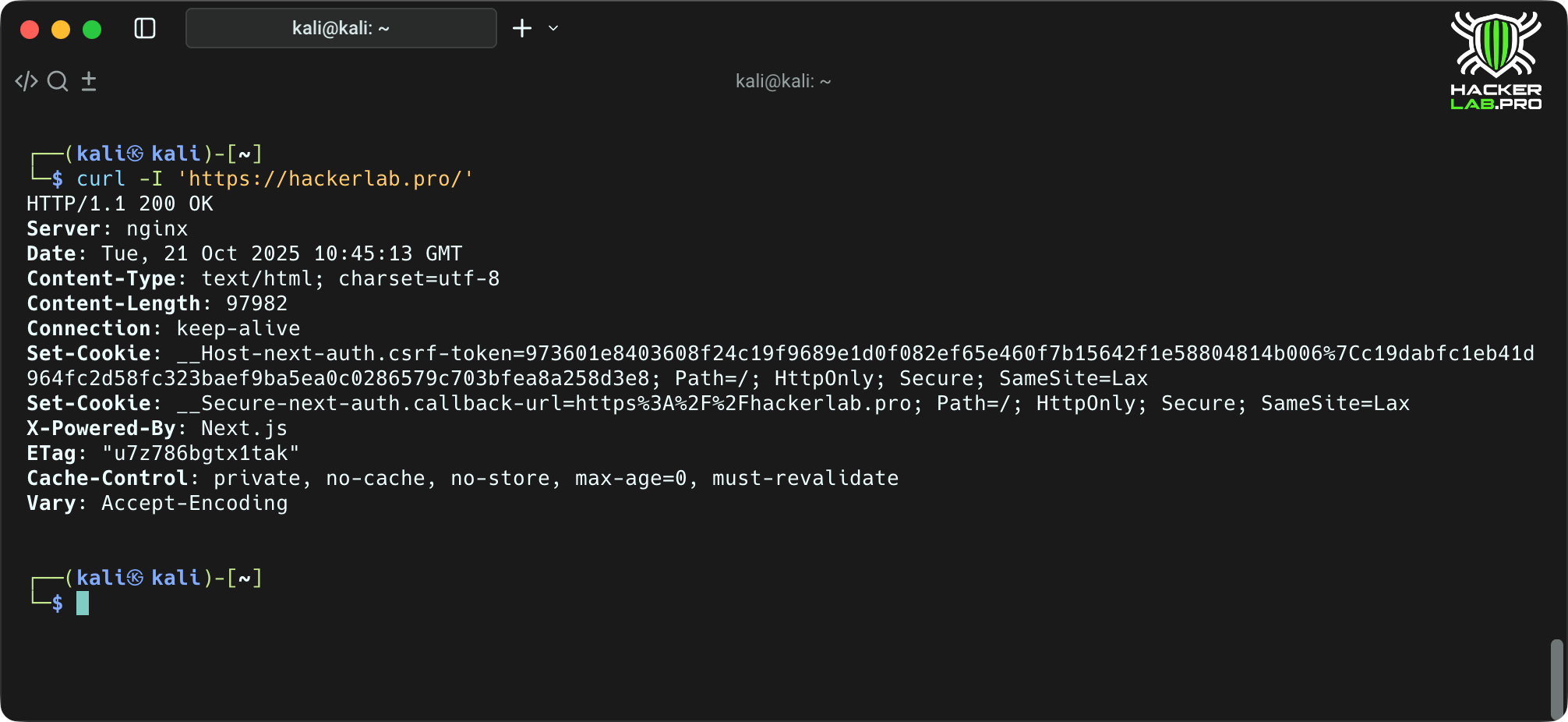
What it does: clients for HTTP(S). curl — flexible request tool, wget — easy to download/mirror.
Why it’s important to test web services, get headers, and send data.
5. Logs and systemd
In the logs — truth. Even if something goes wrong, traces almost always remain in /var/log or journalctl. The ability to read and filter system logs — is like the ability to decrypt a black box: without it it is impossible to understand what really happened. And systemd — is a nervous system through which you can control the processes and services of the entire host.
journalctl
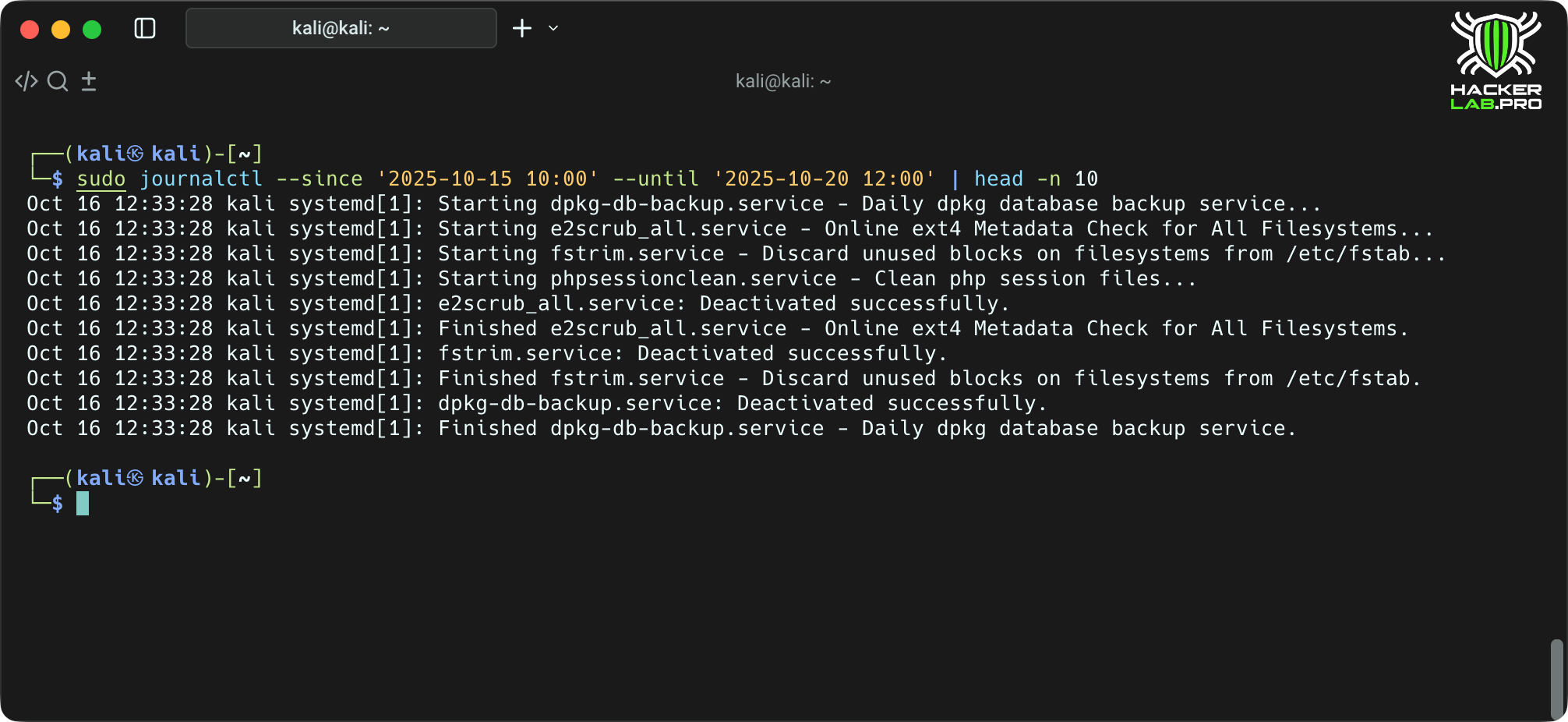
What it does: reads the system log systemd-journald.
Why is it important: most modern systems store logs in journal — filtering and searching are simplified.
systemctl
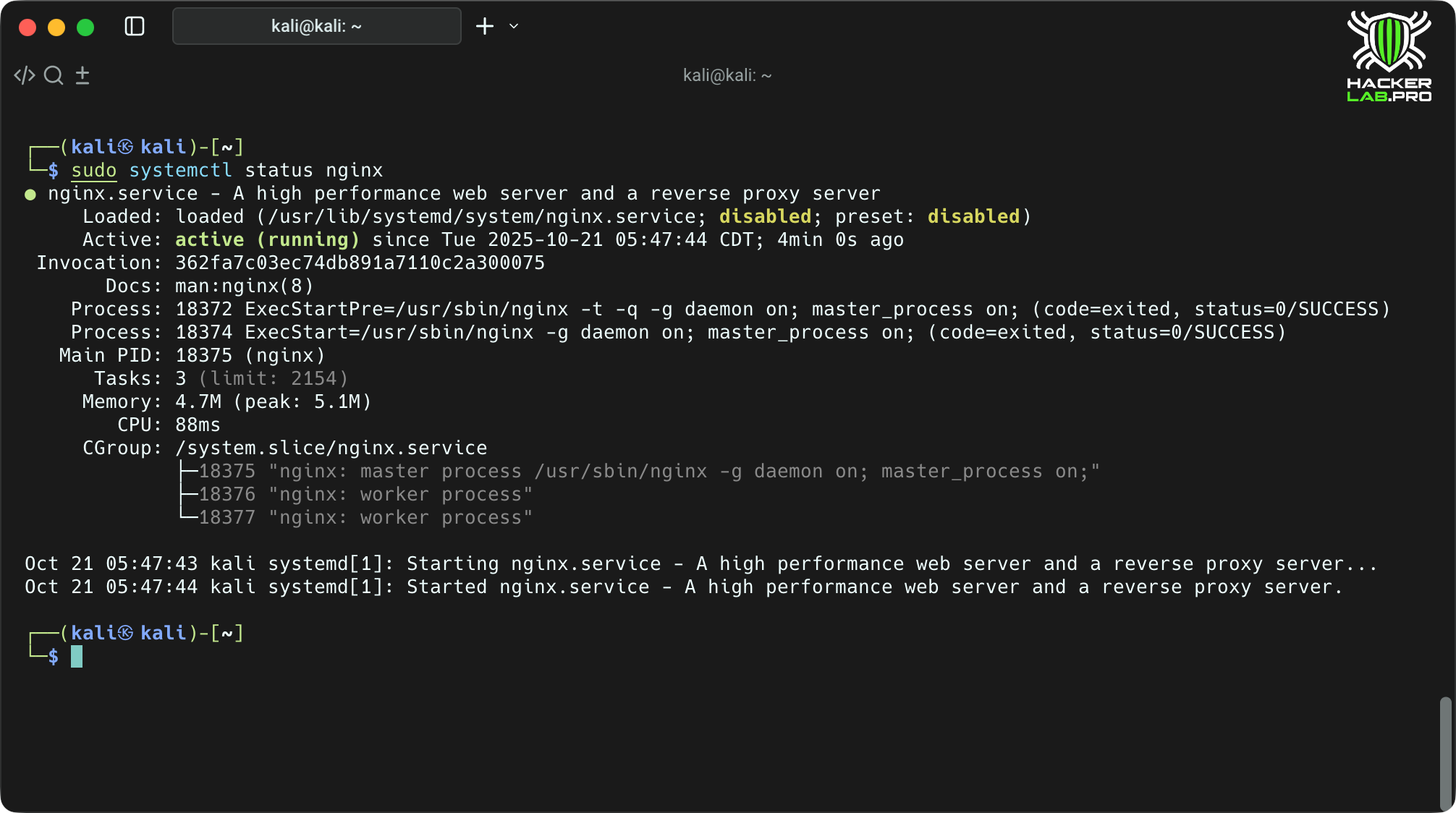
What it does: manage systemd units (start/stop/status/turn on at boot).
Why it’s important: managing services and diagnosing them — a mandatory part of working with the server.
6. Fast system diagnostics
When something breaks — don't rush to restart. Linux gives you everything to figure out what’s going on under the hood: who ate the memory, where the space went, why the system behaves strangely. These commands are — a set of field engineer tools with which you can quickly assess the condition of any machine.
uname -a
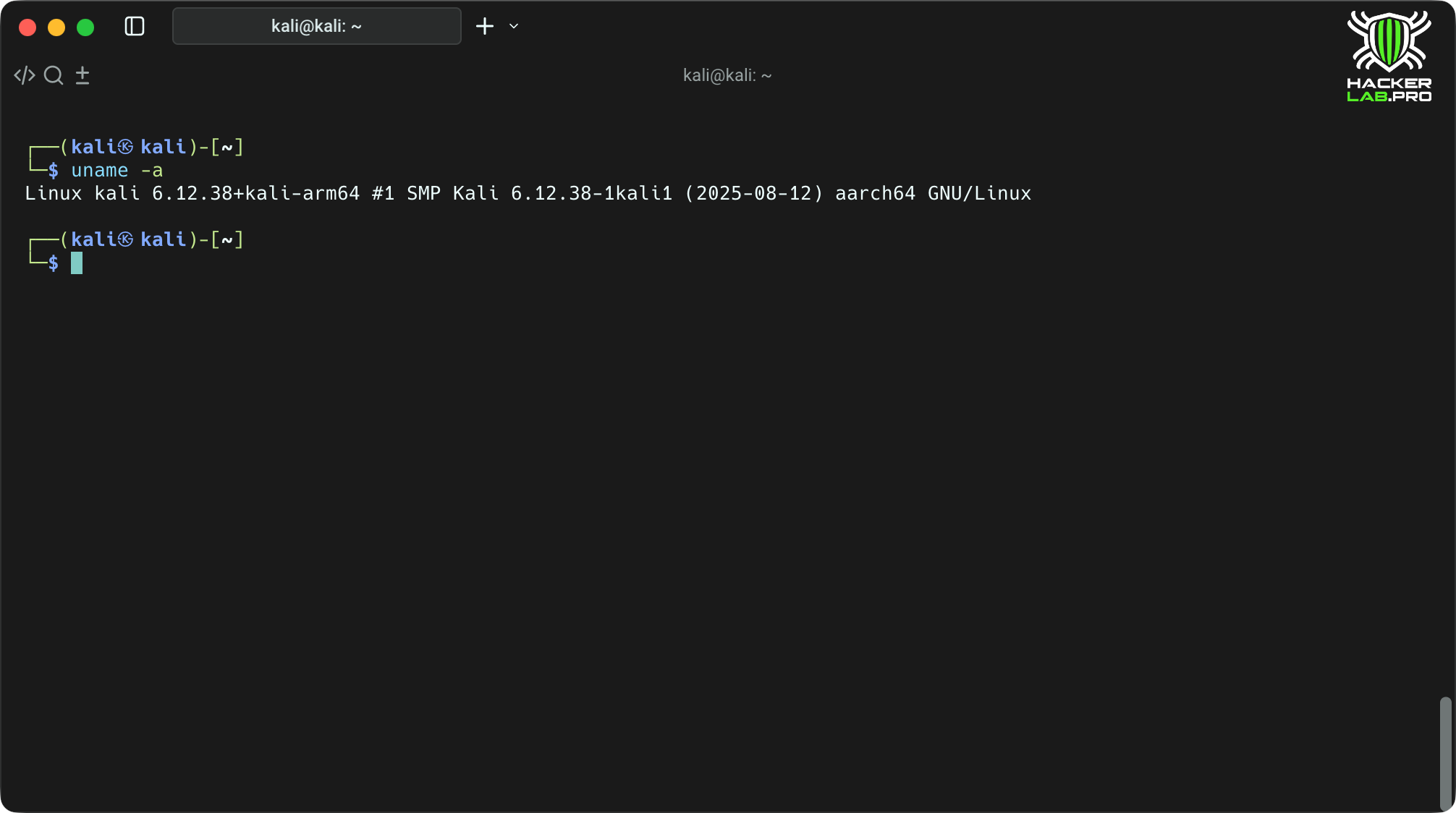
What it does: Shows information about the kernel and architecture.
Why it matters: understand which kernel version and build is being used.
df -h /du -sh
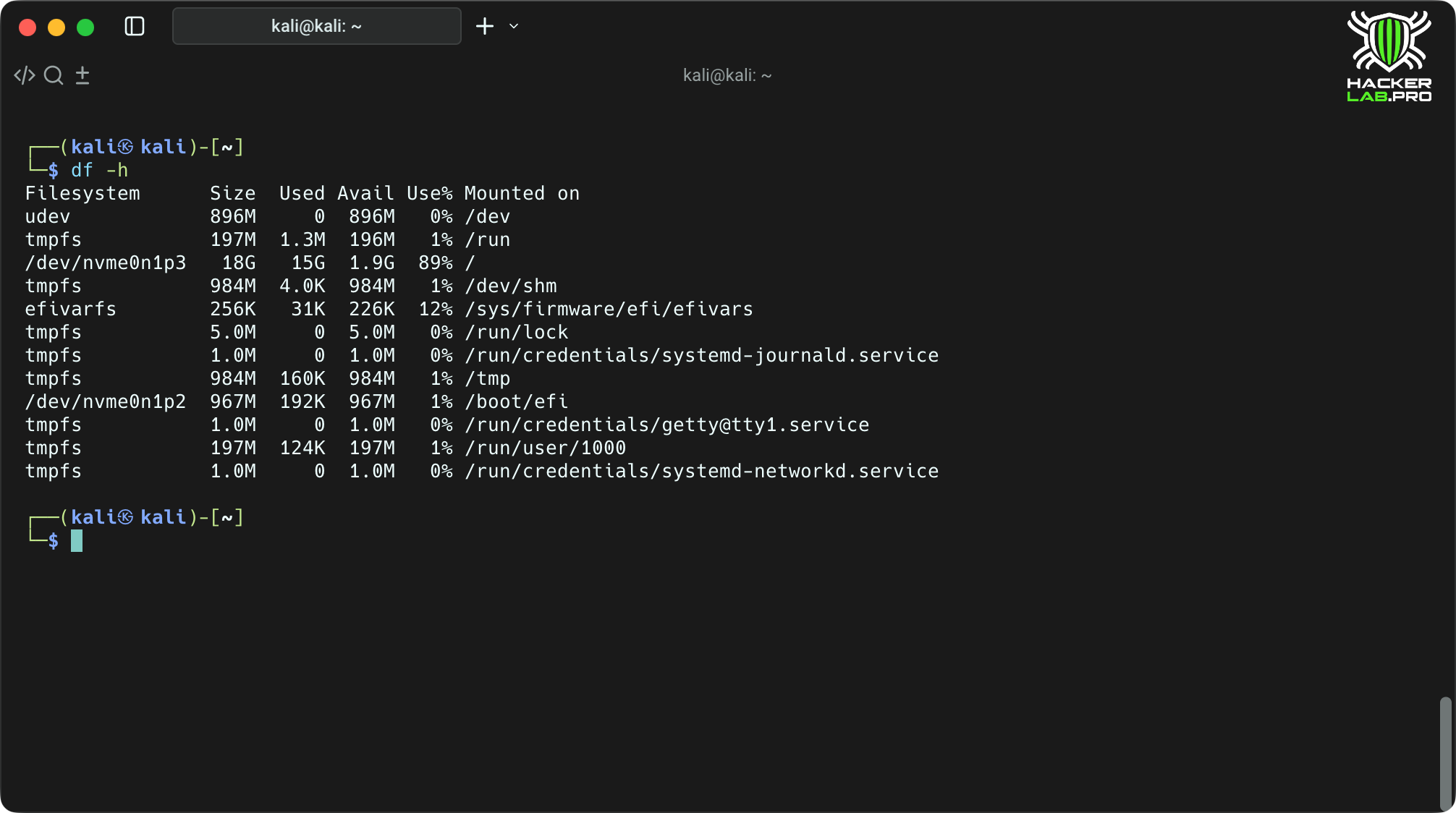
What it does: df -h — free/occupied space by file systems; du -sh — directory size.
Why is it important: when there is a lack of space, these are the first commands that help find the problem.
free -h
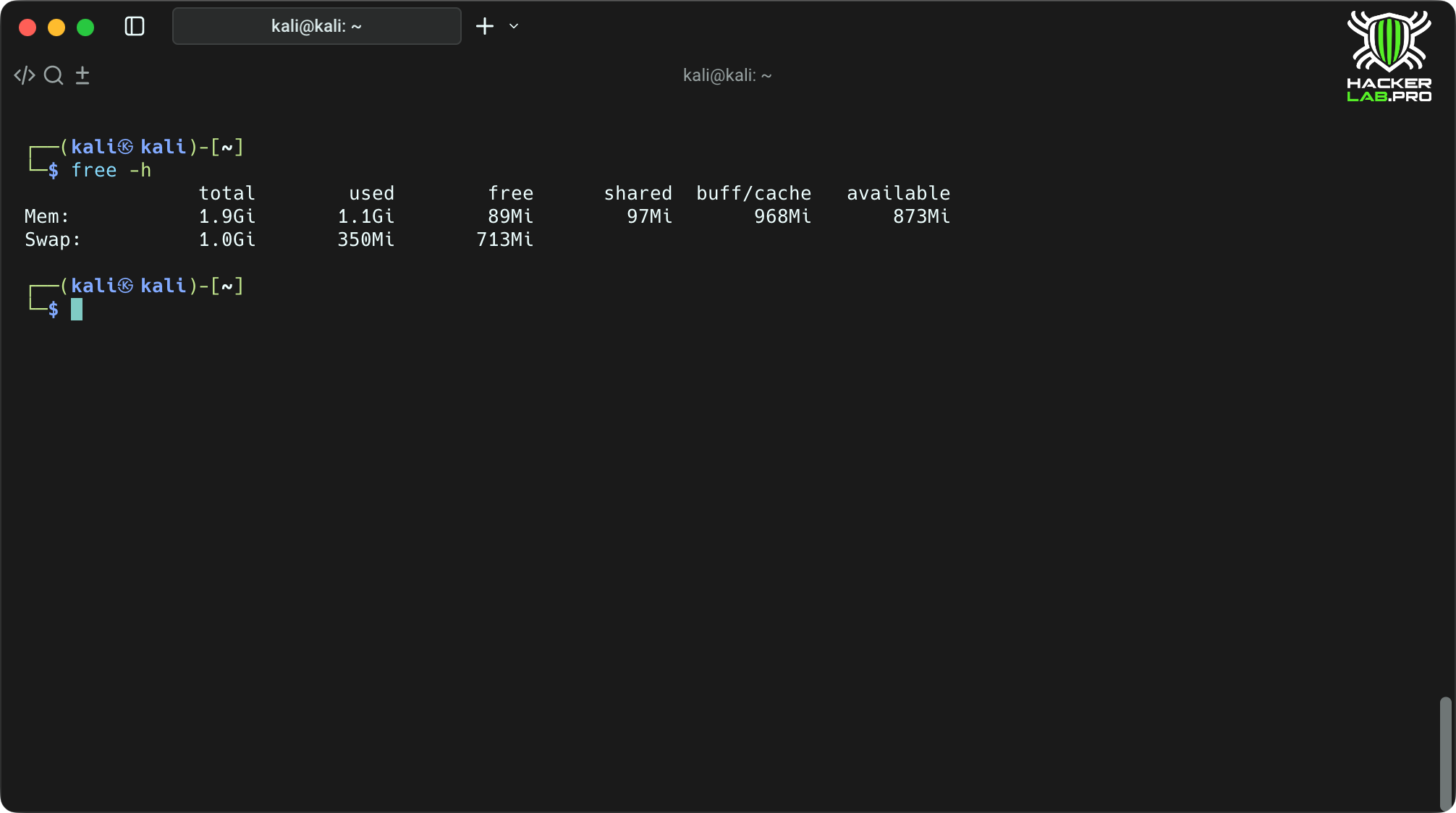
What it does: shows memory usage and swap.
Why it’s important: evaluate memory load and possible leaks.
file / md5sum / sha256sum
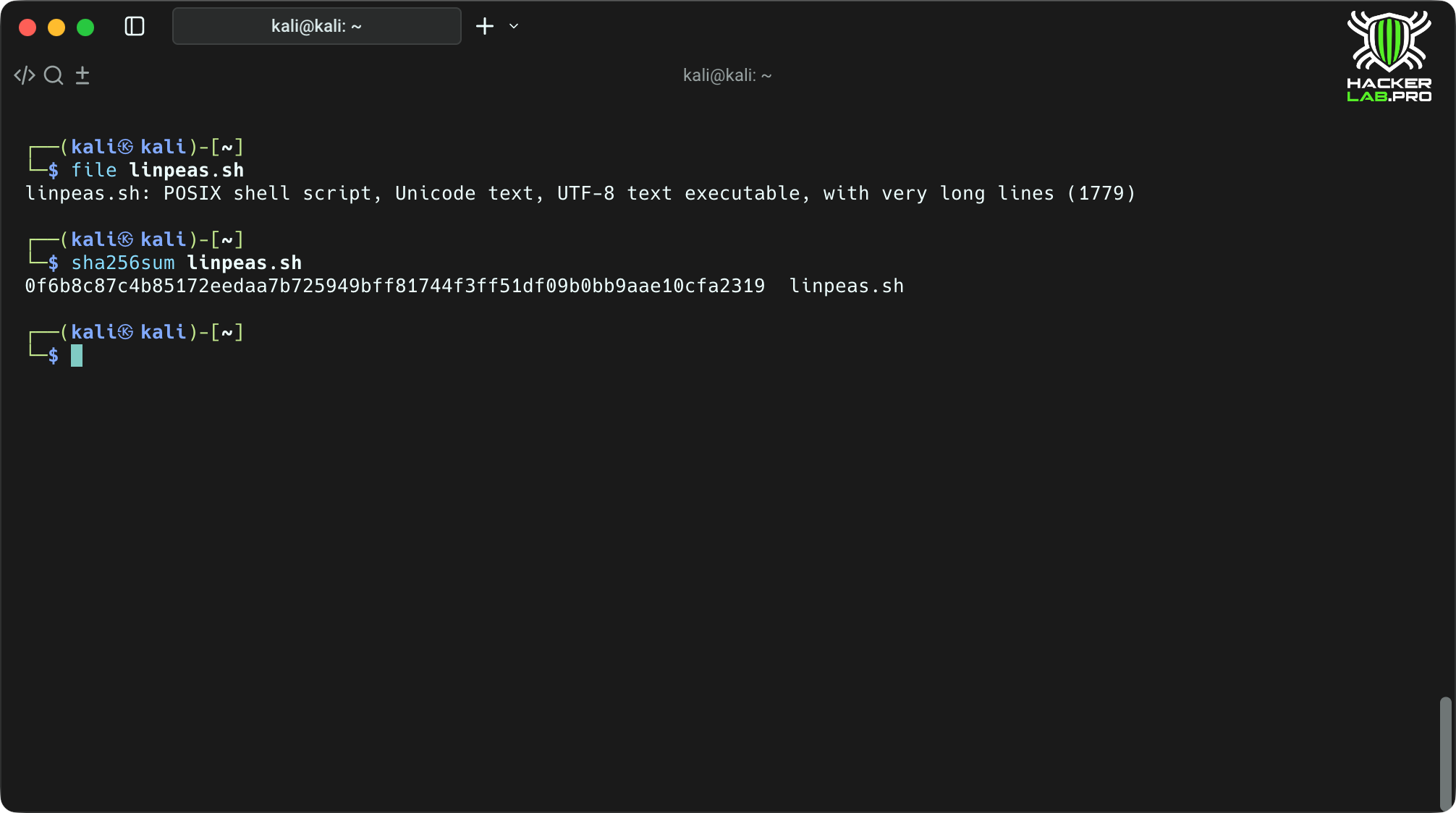
What it does: file — determines the file type by signature; md5sum/sha256sum — checksums.
Why it’s important to check the integrity of downloads and identify unknown binaries.
Conclusion
Linux — is not just an operating system.
This is an environment where every command — tool, every directory — layer of information, and every process — is part of a living system.
Understanding basic commands, reading logs, managing processes, and seeing network activity — is the foundation without which you can neither explore nor protect.
Having mastered these techniques, you cease to be «the user» and become an observer who sees what is hidden from the majority.
You can figure out why the system behaves this way and not otherwise; find the source of the problem, a trace of a vulnerability, or just an unnecessary process.
Remember that the power of Linux— is transparency.
There is no magic here — just logic, processes and files.
The deeper you understand the system, the more control and responsibility you gain.
Thanks to HackerLab for the material.