What is a limit order
In crypto, it is important not only to act quickly but also to plan wisely. The market fluctuates constantly, and instead of trying to catch the moment, it is sometimes better to set your own rules of the game — and wait. This is what limit orders are for: they let you set your desired purchase or sale price and wait for it to be executed without taking any unnecessary action.
A limit order gives you more control over the exchange. If the market reaches the price you specified, the transaction will be executed automatically. You simply set a goal and wait for the market to “play” according to your terms.
In 001kBOT, limit orders work the same way as regular orders: you can both buy and sell currency. The only difference is that the transaction will not occur immediately.
Please note: while the order is active, the funds will be “frozen” pending execution. You will not be able to use them for other transactions.
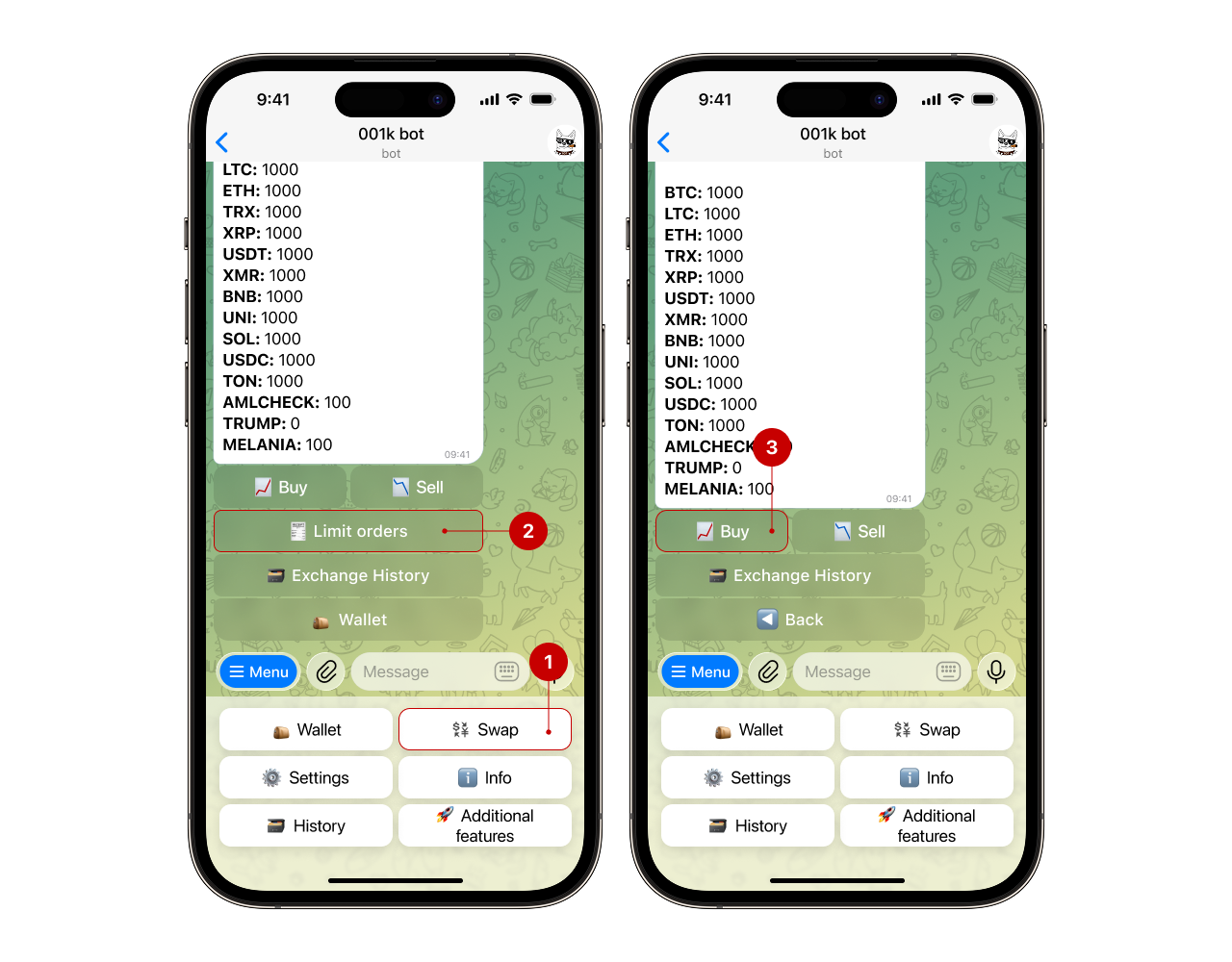
Step 1. Open the bot menu and go to the “Wallet” section → “Exchange” → “Limit orders” → “Buy”
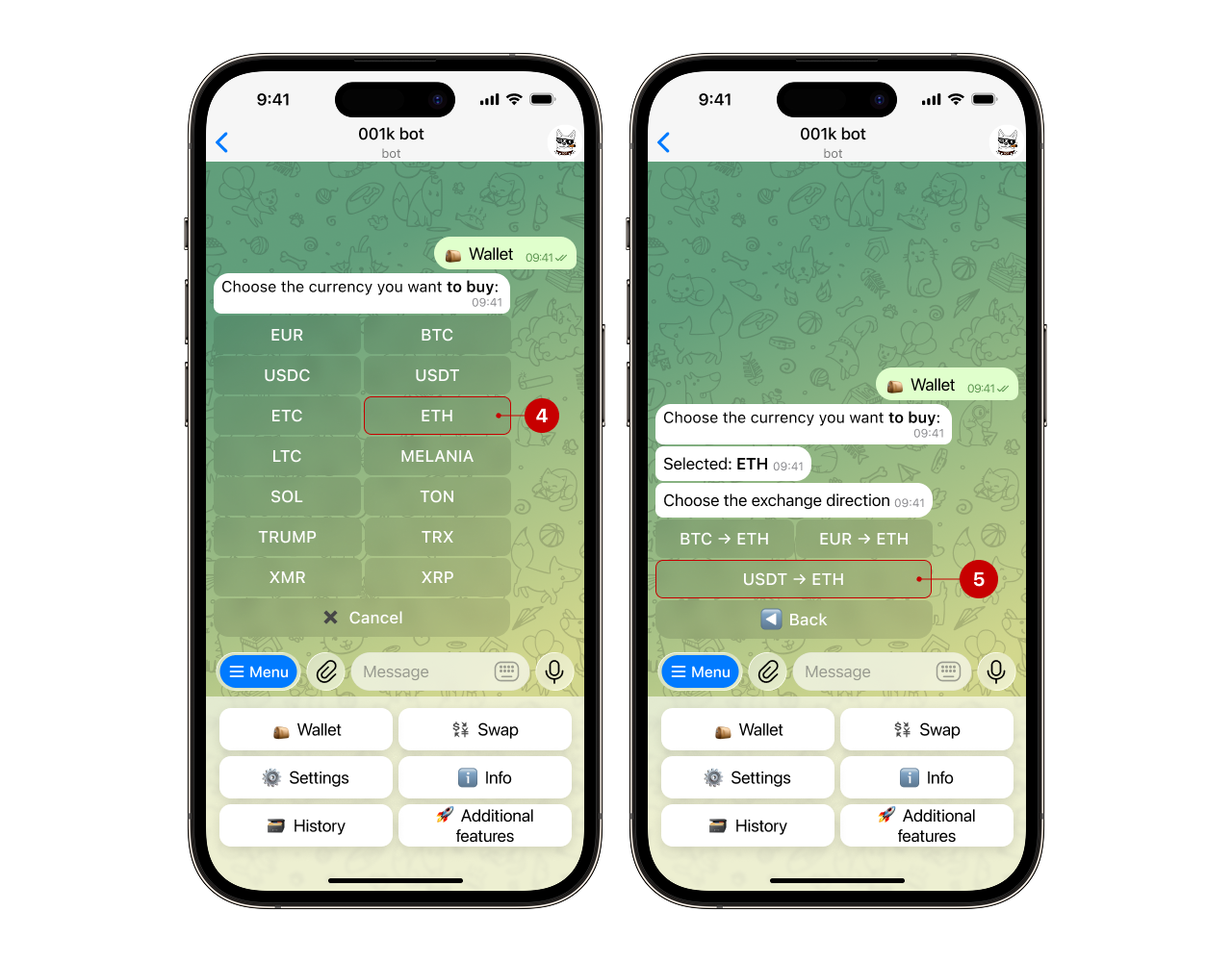
Step 2. Select the currency you want to buy (for example, ETH) and the exchange direction (for example, USDT → ETH).
Step 3. Specify the amount in the selected currency that you want to receive
For example, 10 ETH and set the desired rate: how much you are willing to pay for 1 unit of cryptocurrency (for example, 2800 USDT for 1 ETH).
.png)
Step 4. Click “Create order” and confirm the action
The order will remain in the system until you execute it or cancel it. You can track its status or cancel the order (9) in the “🗃Order history” section.
.png)
Note: Only orders with the status “Open” can be canceled.
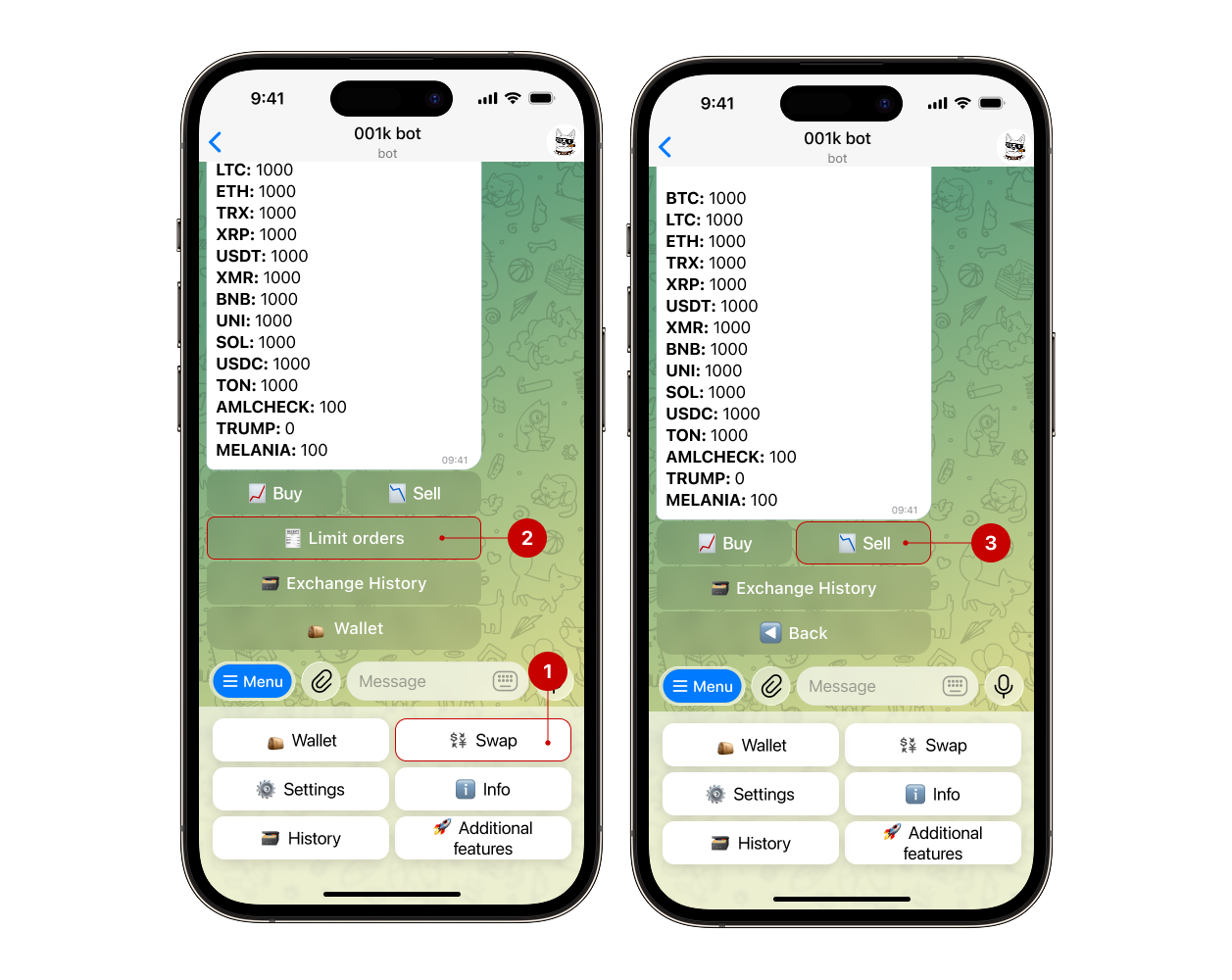
Step 1. Open the bot menu and go to the “Wallet” section → “Exchange” → “Limit orders” → “Sell”
Step 2. Select the currency you want to sell (for example, XRP) and the exchange direction (for example, XRP → USDT)

Step 3. Specify the amount you want to sell
For example, set 10 XRP and the desired rate: how much USDT you want to sell 1 XRP for (e.g., 1 XRP for 1.90 USDT).
.png)
Step 4. Click “Create order” and confirm the action
A limit order will be executed automatically as soon as the market price reaches your specified price. Until that moment, the order remains active and awaiting execution.
You can always cancel the order (9) after creating it if necessary.
Note: Only orders with the status “Open” can be canceled.
.png)
You can view orders and their statuses in the “🗃 Order history” section.