Kriptano – Send Passwords, API Keys and Files Through a Link That Opens Only Once
Digitalno HR
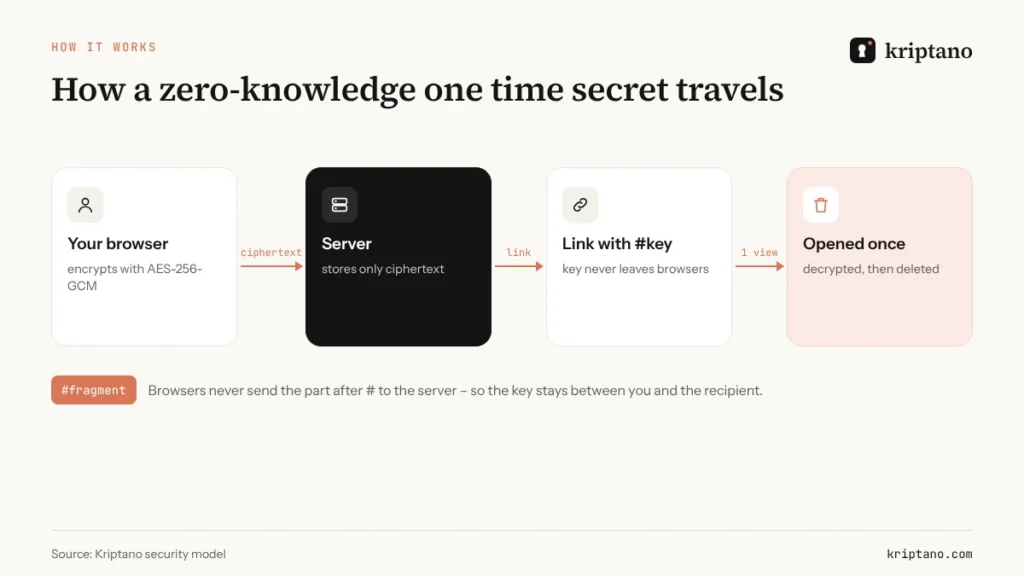
Every password you paste into an email, a Slack thread or a WhatsApp chat keeps living there – in inboxes, backups, synced phones and search indexes – long after the person you sent it to has used it. Kriptano fixes exactly that moment of handover. You type the secret, Kriptano encrypts it in your browser and gives you a link. The recipient opens it once, reads it, and the encrypted copy is deleted from the server.
How a one-time link works
- You write the secret – a password, a PIN, an API key, a Wi-Fi code or a short confidential note. It is encrypted with AES-256-GCM before it leaves your browser.
- You share the link through any channel you already use – email, Slack, Teams, WhatsApp, Viber or a QR code.
- The recipient clicks Reveal secret. The text is decrypted on their device and the ciphertext is removed from the server.
The recipient does not need an account or an app. The decryption key sits in the part of the link after the # sign, which browsers never send to a server, so Kriptano only stores data it cannot read.
Why not just use email or chat?
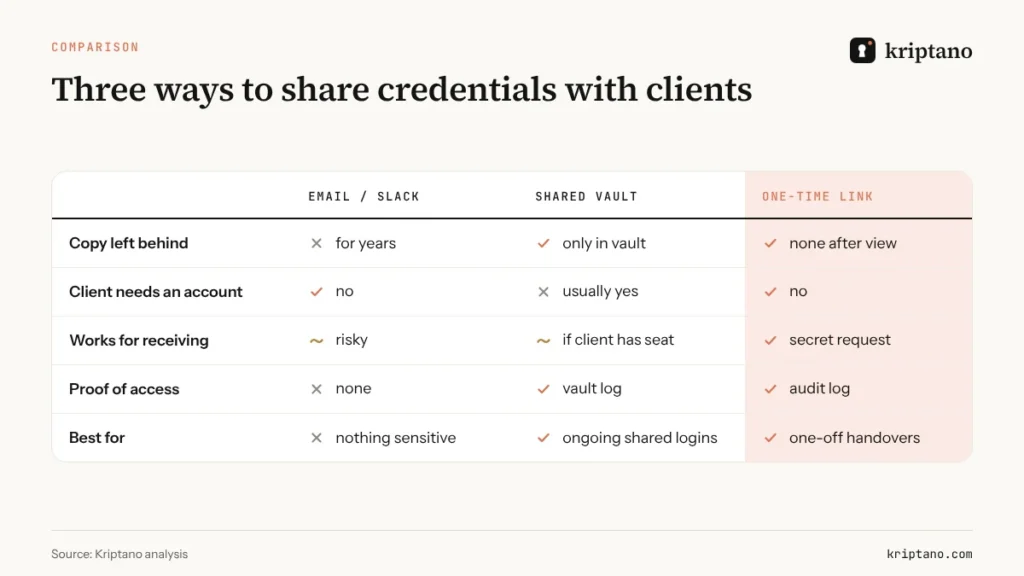
Email and chat are built to keep messages. That is useful for conversations and dangerous for credentials – one compromised mailbox or one forwarded thread exposes every password that was ever sent through it. A one-time link turns a permanent copy into a temporary one. And if someone else opened the link first, the real recipient sees that it is already gone, so you know the password has to be changed.
Controls you set for each secret
- Expiry – from 1 hour up to 1 year, depending on the plan.
- Number of views – from 1 up to 100, for example when a whole team needs the same Wi-Fi code.
- Extra passphrase – an optional second password, best sent through a different channel. Five wrong attempts destroy the secret.
- Email notification – on paid plans you get an alert when the secret is opened.
- Link-preview protection – automatic previews in Slack, Teams or Outlook do not use up the view.
Files, not only text
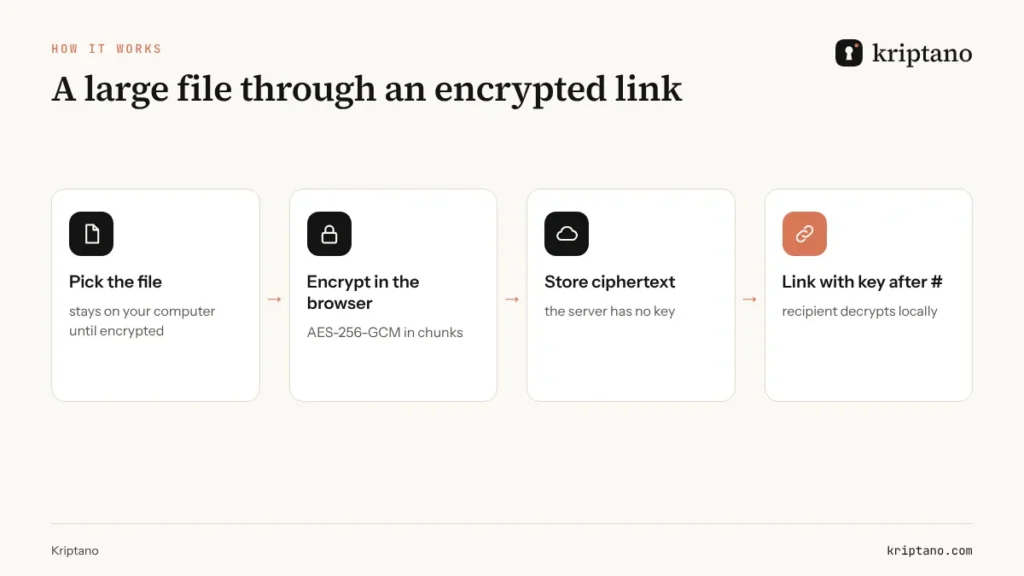
Encrypted attachments work the same way – up to 5 MB on the free plan and up to 10 GB on the largest plan. A good habit for documents is to send the password-protected file the usual way and the password through a one-time link, so the two never travel together.
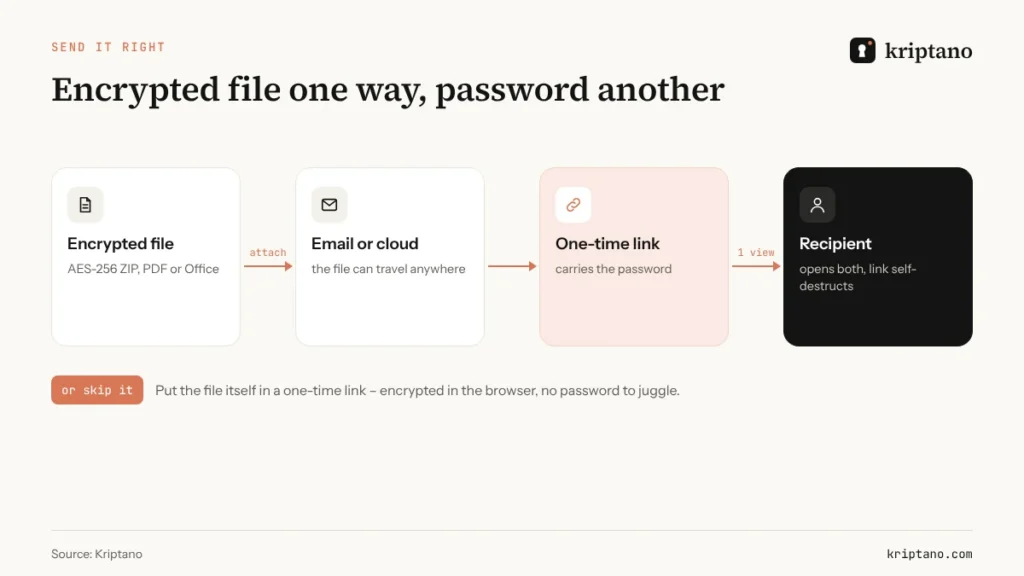
For large confidential files such as contracts, scans or design archives, an encrypted link is a private alternative to classic transfer services. The page on sending large files explains the limits and storage.
When you need to receive a secret
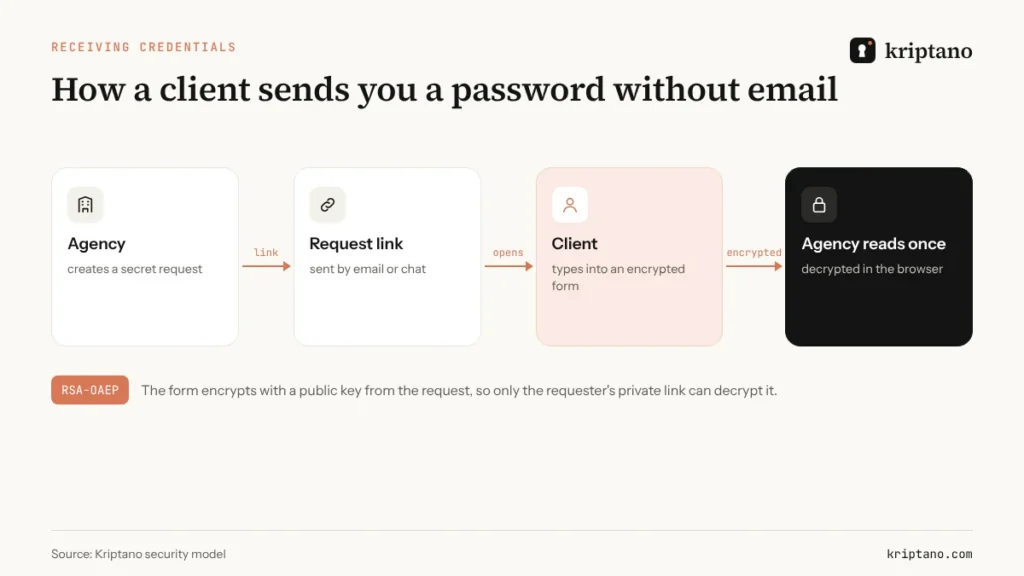
The opposite direction is just as common. A client has to send you a server login, an accountant needs bank details, HR needs a new hire's ID number. With a secret request you send a link, the other person types the data into an encrypted form, and only you can open the answer.
Not the same as a one-time password
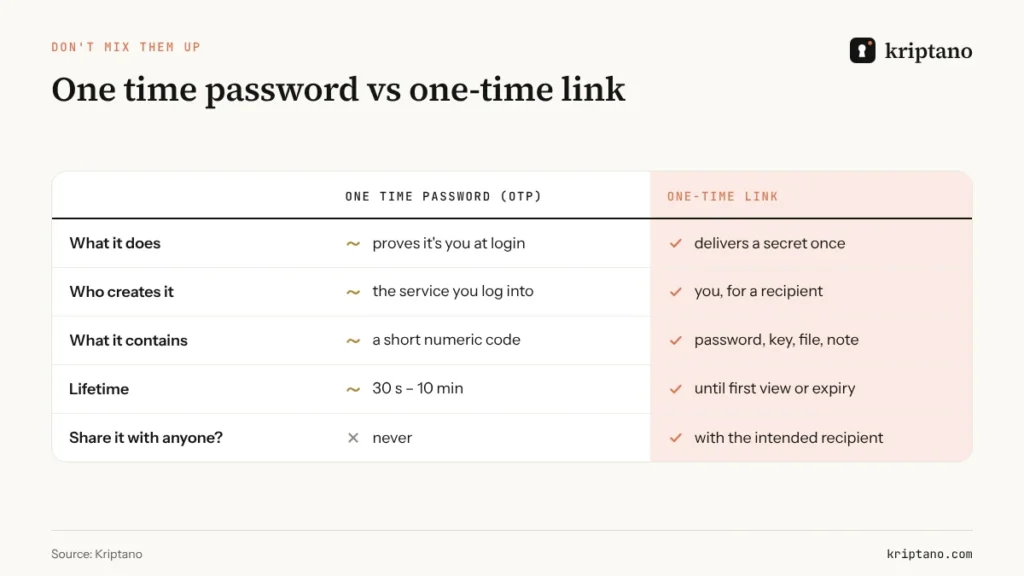
A one-time password (OTP) is a short code that proves who you are when you log in. A one-time link delivers something confidential to someone else. They solve different problems, and Kriptano covers the second one – including handing over backup codes or a temporary login.
Free to start
The free plan covers occasional use with one-view links, a 7-day expiry, 5 MB attachments, a QR code and the password generator. Paid plans add longer expiry, more views, notifications, two-factor login, teams, an API and custom domains – see Kriptano pricing. Servers are in the EU, and secret pages load no analytics or third-party scripts.
Try it with your next password handover at kriptano.com.
Izvorni vodič: https://kriptano.com/en/