Kernel-headers
Anonym3310#===[ What it this ]===#
I use them to compile additional drivers, but you maybe find other uses.
#===[ How to use ]===#
( All the steps described below are recommended to be performed on android in the chroot of any linux )
- Download the required packages with the command:
sudo apt update && sudo apt-get install make build-essential clang gcc gcc-arm* bc git -y
- Download kernel-headers
- Install kernel-headers with the command:
sudo dpkg -i kernel-headers.deb
An example of using the command:
sudo dpkg -i /path/kernel-headers.deb
sudo dpkg -i /sdcard/Download/Kernels/kernel-headers.deb
- Download the driver from github or somewhere else:
git clone https://github.com/aircrack-ng/rtl8812au --depth 1
- Go to the folder with the driver:
cd rtl8812au
- Start the build with the command:
sudo make -j16 CC=clang ARCH=arm64 CROSS_COMPILE_ARM32=arm-linux-gnueabi-
#Notes: Sometimes CC=gcc must be specified instead of CC=clang . It depends on what the clang or gcc kernel was compiled with.
- Check the driver for operability:
Since rtl8812au is already built into many of my kernels, you may need to run this commands first:
lsmod

If there is 88xxau in the list, then rmmod must be done before insmod:
rmmod 88XXau.ko
If 88XXau is not listed then skip rmmod and go to insmod:
insmod 88XXau.ko
lsmod
- If the driver came up, then you should have as in the screenshots:
The main thing is that there are no errors after the insmod command
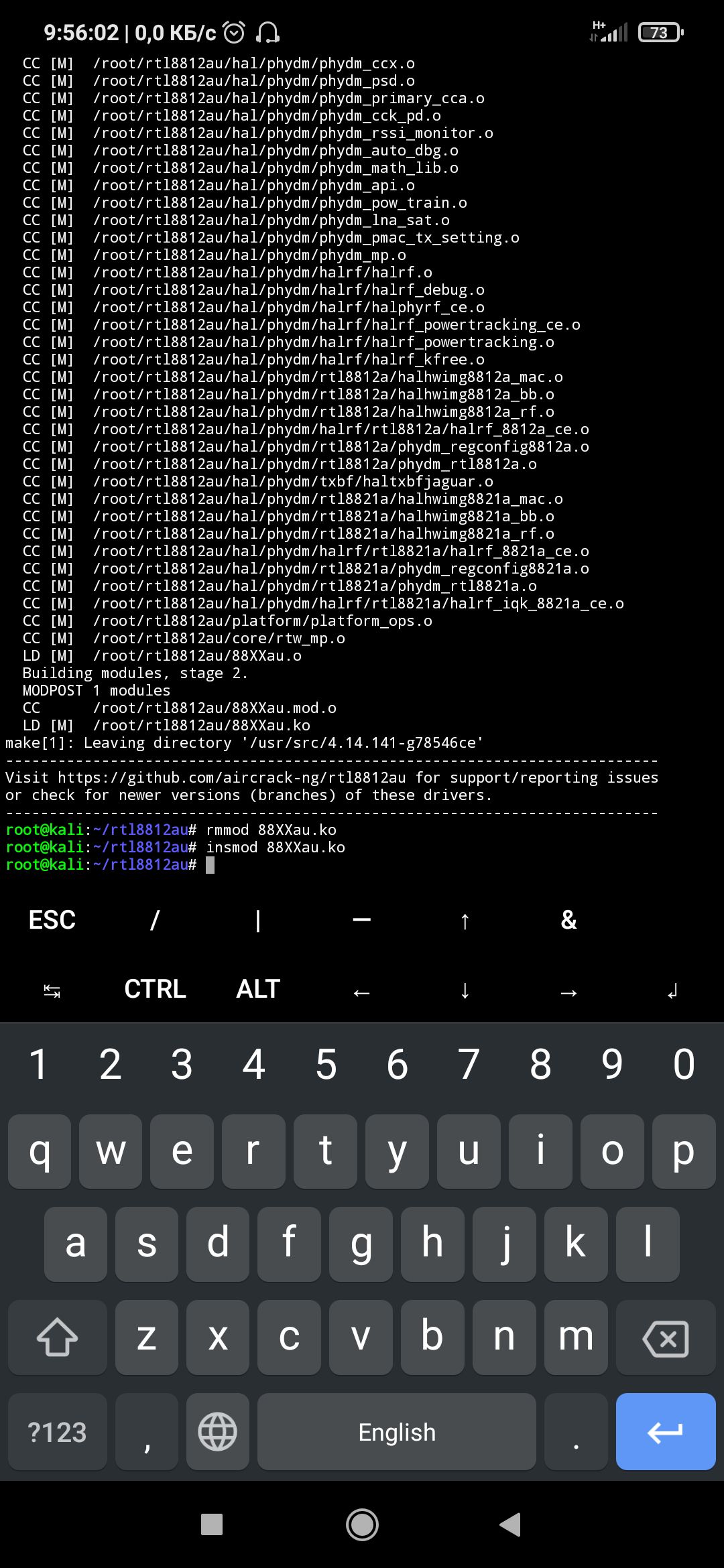

If you have compiled the driver by receiving a * .ko file and successfully executed the insmod command, then congratulations you have succeeded!
I want to note that after rebooting the device, the insmod command needs to be re-executed for this, I use AutoInsmodModules how to use it you can see below
#===[ How to use AutoInsmodModules ]===#
- Move all * .ko files to:
/vendor/lib/modules
Or:
/system/lib/modules
#===[ How to remove kernel-headers ]===#
- Run the command:
sudo apt remove kernel-headers -y
#===[ Where to download kernel-headers ]===#
- In the post with the AkameKernel, I provide the download link for kernel-headers
#===[ Common compile-time errors ]===#
[ -Werror ]
- How do I recognize "-Werror"? You will have a line like this:
error: fhdksjhiwja -Werror jffjdksk
- How to fix? Let's go to the folder with headers:
cd "/usr/src/$(uname -r)"
- Open Makefile and completely remove all output lines after grep:
grep Werror Makefile
- We save the changes and try to build the driver again
[No such file or directory]
- How do I recognize "No such file or directory"? You will have a line like this:
/bin/sh/python No such file or directory
The beginning may be + - slightly different, but the essence of the error is the same ...
- How to fix? This usually means that you need to tell the given package with the command:
sudo apt install python -y
- The error should now be resolved and you can re-compile
If you have problems solving the error, you can try asking in the chats, maybe they will help you:
chat-1 (AkameChat)
chat-2 (NetHunterChat)
By @Anonym3310
Made in @akamekernelchannel