How to pass KYC
KYC is an identity verification process that helps protect users and their funds. The procedure is simple, takes only a few minutes, and involves confirming the personal data necessary for the safe use of the service.
Below is a description of how to complete this procedure in our bot.
Step 1. In the main menu, click “Settings” → “Verification”
.png)
Step 2. Check your current status
If you have not yet completed KYC, the bot will notify you of the lack of verification and suggest that you start the procedure. Click the “Start” button (3), and then “Get a link to KYC” (4).
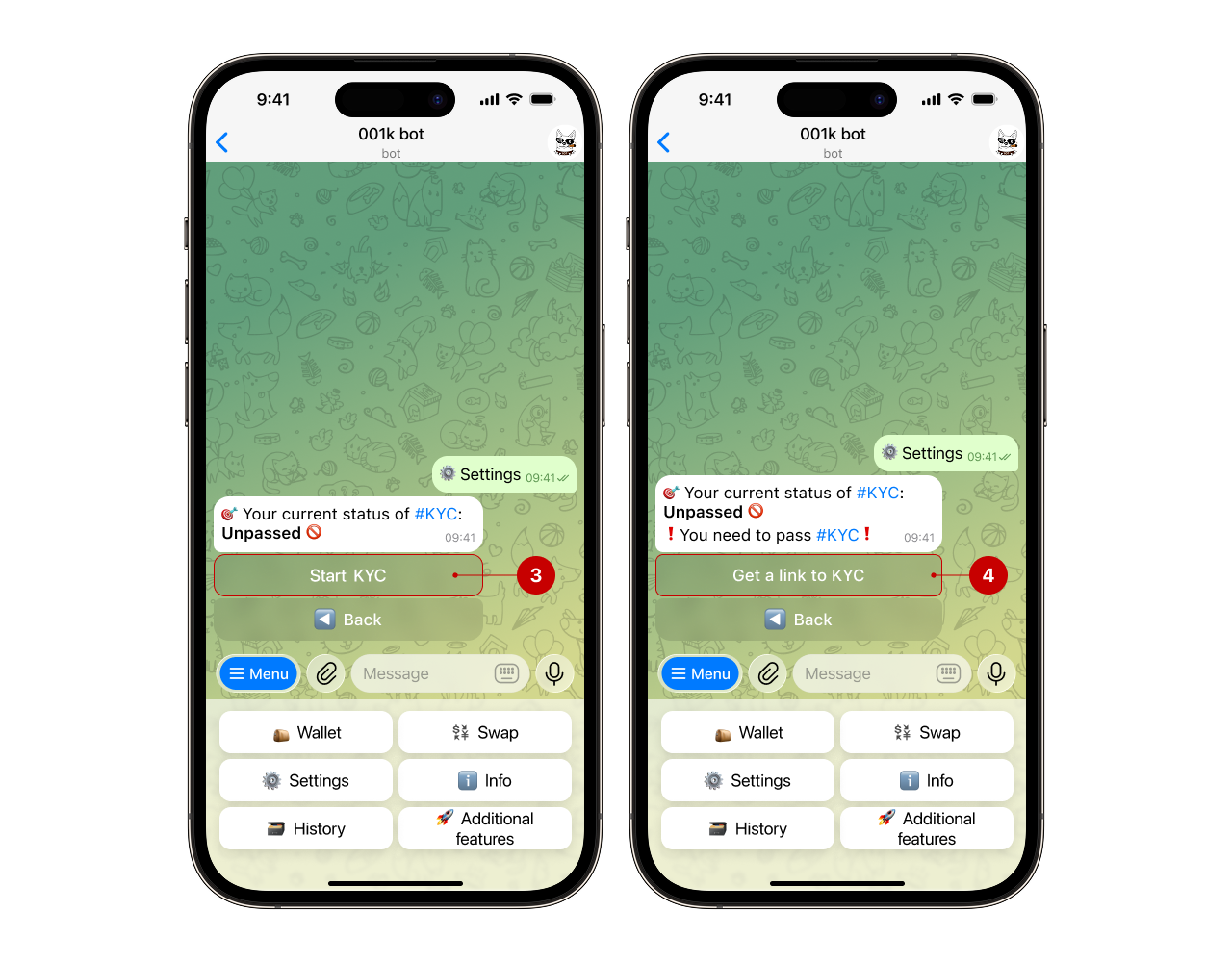
After clicking the button, the bot will send you a message with a link to complete the identity verification (5). Follow the link and complete the verification process.
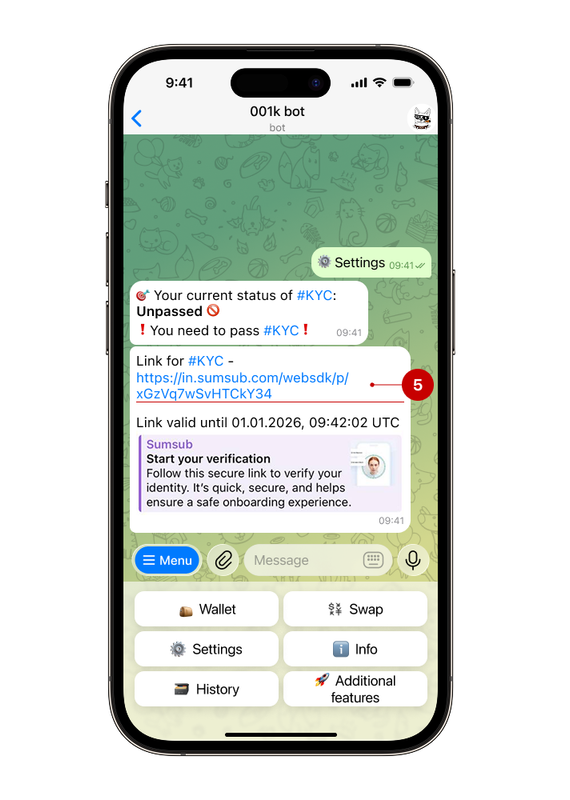
Step 3. Complete the verification
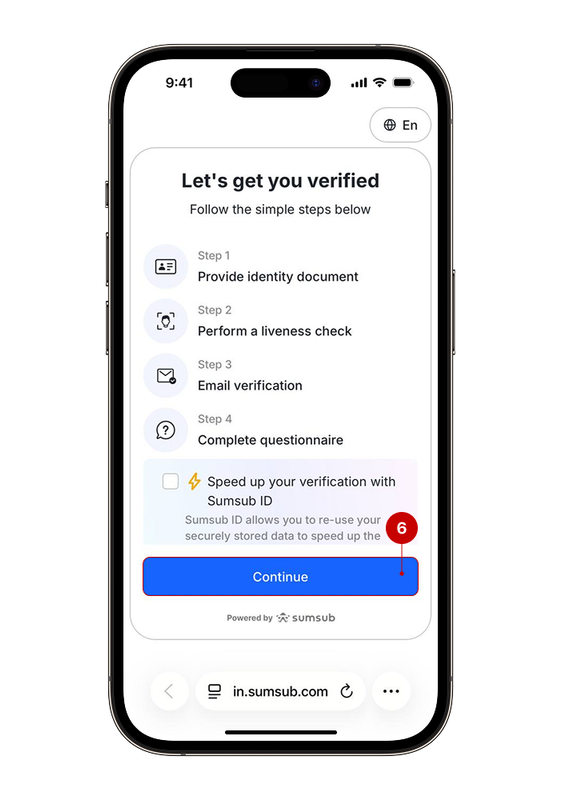
Following the link will open the Sumsub website, a service that the bot uses to verify users' identities. To successfully pass KYC, you will need:
- an identity document;
- liveness verification;
- e-mail verification;
- a short questionnaire to fill out.
To start the verification, click the “Continue” button (6).
Step 4. Wait for the results
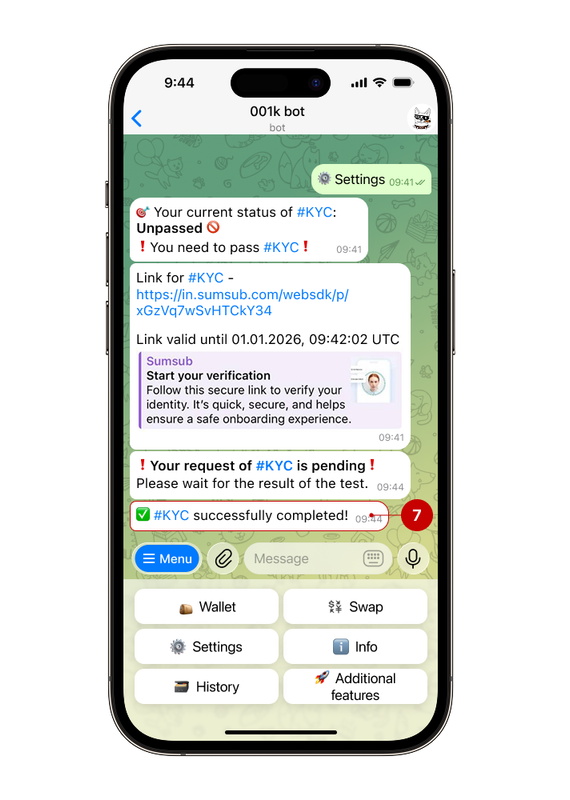
Verification will take some time; once complete, the bot will notify you that the procedure has been successfully completed (7).
✅ Done!