Introduction to GainScanner
GainScanner is a free Telegram channel designed to help you identify the best opportunities for cryptocurrency arbitrage across 25 leading exchanges.
Each signal includes:
- The optimal deal size for maximizing profit
- Calculated average buy and sell prices
- Real-time data from 24/7 exchange monitoring
With GainScanner, you can explore and improve your understanding of:
- How cryptocurrency exchanges operate
- The process of transferring funds between exchanges
- Blockchain networks, including transfer speeds and fees
- Order book mechanics through hands-on experience
- And much more
We believe that the best way to master cryptocurrency arbitrage is by practicing with real-world examples.
Getting Started
To begin successful inter-exchange cryptocurrency arbitrage, you’ll need to:
- Register on exchanges: Use our referral links to receive welcome bonuses and discounts on trading fees.
- Binance
- MEXC
- Bybit
- OKX
- Kucoin
- HTX
- Gate
- Bitget
- Coinex
- Bingx
- Bitmex
- Bitmart
- Crypto Exchange
- XT
- Lbank
- Coinw
- Poloniex
- Bitfinex
- Digifinex
- Probit
- Phemex
- Tapbit
- Ascendex
- Bitrue
- Coinbase
Please note: These are referral links, and we may earn a small commission at no extra cost to you.
- Complete verification on each exchange: Verification is essential for successful trading and withdrawal of funds. Skipping this step could cause delays and lead to missed opportunities during a transaction.
- Enable 2FA and set up additional security measures: Link your phone number for SMS (if required) and verify your email. Similar to the previous step, paying attention to this could result in delays during trades.
- Familiarize yourself with the information shared in the GainScanner Telegram channel: Understanding the data provided will help you make the most of your arbitrage opportunities.
How to Read GainScanner Signals
In the GainScanner Telegram channel, you will receive messages like these:
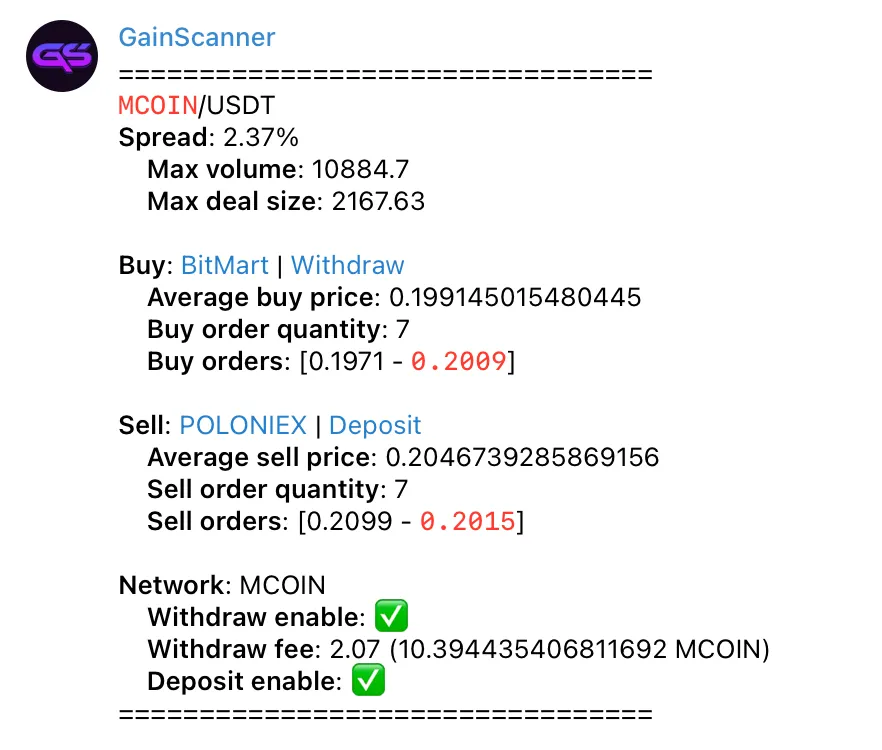

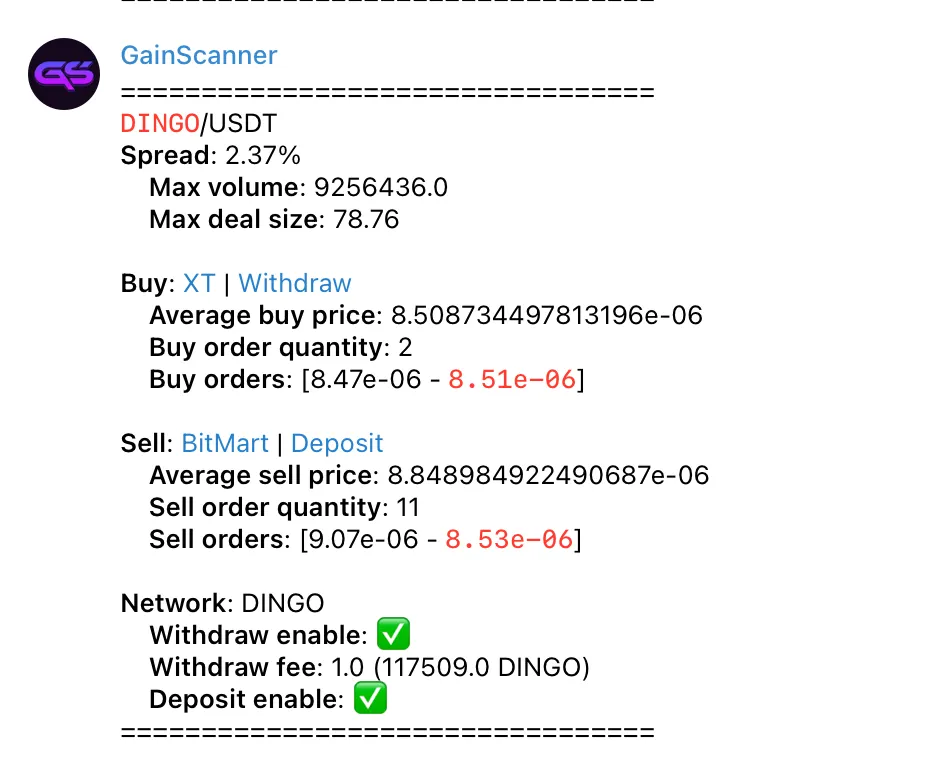
Let’s look at what the data in the messages means.
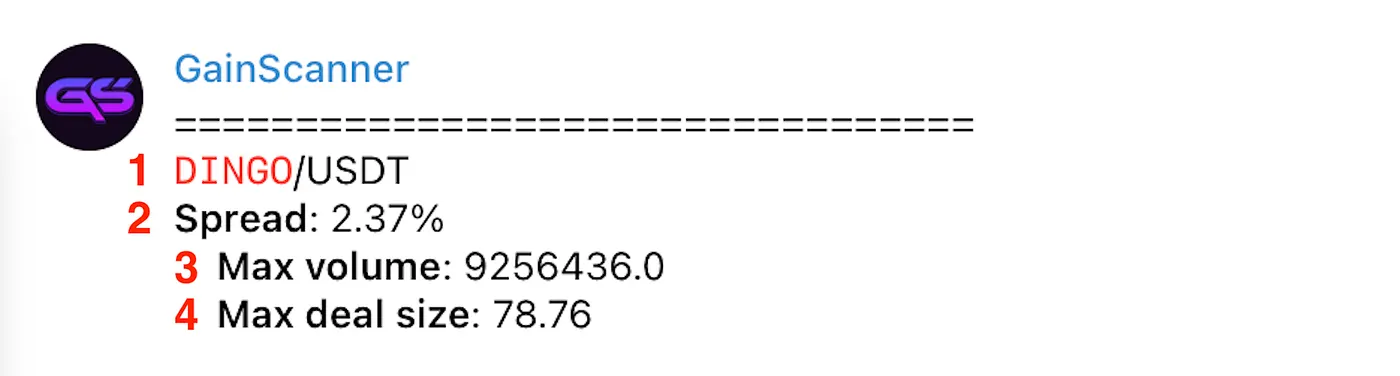
1 — This is the trading pair for arbitrage, in this case, DINGO and USDT. The second coin in the pair is always USDT.
Always ensure that the coins you’re trading are the same on both exchanges by checking their contract addresses. This is crucial for avoiding mistakes. Learn more in our article: How to Verify a Coin’s Contract Address.
2 — This is the spread, representing the difference between the buy and sell prices for the arbitrage opportunity. In this example, the spread is 2.37%. The spread accounts for exchange fees and blockchain transfer fees (if the data is available). However, always double-check the blockchain transfer fees before making a transaction!
3 — This indicates the optimal amount of coins for the arbitrage opportunity. In this example, the Max volume is 9256436 DINGO.
4 — This is the deal size in USDT (based on the buy price). In this example, the Max deal size is 78.76 USDT.

5 — This is the buy exchange. Clicking on the exchange name will take you to the page with the arbitrage trading pair. Clicking on “Withdraw” will redirect you to the withdrawal page for the coin (if you are logged in to the exchange website).
6 — This is the average buy price.
7 — The number of orders from the order book required to complete the purchase for the arbitrage opportunity.
8 — This is the price range for buying from the order book for the arbitrage opportunity.

9 — This is the sell exchange. Clicking on the exchange name will take you to the page with the arbitrage trading pair. Clicking on “Deposit” will redirect you to the deposit page for the coin (if you are logged in to the exchange website).
10 — This is the average sell price.
11 — The number of orders from the order book required to complete the sale for the arbitrage opportunity.
12 — This is the price range for selling from the order book for the arbitrage opportunity.
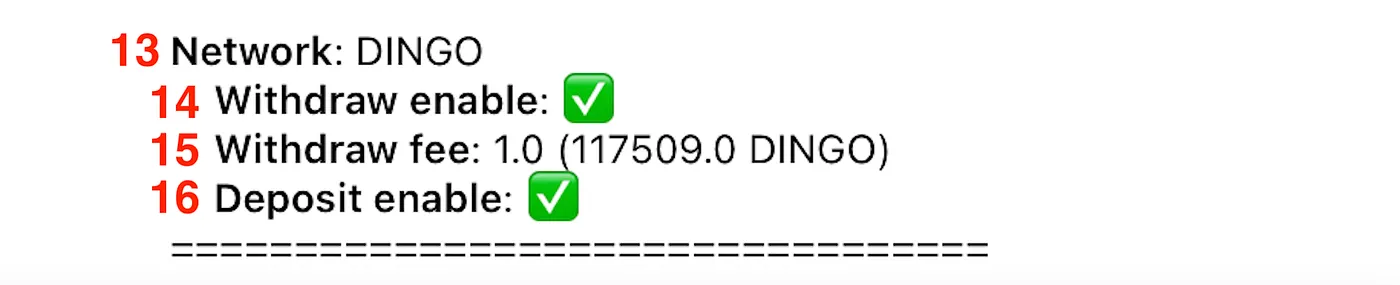
13 — This is the blockchain network name. In this case, it is the DINGO network.
14 — This indicates whether withdrawals are enabled. A green checkmark means that withdrawing the coin is possible.
15 — This is the blockchain transfer fee, shown in both USDT (1 USDT in this case) and the network’s native coin (117,509 DINGO in this case).
16 — This indicates whether deposits are enabled. A green checkmark means that depositing the coin is possible.
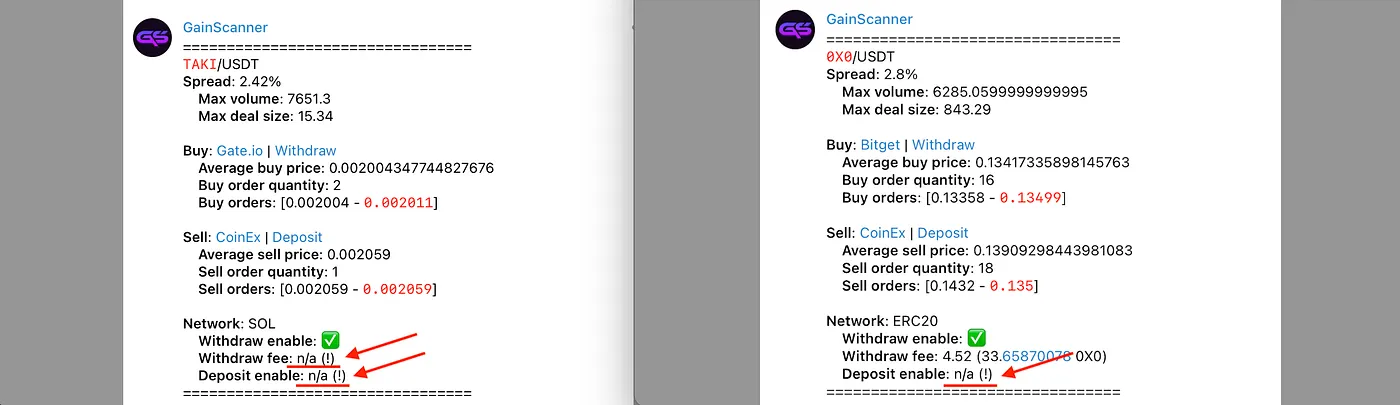
Sometimes, GainScanner messages may lack information about the deposit or withdrawal status of a coin. In such cases, it’s important to manually check whether deposits and withdrawals are available for that coin on the respective exchange.
You may also come across messages where the blockchain transfer fee is not specified. Please note that when this data is missing, the spread is calculated without considering blockchain network fees. Always double-check these fees before proceeding with a transaction.
Disclaimer: Cryptocurrency markets are highly volatile and involve significant risks. You should conduct your own research and fully understand the potential risks before engaging in arbitrage or any other trading activity.