Introduction to Firmware Reversal
Good afternoon my white rabbits, Merry Christmas to all of yo !🐰🎄
I wanted to do a small series of posts about reverse firmware .

There will be several parts to it. This part is an introduction. The following ones will touch on specific firmware models
What is this reverse firmware of yours?
The firmware itself is the type of software that communicates with and controls the hardware components of the device. It is the first piece of code that runs on the device. It usually loads the operating system and provides specific services to run programs, interacting with various hardware components🔌
Many of the devices you use will interact with the firmware.
It can be viewed as actual code that runs on an IoT or embedded device.
Reversing the firmware involves disassembling and understanding the inner workings of the device. 🔒
This can range from simple analysis, such as looking at various aspects of the device, such as its file system and various interfaces, to an in-depth look at the firmware itself and uncovering the internal details and algorithms of the firmware.
Reverse firmware is useful because it can lead to the discovery of various important information about the device, such as hard-coded data, security flaws in various critical algorithms, and even login credentials.
The firmware may contain information such as encryption keys, API keys and other hard-coded secrets.
We could modify the firmware and flash the device with our patched code to change the interesting logic in the chip.
When dealing with the parsed code, you will have to understand the different internals of the device.
One important aspect of the device is its architecture.
Most embedded systems use a RISC architecture because it uses small and optimized instructions and usually takes fewer clock cycles compared to computers which can do complex tasks in a single clock cycle.
A clear understanding of the architecture of the device is important to understand the inner workings of the device.
What are some devices with firmware?
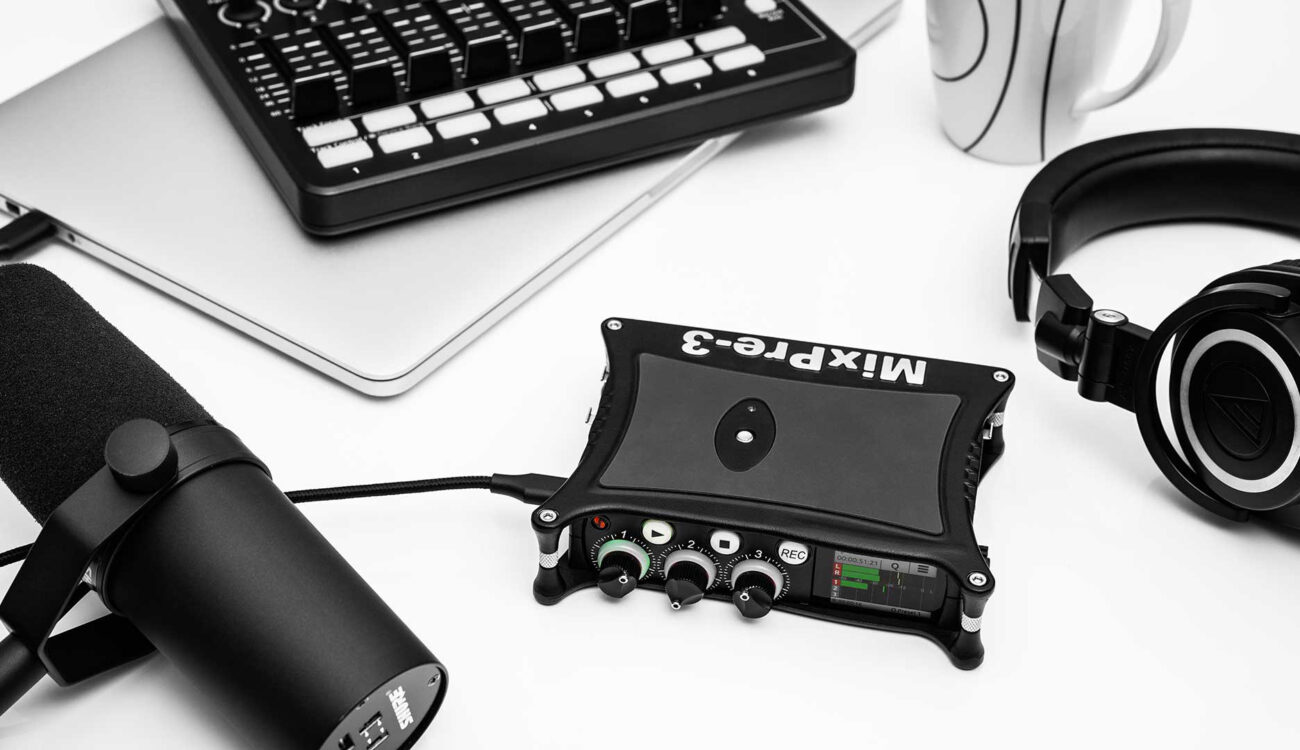
Devices with firmware are divided into several classes
Microcontroller based devices are not only used in sensor networks. They are everywhere, from the refrigerator, to the microwave oven, to the alarm system, there are dozens of them in your car, as well as in your laptop/computer.
Usually when you don't have the source code for that firmware, you resort to reverse engineering.
Network Devices
Routers, Switches, Network Attached Storage, VoIP Phones
Surveillance - Alarms, Cameras, CCTV, DVRs, NVRs
Industrial Automation - PLC's, Power Plants, Industries
Process monitoring and automation
Sensors, Smart Homes, Z-Waves
Home Appliances
Household Appliances - washing machines, refrigerators, dryers
Entertainment equipment - TV, DVR, receiver, stereo, game
Consoles, MP3 players cameras, cell phones, toys
Other complex devices
Hard drives, printers
Cars
Medical devices
Depending on the archetype, the device uses a technology stack.
Reversing binary firmware files is a bit different from reversing Windows EXE and Linux ELF files. They have no predefined structure.
For bare iron binaries, you will need the chipset specifications and create a memory map in your disassembly tool such as IDA, Ghidra, etc. to get the proper disassembly.
The memory map also helps users answer another very important question: what GPIOs and other peripherals the device communicates with. This information in turn helps to understand the functionality of the device.
In fact we need special tools to quickly find certain information before loading the firmware into our beloved disassembler:
The byte order of the architecture, because it is better to know how the values are stored in memory
The base address where the contents of the firmware are loaded
In what cases which firmware is used?
If you are considering a reversing device with simple tasks (e.g. temperature or light control), it does not require any complex software such as Linux.
In these cases Bare-Metal firmware is often used.
But what is Bare Metal firmware?
Simply put, this type of firmware communicates directly with the hardware, without the involvement of a driver or kernel.
Bare Metal firmware doesn't do a lot of complex things, they usually have no more than 3 or 4 tasks, and these tasks are put in a loop because they are scheduled to run in a specific order/condition. The SDK provided by the vendor for these devices provides lifecycle methods that the programmer writes, these functions are executed in a loop
Some small variants of the complex functions of these SDKs are FreeRTOS, mbed-os, they are real time operating systems that allow you to do task scheduling and very quickly respond to some requests
When you see more complex systems like routers, smart home panels, drones, and medical devices, they do little more than what systems from scratch do.
Take for example; a typical wireless router it has features such as LAN and Wi-Fi connectivity, they can blacklist or whitelist certain MAC addresses, and some modern routers have anti-virus software and other security features. To implement all of these features, you need a complete operating system that supports all of these complex functions.
General statistics say that the most popular OS choice among embedded system products is Linux.
There are many reasons for this, some of which are open source and flexibility. Linux is a very cool system.
You can find Linux-based devices such as Internet routers, infotainment systems, etc.
Firmware of this type usually contains at least three components: the boot loader, the kernel and the file system📟
The boot loader is the part of the software that helps boot the operating system, the kernel, and communicates various information needs.
Once the boot loader completes execution, the kernel takes possession.
Once the kernel starts executing, it runs other user applications to make the operating system usable by the end user.
This usually involves running various applications and services in the background.
Once all of this is done, the user is able to interact with the system. All user applications and application data are stored in the file system.
As stated earlier firmware is heavily tied to a specific architecture using a given processor with its own peripherals and communication buses, with its own characteristics and features, making reverse engineering a tedious task. This information can be found in the architecture documentation, if available.
Consider a few important hardware architectures
The most popular are:
ARM
ARM processors are a family of central processing units (CPUs) based on a reduced instruction set computer (RISC) architecture. ARM stands for Advanced RISC Machine. ARM architectures represent a different approach to system hardware design than the more familiar server architectures such as x86.
The general instructions are as follows:
Arithmetic and logical operations: ADD, SUB, MUL, LSL, ROR, etc.
Load save operations: LDR, LDM, STR,STM
Industry operations: B, BL, BX,BLX . Transition operation can be used with conditional execution
An example of "hello world" code with this architecture:
.data
msg:
.ascii "Hello world!\n"
len = . - .msg
.text
#Input point of our application
.globl _start
_start:
mov %r0, $1
ldr %r1, =msg
ldr %r2, =len
mov %r7, $4
swi $0
mov %r0, $0
mov %r7, $1
swi $0
MIPS
MIPS is a scaled-down RISC instruction set architecture mainly used in embedded systems such as gateways and routers. MIPS has 32 general-purpose registers.
The term MIPS is an acronym for Microprocessor Without Interlocked Pipeline Stages. It is a reduced instruction set architecture developed by MIPS Technologies.
MIPS is very useful to learn because many embedded systems run on a MIPS processor.
The basic instructions are as follows:
General arithmetic operations: add, addu, sub, subu, mult,dev
Load and store instructions: la,lb,lw,sw,sb
Branches and conditional branches: b, beq, bne, ble, bge, etc.
Transitions and function calls: j, jal,jr
An example of "hello world" on it
.data
out_string: .asciiz "\nHello, World!\n"
.text
main:
li $v0, 4
la $a0, out_string
syscall #call the operating system to do the operation
li $v0, 10 # li loads a specific numeric value into the register
syscall
Atmel AVR
The AVR is an 8-bit RISC architecture that is mainly used in automotive, security, and entertainment applications. The AVR is also the architecture used by Arduino development boards.
Common instructions:
Arithmetic operations: add, addc, sub, subc
I/O: in, out
Load and store operations: ld, ldi, lds, st,sts
Example code on it:
.include "./m328Pdef.inc"
ldi r16,0b00100000
out DDRB,r16
out PortB,r16
Start:
rjmp Start
RISC-V
RISC-V is a free and open source ISA based on RISC. RISC-V ISA uses a bootstrap architecture.
It contains integer and logical instructions as well as several memory instructions . RISC-V is a load/store architecture, so the integer operands of instructions must be registers.
The general instructions are as follows:
Arithmetic operations: ADD, ADDI, SUB,LUI
Branch operations: BEQ,BNE,BLT,BGE
Load storage operations: LB,LH,LW,LBU,LHU
Example "hello world" on it :
.global _start.
_start:
addi a0, x0, 1
la a1, helloworld
addi a2, x0, 13
addi a7, x0, 64
ecall
addi a0, x0, 0
addi a7, x0, 93
ecall
.data
helloworld: .ascii "Hello World!\n"
There are many more architectures, I have cited some famous ones, and you look depending on your firmware.
Try to learn the main parts of the architecture, such as the concepts of the basic instructions and their program flow. A good way to learn about the different architectures is to write some simple high-level code and then compare it with the corresponding assembly.
I would also like to cite
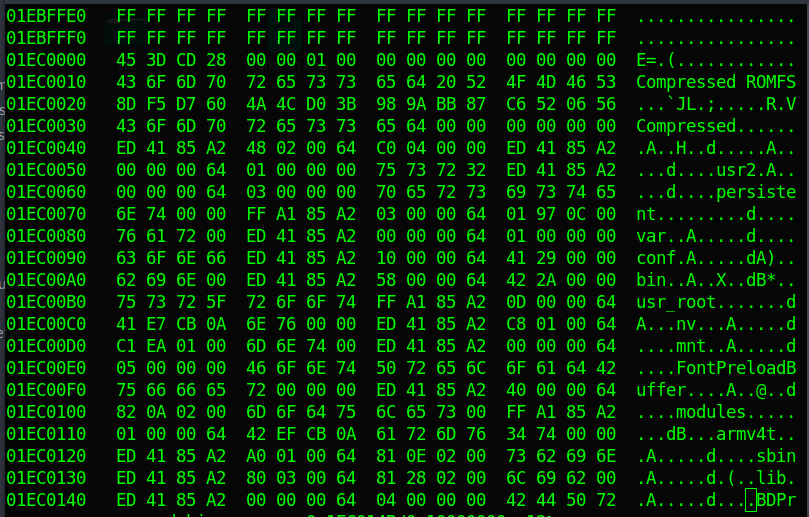
This is a fast and easy-to-use tool for analyzing, reverse engineering and extracting firmware images. It is a firmware extraction tool, it tries to extract binaries from any binary blob. It does this by searching for signatures for many common binary file formats such as zip, tar, exe, ELF, etc.
Binwalk has a database of binary header signatures against which the signatures are matched. The general purpose of using this tool is to extract the file system, such as Squashfs, yaffs2, Cramfs, ext*fs, jffs2, etc, which is embedded in the firmware binary.
The file system contains all of the application code that will run on the device.
This tool also has many parameters that you can customize to improve extraction.
Not bad increments and notes on reverse . For beginners will be useful
Collection of various useful tools for reversing firmware
This is a project that aims to reverse engineer the basic core and hardware of the PSP to create up-to-date technical documentation of the system, as well as provide free open-source firmware.
Another very cool firmware-tools thread
This is a valuable tool for people working in a cross-architecture environment (e.g. ARM, MIPS, etc.), which is usually the case for embedded system developers. This tool allows you to emulate binary firmware for different architectures such as ARM, MIPS, etc. in a host system which has different architectures such as x86, amd64. This tool comes in handy when you want to check the firmware but you don't have a device or the debugger setup for that system is very complicated.
This is a set of tools to help you undo UEFI-based firmware. UEFI memory dump tools.
There is a patch against EdkShell , which makes a memmap dump of the command's memory, passes it to a file named mdmp. Then run, dmp2seg to convert this output file into multiple files with the actual memory contents. Then run, make_elf.rb to create a single ELF file with all the memory content. The ELF file is not executable or anything, it is just a convenient format for storing memory segments.
Tools and scripts for reverse-engineering the firmware
This tool helps you to fix the firmware and repackage it. It extracts the firmware using Binwalk and gives you the directory where the firmware file system is located. Then you can patch whatever you want, add/remove a file or patch an existing one, and ModKit can pack it back so that you can flash the new firmware to the device's repository and load the newly patched firmware
This subroutine is useful to determine which areas of the file are probably 8051. If you want to determine the architecture of the file as a whole, a useful tool can be cpu_rec .
This subcommand does some statistics on the firmware. It goes through the file as if it were a continuous stream of instructions and does some checks on those instructions. The image is split into blocks of equal size and a test value is returned for each block (which by default is 512). It's usually more suitable for large images (in this context, something like> 4 KB), where you want to know which areas are probably 8051 codes and which are data.
This is a reverse engineering environment for Polyend Tracker, written in Python. It is based on unofficial patches that are applied to the manufacturer's stock firmware. These patches introduce their own USB handler, replacing the existing but unused USB RAWHID handler in Tracker.
Automated platform for emulation and analysis of Linux-based firmware
Bottom line
As you can see reverse firmware is quite a big topic.
It includes many firmware and firmware architectures , in this short article we touched the basic architecture as well as the tools.
I'll be able to elaborate on this topic using specific firmware examples in the future.
That's all, articles and materials will be in the archive below.
There will be materials about architectures from this article and firmware reverse. I hope it will be useful to you.
Thank you for reading❤️
At the end of the year, I want to wish everyone Happy Holidays once again.
I am very happy that you are with me❤️🔥
If Alice chases the white rabbit he will inevitably get into Wonderland.But can she get out of there? 🕳🐇