Instructions to turn off application signature verification using Cemiuiler
@ZeroTNV1. You must make sure that your device is rooted.
2. Enable zygisk in magisk.
3. Flash zygisk LSPosed module
4. Reboot your phone
5. Install Cemiuiler
6. Go to Lsposed and enable Cemiuiler
7. Reboot your phone
8. Open cemiuiler and proceed with setup as shown below
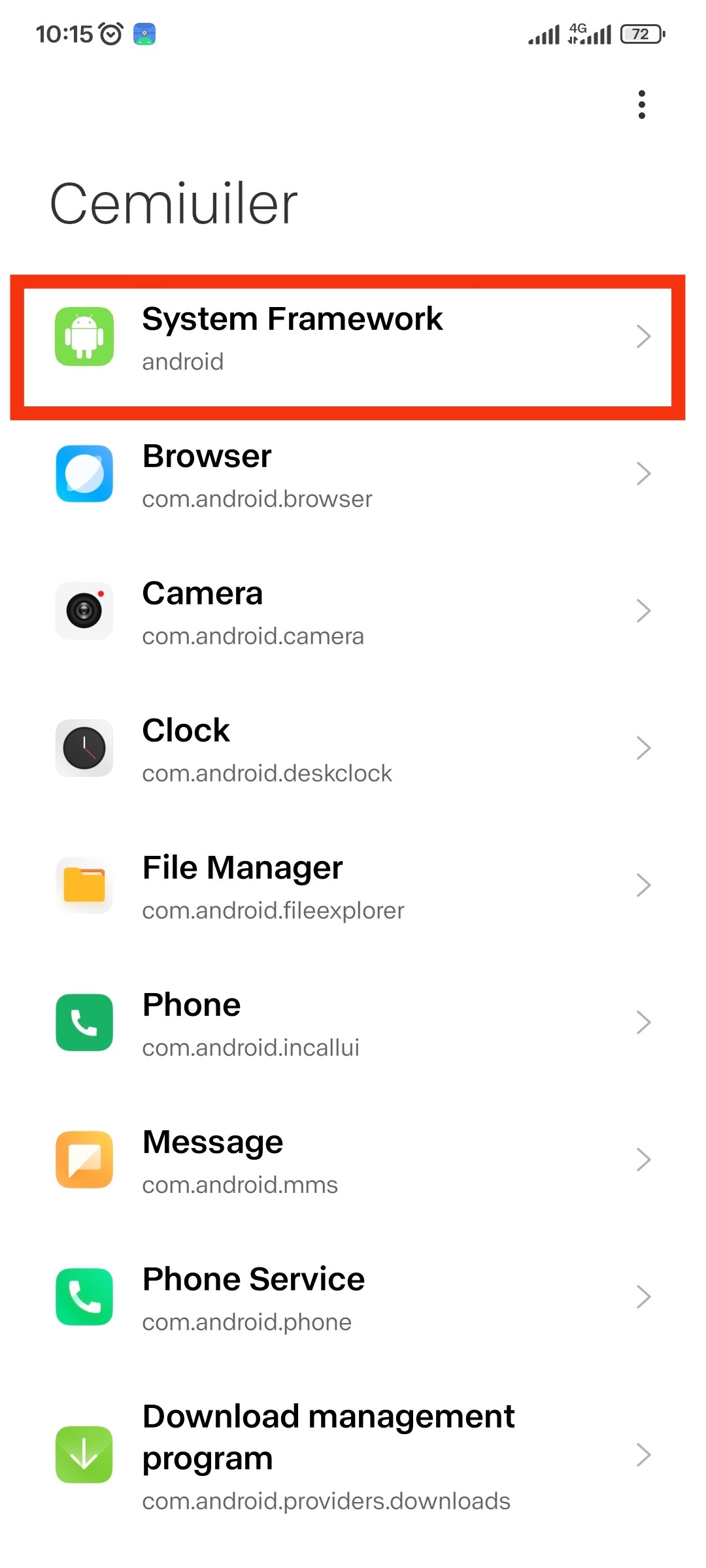
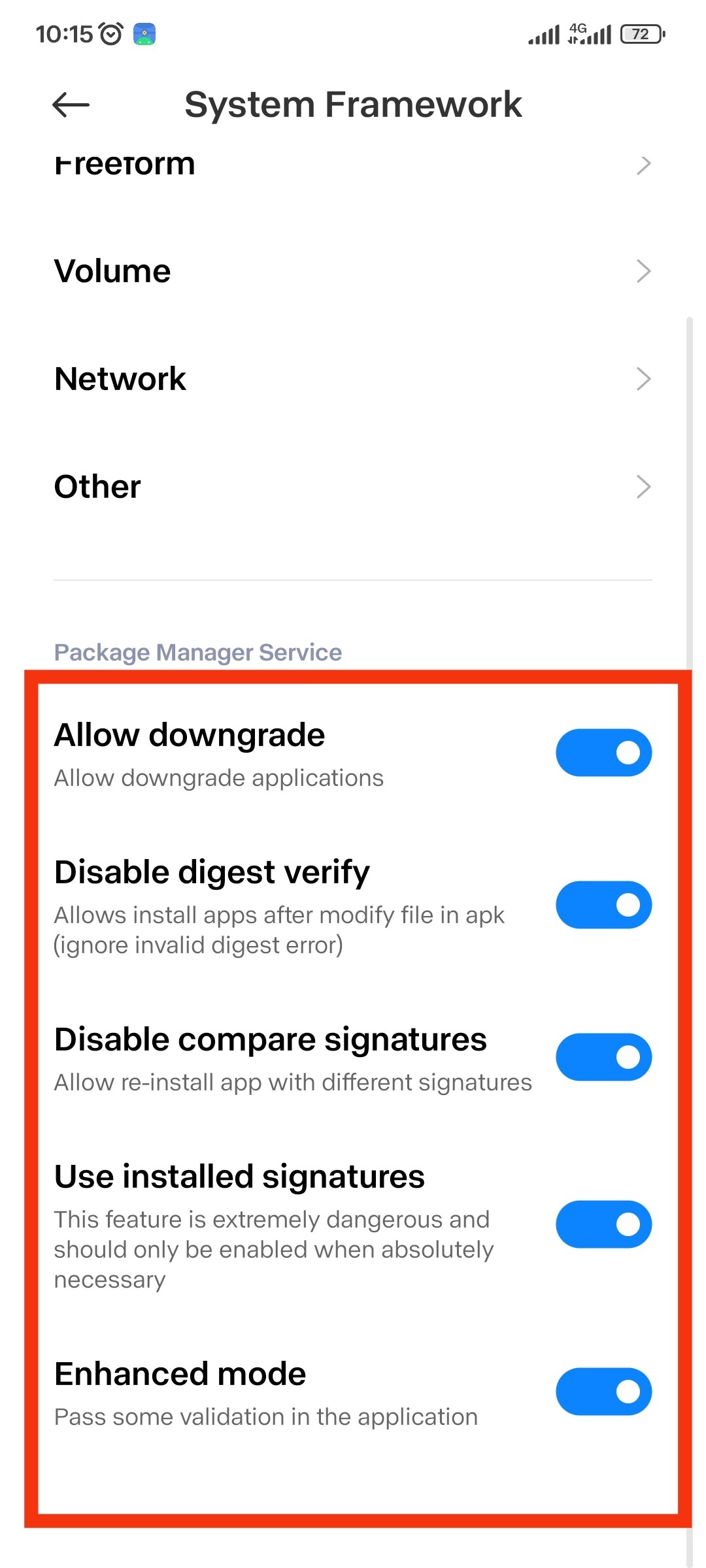
9. Quick restart of related applications
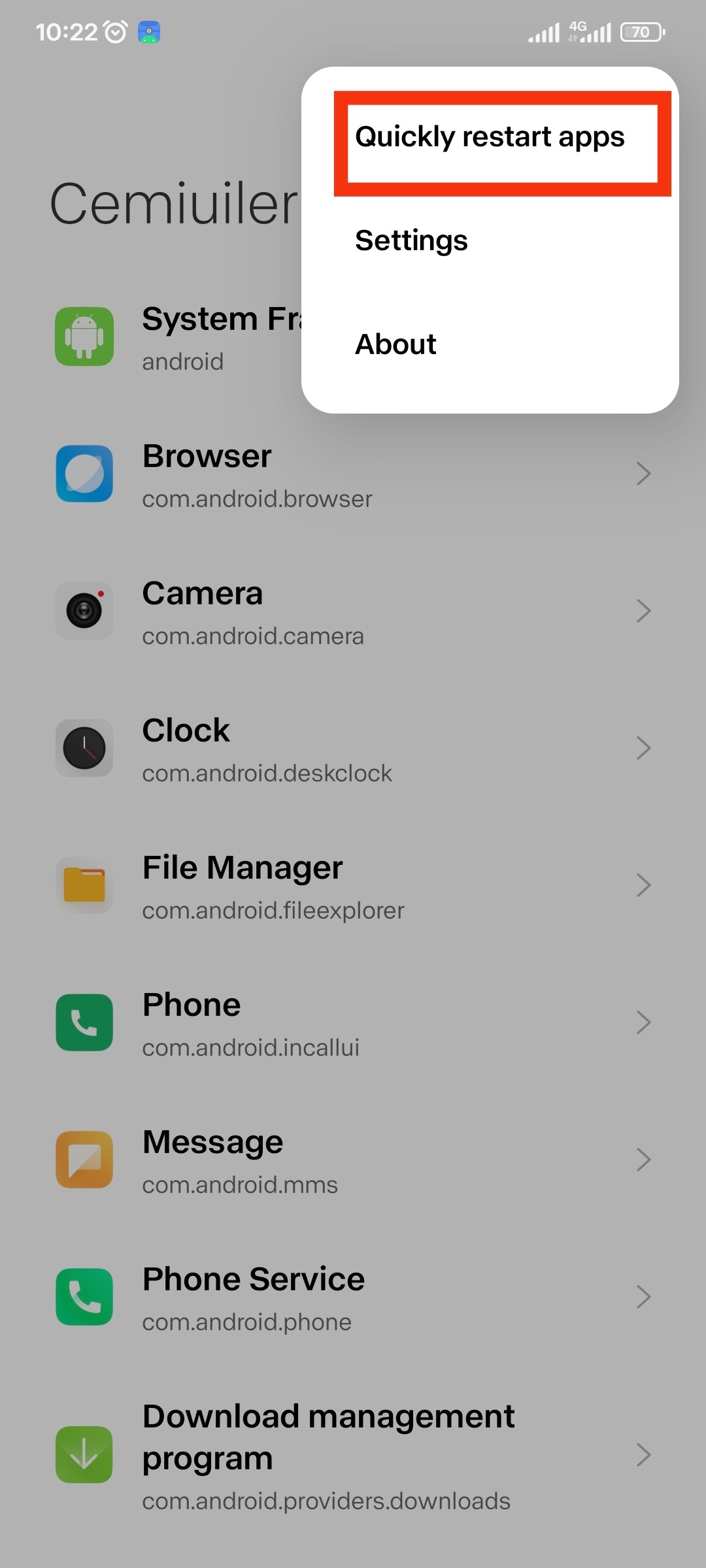
10. Turn off application signature verification successfully
11. Install the module or apk mod you like. For apk if you can't install it directly then use Mt manager or Mi file manager to install it.
12. If you use Eu rom, please install the installer in the group notes.
13. If still can't install mod apk please enable more installer mod options in cemiuiler
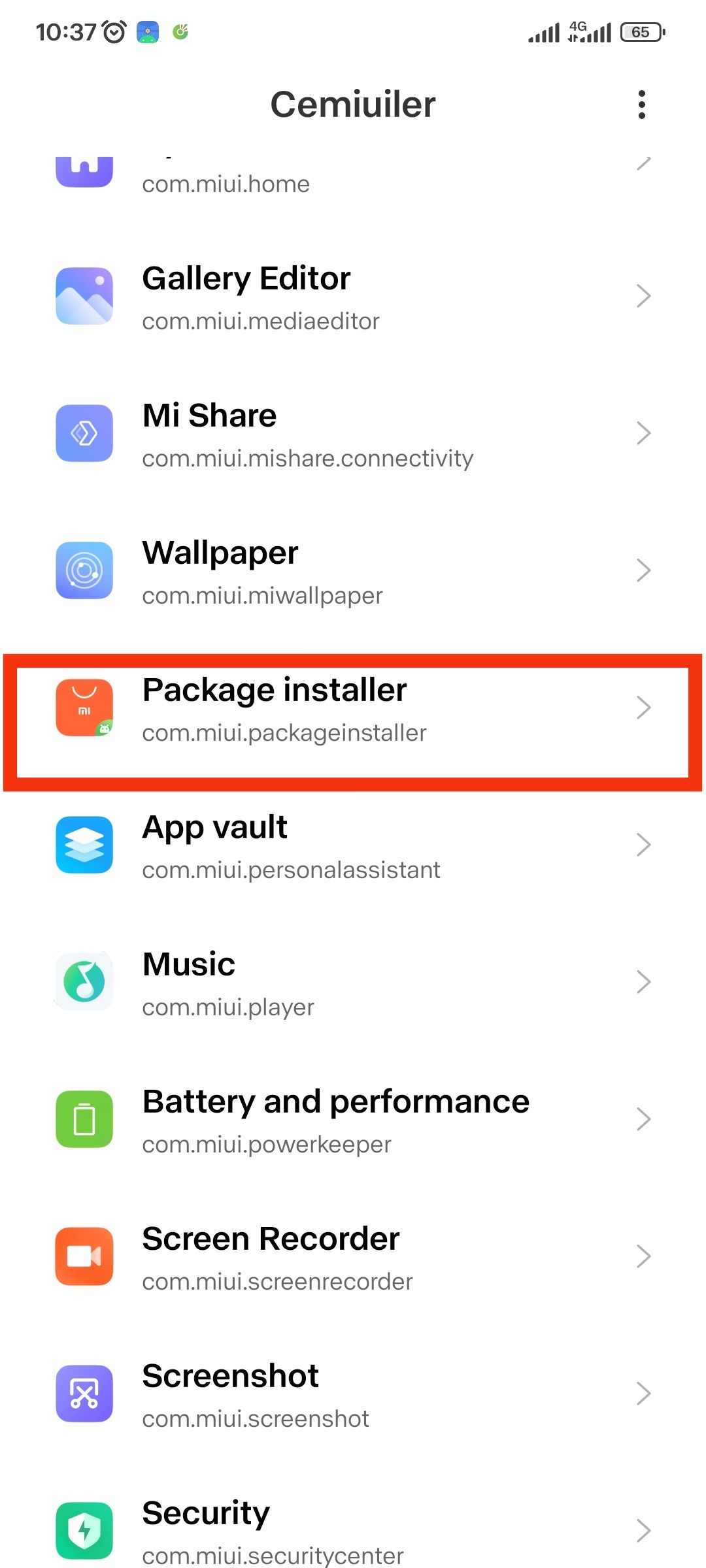
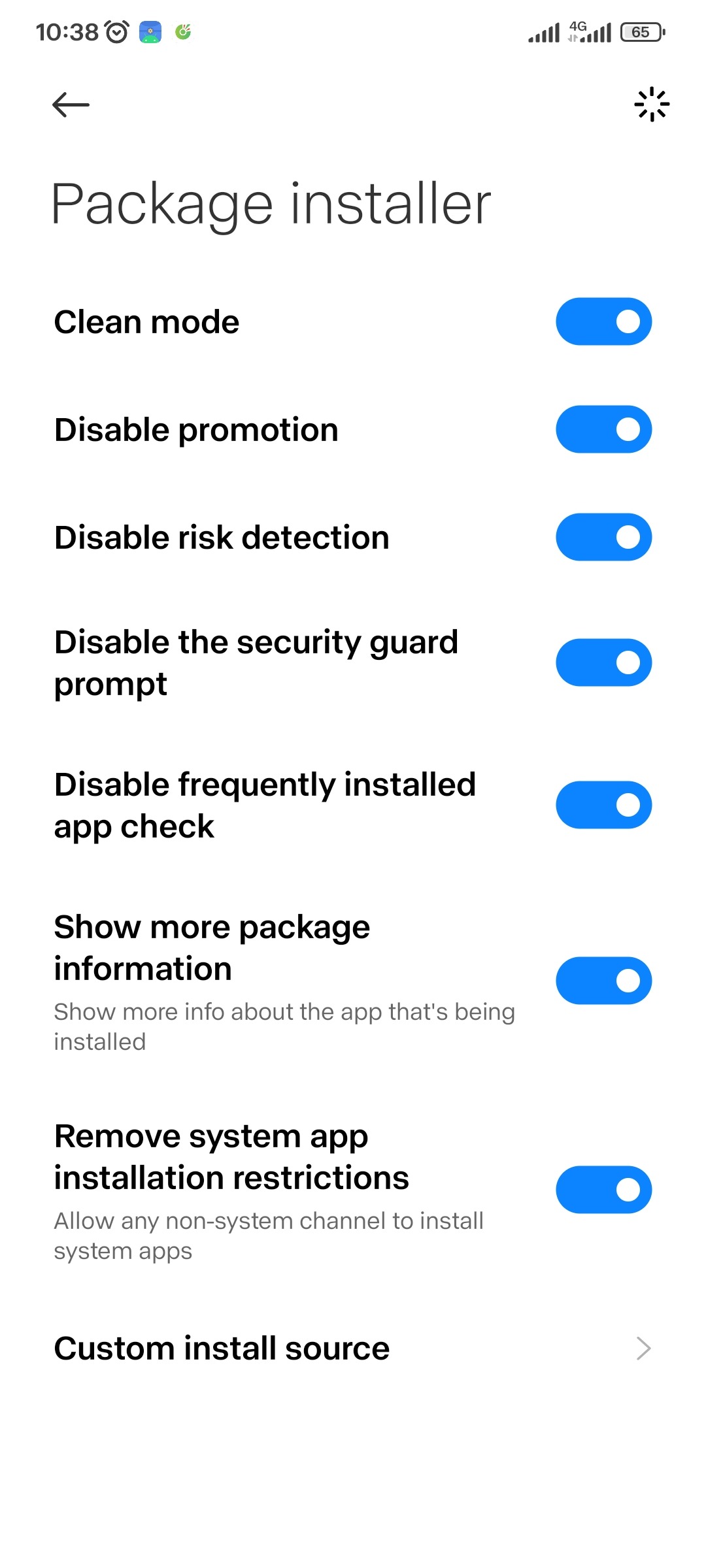
14. Quickly restart related applications as step 9
15. Install the mod apk you like