Instructions for trading on crypto exchanges
Boss Trader💸Hello everyone, my name is David. I have been trading cryptocurrency for more than 6 years.

On my channel I publish news, my analysis of the crypto market and signals for opening trades
I have been trading on the BYBIT crypto exchange for over a year now and have not made a mistake in my choice.
Using this exchange as an example, I will show you how to open trades using signals and make a profit
Link to the exchange: BYBIT Register and get up to $5000
After registering and downloading the application, you need to make a deposit into your account.
To do this we use P2P trading
Below I will present screenshots and a transcript of the actions in order
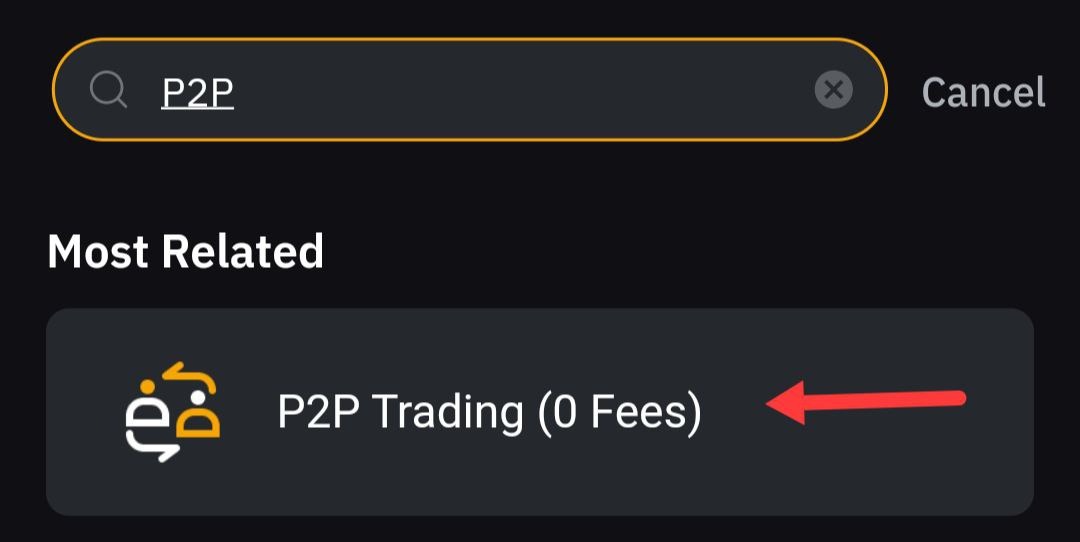
We find this section in the search and go to it
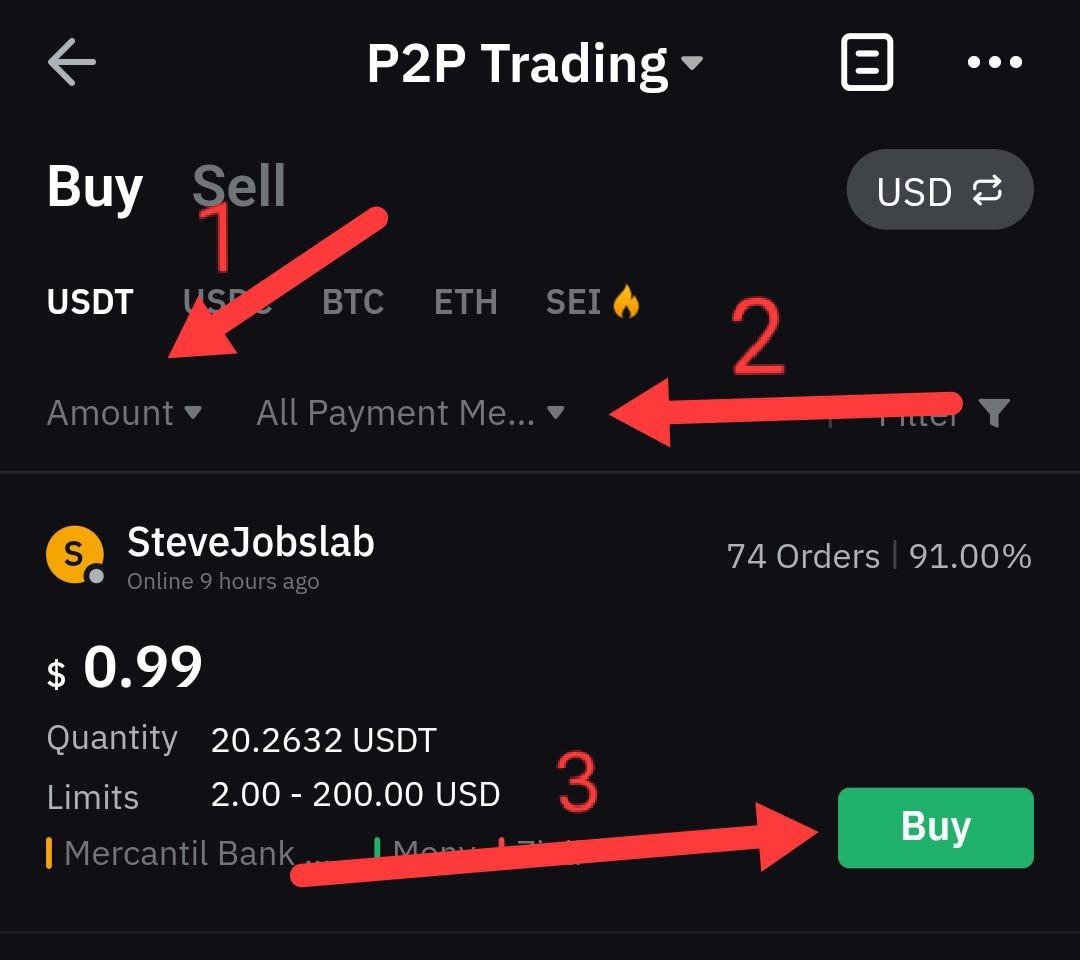
Actions:
1. Choose an amount slightly less than the one we will deposit into the account
2. Select a bank or wallet through which we will replenish the account
3. After two completed actions, a list of advertisements appears. Choose the seller you like and make a purchase of cryptocurrency
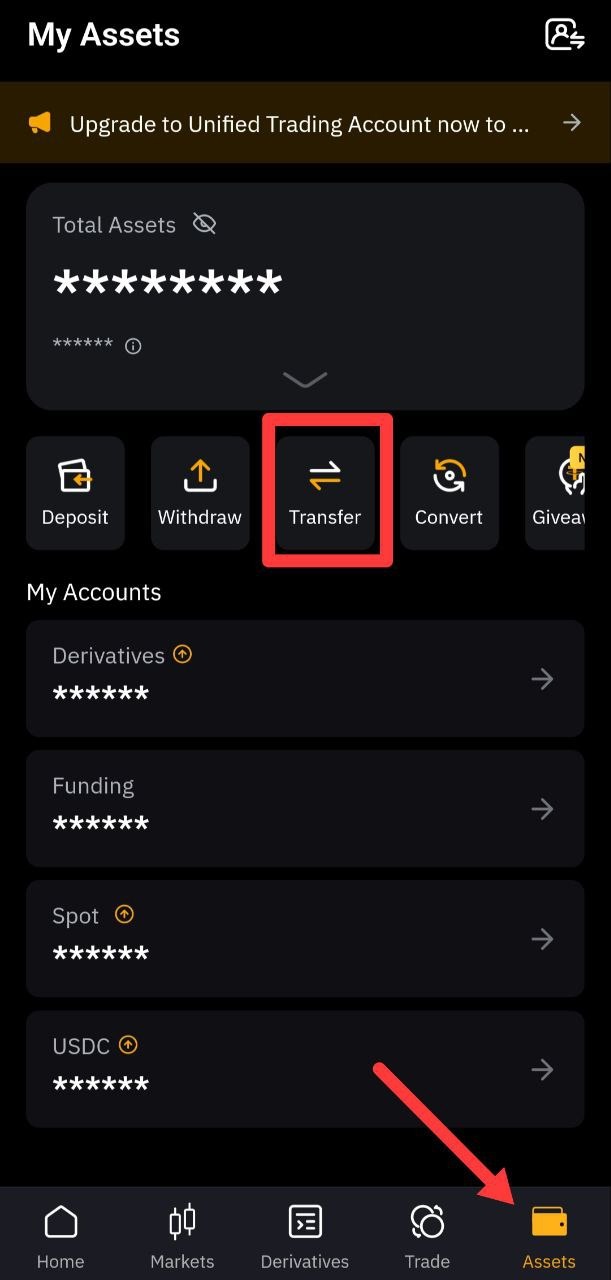
After successfully replenishing the wallet, we will need to transfer money from the funding account to the derivative account
Actions:
1. Go to the Assets tab
2. Click on the Transfer button
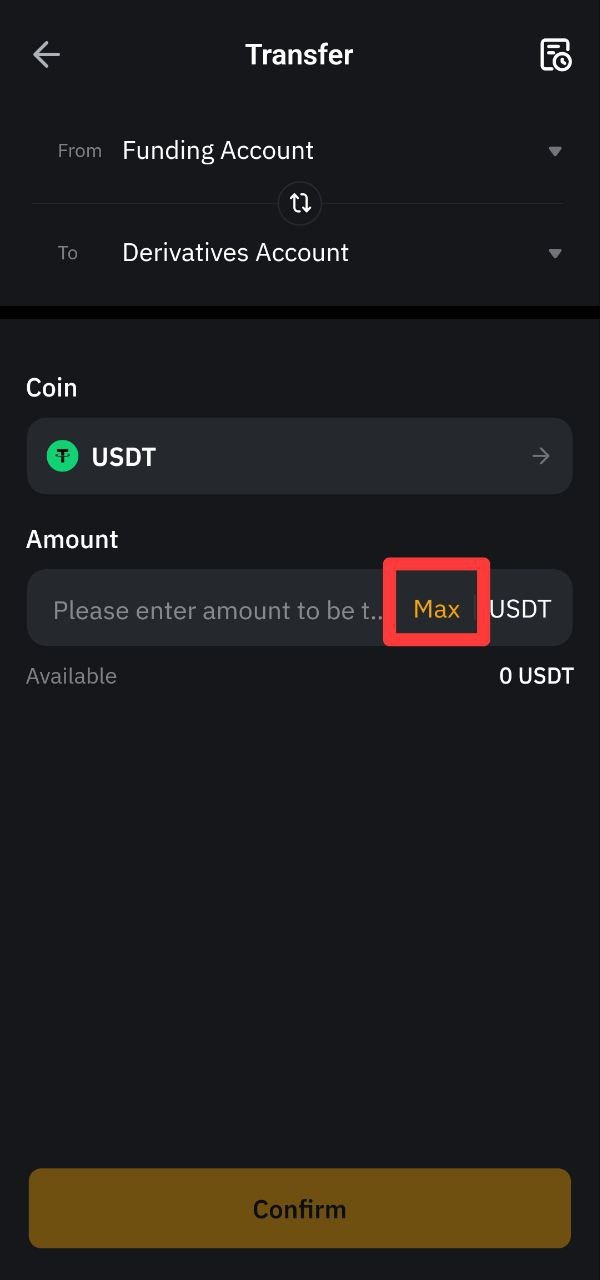
The choice of accounts should be the same as in the photo.
Afterwards, click on the MAX button and transfer all funds to the derivative account
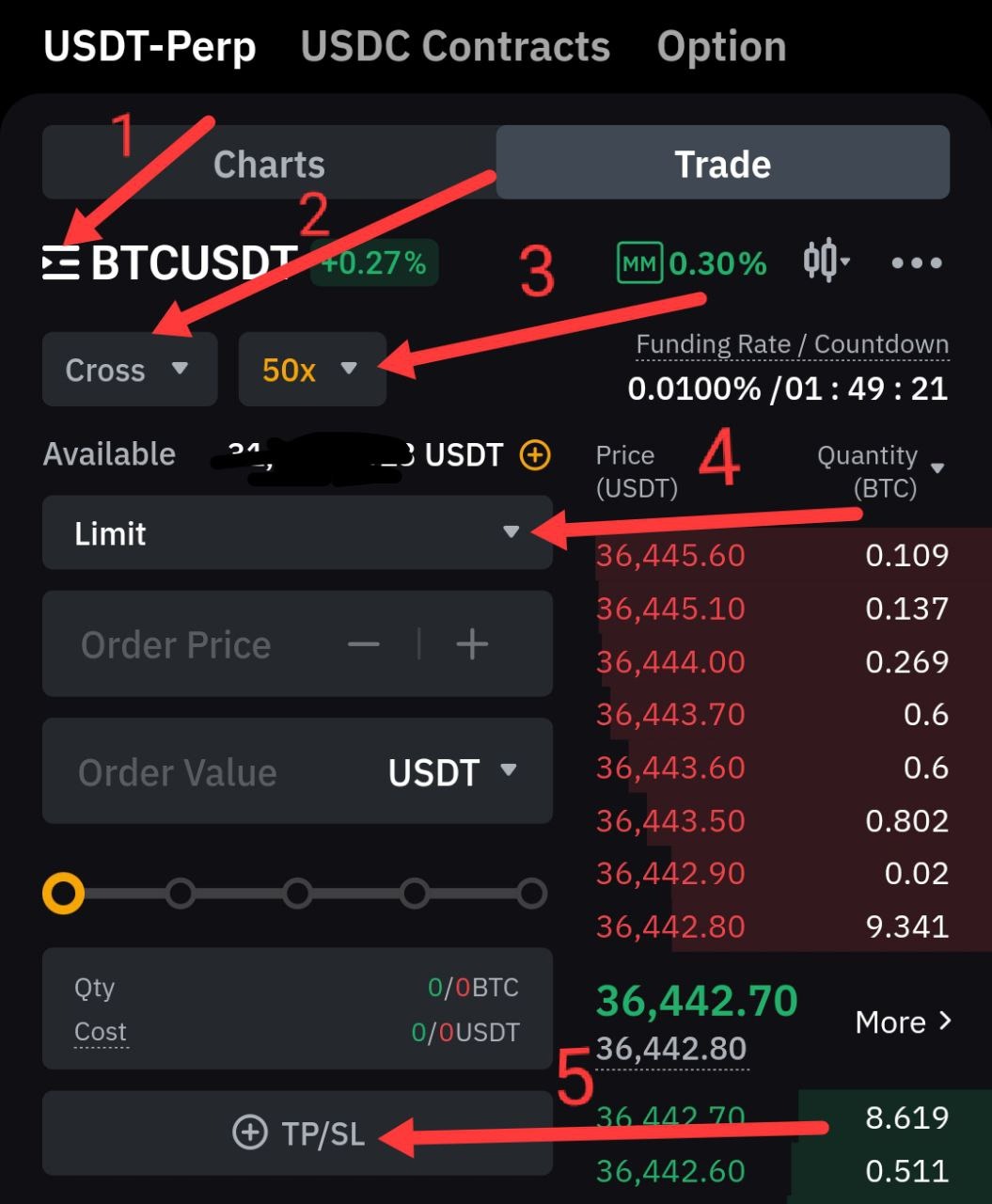
Now go to the Derivatives tab and begin to understand the basics of trading
Actions and their descriptions:
1. Selecting cryptocurrency pairs for trading. In the telegram channel I write them like this:
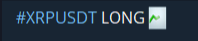
2. Selecting a trading mode.
Cross - if a deal goes to a loss of more than 75%, then further sponsorship of the deal comes from the account account
Isolated - if the loss is more than 75%, then the deal is closed and we lose this bet
I recommend trading in isolated mode, as sometimes there are sharp fluctuations in the market
3. Leverage. Your transaction amount is multiplied by this figure.
For example, if you choose leverage for Bitcoin X100, then instead of $100, you will trade $10,000. If Bitcoin costs 10% more, then your profit instead of $10 will be $1000
4. Selecting the transaction opening mode
Basically, I use two opening modes. By market or limit
Market - opening a transaction at the price of an asset at the moment on the market
Limit - Opening a transaction at the price we need. I often open trades at this limit. An example of what opening a limit trade on a channel looks like:
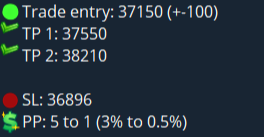
Trade entry - Entry point (and is the limit price)
TP 1 - Take profit.The first profitable target by which you can close part of the position. Usually 50%
TP 2 - For this purpose, we can completely close our profitable position
SL - Stop Loss. If the position goes to a loss, it will be closed according to our stop.
PP - Risk to reward ratio. What % can you earn and what % can you lose?
If you have any questions, write to me: @sc_trader
Channel link: Boss Trader