Instructions for purchasing Ultiverse via BYBIT
Dear traders, I have created a training for you in the form of instructions for buying a Ultiverse. The instructions are clear and simple, you need to follow each point step by step and you will succeed
— In order to buy a Ultiverse, we must log into the Bybit app on our smartphone or PC.
— After we are already on the exchange interface, we need to buy ETH to exchange it for Ultiverse.
1) To do this, we select the Trade tab
2) Choose Spot trading from the top
3) ETH/USDT pair
4) Select a Market order
5) Enter the amount in USDT for which you need to buy ETH
6) Click on the green Buy ETH button
7) Then go to the Home tab
8) open the Web3 tab
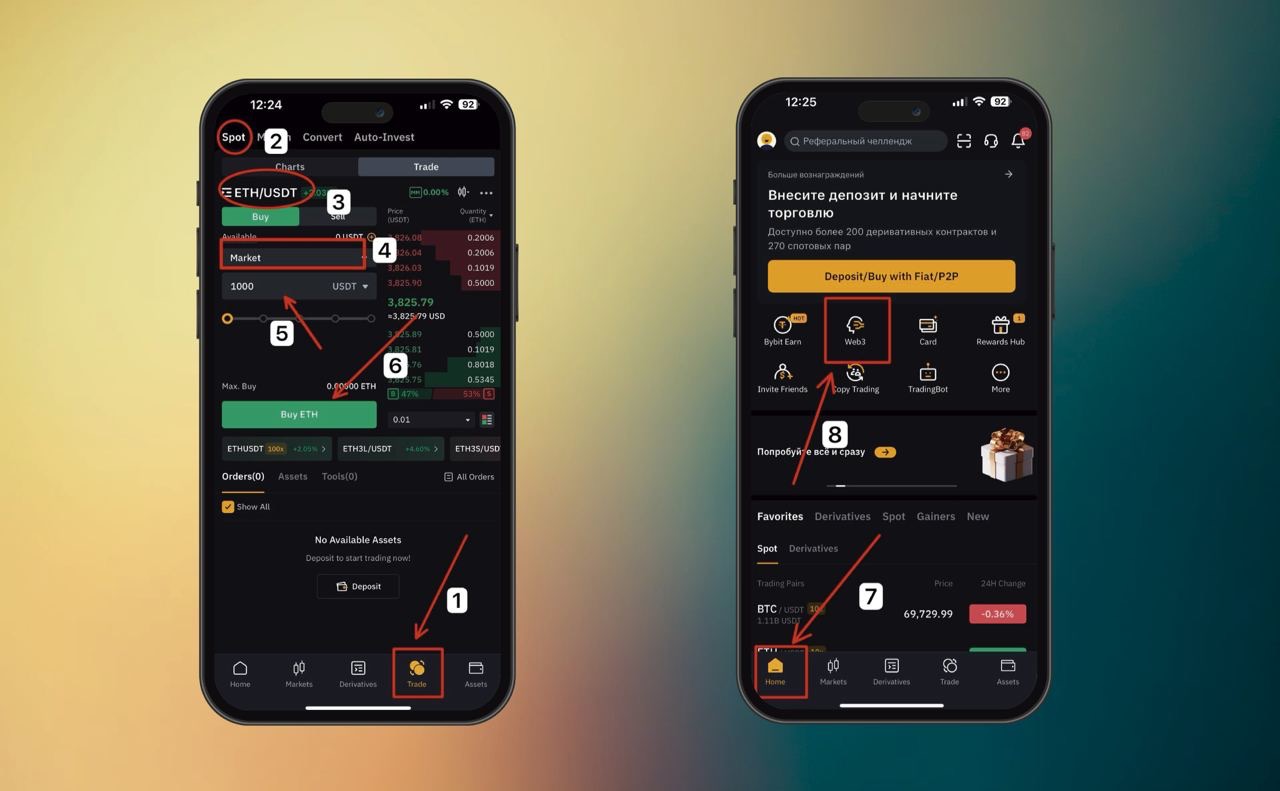
– Then a window floats in where we need to create a web3 wallet, who already has it - go ahead, who does not have it - you need to create
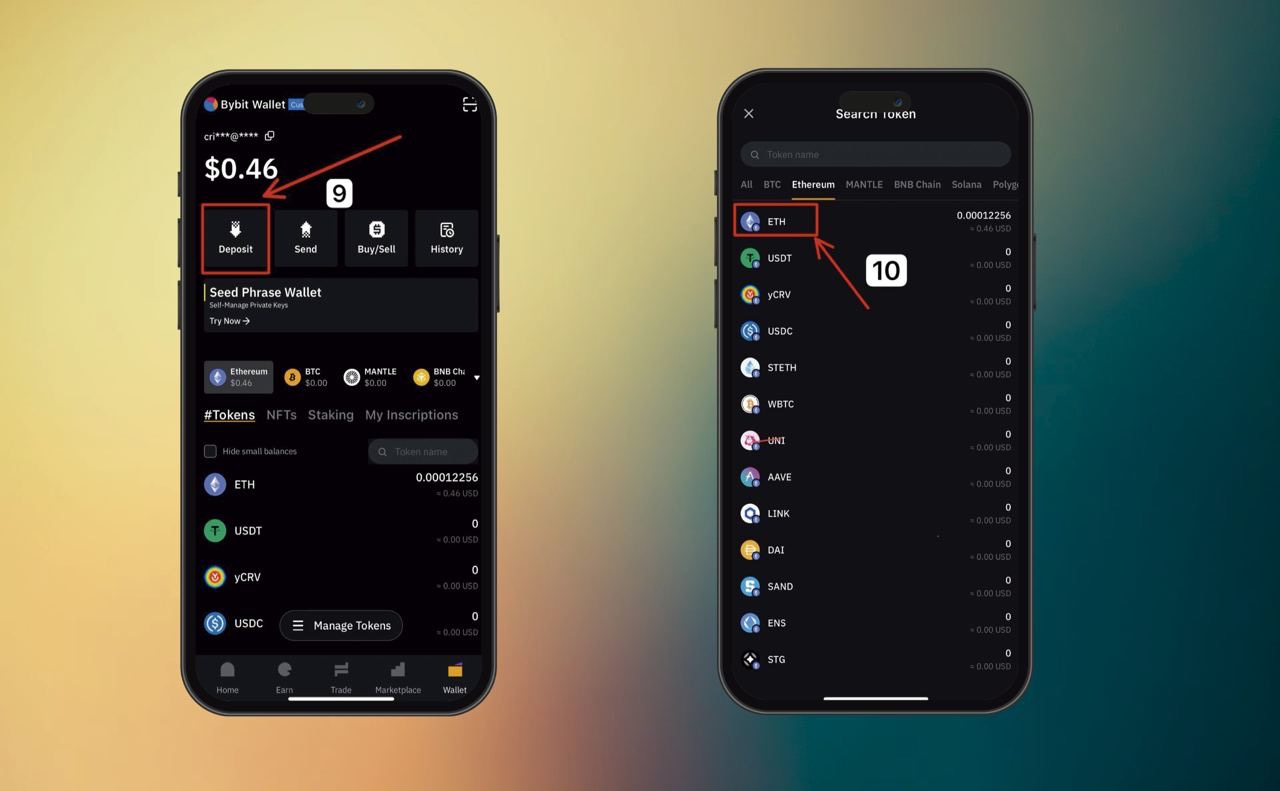
9) Choose To Deposit. This is necessary in order to replenish the web3 wallet
On the lower interface, select the Wallet
10) Then select ETH
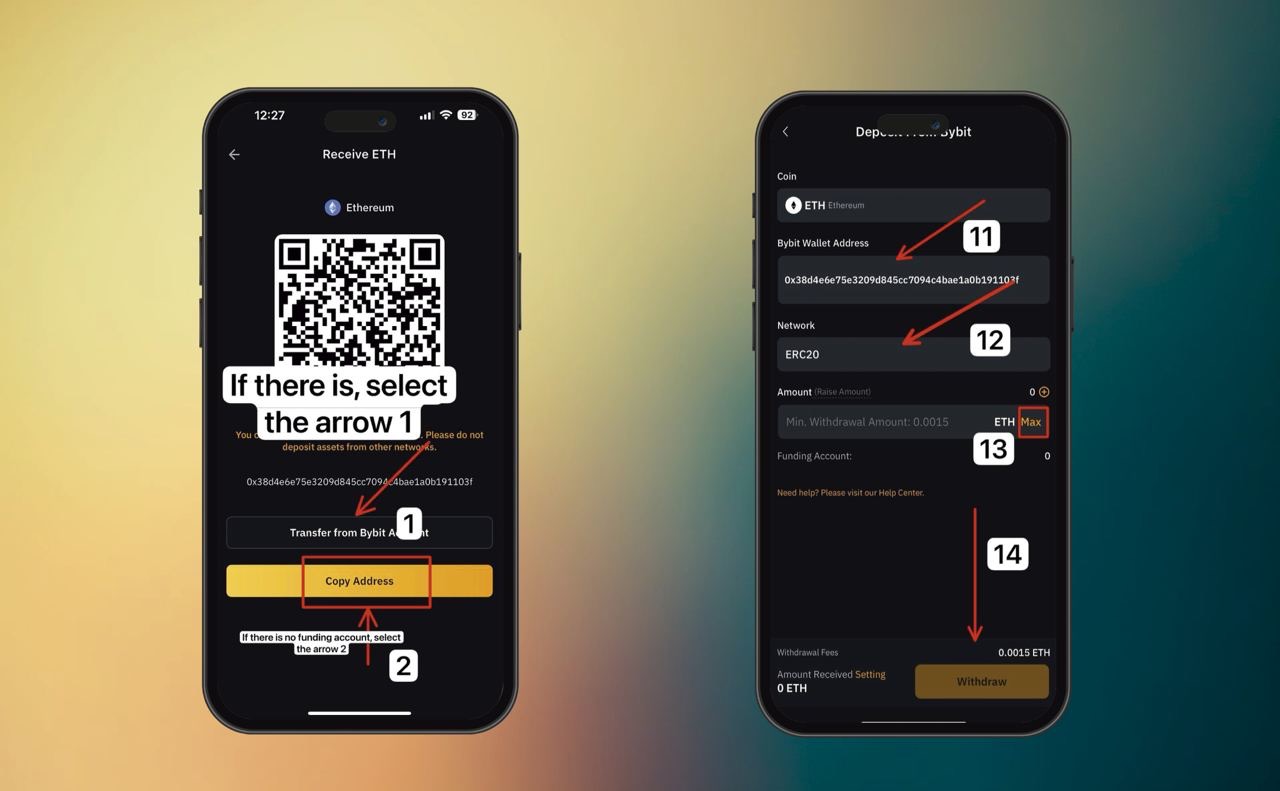
If someone does not have a Bybit Account displayed. We copy the wallet address manually (arrow 2) and transfer ETH through the Bybit spot account. To do this, we need to leave web3. Click on Home, then Assets, select ETH, and then go to point 15
If your Bybit Account is immediately pulled up (arrow 1), then your web3 wallet address and the ERC20 network should automatically be pulled up
11) If the wallet address is not automatically pulled up, we manually insert our copied web3 wallet and select the ERC20 network
12) select the ERC-20 network
13) Select Max. Transfer amount
Who will not have a Spot account displayed in the interface, it means that you have it installed immediately
14) Click Withdraw funds and go through a short authenticator, inserting codes
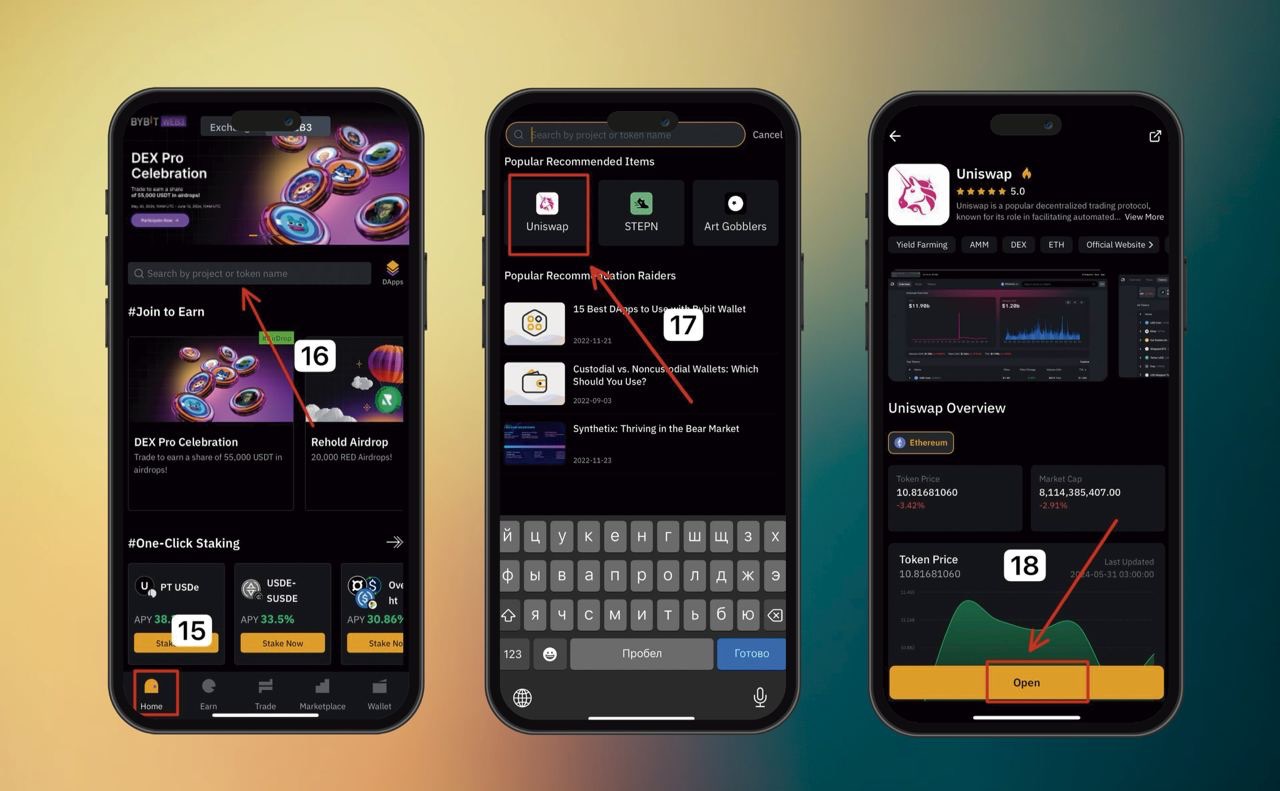
15) Go to the home tab
16) click on the dApps search bar
17) After the interface opens, select Uniswap there
18) The Uniswap window opens and we click open
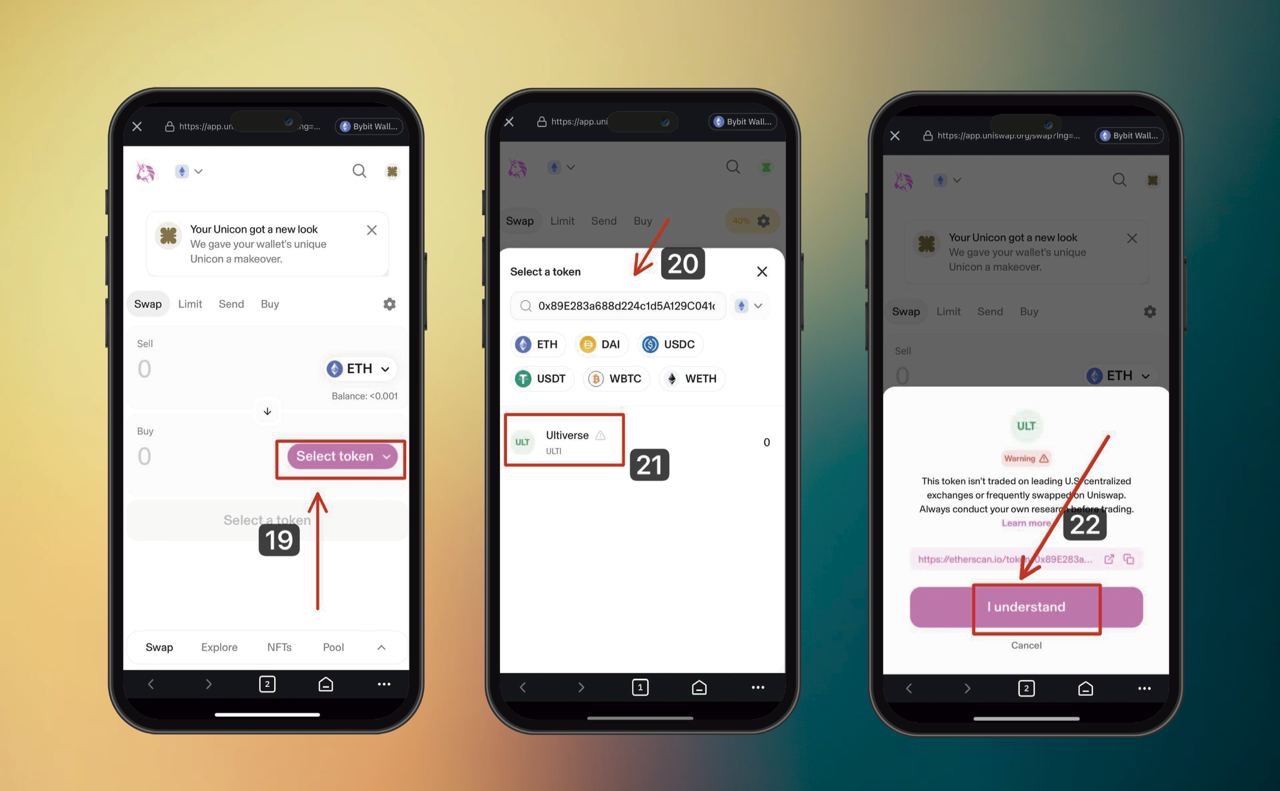
19) click Select token
20) insert the Ultiverse address:
0x89E283a688d224c1d5A129C041c1fA645FE422aA
21) choose Ultiverse
22)We accept Uniswap - I understand
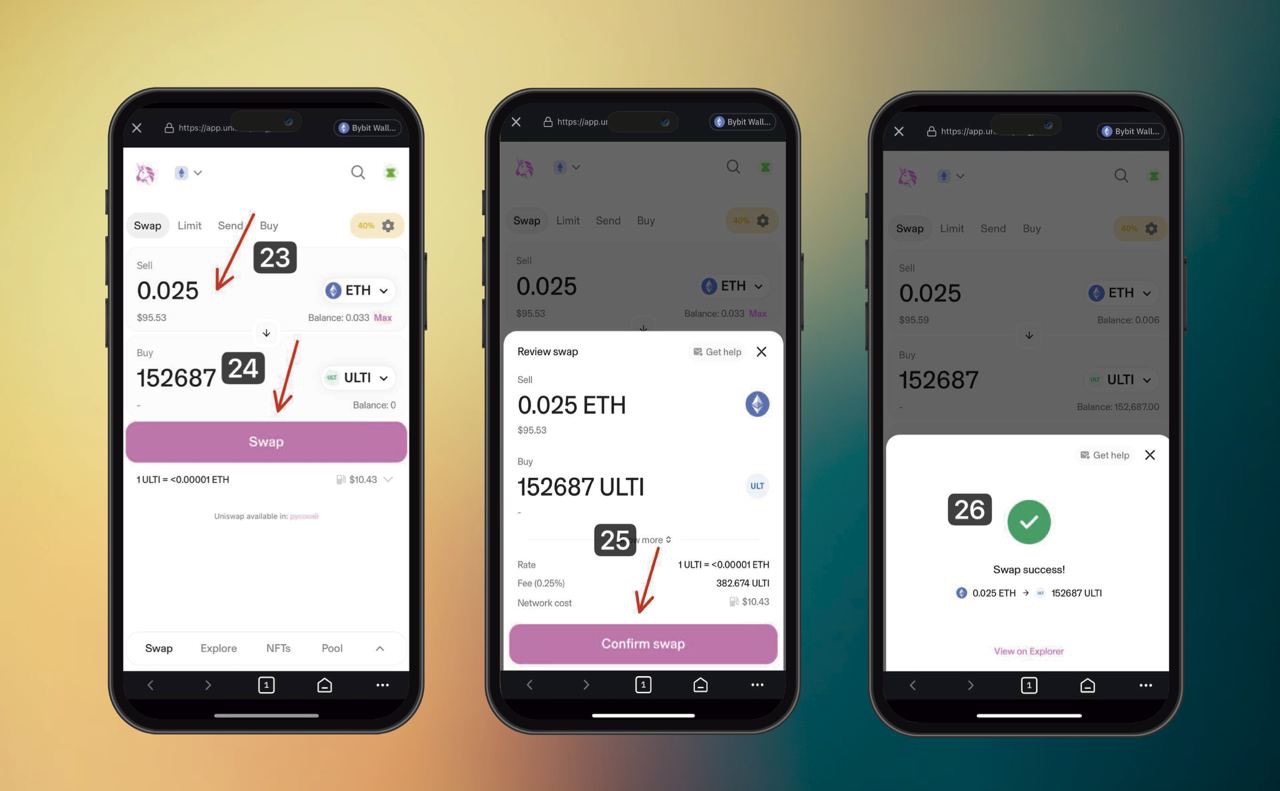
23) Enter the required amount to be exchanged for Ultiverse
24) Click swap (exchange)
Do not forget to leave $ 20-70 for the commission to complete the transaction. In the case of a purchase problem, click on the gear in the upper right corner and increase the percentage of slippage.
Also, the purchase does not always take place the first time due to the congestion of the eth network. For 2-3 times, following the instructions, you can buy a Ultiverse
25) click Confirm swap (Confirm the exchange)
Then Next. Passing a short authenticator
26) Congratulations, you bought a Ultiverse and now expect a sell signal on the channel
How to add Ultiverse to the wallet display:
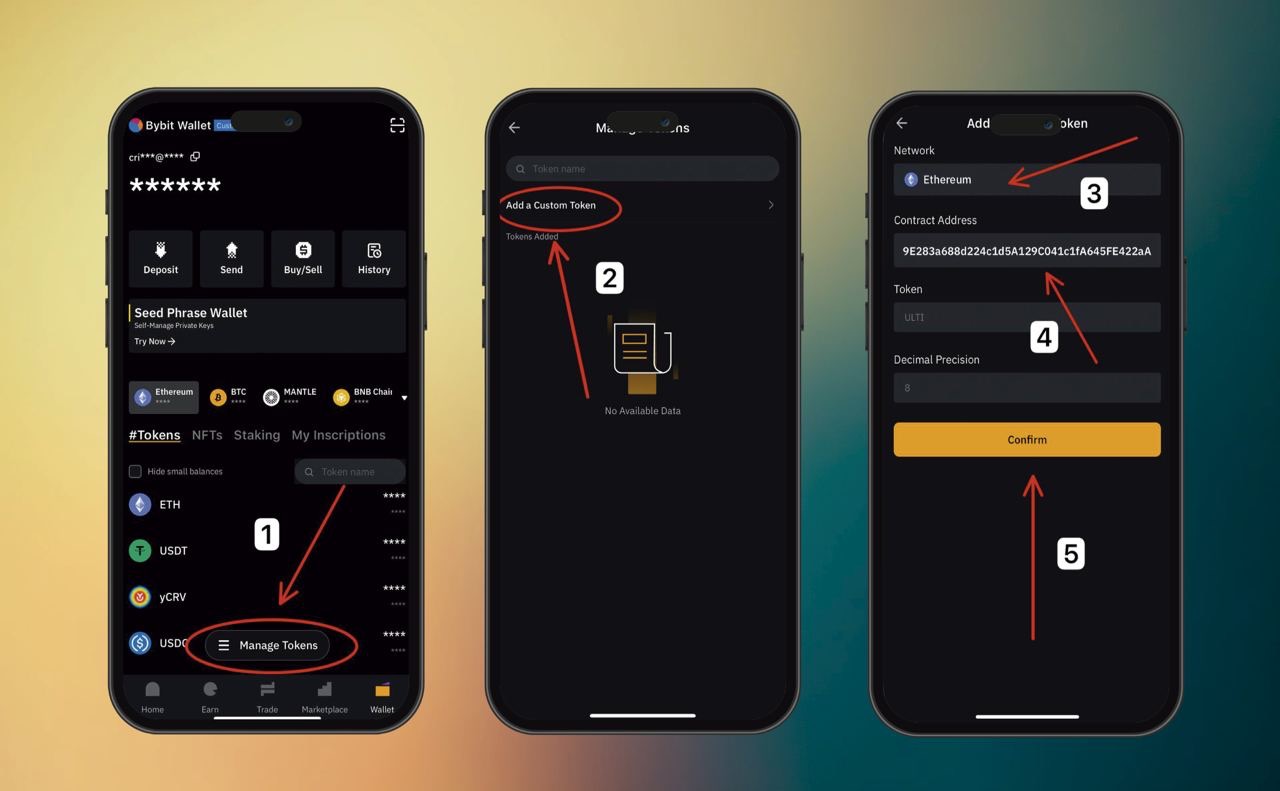
1) Click on Token Management
2) Add a Custom Token
3)Choosing the Ethereum network
4) insert the Ultiverse address:
0x89E283a688d224c1d5A129C041c1fA645FE422aA
5) confirm Ultiverse
Congratulations, your Ultiverse tokens are displayed in your wallet.