Instructions for purchasing DINW on PancakeSwap

1️⃣ - Go to the website using the link - https://pancakeswap.finance/swap
2️⃣ - Connect a wallet (There is a very large selection of wallets there)

If you want to make a purchase from your phone, then you just need to copy the link above, go to your MetaMask or TrustWallet wallet and paste the link into the "Browser" column
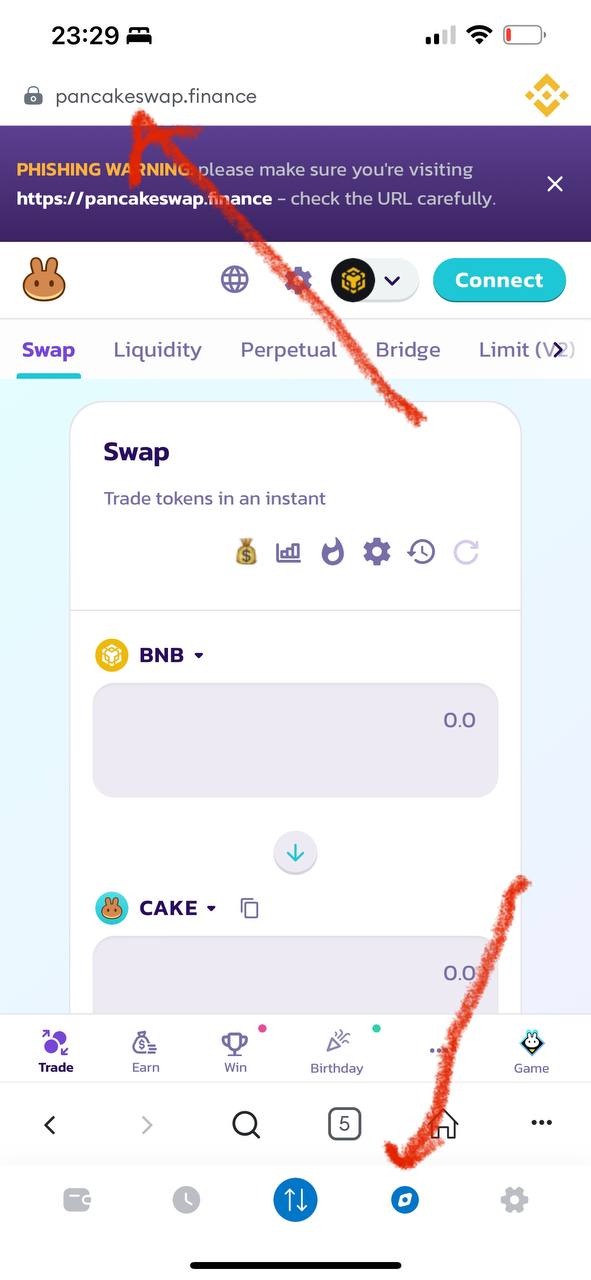
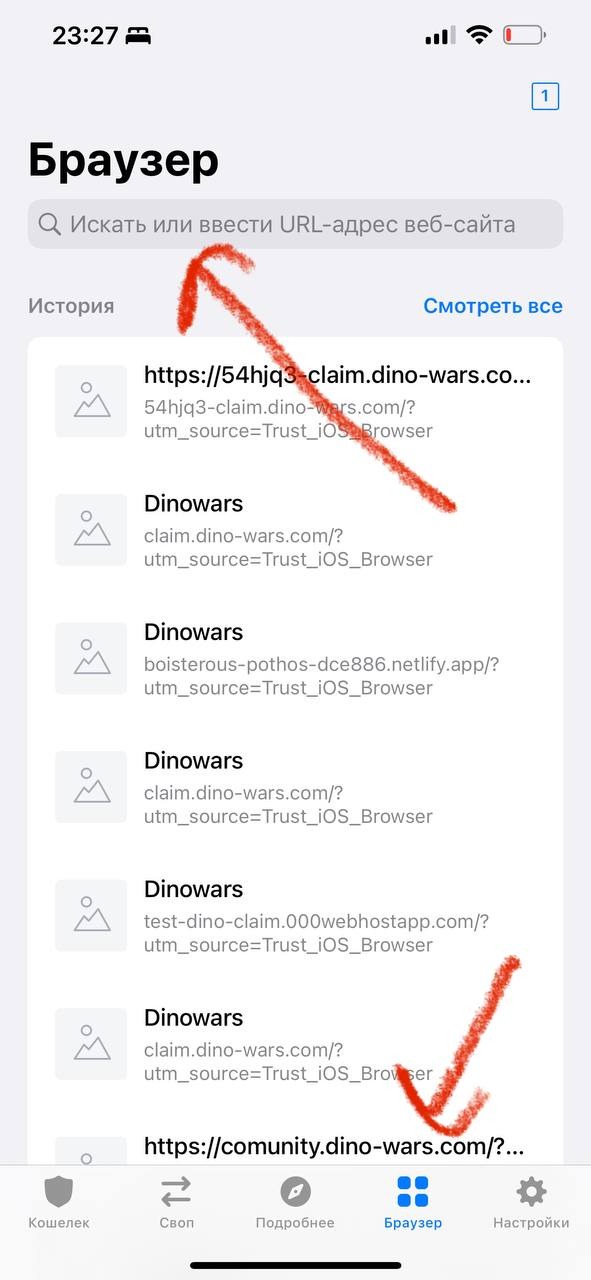
3️⃣ - If you want to make a purchase from your phone, then you just need to copy the link above, go to your MetaMask or TrustWallet wallet and paste the link into the "Browser" column
❗️IMPORTANT: Since PancakeSwap is a product based on BSC - Binance Smart Chain, you need to have a currency (USDT/BNB/ETH/BTC, etc.) with which you will buy DINW on the BNB network (if suddenly you don’t understand how to open wallet in MetaMask or TrustWallet in the BEP20 set and top it up, write to us in the chat - https://t.me/+W-qG8L9hsAY1MGIy - admins will help you)
4️⃣ - Click according to the screen below to select the currency you will change to DINW

5️⃣ - In the drop-down menu, you select the currency with which you will buy the DINW token
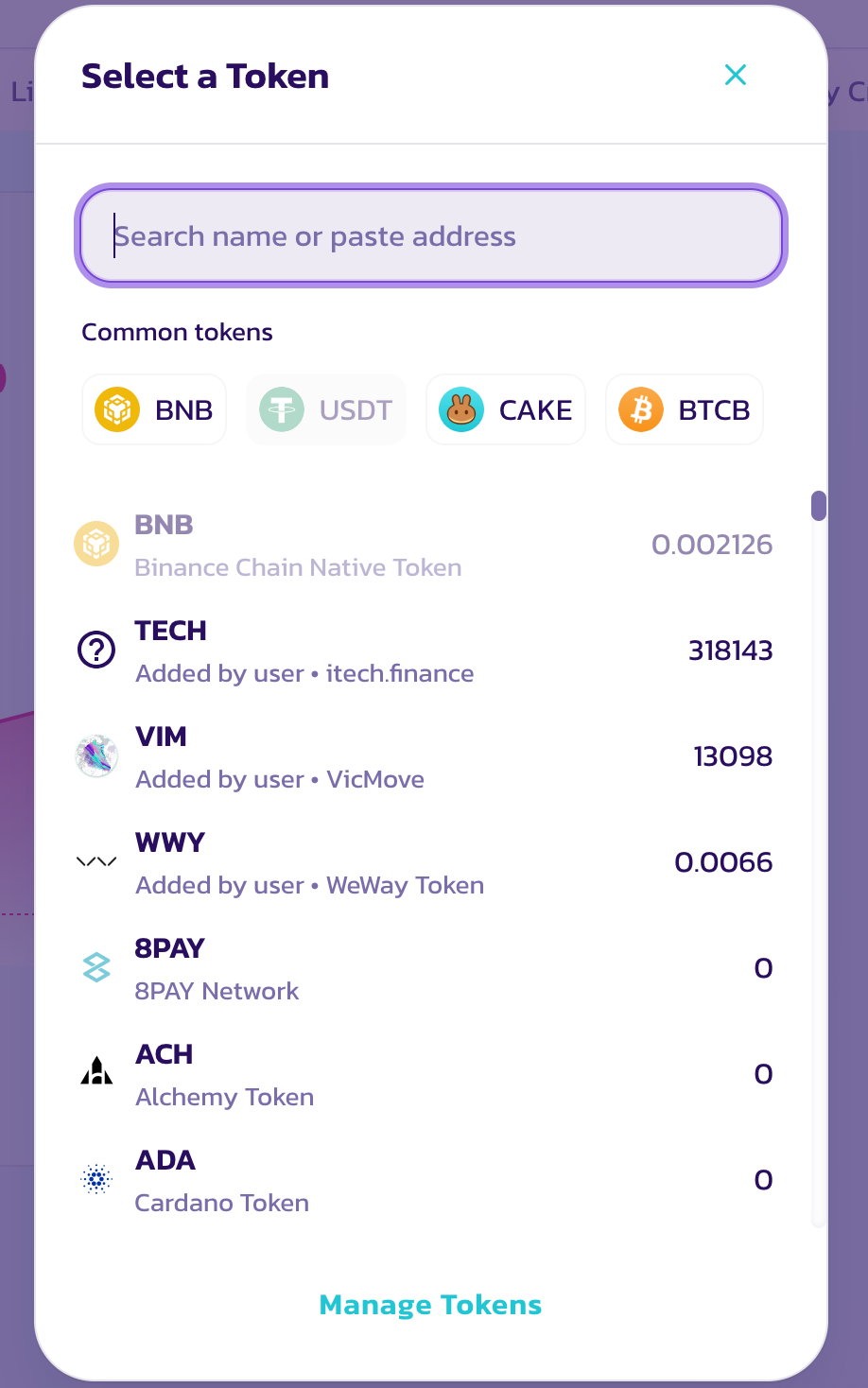
6️⃣ - Now we need to indicate what we want to change to DINW (see screenshot below)
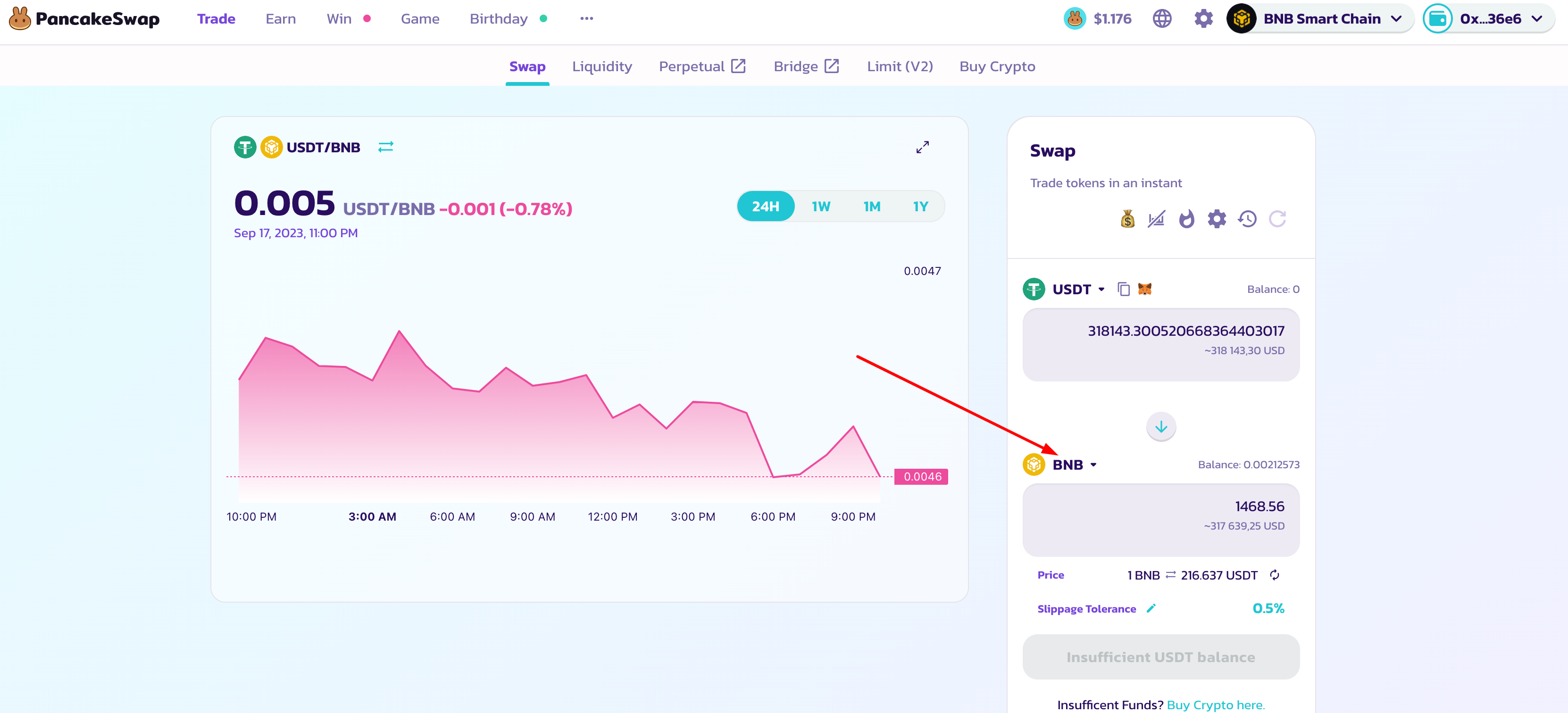
7️⃣ - In the drop-down menu in the search column, you need to enter the DINW token contract - 0x610547Fb5E781c98Ce52B62F9AcE4E1526385311 and click "Import"
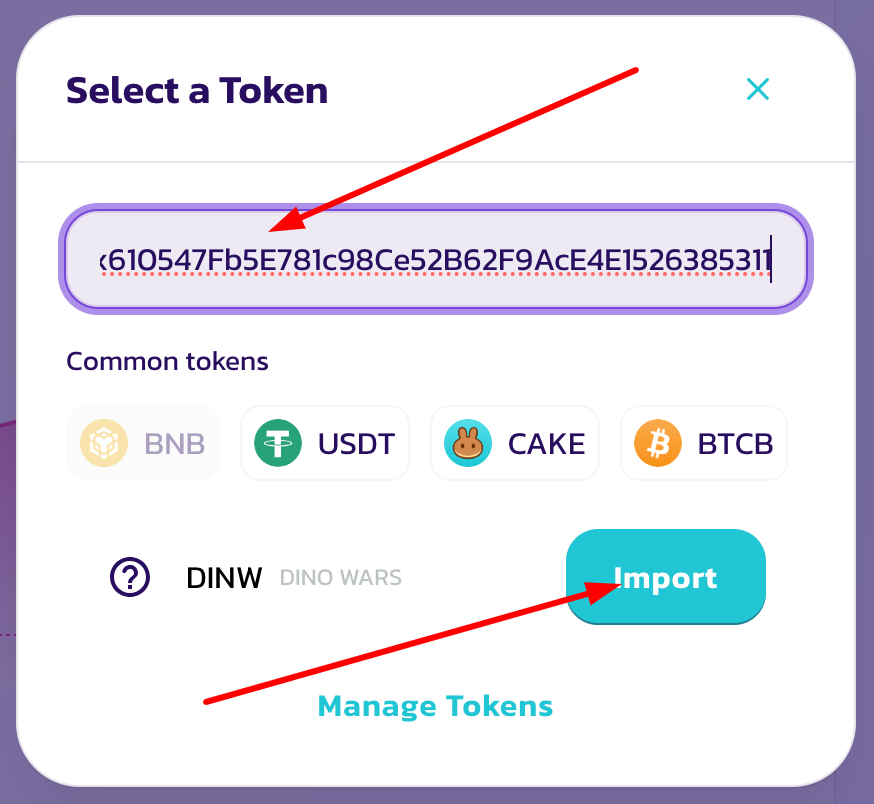
❗️IMPORTANT: Be sure to check that you have entered the correct contract
8️⃣ - Check the box that you have read the warning and click "Import"
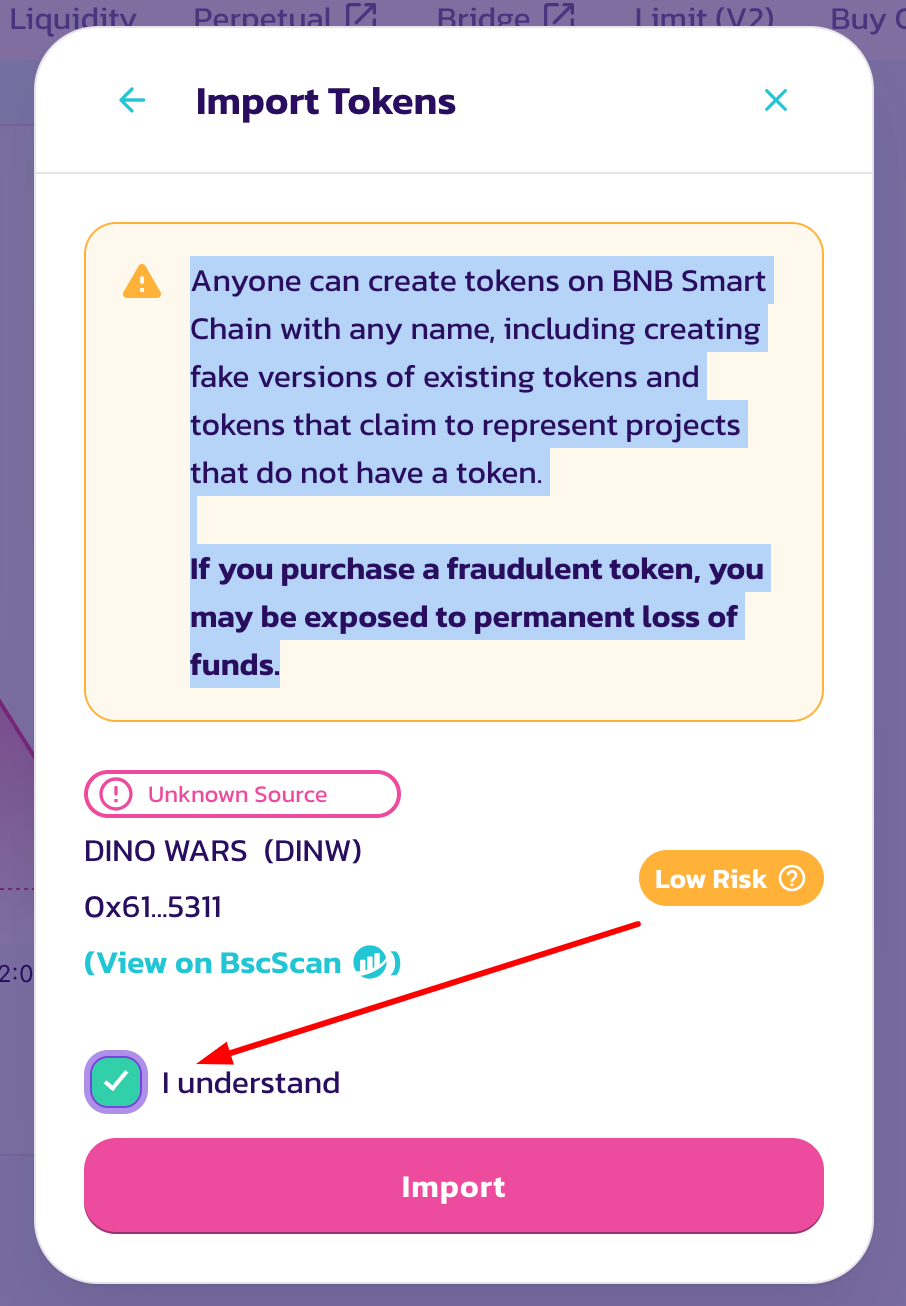
9️⃣ - In the top column write the amount for which you want to buy DINW - in the bottom it will show how much DINW you will receive (depending on the current exchange rate)
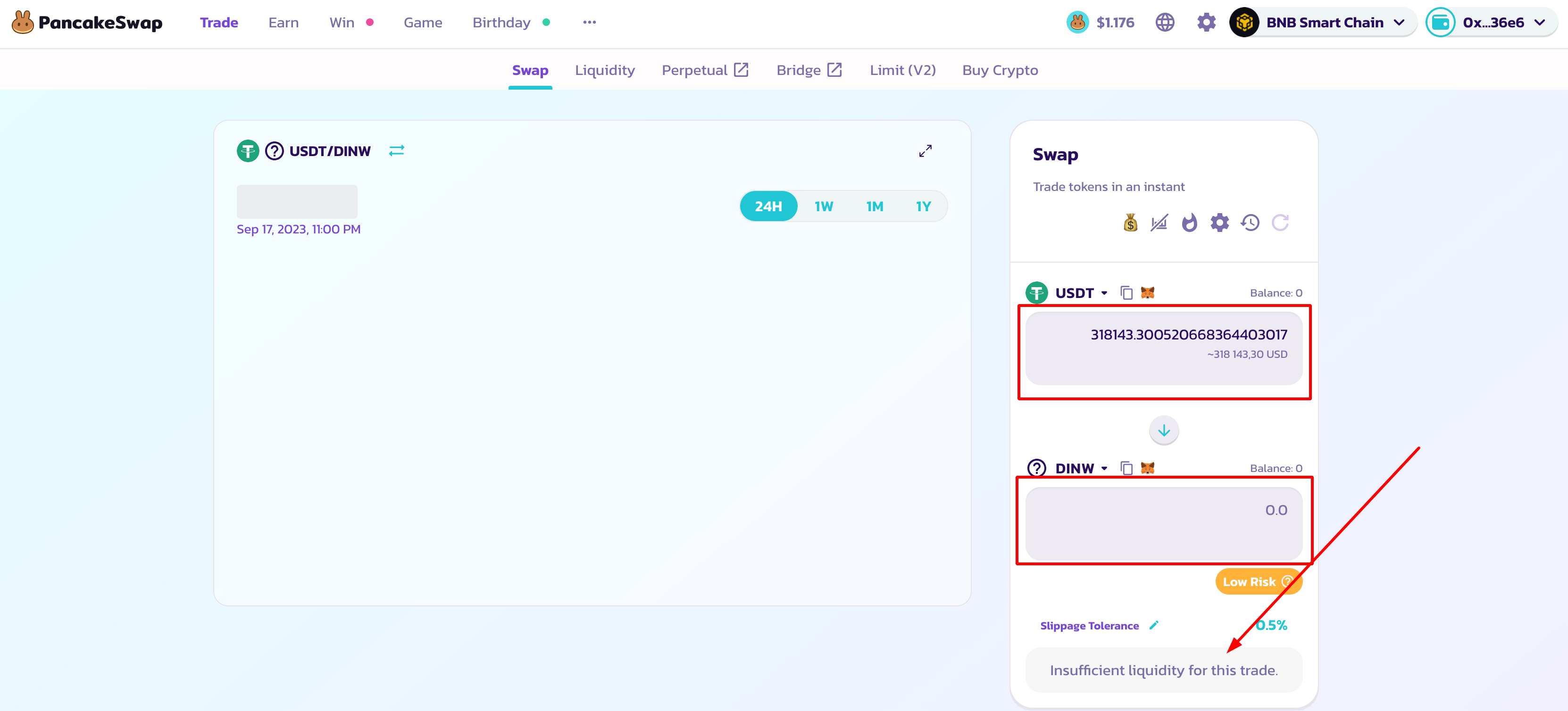
❗️IMPORTANT:
During the first purchase, when you click the SWAP button, it may ask you to confirm the purchase and the tokens will not be purchased and you need to click again
To purchase, you must have BNB for commission
The purchase can be made when the schedule appears. If there is no chart yet, it means the token has not been listed yet
It happens that due to high volatility, it does not buy a token because it cannot catch the price and there are 2 solutions:
1️⃣ Try to buy until you catch the price (you can buy at a disadvantage)
2️⃣ Try to buy until you catch the price (you can buy at a disadvantage)
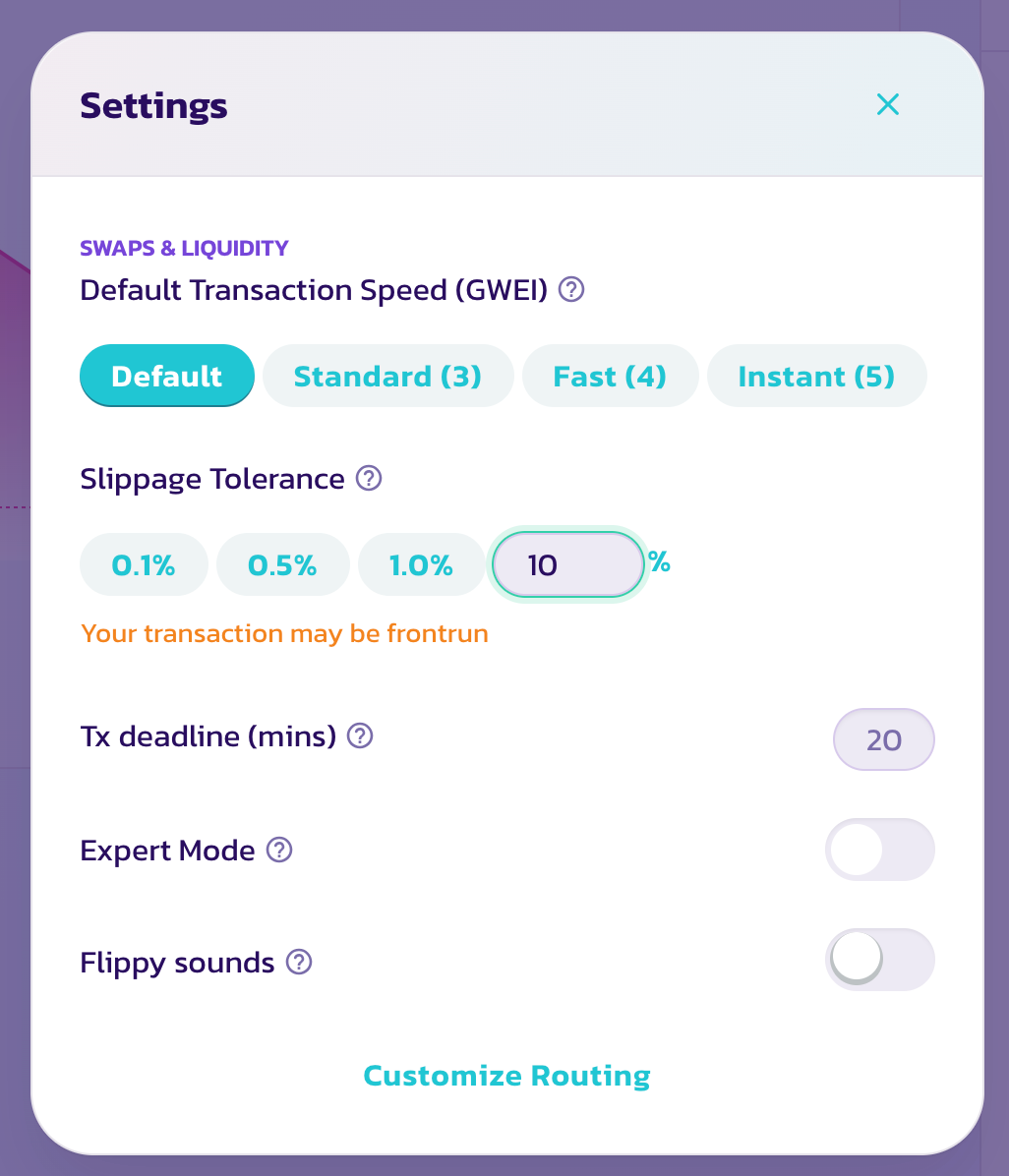
- Click according to the instructions below
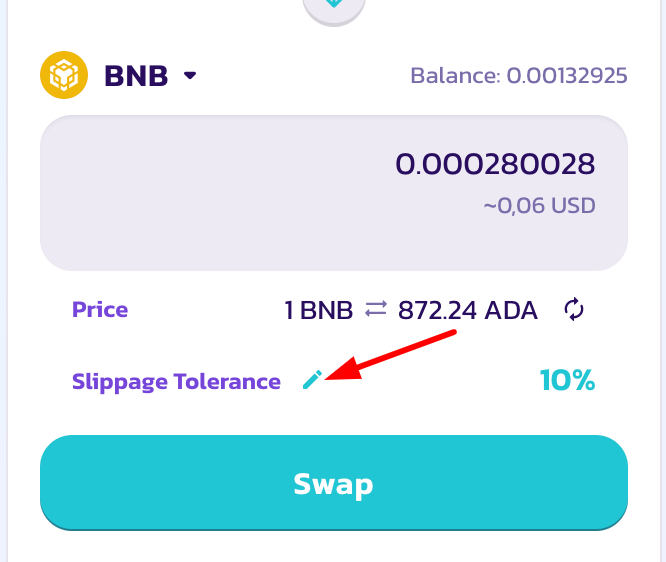
- Change the threshold value to 10%
IF YOU HAVE QUESTIONS, DO NOT HESITATE TO ASK THEM IN OUR CHAT - https://t.me/+W-qG8L9hsAY1MGIy