Instructions for installing energy in the application Liquid Mining
1. Authorization in the application and installation variations
To get started, please log in to the Liquid Mining app. After that you will find yourself on the Data Center page. There are two methods of Installing a Liquid Charger for your Rig, and we will demonstrate both. Ultimately, the decision is up to you.
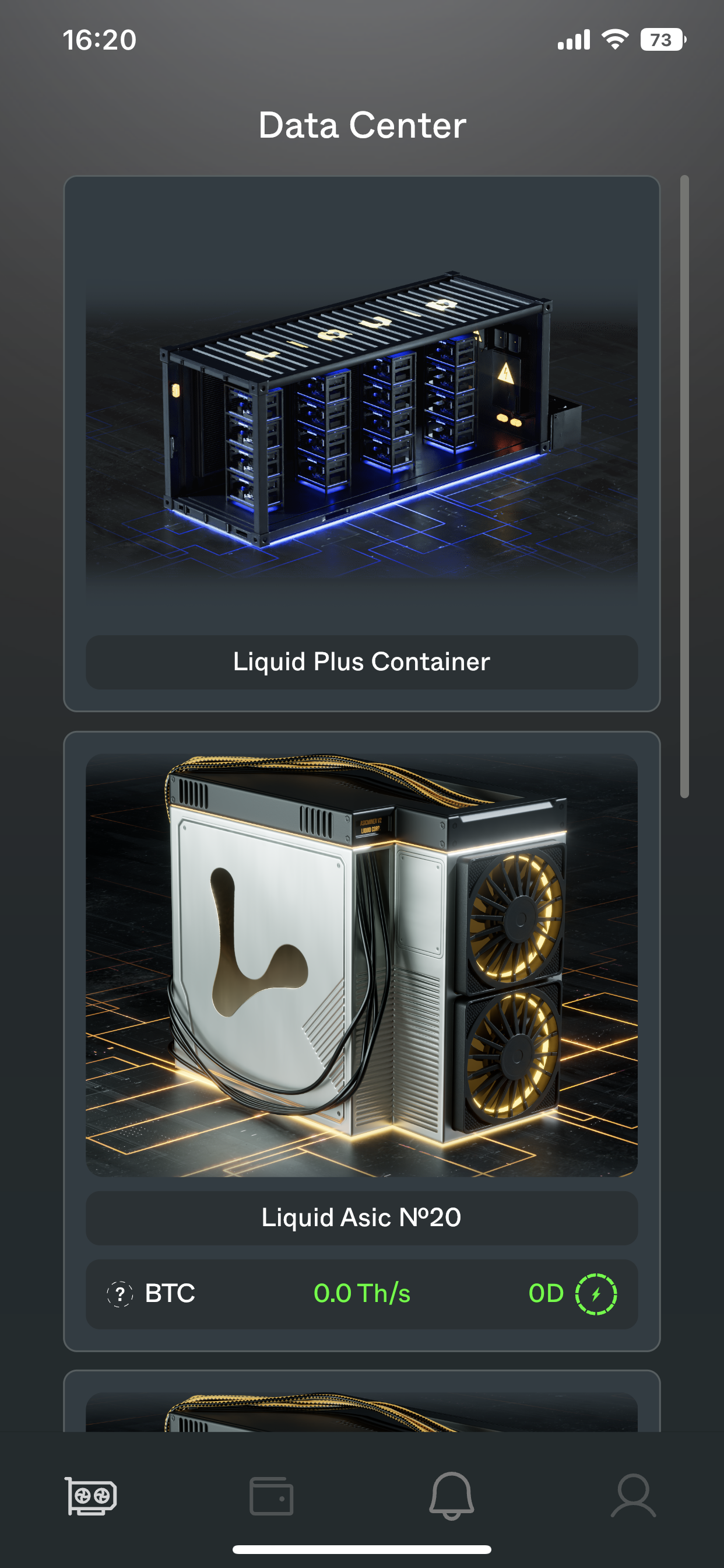
2. First method
For the first method of installing a Liquid Charger, you will need to navigate to the specific Rig.
The path to a specific Rig will depend on its location. For example, if the Rig is located in a Container, you will need to navigate from the Data Center page to the Container, then to the Rack, and finally to the Rig itself.
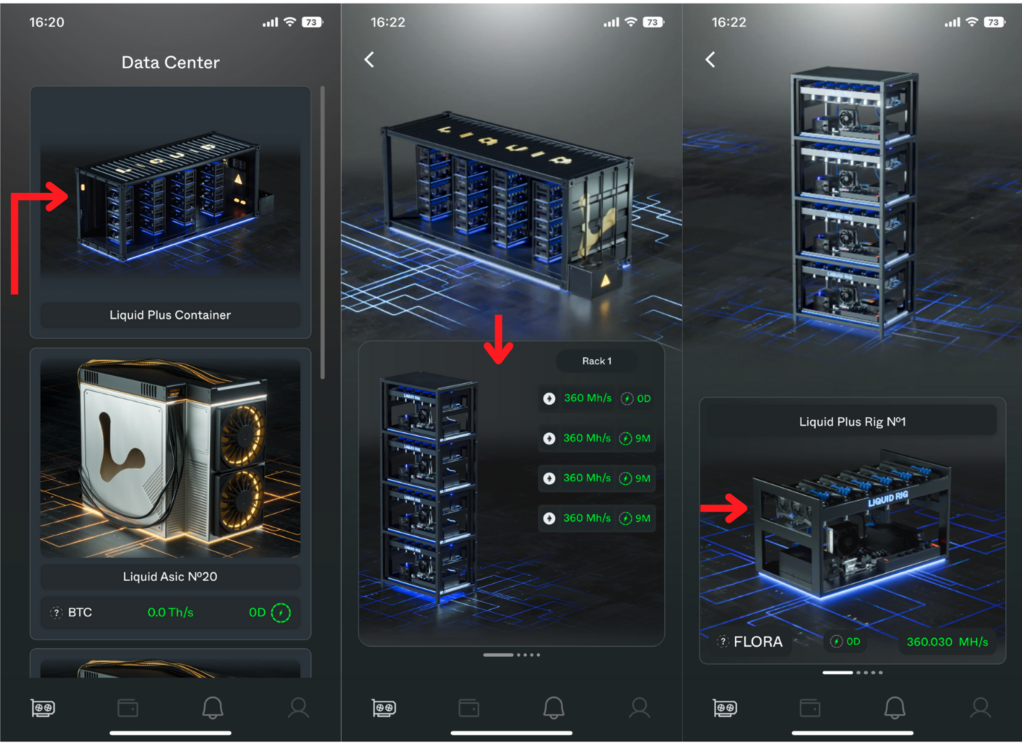
2.1. Rig page
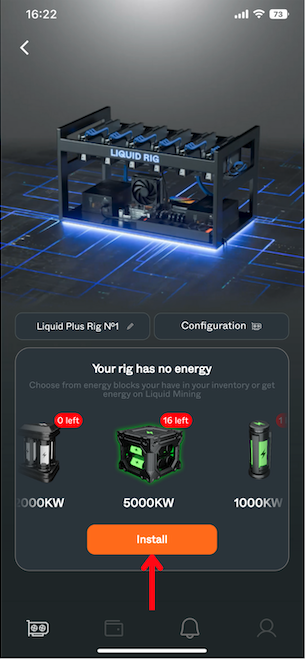
If your Rig has no energy, The following text will be visible on your screen "Your Rig has no energy" with the available energy blocks in your account.
Select the Energy block you wish to install, and click the "Install" button.
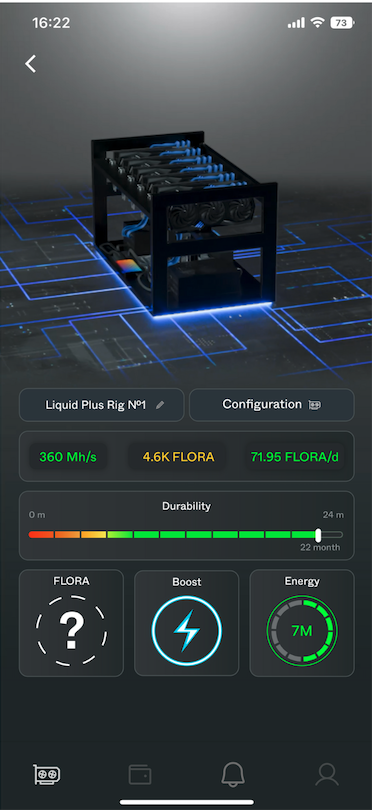
Upon a successful Energy installation, you will be able to switch the mining coin, activate the "Boost" feature, and review your mining statistics.
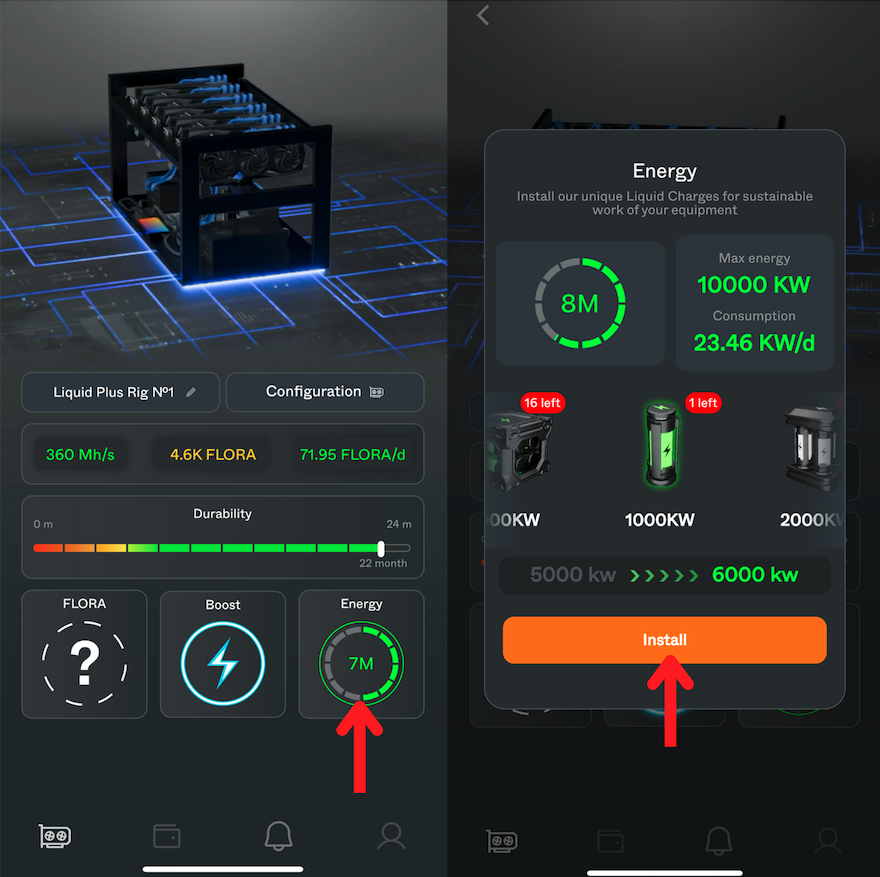
If your Rig already has Energy but you want to add more, navigate to the Rig page and click on the "Energy" button. In the pop-up window, you will see the available Energy, the Rig's energy capacity (the maximum amount of energy a user can install) and the energy consumption per day. Simply select the desired amount and click the "Install" button. The current energy level and the value after installation will be displayed beneath the chosen energy option.
3. Second method
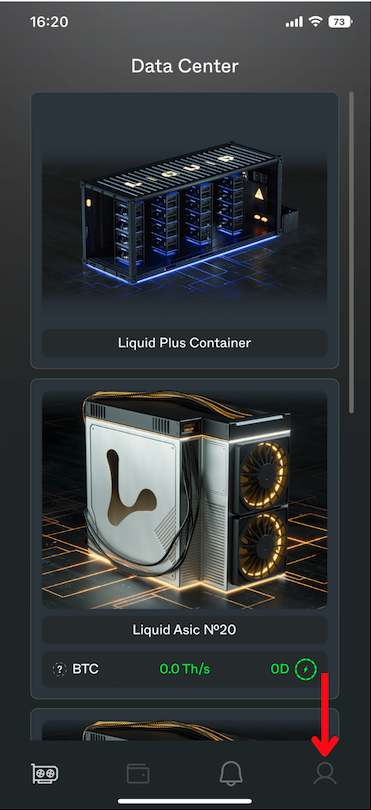
To implement the second Energy installation option, go to the "Profile" section by clicking on the profile icon in the bottom menu.
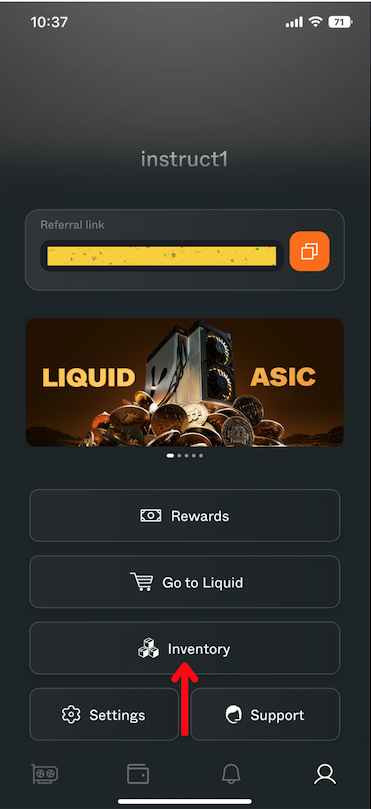
Then click on the "Inventory" button.
On the "Inventory" page, under the "Not installed" section, click on the NFT energy of the desired amount from the available options in your account.
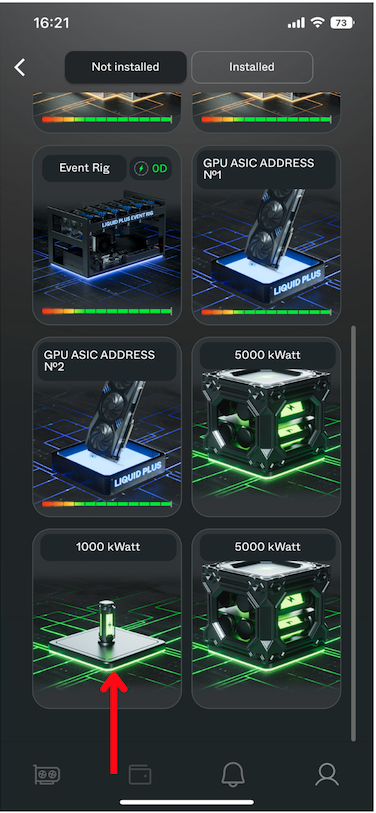
In the pop-up window, you can see the description and capacity of the chosen Liquid Charger. Click the "Install" button.
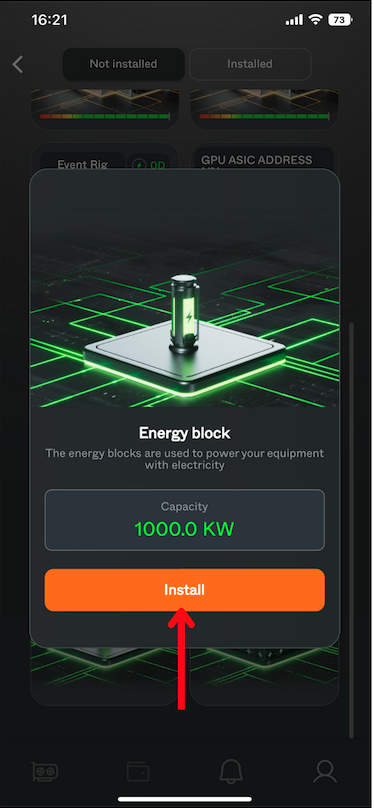
Next, you will be directed to a page where the available Rigs for energy replenishment will be displayed. Choose the Rig you want to install energy into and click the "Install" button.
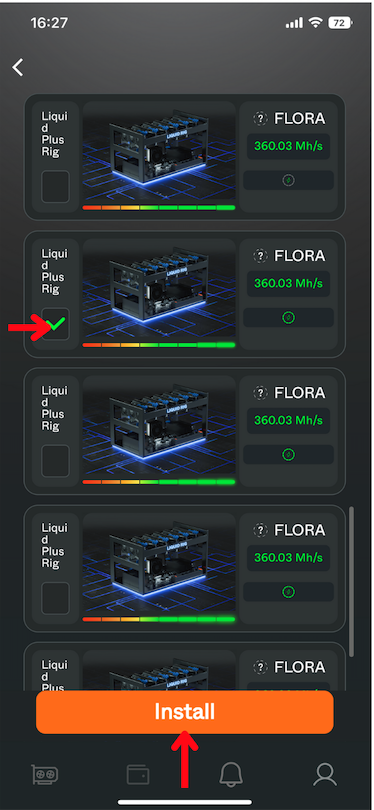
Congratulations! You have successfully installed energy into your Rig and now ready to start mining.